What is Bolt?
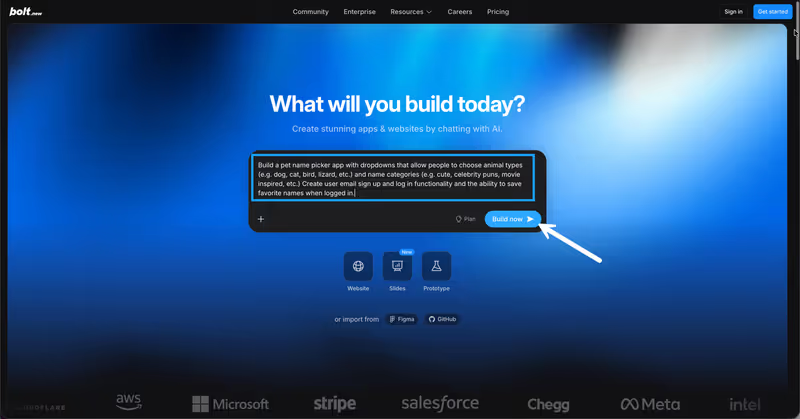
Bolt is a browser-based development workspace designed to generate and iterate on full-stack web applications from text instructions. Built on top of StackBlitz’s WebContainers technology, Bolt runs a complete, virtualized Node.js environment client-side inside a standard browser tab. When you prompt Bolt, it does not just write code; it boots a runtime container, installs package dependencies, configures database schemas, and launches a live development server.
 Bolt product snapshot
Designed to serve as an AI-powered coding workspace, Bolt enables builders to combine conversational prompting with direct, local-style file editing and terminal command execution without setting up local directories or IDEs.

What types of applications can you build with Bolt?
Because Bolt executes a real Node.js server inside WebContainers, it is capable of scaffolding:
- Full-Stack React & Node Web Applications: Build functional web applications complete with Express/Node backends and database integrations.
- SaaS MVPs & Prototyping Layouts: Scaffold interactive dashboard screens, landing pages, and user input workflows to validate concepts.
- Custom API Integrations: Write scripts and configure backend route handlers that fetch and process data from external services.
- Tailwind & React Prototypes: Scaffold responsive UI cards, navigation components, and design grids.
However, Bolt has limitations. It is built for web environments. If you want to distribute a native mobile application via the Apple App Store or Google Play Store, Bolt is unsuitable, as it does not generate native mobile IPA/APK compilation builds.
Where Bolt genuinely shines
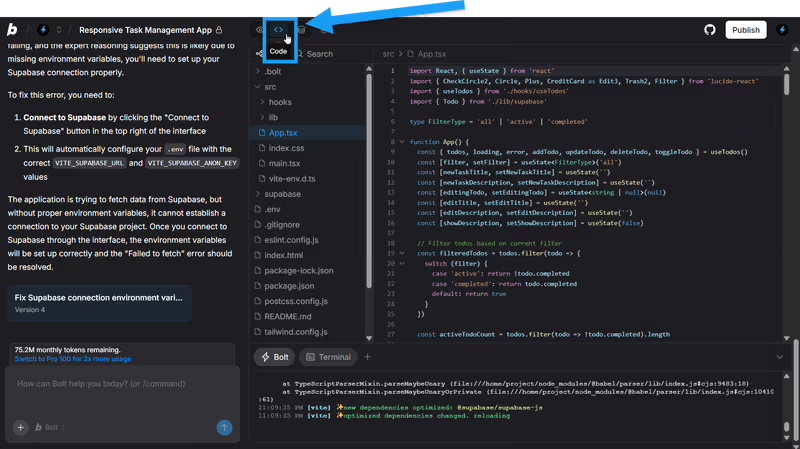
Bolt’s standout feature is its browser-native WebContainers technology. This eliminates the tedious process of local workspace setup. Within seconds of prompting, you are in a real development editor where you can:
- Install npm packages directly into the virtual container.
- Execute shell commands in the browser-native terminal.
- Edit source files side-by-side with AI generations.
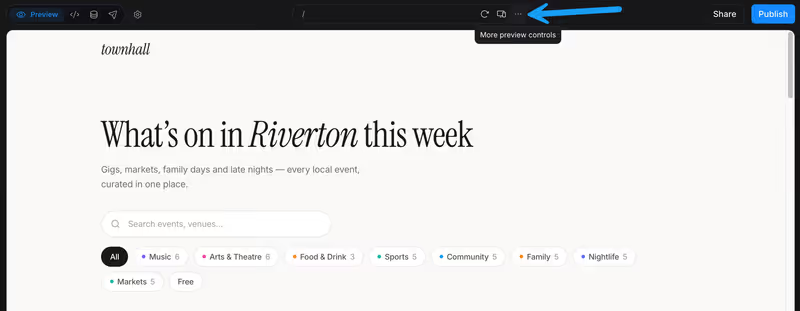
- Review a live preview that updates instantly.
The platform also guarantees code portability. You are never locked into a proprietary system; you can sync your project directly with a GitHub repository or download the entire React/Vite/Node source code directory to run locally in VS Code. Additionally, one-click Netlify deployments make publishing staging links seamless.
The engineering overhead & setup complexity
While Bolt scaffolds code quickly, transitioning a prototype to a production environment requires developer expertise:
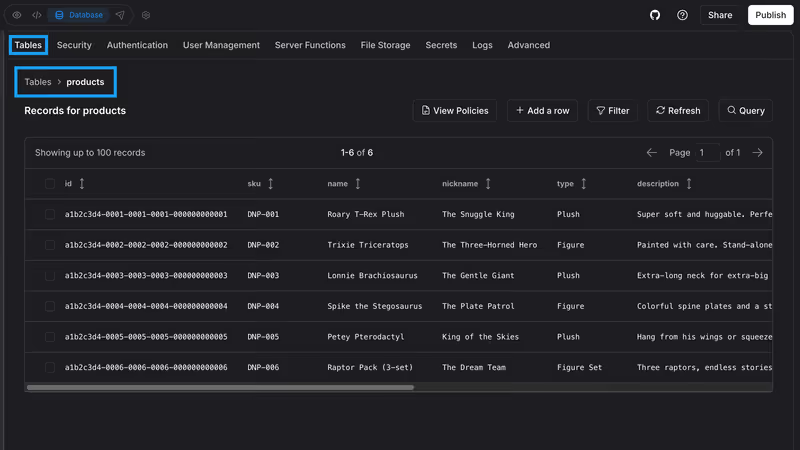
- The Backend Dilemma: Bolt can write code for database connections, but you must manually configure and manage the database hosting. Setting up a production database (e.g. Supabase PostgreSQL) requires manually handling schema migrations, connection pooling, and Row-Level Security (RLS) policies.
- Code Maintenance & Bugs: The AI-generated code often contains compilation errors or security oversights. To secure and scale your application, you must understand React state management, API routes, and environment variable configurations.
- Browser Container Limits: Because WebContainers run on the client side, large codebases can lead to “Out of Memory” (OOM) browser crashes and container freezing. If your project grows too large, Bolt’s compiler will trigger a “Project too large” error, preventing further edits.
The pricing gotchas & token/credit model
Bolt operates on a token-based subscription structure that scales from $25/month for 10 million tokens up to $2,000/month for enterprise tiers. This credit model has several drawbacks:
- Opaque Billing Loops: Prompting Bolt to modify a feature consumes tokens aggressively based on the entire codebase context. In complex files, a single edit prompt can consume millions of tokens.
- Error Penalization: If Bolt’s AI introduces a build error, you must spend tokens prompting it to fix the issue. Users frequently report burning through their monthly token allocation on failed compilation loops without successfully updating their code.
- Subscription Rollover Caps: While tokens roll over for up to two months, they expire if you pause your monthly paid subscription, forcing builders to keep paying to retain access to credits they have already purchased.

Public Sentiment & Community Consensus
Developer discussions on Bolt subreddits and developer platforms reveal common frustrations:
- Dummy One-Shot Generations: Many users note that Bolt v2 operates more like a visual one-shot code generator than a true autonomous developer agent. It often overwrites large blocks of code rather than making surgical edits, occasionally erasing manual changes or breaking layout systems.
- Technical Support Delay: Community feedback indicates that resolving account suspensions or container build glitches through official support channels can take several days.
- The Scale Wall: Builders warn that once an application grows beyond a few pages, the browser compiler starts to lag, making further prompts slow or unstable.
For business teams building client portals, internal tools, or partner networks, the ongoing cost of maintaining generated code is a real problem. Every bug means another prompt, another token spend, another debugging loop - and the underlying codebase keeps accumulating debt. Softr takes a different approach: its AI Co-Builder generates complete apps from a prompt - database, pages, permissions, and navigation included - and the result is a stable, visual application you can modify without ever touching generated code. Softr Databases handles your data natively with no external configuration required, and built-in auth, user groups, and permissions are ready from day one. There’s nothing to re-deploy, no Supabase instance to maintain, and no container memory limits to hit.

Verdict: Who is it actually for?
Best for: Web developers and technical builders who want to quickly scaffold React/Vite/Node prototypes, install npm packages visually, and retain full code ownership via GitHub sync.
Not for: Non-technical founders or operations teams who need to launch a production-ready application without code maintenance, environment setup, or credit-draining debugging loops.