

Bolt and v0 look similar from a distance because both turn prompts into React code, but they sit in different categories. Bolt is closer to an in-browser AI scaffolding environment with WebContainers and full-stack ambitions, while v0 is really a frontend generation assistant with strong design taste. The real choice is not which one is smarter, but whether you want a browser IDE or a UI-first code generator.
The people actually deciding between these two are usually technical founders, product teams, and developers trying to save build time without trapping themselves in a weird proprietary workflow. What is at stake is more than first-day speed: it is how much cleanup you do later, how predictable billing feels, and whether you still own something usable after the AI glow wears off. If you pick wrong, you either overpay for prompt loops or end up wiring half the app manually anyway.
Meet the Contenders
What is Bolt?

Bolt is an AI-powered app builder that behaves more like a browser-based development environment than a pure chat toy. Its pitch is simple: prompt an app into existence, keep editing the generated code live, and stay inside a web IDE instead of bouncing between local setup, hosting, and scaffolding tools.
In practice, Bolt’s identity comes from WebContainers, which run a real Node.js environment in the browser, plus its ability to install npm packages, execute terminal commands, and preview a running app as code changes. It can scaffold React components, Node.js logic, routing, styling, and PostgreSQL schemas in one pass, then sync code to GitHub or deploy to .bolt.host and Netlify. That makes it materially broader than a frontend mockup tool, even if the backend story still often needs manual cleanup.
Bolt is genuinely built for developers, technical founders, and ambitious tinkerers who want AI scaffolding without giving up code ownership. It frustrates people who thought prompting would remove engineering work entirely, because user feedback repeatedly mentions token-burning edit loops, project-too-large errors, and build failures once the app gets beyond the easy demo phase.
| Spec | Details |
|---|---|
| Primary Stack | AI-generated React frontend with Node.js logic and PostgreSQL schema scaffolding |
| Interface | Browser IDE with WebContainers, live preview, terminal access, and prompt-driven editing |
| Primary Deployment Target | Bolt Cloud on .bolt.host, with one-click Netlify deployment and custom domains on paid plans |
| Key Advantage | Real in-browser development environment with code export and GitHub sync |
What is v0?
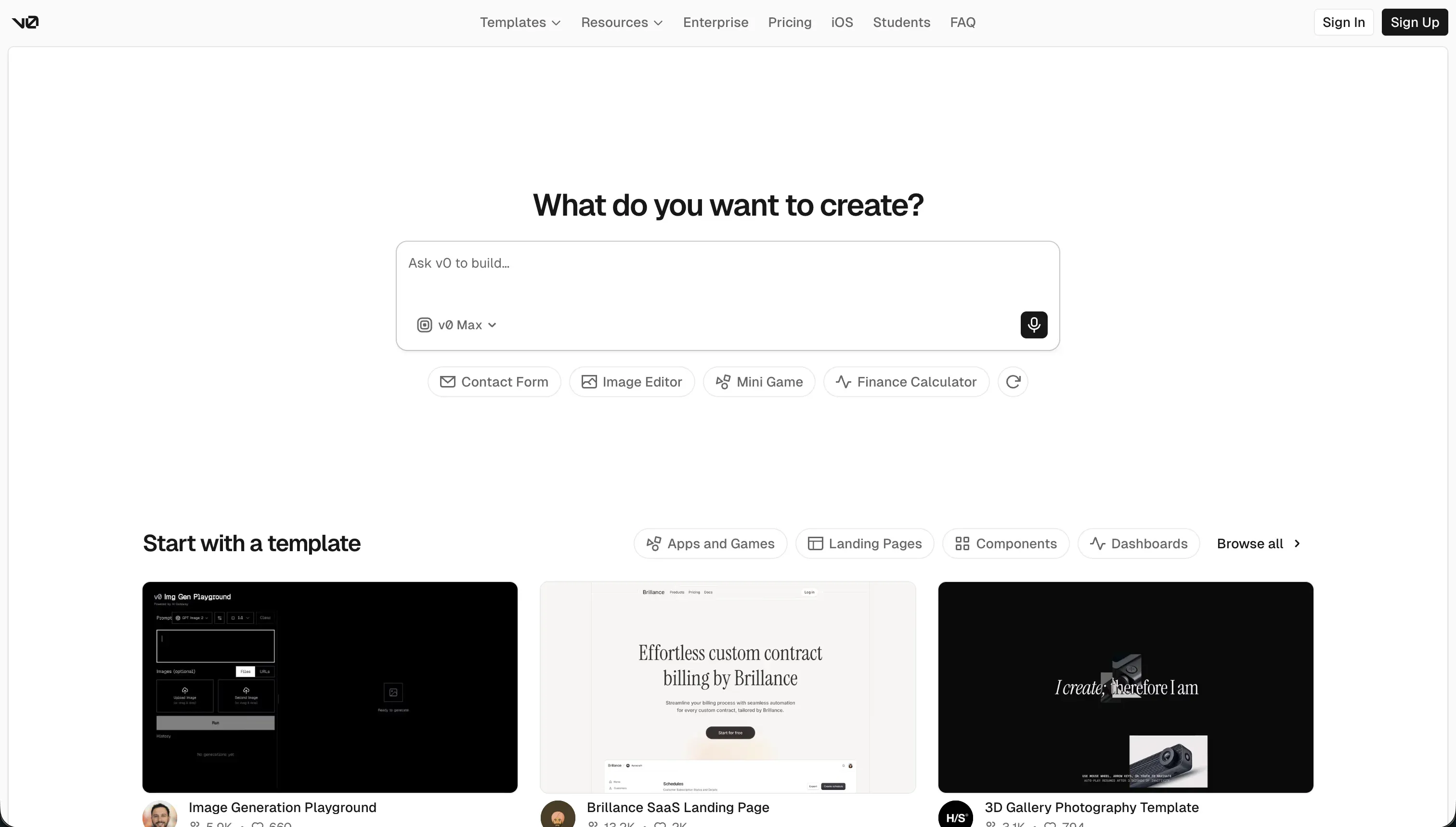
v0 is Vercel’s AI-powered frontend generation tool for producing React interfaces from natural-language prompts. It is best understood as a UI code generator with unusually good visual taste, not as a complete app platform.
In practice, v0 shines when you want shadcn/ui-style components, Tailwind CSS layouts, and quick design iterations from screenshots, sketches, or text prompts. It offers design-mode inputs, conversational theme adjustments, GitHub sync, editable React and TypeScript output, and one-click deployment to Vercel. What it does not offer is equally important: there is no native database, no built-in auth layer, and no real answer for backend logic beyond “go wire that somewhere else.”
v0 is genuinely built for frontend developers, design-minded founders, and teams already living in the Vercel and Next.js ecosystem. It frustrates users who expect a full app builder, because community feedback repeatedly complains that after 5 to 10 messages the context drifts, code quality drops, and debugging still consumes credits even when the model gets the answer wrong.
| Spec | Details |
|---|---|
| Primary Stack | AI-generated React and TypeScript UI using shadcn/ui patterns and Tailwind CSS |
| Interface | Prompt-based visual UI generator with design-mode inputs and preview editing |
| Primary Deployment Target | Vercel deployments with GitHub sync for generated frontend code |
| Key Advantage | Fast, polished frontend generation with clean exportable React code |
The Core Difference
The biggest difference is scope. Bolt tries to be a browser-native app-building environment, while v0 is much narrower and much cleaner: it mostly wants to generate the frontend and let you handle the rest.
- Bolt runs like an AI-assisted browser IDE, giving you WebContainers, terminal access, package installs, and broader full-stack scaffolding at the cost of more instability and token burn.
- v0 acts like a design-forward React code generator, producing polished frontend code quickly but leaving backend, auth, and real application plumbing on your plate.

Head-to-Head Comparison
We evaluated both platforms across four core categories.
1. Developer Experience & Iteration Speed
Bolt is impressive in the first session because it feels like you skipped local setup entirely. You can prompt an app, open a live preview, install npm packages, run commands in WebContainers, and keep iterating without leaving the browser, which is still a genuinely useful workflow for fast scaffolding.
The downside is that iteration gets shakier as complexity rises. Community complaints repeatedly mention diff-based edits that rewrite working code, token burn with no visible progress, build failures, and “project too large” limits that can halt prompting even when users still have millions of tokens left.
v0 is usually faster for narrow UI iteration because the problem space is smaller. If you want a hero section, dashboard shell, pricing page, or shadcn-style admin panel, it often gets to a good-looking result faster than broader tools precisely because it is not trying to manage the whole stack.
That same narrowness becomes friction once you move past surface-level UI work. Multiple user reports say sessions start to crumble after 5 to 10 prompts, with buggy components, bloated Tailwind output, and repeated cleanup cycles that still cost credits even when you are only trying to fix a small visual mistake.
Edge: v0, because for pure UI iteration it is usually faster and less noisy than Bolt’s broader but more failure-prone browser IDE workflow.
2. Code Quality & Portability
Bolt has a strong story on portability because it generates standard codebases, supports GitHub sync, and lets you export the project rather than trapping you in a proprietary runtime. That matters for technical teams who want AI scaffolding now but the option to take the codebase over later.
The catch is that portability does not guarantee cleanliness. User feedback regularly points to overhauls of working code, regressions in appearance, and the need for manual developer review before anything feels production-ready, so the exit path is real but sometimes messier than the sales pitch suggests.
v0 also exports real React and TypeScript code and is notably appealing to frontend teams because it avoids proprietary component formats. If your main goal is to generate UI code and move it into a normal repo, v0’s output is often easier to reason about than a giant AI-generated app scaffold.
But there is a separate quality problem: clean ownership is not the same as clean architecture. Community complaints mention bloated Tailwind classes, hallucinated dependency imports, odd component decomposition, and annoying local migration issues when trying to move projects out of the hosted environment into a real IDE.
Edge: v0, because both tools let you keep the code, but v0’s narrower frontend scope usually produces a cleaner handoff than Bolt’s larger and more regression-prone scaffolds.
3. Database & Backend Capabilities
Bolt at least tries to answer the backend question. Its product story includes scaffolding Node.js backend logic and PostgreSQL schemas, and Bolt Cloud also advertises integrated user management and authentication, which gives it more full-stack ambition than frontend-only competitors.
Still, the backend story is not as complete as it sounds. Research explicitly notes no native database UI or direct database control, and user threads keep circling back to the same dilemma: you often end up wiring Supabase or another backend service anyway, then debugging the generated integration like a normal developer.
v0 is much weaker here because it is not trying to be a backend tool in the first place. It generates React structures, deploys nicely to Vercel, and then largely leaves data models, auth, APIs, and relational logic to your existing stack.
That makes v0 honest but limited. If you already have a backend team or a fixed stack, that can be fine, but for solo builders hoping one prompt will handle database schema, secure auth, and app logic, v0 simply has no real native answer.
Edge: Bolt, because an imperfect backend story still beats v0’s essentially nonexistent one.
4. Hosting & Deployment Options
Bolt’s hosting and deployment story is flexible for a browser-native builder. You can publish to .bolt.host, use Netlify integrations, work with custom domains on paid plans, and keep everything inside the same workspace while still retaining an export path to GitHub.
The problem is trust under load. Users report container crashes, out-of-memory issues in larger projects, and build instability, which means the convenience is real but so is the sense that you are betting on a browser runtime that can get temperamental as your project grows.
v0 benefits from Vercel’s deployment muscle, and that ecosystem fit matters. If you are already building React or Next.js frontends for Vercel, the path from prompt to preview URL is about as smooth as it gets.
But deployment simplicity does not erase framework fragility. User reports mention deployment bugs tied to Tailwind and PostCSS version mismatches, and the fact remains that v0 only helps with the frontend deployment path, not the broader operational burden of auth, databases, background jobs, or application hosting as a whole.
Edge: Bolt, because it gives you more deployment paths and a broader hosted workflow, even if that flexibility comes with more runtime headaches.
5. AI Quality & Reliability
Bolt’s AI value is breadth. It can scaffold far more than a pretty interface, and the built-in Enhance feature plus smart debugging and refactoring tools give it a more ambitious agent-like posture than many simpler generators.
That breadth also creates more ways to fail. Reddit complaints describe the system as effectively one-shotting results, burning tokens on bad edits, and sometimes rewriting whole sections of working code, which is exactly the kind of reliability issue that makes large prompt-based projects expensive to maintain.
v0’s AI tends to look more reliable in the first few interactions because the model is constrained to visual output. High design polish is its real strength, and that is why it remains popular for landing pages, dashboards, and UI exploration even when people do not trust it for full applications.
The weakness shows up in longer sessions and edge cases. Multiple user reports say code quality drops sharply after 5 messages, the system sometimes imports nonexistent packages, and the new usage-based pricing makes failed generations feel punitive because you still pay for the miss.
Edge: v0, because its narrower frontend focus makes the AI feel more dependable than Bolt’s broader but more brittle scaffolding.
6. Learning Curve & Onboarding
Bolt has a deceptively friendly starting experience. There is no local setup, the free plan includes 1 million tokens with a 150K daily cap, and developers immediately understand the mental model because it looks like a browser IDE with AI layered on top.
The learning curve rises later, not earlier. To get reliable results you still need to understand packages, build errors, architecture decisions, and backend tradeoffs, so beginners who came for “AI builds the app for me” often discover they have simply imported the normal developer workload into a chat-assisted environment.
v0 is easier to grasp because it has a much simpler promise: describe the UI you want, tweak it visually, then export the React code. For product designers and frontend-leaning founders, that narrow scope means less conceptual overhead than learning a broader dev environment.
The catch is that it teaches only the frontend slice of the problem. Once you need a backend, secure auth, data models, or production logic, the onboarding advantage fades because you still have to leave v0 and solve the hard half of the app somewhere else.
Edge: v0, because it is easier to learn quickly when your goal is UI generation rather than full app construction.
Pricing Comparison
Bolt:
- Free - $0 with 1M tokens per month, a 150K daily cap, basic hosting, and public-only projects.
- Pro - starts at $25/month with 10M tokens, private projects, custom domains, and token rollover up to 2 months.
- Teams - starts at $30/member/month with 10M tokens per member, team controls, centralized billing, and token rollover.
- Pro and Teams can scale from 10M tokens to 1.2B monthly tokens, with top-end pricing reaching $2,000/month.
v0:
- Free - $0/month with $5 of monthly credits, Vercel deployment, visual edits, and a 7 messages/day limit.
- Team - $30/user/month with $30 of included monthly credits per user, plus $2 of free daily credits on login.
- Business - $100/user/month with $30 of included monthly credits per user, plus $2 of free daily credits on login.
- Enterprise - custom pricing with SAML SSO, RBAC, priority access, and support SLAs.
- Model pricing varies by tier, from v0 Mini at $1/1M input and $5/1M output tokens up to v0 Max Fast at $30/1M input and $150/1M output tokens.
Use Case Fit: When to use which?
When to choose Bolt
- Choose Bolt when you want a full in-browser dev environment with terminal access, npm installs, and broader full-stack scaffolding than a UI-only tool can offer.
- Choose Bolt when GitHub sync, code export, and deployment flexibility to
.bolt.hostor Netlify matter more than perfect visual polish. - Choose Bolt when you are technical enough to debug generated code and you accept that token usage and project instability may rise as the app gets larger.
When to choose v0
- Choose v0 when your main problem is generating polished React UI quickly, especially with shadcn-style components and Tailwind layouts.
- Choose v0 when you already have a backend stack and simply want a faster way to produce frontend code and iterate on design.
- Choose v0 when clean React and TypeScript output matters more than integrated app infrastructure, terminal access, or backend scaffolding.
When neither Bolt nor v0 is the right fit
For internal tools and client portals
Neither Bolt nor v0 is a great answer if your real job is building operational software for employees, clients, vendors, or partners. They both can help produce interfaces, but they still leave you with too much day-two work around auth, permissions, data structure, and maintenance, which is exactly where prompt-generated code stops feeling fun.
That is where Softr is the more practical choice. Start with Softr Databases as the native foundation, then add user groups, row-level permissions, workflows, and hosted portals without writing or maintaining generated code; if you need external data later, Softr also connects to 17 outside sources, but the important part is that the production app model is already there.
For native mobile apps
Bolt and v0 are web-first tools, and that matters if your requirement is actual App Store or Google Play distribution. Bolt research explicitly notes that its output is primarily for web apps and cannot be published directly to the Apple Store, while v0 is even further from a native mobile builder because it focuses on React UI generation for web deployment.
If native mobile is the goal, look at FlutterFlow first and Adalo if you want a more approachable mobile builder. Those tools are built around app-store distribution and mobile-specific flows, which neither Bolt nor v0 handles well.
For professional developer environments
If what you really want is AI help inside a serious coding workflow, both compared tools have awkward constraints. Bolt is impressive but still tied to a browser container model that users say can crash or hit memory issues, while v0 is too frontend-specific to replace a real development environment.
That is where Cursor or Replit usually make more sense. Cursor is the better fit if you already work locally and want AI embedded in a real IDE, while Replit is the cleaner choice if you want an actual cloud development environment rather than a prompt-first app generator.

Verdict
Pick Bolt if you want the broader tool and you are comfortable acting like a developer inside it. The tradeoff is that you get more full-stack ambition, terminal access, package installs, and deployment flexibility, but you also accept token burn, browser container instability, and a lot more prompt-driven regression risk once the project stops being small.
Pick v0 if the frontend is the job. The tradeoff is that you get faster visual results, cleaner React output, and less conceptual sprawl, but you are also buying a tool that stops short of the hard parts and assumes you already have a backend plan, an auth plan, and some tolerance for usage-based credit annoyance.
That is the day-two reality most comparison pages dodge: code ownership is useful, but code maintenance is the tax that actually hurts. For internal tools, CRMs, partner portals, and multi-user business apps, Softr usually ages better because it starts with Softr Databases, permissions, workflows, and hosting already in place, and its AI can speed up the build without becoming the only way to maintain it.

Summary Comparison Table
| Criterion | Bolt | v0 |
|---|---|---|
| Best for | Browser-based app scaffolding and dev workflow | Fast frontend and UI generation |
| Build paradigm | AI-assisted browser IDE with live code editing | Prompt-driven React UI generator |
| Database | Schema scaffolding, but no strong native DB admin layer | No native database layer |
| Hosting | Bolt Cloud, .bolt.host, Netlify options | Vercel deployment for frontend output |
| Pricing metric | Subscription plus token limits | Seat pricing plus credit and model usage costs |
| Code export | Yes, with GitHub sync and exportable codebase | Yes, clean React and TypeScript output |
| Maintenance burden | Higher once the scaffold gets large or unstable | Lower for UI only, higher once backend work starts |