

[!WARNING] Mocha is shutting down on August 1, 2026. The team announced a complete sunset of their services on May 15, 2026, citing high user acquisition costs, expensive AI token unit economics, and high support and capital demands. All hosted applications and databases will go offline on that date. Existing users must export their source code and data immediately. The Mocha team recommends migrating to Anything.
Comparing Bolt and Mocha as active competitors would have been straightforward six months ago. They occupy a similar space - both are conversational AI builders that generate React applications from text prompts, both offer code export, and both target the same audience of technical founders and indie builders. But Mocha’s shutdown announcement in May 2026 transformed this comparison. It is now primarily useful as a migration reference: what did Mocha do architecturally, where does Bolt do the same thing differently, and is Bolt the right landing spot for developers leaving Mocha?
Meet the Contenders
Understanding where these platforms made different architectural bets helps explain both their strengths and their failure modes - and makes it easier to evaluate where Bolt fits for Mocha refugees.
What is Bolt?

Bolt (bolt.new) is a browser-native development environment built on StackBlitz’s WebContainers technology. It runs a virtual Node.js container directly inside your browser tab - giving you a live terminal, an npm package manager, an active development server, and a full code editor alongside the AI assistant. The model is fundamentally different from other AI builders: Bolt does not abstract the development environment away. It exposes it. You can type npm install commands in the terminal, manually edit generated files in the code panel, and run custom scripts without leaving the browser.
This gives Bolt a unique position in the AI builder space. It generates complete React and Node.js codebases from prompts, but it also lets you bypass the AI entirely when it makes a mistake. You own the keyboard - the AI is a collaborator, not a black box.
| Spec | Details |
|---|---|
| Primary Stack | React, Node.js, Tailwind CSS, WebContainers |
| Interface | Chat prompt + full browser-native IDE with terminal |
| Primary Deployment Target | Bolt Host, Netlify, or GitHub sync |
| Key Advantage | Direct terminal access and npm package control in the browser |
What is Mocha?
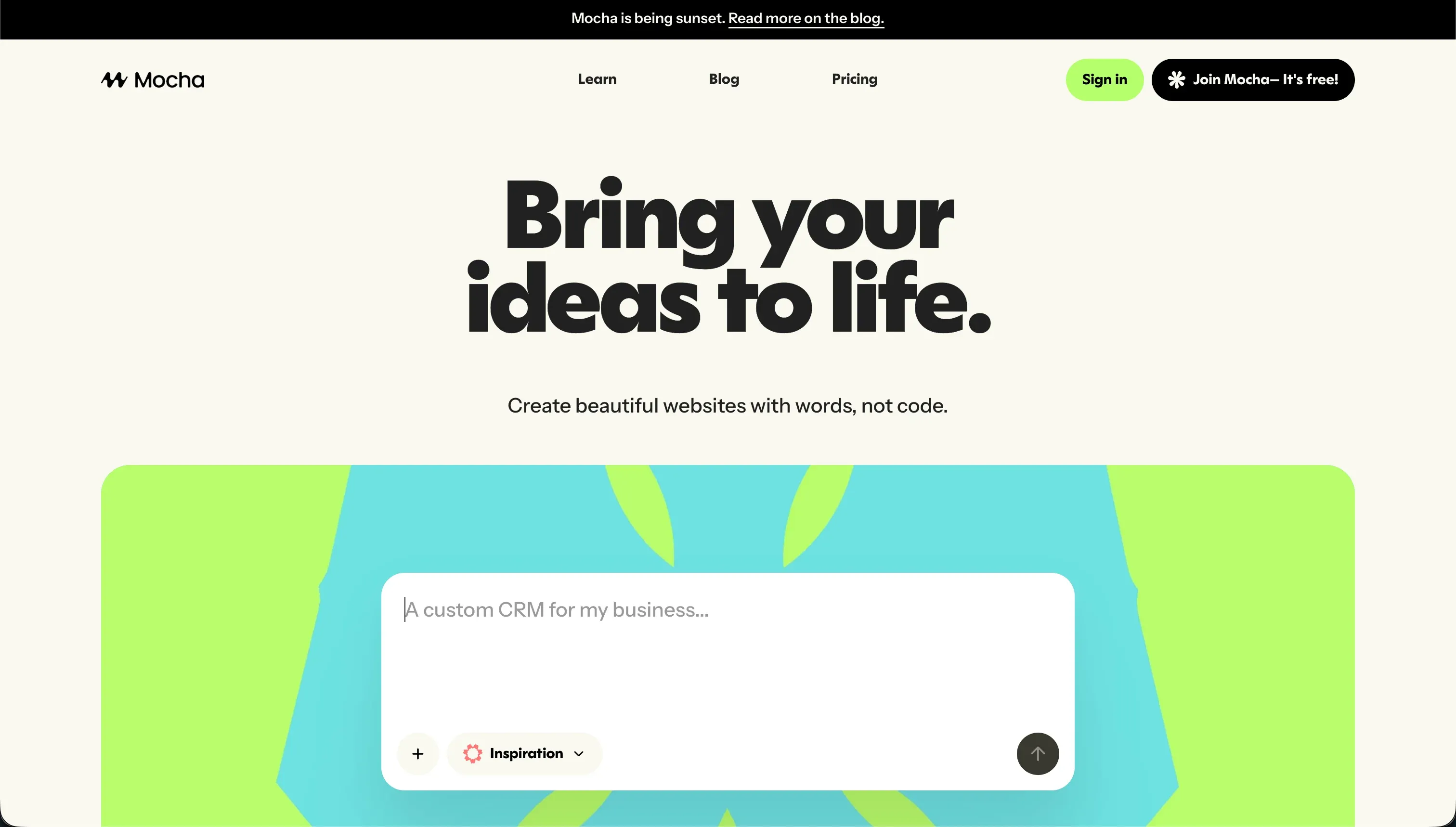
Mocha (getmocha.com), formerly Srcbook, took a different design philosophy. Instead of exposing the development environment, it deliberately constrained it. The standardized on a React frontend, a Node/Express backend, and an embedded SQLite database - a stack that could be fully configured automatically without any user input. Google Sign-in came pre-wired. The AI automatically detected and attempted to fix compilation errors during iteration cycles. One-click publishing deployed apps directly to Mocha’s hosting infrastructure.
The resulting experience was narrower than Bolt’s but more predictable within that scope. You could build and deploy a simple tool without touching a terminal, a package.json, or an authentication configuration file. The cost was customization: anything outside Mocha’s supported defaults required manual coding or was simply not achievable on the platform.
| Spec | Details |
|---|---|
| Primary Stack | React / Express with embedded SQLite |
| Interface | Conversational AI with automated bug resolution |
| Primary Deployment Target | Mocha Cloud hosting (terminating August 1, 2026) |
| Key Advantage | Pre-configured auth + database + clean code export |
The Core Difference
The architectural difference between Bolt and Mocha maps to a fundamental question in AI-assisted development: how much control should the user have over the underlying environment?
Bolt answers that question by giving you everything. The WebContainers technology means you have a real Node.js runtime in your browser. The AI is writing code into a real project structure - one you can inspect, edit, and run independently. If the AI makes a mistake, you can fix it manually. If you need a specific npm package, you can install it yourself. This control is genuine and meaningful. It also means that when things go wrong, you are in a proper development debugging situation, not just re-prompting an AI and hoping for better output.
Mocha answered it by constraining the environment. A narrower stack means fewer things to configure, fewer ways for the AI to make decisions you cannot understand, and a faster path to a working first version for simple projects. The downside is that you cannot escape those constraints. When your project needs something Mocha was not designed for, you hit a wall. The architecture that made Mocha easy to start with also made it hard to grow beyond.
The shutdown of Mocha makes a philosophical point about this design choice: constrained, opinionated tools are easier to build and explain, but they are also harder to monetize because the ceiling on what users can do with them is lower. Mocha’s team acknowledged that user acquisition costs and AI token economics made the business unsustainable. Bolt, with its broader scope and developer-oriented feature set, has maintained a larger and more engaged user base - though with its own well-documented billing and stability problems.

Head-to-Head Comparison
1. Developer Experience & Iteration Speed
Bolt’s iteration workflow is genuinely fast for initial scaffolding. Describe a SaaS layout, a dashboard, or a form-heavy application, and Bolt generates a working React project with appropriate component structure, routing, and styling in minutes. The live preview updates as the AI writes code, so you can see progress in real time. For developers who know what they are looking at, this is an excellent prototyping experience.
The iteration quality drops as projects grow. Bolt’s most frequently cited problem is the tendency to overhaul unrelated code when making targeted changes. You prompt it to add a new feature, and it rewrites the visual appearance of pages you did not ask it to touch. Or it enters a token-burning loop where it modifies code with a diff-based approach and then immediately rewrites the entire thing without including the new changes - “just burning tokens with no changes,” as one Reddit user put it. Once you hit the “Project too large” account limit, new prompts are blocked entirely - even if you have unused tokens remaining on your plan.
Mocha’s iteration experience was simpler and more constrained. The automated bug resolution caught many common errors silently, which reduced the cognitive overhead of managing compilation errors during iteration. The tradeoff was a narrower feature scope and a credit model that could still burn quickly when the auto-resolver entered a loop on a problem it could not fix. With Mocha sunsetting, its support channels are now focused on migration assistance rather than active feature development, so any iteration issues in existing projects will not receive prompt support.
2. Code Quality & Portability
Bolt generates standard Vite project directories - React, TypeScript, Tailwind CSS - that you can open in any local editor and deploy to any Node.js-compatible host. There is no proprietary markup or vendor-specific schema in the output. GitHub sync is built in, and the codebase is fully yours from the first commit.
The code quality is generally high on initial generation and can degrade during complex edit sessions. Layout regressions are a documented issue: Bolt has a pattern of rewriting the visual styling of unrelated pages when making targeted feature additions. Generated code also occasionally includes redundant components or duplicated logic when the AI loses track of what already exists in a large project. These are manageable problems for a developer who reviews generated changes before accepting them, but they create real overhead.
Mocha’s code export is cleanly packaged and genuinely portable. The exported bundle includes the React frontend, the Express backend, and instructions for running it outside Mocha’s infrastructure. For developers looking to migrate off Mocha, this is the most important fact to know: the export works, it is complete, and it is your primary path to continuing the project after the shutdown. The code quality is generally good for projects within Mocha’s supported scope - though customizations beyond the initial AI-generated output may require manual coding.
3. Database & Backend Capabilities
Bolt is backend-agnostic. It generates frontend and logic code but does not include a managed database service. If your application needs persistent data storage, you connect an external provider - typically Supabase, PlanetScale, or Xano - through AI-prompted connection code or manual configuration. Bolt will write the code to connect to your database, but it does not provision, migrate, or manage the database itself.
The security implication of this approach is significant. Database security rules - Supabase RLS policies, API authentication middleware, field-level access controls - are all generated by the AI. Community reports indicate that these configurations are not always correct, and there is no visual verification layer to audit them. Before deploying a Bolt project with real user data, a developer must manually review all generated security code.
Mocha’s embedded SQLite database was simple, self-contained, and zero-configuration. That simplicity made it appropriate for prototypes and lightweight internal tools. SQLite is a single-file database - it does not support the concurrent write operations needed for a multi-user SaaS application, and it lacks the access control features of PostgreSQL. All Mocha-managed SQLite databases will be permanently deleted when the platform closes. If you have a Mocha project with data you need to preserve, export that data immediately.
4. Hosting & Deployment Options
Bolt deploys to its own hosting environment (bolt.host) or directly to Netlify through a one-click integration. Custom domains are supported on Pro plans, along with SEO configurations and analytics integrations. Git synchronization means you can also deploy to any platform that pulls from GitHub - Vercel, Railway, Render, or your own server.
The WebContainers technology that makes Bolt’s browser IDE possible also creates hosting complexity. Running a Node.js container inside a browser tab is resource-intensive. Users with large projects report page freezes, out-of-memory errors, and container crashes during active editing sessions. These are development environment issues, not deployment issues - once deployed to Netlify or bolt.host, the application runs normally. But they make working on large Bolt projects in the editor genuinely frustrating.
Mocha’s hosting will terminate on August 1, 2026. All applications hosted on Mocha’s infrastructure will go offline on that date. The migration path for hosted applications is to export the source code and redeploy to an independent hosting provider. Netlify and Render are reasonable choices for the exported Mocha stack. The Mocha team’s recommended tool for continuing development is Anything.

Pricing Comparison
Bolt uses a token-based subscription model with rollover:
- Free ($0/month): 1 million tokens/month with a 150K daily cap. Public projects only. Enough for experimentation but not sustained development.
- Pro (starts at $25/month): 10 million tokens/month. Private projects, custom domains, token rollover for up to 2 months. Scales up to $100/month for 55 million tokens, $2,000/month for 1.2 billion tokens.
- Teams (starts at $30/member/month): 10 million tokens per member, centralized billing, team access controls.
The most important pricing consideration on Bolt is not the per-tier cost - it is the unpredictability of token consumption during debugging loops. Users report burning through millions of tokens on edit sessions where the AI modifies code and then immediately reverts to the previous state. Several threads document users paying for 50+ million tokens and being locked out by the “Project too large” limit before spending them. Token rollover requires maintaining an active paid subscription to be valid.
Mocha pricing (historical reference - do not subscribe):
- Starter ($0/month): 120 credits/month, 1 published deployment.
- Bronze ($20/month): 1,500 credits/month, up to 5 apps, custom domains.
- Silver ($50/month): 4,500 credits/month, up to 15 apps, priority support.
- Gold ($200/month): 25,000 credits/month, up to 25 apps, early access.
Mocha’s per-credit allocation was more generous than Emergent’s at equivalent price points, reflecting the more constrained operations that consumed credits on the platform. The credit model had the same structural problem as all credit-based AI builders: consumption is hard to predict in advance, especially during bug-resolution loops.
Use Case Fit: When to use which?
When Bolt makes sense
- You are a developer or technical founder who wants to scaffold a React/Node.js web application quickly and then take ownership of the codebase.
- You need terminal access and custom npm package support within the browser development environment.
- You are comfortable reviewing generated code for security issues before deploying with real user data.
- You want to export clean, standard code to GitHub and deploy to Netlify or a self-hosted environment.
When Mocha makes sense (current reality: migration only)
- You are an existing Mocha user who needs to download your project source code and database before August 1, 2026.
- You want to understand what a constrained, SQLite-backed AI builder architecture looks like as a reference point.
- You are evaluating Mocha’s successors (like Anything) and want context on what the original platform built.
There is no scenario in which starting a new project on Mocha in 2026 is the right decision.
When neither Bolt nor Mocha is the right fit
Both platforms are optimized for a specific use case: generating browser-based web applications from AI prompts. If your project requirements fall outside that zone, pushing either tool into service will create friction and technical debt.
For native mobile apps
Neither Bolt nor Mocha produces native mobile app binaries. They build web applications. Bolt’s community documentation is explicit: the build output is not compatible with Apple App Store submission. If you need a native iOS or Android app with push notifications, offline storage, or deep device API integration, FlutterFlow is the tool built for that job. It provides a visual builder over Flutter’s mobile widget system and compiles directly to native Dart code with TestFlight and Google Play Console integrations.
For internal tools and client portals
For business-critical operational software - client-facing portals, internal CRMs, team dashboards, partner intranets - managing a raw generated codebase is an ongoing liability. Schema changes, permission updates, and feature additions all require developer intervention. Non-technical teams cannot safely maintain these systems.
Softr is built for exactly this category. It connects to Airtable, Google Sheets, or its own native database and provides a visual editor for configuring user groups, data permissions, and conditional content rules. There are no token limits, no agent supervision requirements, and no debugging loops. Flat-rate pricing means predictable costs regardless of how often non-technical team members update content or adjust configurations.
For professional developer environments
If you are an experienced developer who needs a full IDE alongside AI assistance - version control, package management, multi-language support, collaborative coding - the browser-based prototyping tools are not your best fit. Cursor gives you a local VS Code fork with deep repository context awareness. Replit offers a cloud-based multi-language IDE with autonomous agent scaffolding, multiplayer collaboration, and autoscaling deployment infrastructure.

Verdict
The honest verdict on Bolt vs Mocha has to reckon with the shutdown first. Mocha is not a meaningful option for anyone starting a new project in 2026. The decision is already made by the shutdown announcement. The only remaining Mocha question is: when are you exporting your data?
For Mocha users evaluating Bolt as a migration target, the architectural fit is reasonable. Both generate React applications, both support code export, and both target a similar technical-founder audience. Bolt is more flexible than Mocha was - more complex backend integrations are possible, and the terminal access gives developers more control when the AI makes mistakes.
The caveats are real. Bolt’s token-burning debug loops are well-documented. The “Project too large” ceiling has frustrated users with significant paid token balances. The billing model has been criticized as predatory for requiring a subscription to retain rolled-over tokens. These are not deal-breakers for a short-scope prototype, but they are meaningful risks for a long-running production application.
Choose Bolt for web app scaffolding if you understand the token economics and plan to own the generated codebase through a development team. Look at Replit or Emergent if you want a more complete hosted development environment. And if you are building operational business software, reconsider whether a code-generation tool is the right approach at all.

Summary Comparison Table
| Feature | Bolt | Mocha |
|---|---|---|
| Build Paradigm | AI code generation + browser-native IDE | Conversational AI with auto bug-resolution |
| Output Type | React / Node.js / Vite codebase | React / Express codebase (exportable) |
| Database | Third-party (Supabase / Xano, manual setup) | Embedded SQLite (simple, not scalable) |
| Visual Permissions | Prompt-based custom rules | Basic roles via AI prompts |
| Pricing Metric | Subscription + tokens (rollover for 2 months) | Monthly credits (sunsetting - do not subscribe) |
| Maintenance Burden | High (developer needed, token burn risk) | Critical (platform offline August 1, 2026) |
| Code Export | Yes (GitHub sync, standard React/Vite) | Yes (full React + backend, portable) |