

Cursor and Mocha both attach AI to the act of building software, but they sit on opposite ends of the spectrum and answer to very different users. Cursor is an AI-first code editor for professional developers who want to write real applications faster. Mocha is a prompt-to-app builder that tried to let almost anyone generate a working web app from a sentence. The complication is that Mocha is being sunset: the team announced on May 15, 2026 that the platform shuts down permanently on August 1, 2026.
That shutdown reframes this entire comparison. If you are choosing a tool to build on for the next year, Mocha is off the table for new work no matter how it stacks up on features. What is left is a useful contrast between two philosophies, plus a clear warning for anyone still running a Mocha project. The people weighing these two are usually solo founders, small startups, and technical-curious operators trying to decide whether to learn an IDE, prompt an app builder, or use something else entirely.
Meet the Contenders
What is Cursor?
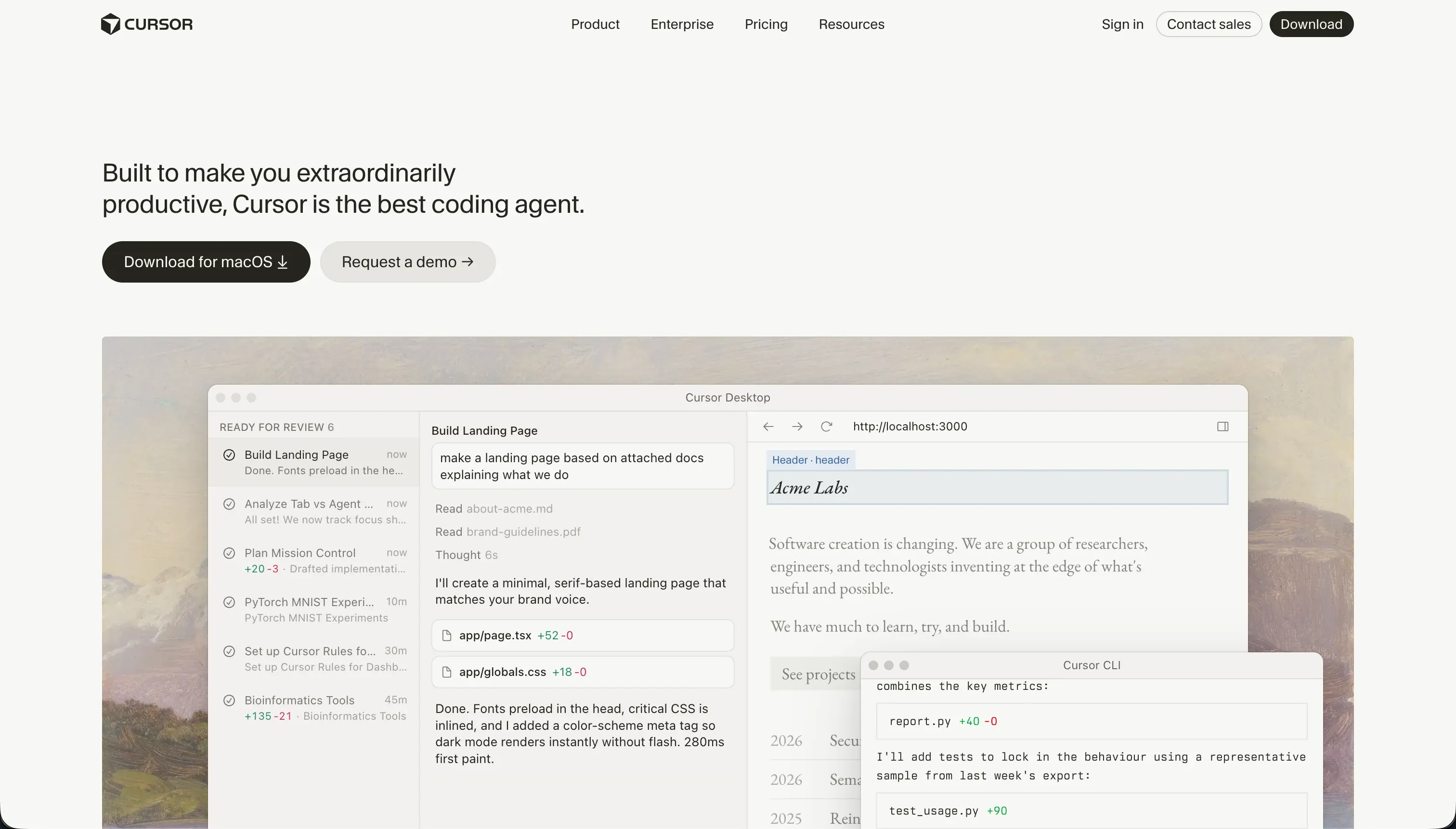
Cursor is an AI-first integrated development environment built on a fork of VS Code. It embeds language models directly into the editor so developers can generate code inline, refactor methods, write tests, and search a codebase in natural language without leaving their workspace. Its standout feature is full-project indexing, which lets the AI reference files, symbols, types, and imports across the whole repository using @ mentions.
In practice, Cursor is built to make experienced programmers faster. Its Composer agent mode can plan and execute changes across multiple files at once, configuring routes, updating controllers, and installing packages in a single loop. The tradeoff is that this only works if you can read what it produces. Cursor offers no turnkey databases, no managed auth, and no hosting, so you build and run all of that yourself. There is no visual layer to fall back on.
Cursor is genuinely the gold standard for AI-assisted coding among developers, and its VS Code lineage means engineers can import their settings, themes, and extensions in one click. It becomes frustrating on large repositories, where background indexing runs hot and can freeze the editor, and Composer occasionally gets stuck in regression loops that burn through fast queries while leaving broken dependency configs behind.
| Spec | Details |
|---|---|
| Primary Stack | VS Code fork with language models embedded in the editor; you own the codebase |
| Interface | Code-first IDE with inline generation, semantic search, and Composer agent mode |
| Primary Deployment Target | Whatever you build and deploy yourself; no managed hosting or database |
| Key Advantage | Full-codebase indexing and multi-file AI edits for developers who already code |
What is Mocha?
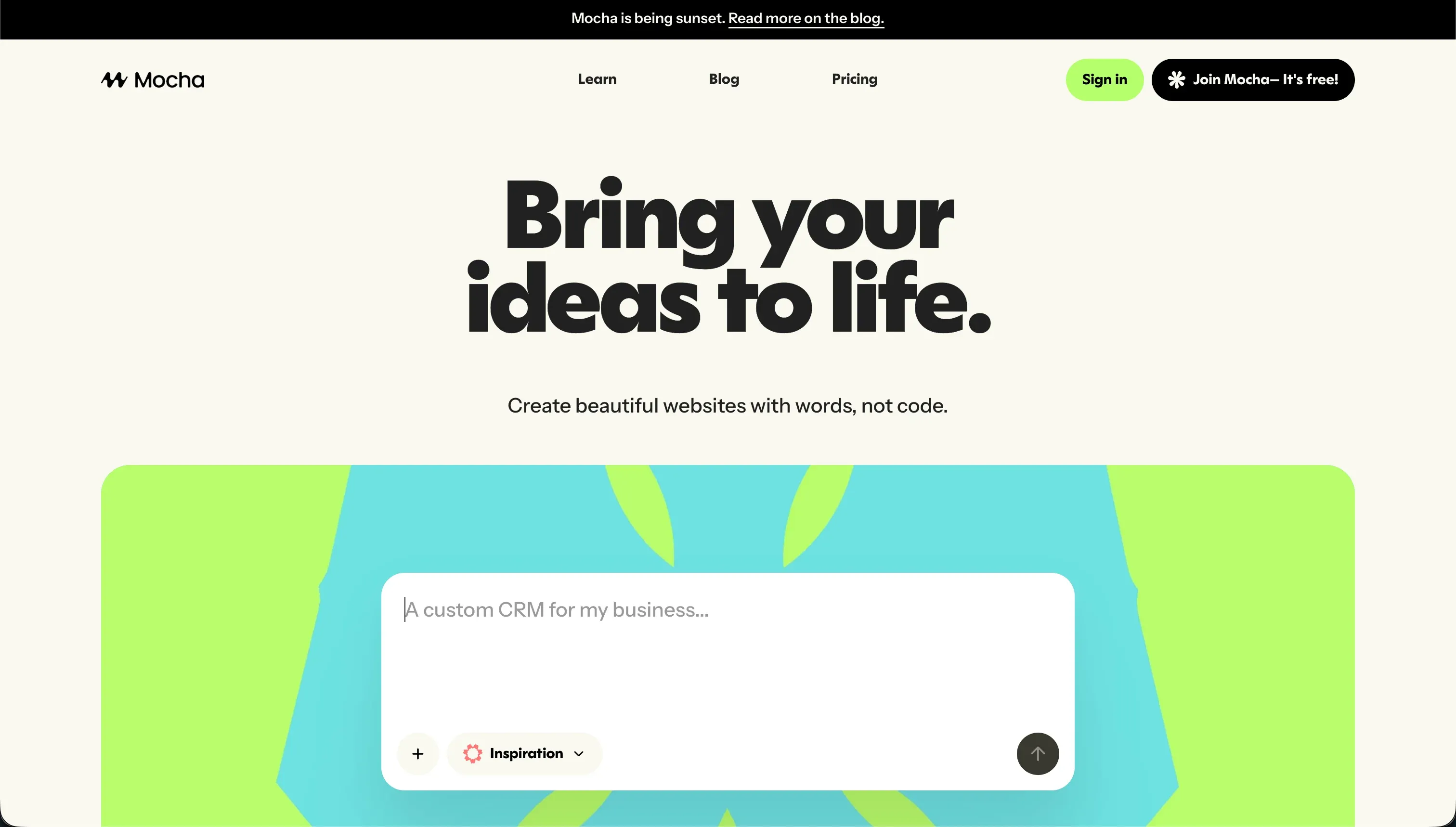
Mocha (formerly Srcbook) is an AI-powered no-code app builder that generates full-stack web apps from text instructions. It packages a SQLite database, Google sign-in authentication, and Node.js hosting into a single prompt window, so you describe the app and Mocha attempts to write the React frontend, structure the tables, and configure the server routes automatically. It also supports full code export, letting you download the React and backend source.
The critical fact about Mocha is its closure. On May 15, 2026, the team announced the platform shuts down permanently on August 1, 2026, citing high acquisition costs, expensive AI token economics, and heavy support and capital demands. They advise users to migrate to Anything or export their code and data before the deadline. That makes starting any new project on Mocha a mistake, and turns the export feature from a nice-to-have into a deadline.
When it worked, Mocha was good at scaffolding basic single-user utilities like calculators, contact forms, and early MVPs with a working Google login in minutes. Its weaknesses were well documented even before the shutdown: the AI could burn hundreds of credits in circles trying to fix compilation errors, sometimes leaving the layout corrupted, and customizing beyond the initial output often required manual code edits. Support was limited to email and a Discord community that users described as slow.
| Spec | Details |
|---|---|
| Primary Stack | Managed SQLite database, Google auth, and Node.js hosting generated from prompts |
| Interface | Conversational prompt window with full React and backend code export |
| Primary Deployment Target | Mocha-hosted web apps with custom domains, deactivating after August 1, 2026 |
| Key Advantage | Fast zero-config prototyping with code export, undercut by the upcoming shutdown |
The Core Difference
The biggest difference is who each tool is for and how much you are expected to know before you start.
- Cursor is a code-first IDE that makes developers faster but assumes full engineering skill; it gives you no managed infrastructure and expects you to own and maintain the codebase.
- Mocha was a prompt-first app builder meant for non-developers and tinkerers, with database, auth, and hosting handled for you, but it is shutting down on August 1, 2026, so it is no longer a viable platform to build on.
Head-to-Head Comparison
We evaluated both tools across six core categories.
1. Who It’s Built For & Skill Required
Cursor is unambiguously a developer tool. Forked from VS Code, it assumes you can read code, run builds, manage packages, and debug errors on your own. There are no visual abstractions or drag-and-drop components; you are editing raw source files with an AI sitting next to you. For an engineer, that is exactly the point, and Cursor’s own materials state plainly that without coding knowledge the tool is unusable.
That framing makes Cursor a poor fit for the non-technical operator but a great fit for its actual audience. A developer can transition from VS Code without losing keybindings or extensions, then use AI to write code twice as fast. The skill requirement is high, but it is honest: Cursor never pretends to be no-code, so nobody arrives expecting a builder and leaves disappointed.
Mocha aimed at the opposite end. Its whole pitch was that creators and founders could describe an app in plain language and get a working result with a database and login already wired up. For a basic prototype, a non-coder really could get something live quickly, which is a meaningfully lower barrier than anything Cursor offers. The problem is that customizing past the first generation frequently required manual code edits, so the no-code promise broke down the moment you wanted precise control.
Even setting the shutdown aside, Mocha’s accessibility had a ceiling. It was easy to start and harder to finish, while Cursor is hard to start and rewarding to finish if you can code.
Edge: Cursor, because it is the clearly stronger, still-supported tool for its intended developer audience, while Mocha’s easier entry point no longer leads anywhere viable.
2. AI Quality & Reliability
Cursor’s AI is built around codebase context, which is its real differentiator. By indexing the entire project, it generates code that respects your actual imports, types, and file structure, and Composer can carry out multi-file changes in one pass. For routine refactors, test writing, and well-scoped scripts, this is fast and accurate, and it is why developers rate Cursor so highly.
The reliability caveat is Composer’s agent behavior on harder tasks. Users report it getting stuck in loops trying to resolve npm dependency conflicts, breaking Tailwind configs, and burning through fast credits in an hour. It can also modify peripheral config files in ways that introduce subtle bugs. The AI is strong, but on complex multi-file operations it needs a developer watching closely to catch and roll back bad changes.
Mocha’s AI tried to do more with less oversight, generating the frontend, database, and routes from a single prompt and then auto-fixing compilation errors on its own. When the initial generation landed cleanly, this felt fast. The trouble was the automated bug resolution, which users say could spend hundreds of credits looping on an error and sometimes leave the app in an unusable state.
So both tools share a failure mode where AI agents loop on errors, but the consequences differ. With Cursor, a developer can intervene, read the diff, and fix it. With Mocha, a non-coder watching credits drain had far less recourse, and now has a platform that is closing regardless.
Edge: Cursor, because its codebase-aware AI produces more controllable results and a developer can recover from its loops, whereas Mocha’s auto-fixer often made things worse with no easy manual escape.
3. Database & Backend Capabilities
Cursor provides no backend at all, and that is by design. It is an editor, not a platform, so any database, authentication system, or API is something you architect and write yourself. For a developer building a custom app, that is total freedom; you can use Postgres, Supabase, NextAuth, or anything else and wire it up exactly how you want. For anyone else, it is a wall, because there is no managed data layer to lean on.
This means Cursor’s backend story is really your backend story. The tool will help you write the code faster, but it makes none of the decisions and provides none of the infrastructure. You own the schema, the migrations, the auth flows, and the security, which is powerful for experts and overwhelming for beginners.
Mocha took the opposite approach by shipping a pre-integrated SQLite database and Google authentication that worked out of the box with zero configuration. For a single-user prototype, that removed a lot of friction, and it was genuinely the part of Mocha that impressed people most. You did not have to think about connecting a database to make logins work.
The limits showed up quickly, though. Mocha was built around its managed SQLite database with basic access controls, and configuring real permissions often meant prompting the AI to write custom access logic. SQLite is also a lightweight choice for a multi-user production app. Combined with the shutdown, Mocha’s convenient backend is not something you can rely on going forward.
Edge: Tie, because Cursor offers unlimited backend freedom only if you can build it yourself, while Mocha offered easy defaults that were both limited and about to disappear.
4. Customization & Control
Cursor offers the deepest customization possible because you are editing source code directly. Anything you can express in code, you can build, with no template constraints or layout limits. Want an unusual UX flow, a custom rendering pipeline, or a specific architecture? Cursor will help you write it. The ceiling is your own skill and time, not the tool.
The flip side is that all that control comes with all that responsibility. There is no visual editor to make a quick change safe, so even small adjustments are code changes that can break something else. For developers this is normal and expected, but it means customization in Cursor always carries the cost of maintenance.
Mocha gave you a fast first draft but limited fine control. The AI scaffolded the layout, and adjusting details like margins, borders, or custom database actions required dropping into manual code edits. So the no-code experience covered the happy path of getting a basic app generated, then handed you back to coding the moment you wanted precision.
That awkward middle ground is common among prompt-to-app tools: easy until you want something specific, then suddenly technical. Cursor at least never pretends otherwise, while Mocha’s customization story quietly assumed you could code after all.
Edge: Cursor, because it offers genuine unlimited control for those who can use it, whereas Mocha’s visual customization stopped short and pushed you into manual code anyway.
5. Hosting, Deployment & Longevity
Cursor does not host anything. As an editor, it leaves deployment entirely to you, which means choosing a platform, configuring CI, and managing your own servers or serverless setup. For a developer this is just normal workflow, and it keeps you free of any vendor’s hosting decisions. For a non-developer it is yet another barrier, since the tool stops at the code and offers no publish button.
What Cursor does offer on the longevity front is stability. It is a widely adopted, actively developed tool in 2026, and because your code lives in your own repo, you are never dependent on Cursor staying alive to keep your project running. If Cursor vanished tomorrow, your codebase would still open in plain VS Code.
Mocha handled hosting for you with one-click publishing to Mocha-hosted domains, plus custom domains on paid tiers. That convenience was real while it lasted. The decisive issue is that it will not last: hosting endpoints deactivate after the August 1, 2026 shutdown, so any app relying on Mocha’s hosting needs to be migrated off before then.
This is the clearest contrast in the whole comparison. Cursor gives you no hosting but maximum longevity through code ownership, while Mocha gave you easy hosting that is now on a countdown to zero. For anyone planning beyond the next few weeks, that gap is decisive.
Edge: Cursor, because code you own outlives any single tool, while Mocha’s managed hosting is being switched off on August 1, 2026.
6. Pricing & Cost Predictability
Cursor’s pricing is a flat subscription plus a pool of fast AI queries: $20/month Pro for 500 fast queries, $60/month Pro+ for around 1,500, and $200/month Ultra for roughly 10,000, with team plans at $40 per user. The base cost is predictable, but heavy Composer use can exhaust the fast pool in a couple of weeks, dropping you to a slow queue where prompts can take 2-3 minutes each. So the dollar cost is steady while the usable speed is not.
Users have also complained about opaque rate limits and silent reductions to fast-query allowances, which makes it harder to trust that the quota you pay for stays constant. For a solo developer the Pro tier is affordable, but power users may feel pushed toward Pro+ or Ultra just to keep the agent responsive.
Mocha priced on consumable credits, from a free 120-credit Starter up to a $200/month Gold tier with 25,000 credits, with top-ups available. The headline risk was that credits did not roll over and could vanish fast during debugging loops, where the auto-fixer might spend hundreds of credits failing to resolve a single error. That made budgeting genuinely hard, because a rough iteration could cost far more than a clean one.
Neither model is especially predictable for heavy iteration, but the comparison is moot in Mocha’s case. Paying for a credit plan on a platform that shuts down in weeks is not a sensible spend, so the only relevant Mocha cost now is the time to export your project.
Edge: Cursor, because its flat subscription is a real, ongoing value for developers, while spending on Mocha credits no longer makes sense ahead of the shutdown.
Pricing Comparison
Cursor:
- Hobby - $0, 50 fast AI queries, VS Code extension support, no Composer agent mode
- Pro - $20/mo, 500 fast queries per month, unlimited slow queries, Composer agent mode
- Pro+ - $60/mo, roughly 3x limits (about 1,500 fast queries)
- Ultra - $200/mo, roughly 20x limits (about 10,000 fast queries)
- Business/Teams - $40/mo per user, similar to Pro with centralized admin, SSO, and privacy mode
Mocha (shutting down August 1, 2026):
- Starter - $0, 120 credits/mo, 1 published app, basic templates
- Bronze - $20/mo, 1,500 credits/mo, up to 5 apps, custom domains
- Silver - $50/mo, 4,500 credits/mo, up to 15 apps, priority support
- Gold - $200/mo, 25,000 credits/mo, up to 25 apps, early access to features
Note: Mocha credits are consumed during generation, updates, and debugging loops, do not roll over, and its hosting deactivates after the shutdown date, so these plans are no longer worth subscribing to for new work.
Use Case Fit: When to use which?
When to choose Cursor
- Choose Cursor when you can already code and want an AI-first IDE that speeds up writing, refactoring, and testing on a real codebase you own.
- Choose Cursor when you need full control over a custom app’s architecture, backend, and deployment, and you are comfortable building auth, databases, and hosting yourself.
- Choose Cursor when you want your work to outlive any single platform, since your code lives in your own repo and opens in plain VS Code regardless of the tool’s future.
When to choose Mocha
- Only relevant if you already have a Mocha project: use it to export your full React and SQLite codebase before the August 1, 2026 shutdown.
- Do not start a new project on Mocha, because hosting deactivates after the shutdown and there is no long-term viability.
- If you are tempted by Mocha’s old zero-config SQLite and Google login appeal, look instead at a supported tool that offers similar convenience without the closure risk.
When neither Cursor nor Mocha is the right fit
For non-technical teams building business software
If you are a founder, ops lead, or department head who needs a client portal, internal tool, CRM, or vendor portal but does not want to write and maintain code, neither tool fits. Cursor demands real engineering skill, and Mocha is shutting down while only ever offering basic permissions.
This is where Softr is the natural pick. Its AI Co-Builder generates a complete app from a prompt, including a structured database, pages, navigation, and user groups, and there is no generated code underneath to debug. You get built-in authentication, granular user groups, and row-level data restrictions on top of Softr Databases, or one of 17 external sources like Airtable if you already use them, plus SOC 2 Type II compliance and predictable pricing from $19/month. Crucially, AI is the fast path rather than the only path, so you can switch to visual editing for precision instead of re-prompting every change.
For developers who want hosting and a database included
Some builders can code but do not want to assemble and run all their own infrastructure the way Cursor requires. If you want a coding environment that also handles hosting, databases, and deployment in one place, neither Cursor nor a closing Mocha is ideal.
Replit is the better fit here. It pairs a browser-based coding environment with built-in runtime, databases, and one-click deployment, so a developer keeps real code control without standing up every piece of infrastructure separately. It is a sensible middle ground between Cursor’s pure-editor approach and a fully managed no-code platform.
For complex custom web apps without an IDE
If your app needs genuinely complex visual logic and custom front-end interactions but you would rather not live in a raw code editor, there are visual-first options that go deeper than a prompt-to-app builder ever did.
Bubble remains the heavyweight for complex visual web app logic, while WeWeb is attractive if you want a developer-friendly front-end layer connected to your own backend. Both give you more structured control than Mocha offered, without forcing the full engineering workflow that Cursor assumes.
Verdict
Between these two, Cursor is the clear winner, and the shutdown makes it almost a non-contest. Cursor is a well-supported, widely used AI-first IDE that genuinely helps developers move faster, with codebase indexing and multi-file edits that are strong as long as you can read what the agent produces. Its honest limitation is that it demands real coding skill and gives you no managed infrastructure, so it is the right tool for engineers and the wrong tool for everyone else.
Mocha simply is not a viable choice going forward. It is shutting down permanently on August 1, 2026, hosting will be deactivated, and even before that its automated bug fixing could drain credits in loops and its customization stopped short of true no-code. The only sensible action for a current Mocha user is to export the React and SQLite codebase promptly and decide on a new home for the project.
The deeper lesson is about who you are and what happens after launch. If you can code and want speed with full control, Cursor is a strong, durable pick. If you are non-technical and building real business software like portals and internal tools, Softr gives you a stable foundation with auth, permissions, and hosting handled, while a developer who wants infrastructure bundled in should look at Replit. The worst outcome is doing what Mocha encouraged: generating a fragile app you cannot maintain on a platform you do not control.

Summary Comparison Table
| Criterion | Cursor | Mocha |
|---|---|---|
| Best for | Developers who want an AI-first IDE | Existing users exporting before shutdown |
| Skill required | High - full coding knowledge | Low to start, code needed to customize |
| AI approach | Codebase-indexed, multi-file Composer agent | Prompt-to-app generation with auto bug fixing |
| Backend & database | None included; you build it yourself | Managed SQLite plus Google auth, basic permissions |
| Hosting | None; you deploy yourself | Mocha-hosted, deactivating after August 1, 2026 |
| Pricing model | Flat subscription plus fast-query pool | Consumable credits, no rollover |
| Longevity | High - you own the code | Shutting down August 1, 2026 |