

Cursor and Base44 both promise faster software creation, but they sit in different categories. Cursor is an AI coding IDE for developers, while Base44 is a prompt-driven full-stack app builder for people who want the database, auth, and hosting bundled in from the start. That makes this less of a feature checklist and more of a workflow decision.
The people actually deciding between these two are usually technical founders, product teams, or ambitious non-developers trying to avoid a long build cycle. What is really at stake is not just first-day speed, but whether you want to own code, how much lock-in you can tolerate, and who will maintain the app after launch. The wrong choice gets expensive fast, either in debugging time or in credits burned trying to fix what the AI just broke.
Meet the Contenders
What is Cursor?
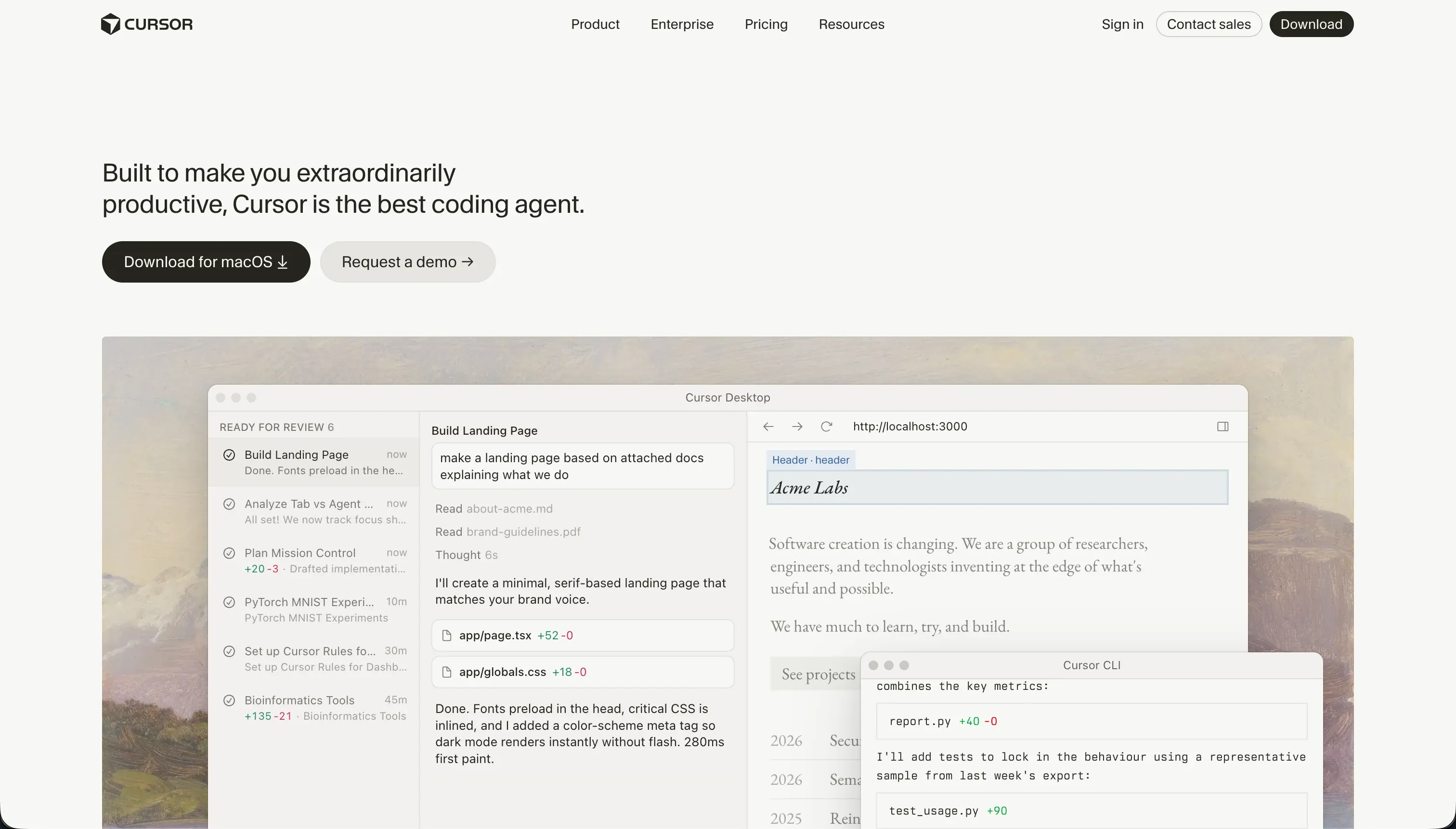
Cursor is an AI-first code editor built on a fork of VS Code. It is not an app builder in the no-code sense. It is a developer tool that brings LLMs directly into the coding workflow so engineers can write, refactor, and search code faster.
In practice, Cursor works like a familiar IDE with AI layered across the editor. Its core strengths are full-project indexing, semantic code search, smart autocomplete, and Composer mode, which can plan and edit across multiple files at once. It also inherits much of the VS Code extension ecosystem, which makes adoption easy for developers who already live in that environment.
It is genuinely built for software engineers, technical founders, and teams that already understand repos, dependencies, builds, and deployment. The users who get frustrated are the ones hoping AI removes the need for engineering judgment, because Cursor still expects you to configure the stack, debug failures, and clean up when agent edits go sideways.
| Spec | Details |
|---|---|
| Primary Stack | AI-assisted code editor built on a VS Code fork |
| Interface | IDE with inline generation, semantic search, autocomplete, and multi-file Composer agents |
| Primary Deployment Target | None built in - you write code locally and deploy through your own stack |
| Key Advantage | Excellent codebase awareness for refactors, search, and developer-speed improvements |
What is Base44?
Base44 is an AI-powered all-in-one builder that generates full-stack web apps from conversational prompts. Instead of starting in an IDE, you start in chat and let the platform create the UI, database, authentication, and hosting for you.
In practice, Base44 combines prompt-based app generation with a visual post-generation editor. It offers Discuss Mode for planning without spending message credits, a click-to-tweak interface for colors and layout, a managed PostgreSQL database, built-in auth, instant hosting, and GitHub sync on higher plans. The appeal is obvious: you can go from idea to live URL without setting up infra.
It is genuinely built for founders, operators, and makers who want full-stack scaffolding without becoming infrastructure admins. The people who get frustrated are the ones who need stable long-term maintenance, deeper backend control, or strong SaaS architecture, because many user reports point to regressions, wasted credits, and a backend that stays locked inside Base44.
| Spec | Details |
|---|---|
| Primary Stack | AI-generated frontend with managed PostgreSQL backend and hosted infrastructure |
| Interface | Conversational builder chat plus visual post-generation editor |
| Primary Deployment Target | Hosted on Base44 cloud, with GitHub sync for frontend code on Builder and above |
| Key Advantage | Fast full-stack scaffolding with auth, database, and hosting included from the start |
The Core Difference
The biggest difference is where each tool expects the real work to happen. Cursor assumes you are still building software as a developer, while Base44 tries to collapse the stack into a prompt-driven hosted product.
- Cursor runs inside a real coding environment, so you keep full architectural control but also keep full responsibility for setup, debugging, and deployment.
- Base44 runs as conversational AI scaffolding for full apps, so it removes setup friction but pushes you toward managed infrastructure, credits, and heavier product lock-in.
Head-to-Head Comparison
We evaluated both platforms across four core categories.
1. Developer Experience & Iteration Speed
Cursor feels great if you already think like a developer. Because it is built on a VS Code fork, the editor is familiar on day one, and features like semantic code search, @-style codebase context, smart autocomplete, and multi-file Composer edits can speed up refactors and implementation work across real projects.
The catch is that iteration speed depends on your engineering competence, not just the model. Cursor gives you no turnkey auth, hosting, or database, and user reports mention Composer loops, broken dependency fixes, and fast-query limits that can get hit within weeks on the Pro plan’s 500 fast queries. When the agent breaks Tailwind config or a package graph, you still own the mess.
Base44 is easier in the first hour because the starting point is not a repo but a prompt. You can describe an app, get UI, auth, database, and hosting in one pass, then use the visual editor or conversational builder to keep tweaking without provisioning anything yourself.
That quick start has a nasty second act. Community feedback repeatedly describes destructive edits, bug regressions, and hundreds of credits burned trying to repair problems the AI introduced. The workflow is fast when generation behaves, but much less pleasant when each fix attempt consumes message credits and can still leave the app worse than before.
Edge: Base44 for raw first-hour speed, because Cursor still expects you to be the developer and Base44 gives you a live hosted scaffold immediately.
2. Code Quality & Portability
Cursor wins cleanly if code ownership matters. It works directly on your real files, supports standard developer workflows, and stays compatible with the broader VS Code ecosystem, so there is no special export step and no partial handoff story. If you already have a React, Node, or Python codebase, Cursor improves throughput without changing the fundamental ownership model.
Its weakness is not portability but maintenance burden. Owning the code means owning every bug, deployment pipeline, auth flow, and database migration too. Cursor can help write tests and refactor methods, but there is no magic escape from the engineering work required to keep a production app healthy.
Base44 does better than many AI app builders on portability, but only partially. On Builder and above, you get GitHub sync and frontend code export, which at least gives technical teams a way to recover the UI layer and continue outside the product.
That said, the backend story stays locked. The managed database and backend logic remain inside Base44’s infrastructure, and user complaints specifically call out the cost and friction of getting code out at all. If you need complete migration, Base44’s export story is better than nothing, but nowhere near the freedom of working in your own repo from the start.
Edge: Cursor, because full code ownership beats Base44’s partial frontend export and managed-backend lock-in.
3. Database & Backend Capabilities
Cursor has no native answer here, which is both its strength and its weakness. You can pair it with whatever backend you want, from a hand-rolled Postgres stack to managed services, and that freedom is valuable for experienced teams that care about architecture, security posture, and long-term control.
But for speed, this is a burden. Cursor does not provision a database, handle auth, or give you hosted APIs out of the box, so every backend decision becomes your job. For solo founders and small teams, that means the real project starts after the editor opens.
Base44 is much easier here at setup time. It gives you a managed PostgreSQL database, built-in authentication, file storage, and hosted backend behavior as part of the product, which is exactly why non-developers can get surprisingly far without touching infrastructure.
The downside is restricted backend control. Research and user feedback point to limitations around multi-user SaaS architecture, workspace-level isolation, and direct backend modification. If you want a simple internal app or prototype, Base44’s bundled backend is convenient. If you want deep control or a long-lived platform foundation, it starts to look fragile.
Edge: Base44 for convenience, because Cursor gives you freedom but no built-in backend answer at all.
4. Hosting & Deployment Options
Cursor does not pretend to solve deployment for you. That sounds like a weakness, and for beginners it absolutely is, because you still need to handle hosting, CI, environment variables, auth flows, and scaling through other services.
For developers, though, that explicitness can be a good thing. You are not trapped in a hosted builder’s opinionated deployment path, and you can choose the exact runtime and cloud setup you want. The price of that freedom is time, complexity, and the need to actually know what you are doing.
Base44 makes deployment feel almost trivial. Hosting is included, live previews are instant, and the platform can hand you a shareable URL without asking you to wire anything else together. For demos, proofs of concept, and internal prototypes, that is a real advantage.
The trust problem is reliability. User reports mention builder instability, server issues, and production breakage after edits, which matters more when the hosting layer is closed and you cannot directly fix backend behavior yourself. Easy deployment is only a win if the hosted environment stays dependable.
Edge: Base44 for deployment simplicity, though it comes with more trust risk than many teams will like.
5. AI Quality & Reliability
Cursor’s AI is strongest when it has a real codebase to reason over. Full-project indexing, semantic search, inline edits, and multi-file Composer flows make it genuinely useful for refactoring, test generation, and navigating large repositories in ways generic chat tools struggle with.
Reliability is still mixed. Reviews mention runaway agent behavior, config file damage, CPU spikes on large repositories, and fast-query exhaustion when Composer gets stuck. Cursor’s AI is powerful, but it is still an assistant inside a professional tool, not something you should trust blindly across a whole codebase.
Base44’s entire value proposition is AI scaffolding. It can generate app structure, frontend, auth, database schema, and hosting from plain English, which feels almost unfairly fast when it works. Discuss Mode also reduces some risk by letting users plan before spending message credits.
The problem is that Base44’s AI is also the main source of user anger. The provided research includes complaints about false positives, recurring bug creation, unusable apps after repeated fixes, and over 400 credits spent just to keep breaking the app. That is not a minor edge case. It is a pattern you have to price into the tool.
Edge: Cursor, because its AI augments an existing coding workflow instead of being the single point of failure for the whole app.
6. Learning Curve & Onboarding
Cursor is easy to adopt if you are already a developer. If you know VS Code, you can install it, open a repo, and start using autocomplete, codebase search, and Composer with very little onboarding friction.
If you are not a developer, the learning curve is brutal. Cursor still assumes you understand repositories, terminals, dependencies, package managers, and deployment paths. That is why calling it beginner-friendly is misleading. It is familiar for engineers, not accessible for non-technical builders.
Base44 is much easier to understand for non-developers because its mental model is simple: describe the app, inspect the result, and keep chatting or clicking to refine it. The free plan with 25 message credits and 100 integration credits makes experimentation inexpensive enough to try without commitment.
The longer-term learning curve is worse than it first appears. Once apps become more complex, users have to understand how to phrase fixes, manage credits, and recover from regressions without true backend visibility. So Base44 is easier to start, but not always easier to live with.
Edge: Base44, because it is vastly easier to approach for non-developers even if its simplicity ages poorly.
Pricing Comparison
Cursor:
- Hobby - $0 with 50 fast queries.
- Pro - $20/month with 500 fast queries per month.
- Pro+ - $60/month with 1,500 fast queries per month.
- Ultra - $200/month with 10,000 fast queries.
- Business/Teams - $40/user per month with collaboration-oriented access similar to Pro.
- Bugbot Addon - Free or $40/user per month.
Base44:
- Free - $0 with 25 message credits per month, capped at 5 per day, plus 100 integration credits.
- Starter - $16/month billed annually or $20/month monthly with 100 message credits and 2,000 integration credits.
- Builder - $40/month billed annually or $50/month monthly with 250 message credits, 10,000 integration credits, backend functions, custom domain, and GitHub sync.
- Pro - $80/month billed annually or $100/month monthly with 500 message credits and 20,000 integration credits.
- Elite - $160/month billed annually or $200/month monthly with 1,200 message credits and 50,000 integration credits.
Use Case Fit: When to use which?
When to choose Cursor
- Choose Cursor when you already have a codebase or want to build in your own stack and keep full control over files, architecture, and deployment.
- Choose Cursor when AI-assisted refactoring, semantic search, and multi-file edits inside a real IDE matter more than turnkey hosting.
- Choose Cursor when your team can tolerate query limits and occasional agent weirdness because the upside is faster engineering work, not no-code simplicity.
When to choose Base44
- Choose Base44 when you want to generate a hosted web app with auth and database included, without setting up infrastructure yourself.
- Choose Base44 when the project is a prototype, lightweight internal app, or quick MVP where first-day speed matters more than deep backend control.
- Choose Base44 when partial frontend portability through GitHub sync is enough and you accept a credit-driven workflow for ongoing edits.
When neither Cursor nor Base44 is the right fit
For internal tools and client portals
Neither Cursor nor Base44 is the strongest choice when the real job is building a production internal tool, CRM, vendor portal, or client-facing dashboard for non-technical teams. Cursor gives you raw developer power but no built-in auth, permissions, hosting, or database structure, while Base44 gives you those pieces through a prompt-heavy managed system that many users say becomes brittle as complexity grows.
That is where Softr is the better fit. Softr starts with Softr Databases as the native option, then layers on visual user groups, row-level permissions, built-in auth, workflows, and hosting that are designed for real business apps rather than fragile AI demos. Its AI Co-Builder can generate the app fast, but the important difference is that you can keep maintaining everything visually afterward instead of being trapped in an endless prompt loop.
For native mobile apps
Cursor and Base44 are both weak answers if your requirement is true native mobile distribution through the Apple App Store or Google Play. Cursor can help you code a mobile app if you already know the stack, but it does nothing to simplify the mobile workflow itself, and Base44 is fundamentally a hosted web app builder rather than a native mobile platform.
If native mobile is the brief, start with FlutterFlow or Adalo. FlutterFlow is the more serious option when you need native app architecture and app-store delivery, while Adalo is a simpler route for teams that care more about shipping a basic mobile app than owning a custom engineering stack.
For visual app logic without prompt dependence
Some projects need more custom logic than a portal builder, but less raw engineering than a full codebase in Cursor. Base44 looks like it should fill that middle ground, yet many of its complaints come from exactly this scenario: the app gets more complex, prompt edits start regressing earlier work, and the team loses confidence in what the system will change next.
In that middle category, Bubble and WeWeb are usually better fits. Bubble is stronger for dense visual workflows and deeper logic without writing everything from scratch, while WeWeb is a cleaner option when you want a more frontend-oriented builder with less proprietary AI behavior and more deliberate control over the UI layer.

Verdict
Pick Cursor if you are a developer and want AI to make an existing engineering workflow faster rather than replace it. You keep your own stack, your own code, and your own deployment path, which is exactly why Cursor ages well for serious technical teams. The tradeoff is that you also keep the full burden of architecture, debugging, infra, and all the boring work Base44 tries to abstract away.
Pick Base44 if your top priority is getting a full-stack web app online with minimal setup. It is the better choice for quick MVPs, simple internal tools, and moments when you need auth, database, and hosting now, not after a week of configuration. The tradeoff is that you are buying into a dual-credit model, a managed backend, and a much shakier record on regression risk and long-term control.
The day-two reality is where this comparison gets honest. Code ownership is useful, but so is not having your app held together by prompt retries and credit burn. If the project is a real business system for employees, clients, or partners, a platform like Softr usually ages better than either of these because it gives you built-in business app infrastructure, Softr Databases first, clear permissions, and AI as an accelerator rather than the only path to maintenance.

Summary Comparison Table
| Criterion | Cursor | Base44 |
|---|---|---|
| Best for | Developers working in real codebases | Founders and teams wanting fast hosted scaffolds |
| Build paradigm | AI coding IDE | Conversational full-stack app builder |
| Database | Bring your own backend | Managed PostgreSQL included |
| Hosting | No built-in hosting | Included hosted deployment |
| Pricing metric | Fast-query limits by plan | Message credits plus integration credits |
| Code export | Full ownership of your repo | Frontend export/GitHub sync only on higher plans |
| Maintenance burden | High but fully controllable | Lower at setup, higher once regressions start |