

Base44 and FlutterFlow both promise faster app creation, but they sit in different categories. Base44 is an AI scaffolding tool for full-stack web apps, while FlutterFlow is a visual Flutter builder aimed at native mobile and cross-platform app delivery. On the surface, both help you skip parts of traditional engineering. In practice, they optimize for very different outputs, workflows, and failure modes.
The people comparing these two are usually founders, product teams, agencies, or ambitious non-developers who want to ship without hiring a full engineering team on day one. What is really at stake is not just build speed, but whether you can maintain the thing after the first demo. Base44 makes the first hour feel easy, then risks pushing you into prompt loops and credit math. FlutterFlow asks more from you upfront, but gives you a clearer path to exported code and app-store deployment.
Meet the Contenders
What is Base44?
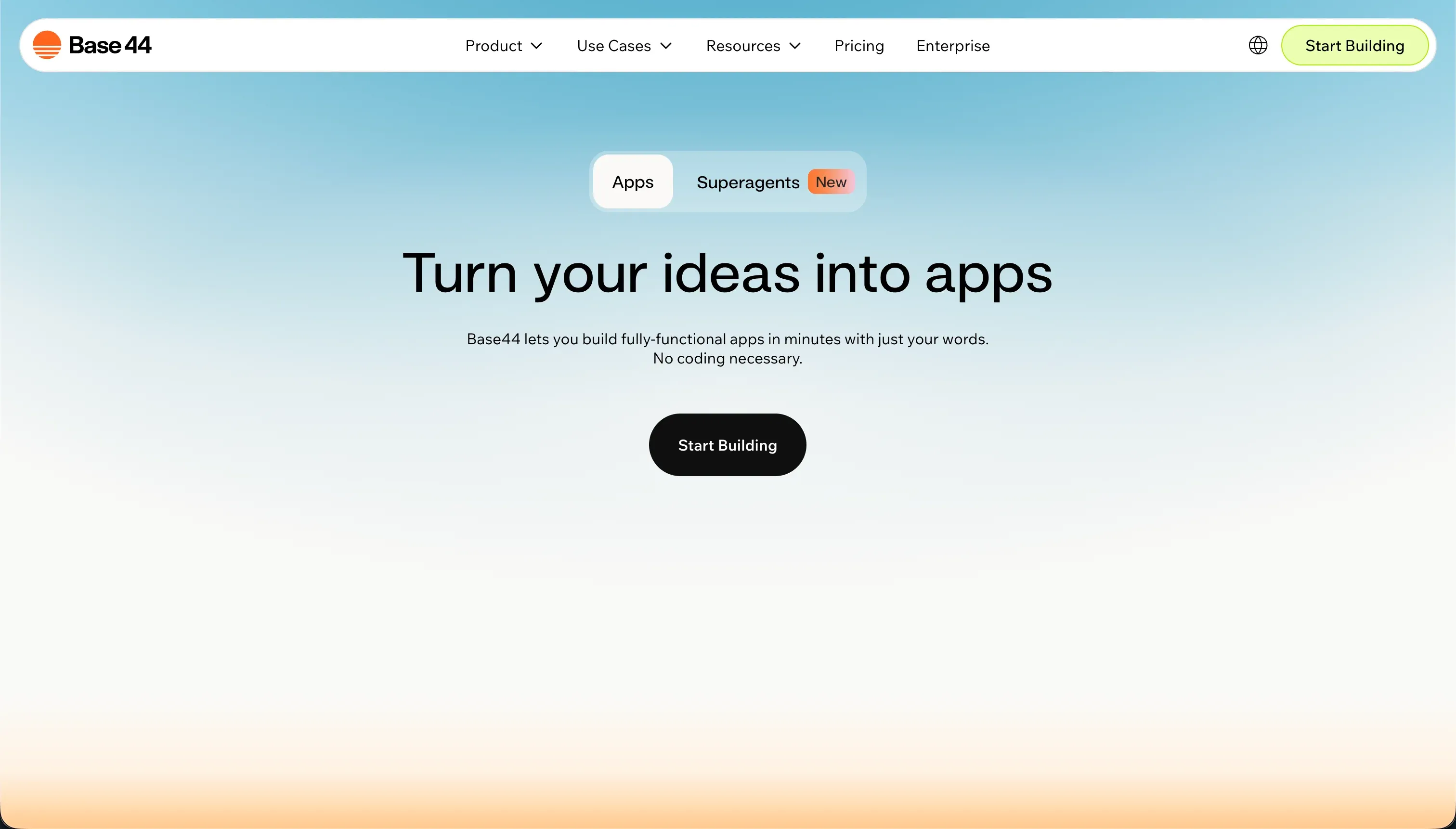
Base44 is an AI-powered all-in-one builder that generates full-stack web apps from conversational prompts. It bundles UI generation, a managed PostgreSQL database, built-in authentication, and hosting into one prompt-first workflow.
In practice, you describe the app in chat, let Base44 scaffold the product, then keep refining it through its conversational builder and visual post-generation editor. It offers Discuss Mode so you can brainstorm without spending message credits, plus Idea Library templates, design-token style prompts, instant hosting, and GitHub sync on higher plans. The pitch is obvious: minimal setup, quick live previews, and a fast route from blank page to working web app.
It is genuinely built for makers, non-technical founders, and teams that want a fast prototype or lightweight internal app without wiring infrastructure. It becomes frustrating for anyone who needs predictable iteration, deeper backend control, or strong multi-user SaaS structure, because edits still depend heavily on prompting and user reports repeatedly describe regressions, downtime, and wasted credits.
| Spec | Details |
|---|---|
| Primary Stack | AI-generated web frontend with managed PostgreSQL backend and LiteLLM-based connections |
| Interface | Conversational builder chat plus visual post-generation editor |
| Primary Deployment Target | Hosted web apps on Base44 cloud, with frontend GitHub sync on Builder and above |
| Key Advantage | Very fast full-stack web scaffolding with auth, database, and hosting included from the start |
What is FlutterFlow?
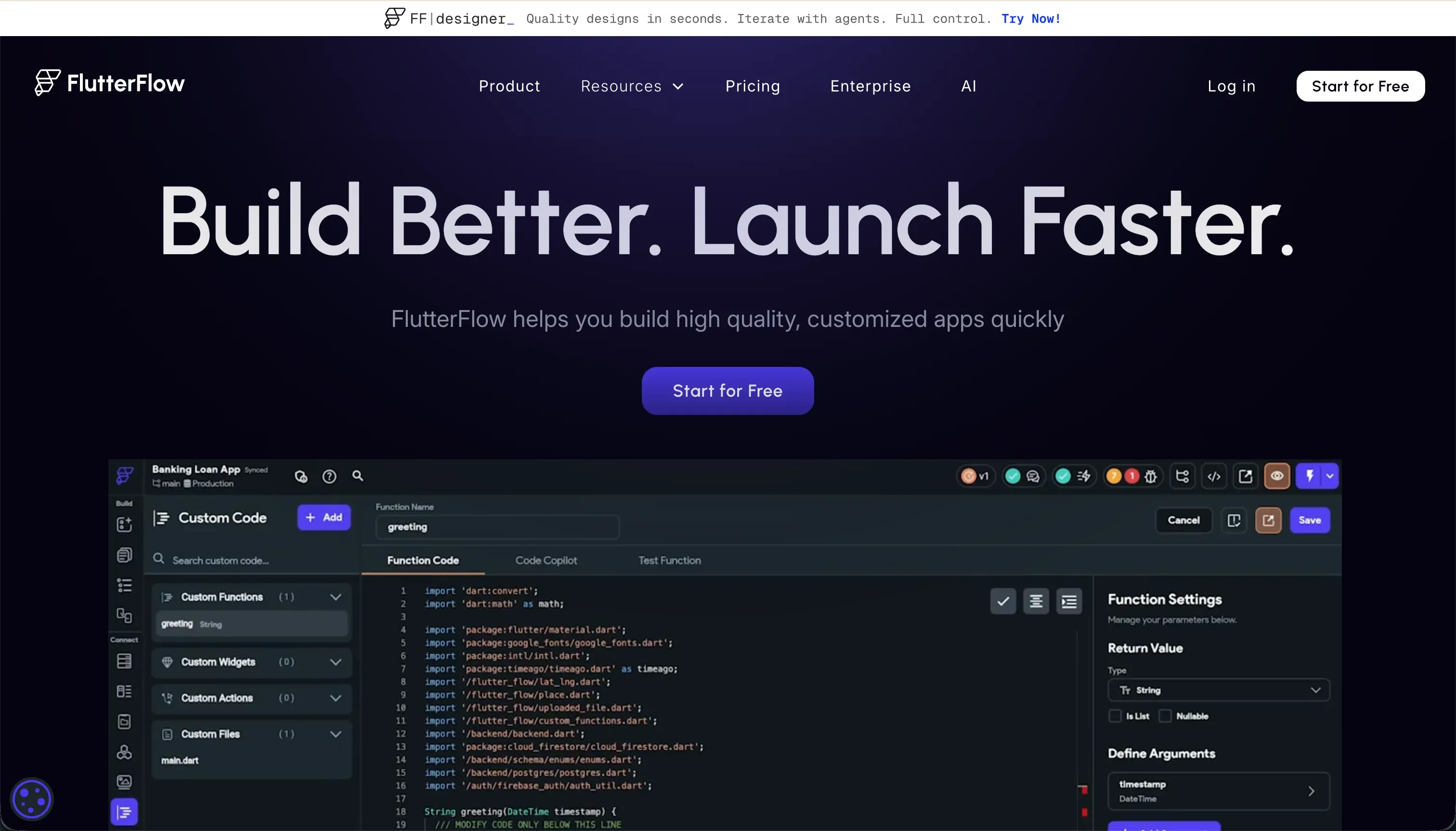
FlutterFlow is a visual builder for native mobile and web apps built on Flutter. It lets you design screens visually, connect data sources, generate parts of the app with AI, and export Dart code for further development or deployment.
In practice, you work with Flutter widget trees such as Containers, Rows, Columns, and Stacks, then wire up logic through visual actions, variables, API calls, and backend integrations like Firebase or Supabase. FlutterFlow AI Gen can generate screens, components, custom Dart functions, and database schemas from prompts, and higher plans add Git integration, push notifications, and codeless deployment to TestFlight, App Store, and Google Play.
It is genuinely built for designers, freelancers, and developers who want a faster route to cross-platform mobile apps without hand-writing every screen. It frustrates people who expect a simple no-code experience, because the tool still demands a developer mindset around layout constraints, state, backend setup, and debugging when something breaks.
| Spec | Details |
|---|---|
| Primary Stack | Flutter-based visual app builder with exportable Dart code |
| Interface | Drag-and-drop visual builder for Flutter widgets plus AI generation and action configuration |
| Primary Deployment Target | Native iOS and Android apps, plus web output, with app-store deployment support on higher plans |
| Key Advantage | Native mobile app delivery with full code export and stronger long-term exit paths |
The Core Difference
The biggest difference is not AI. It is what each product is actually trying to ship for you after the first build step: a hosted web app you keep editing through prompts, or an exportable Flutter codebase aimed at native mobile delivery.
- Base44 runs on conversational AI scaffolding, optimizing for instant web app generation even if iteration, pricing, and backend control become messy later.
- FlutterFlow is a visual IDE for Flutter, optimizing for native mobile apps and code export even if that means a steeper setup and debugging burden.

Head-to-Head Comparison
We evaluated both platforms across four core categories.
1. Developer Experience & Iteration Speed
Base44 wins the first hour. You can prompt a full-stack app into existence with database, auth, and hosting already wired, then keep adjusting it through chat and its click-to-tweak visual editor. Discuss Mode also lets you explore ideas without spending message credits, which is one of the smarter pieces of the product.
The problem is iteration once the app gets real. Community feedback repeatedly describes regression loops where one AI fix creates several new bugs, and users report burning hundreds of credits while trying to repair what changed. If your workflow depends on repeated conversational edits, the builder can start feeling less like acceleration and more like roulette.
FlutterFlow is slower to start because you are not just chatting with an AI and hoping for a coherent result. You are working inside a visual Flutter environment with screens, widgets, states, actions, and backend bindings, which makes the initial build more deliberate and less magical.
That said, iteration is more deterministic once you learn the tool. You can visually inspect the structure, wire actions explicitly, and rely on exported code rather than hoping the next prompt does not wreck a working feature. The catch is that users routinely complain about hidden menus, confusing errors, and browser lag on larger projects, so it is not exactly pleasant either.
Edge: FlutterFlow, because it is slower upfront but much less dependent on fragile prompt loops once the app needs sustained iteration.
2. Code Quality & Portability
Base44 has a partial portability story. On the Builder plan at $40/month annually or $50/month monthly, you get GitHub sync and frontend code export, which is useful if a developer wants to clean up UI work outside the platform.
But that portability is incomplete in the exact place that matters most for long-term ownership. The backend and database stay managed by Base44, so you do not get a clean full-stack exit. Multiple user complaints explicitly flag this as proprietary lock-in, which makes the GitHub story less impressive than it first appears.
FlutterFlow has the stronger code-ownership story here because full Dart source code can be exported, and the Pro tier at $50/month annually or $70/month monthly also adds Git integration. For technical teams, that is a materially better escape hatch than a partial frontend export.
The caveat is that exported code is still Flutter code, so it is only valuable if your team is willing to live in the Flutter ecosystem. That is not a flaw so much as a commitment. If you want native mobile and serious ownership, that is fine. If you do not want to maintain Dart, the export benefit becomes theoretical.
Edge: FlutterFlow, because full code export beats Base44’s frontend-only escape hatch.
3. Database & Backend Capabilities
Base44 makes backend setup feel easy because it provisions a managed PostgreSQL database and auth automatically. For a simple internal app or quick prototype, that convenience is real and removes a lot of early friction.
The weakness is control. Backend logic is hosted entirely by Base44, cannot be directly modified or exported, and several complaints point to limitations around multi-user SaaS patterns, workspace-level isolation, and scaling complex logic. It is a decent scaffold, but not a reassuring long-term backend foundation.
FlutterFlow does not hand you a zero-setup backend. Instead, it connects well with Firebase and Supabase and lets you configure API-driven apps, which gives more architectural flexibility if you know what you are doing. It is better aligned with teams that want to own their backend decisions rather than accept a managed black box.
The tradeoff is obvious: more power means more setup. Firebase or Supabase configuration, rules, auth flows, and data structures are still on you, and the research explicitly calls out backend setup overhead as a pain point. For non-technical buyers, that can be the difference between shipping and stalling.
Edge: FlutterFlow, because external backend flexibility and cleaner ownership beat Base44’s easier but more locked-down managed backend.
4. Hosting & Deployment Options
Base44 keeps hosting simple. Apps deploy directly on Base44’s cloud, live previews are instant, and there is basically no deployment ceremony for sharing a working web app. For demos, MVP validation, and lightweight stakeholder reviews, that is hard to argue with.
The issue is confidence in production. User reports mention weekly instability, builder downtime, and apps breaking after edits, which is exactly the kind of hosting story you do not want if real customers are relying on it. Convenience is not the same as operational trust.
FlutterFlow is stronger when the deployment target itself matters. It supports codeless deployment to Google Play and Apple TestFlight/App Store on higher plans, which is a completely different class of output from a hosted web app URL. If your product roadmap includes app-store distribution, Base44 simply has no answer.
On the web side, FlutterFlow is less compelling because Flutter Web can be heavy and slower to load. The research specifically notes web performance drawbacks tied to CanvasKit or HTML rendering. So while deployment options are broader overall, the web experience is not always elegant.
Edge: FlutterFlow, because native mobile deployment is a real differentiator and Base44 is limited to hosted web apps.
5. AI Quality & Reliability
AI is the whole thesis of Base44. It can generate UI, business logic, a PostgreSQL schema, auth, and hosting from plain English, and that makes it one of the faster ways to produce a full-stack web draft from nothing. For rough concept validation, it can feel almost unfairly fast.
The catch is that many reported product failures are also AI failures. User feedback mentions false positives, destructive updates, support loops that the builder cannot execute, and 400-plus credits burned while an app kept breaking. When the AI is both the architect and the repair tool, reliability problems become billing problems too.
FlutterFlow uses AI more selectively. AI Gen can produce screens, components, custom Dart functions, and schemas, but the platform is not fully built around an AI-only workflow. That usually means less wow factor on day one, but also less dependency on a single chat thread to keep the whole project alive.
The downside is that FlutterFlow’s AI is not its main moat, and it does not erase the underlying complexity of Flutter development. You still have to understand how the app is structured, and debugging can still be painful. But at least the product is not asking the AI to improvise the entire operating system of your app every time you make a change.
Edge: FlutterFlow, because its AI is additive rather than the single point of failure for the whole build process.
6. Learning Curve & Onboarding
Base44 is easier to learn in the first sitting because the mental model is simple: type what you want, get an app, then keep chatting. The free plan with 25 message credits per month, capped at 5 per day, plus 100 integration credits makes it accessible for quick experimentation.
But that ease is front-loaded. Once you need to debug, preserve structure, or understand why something changed, you still need product judgment and a tolerance for ambiguity. Several user complaints read like people who were comfortable at first and then got trapped once the app stopped behaving predictably.
FlutterFlow has the steeper learning curve, full stop. The research repeatedly mentions Flutter layout logic, state management, buried features, and confusing errors, and that matches what most builders discover quickly. This is a visual builder, but it is still a builder that assumes you can think somewhat like a developer.
The upside is that the learning curve buys you a more transferable skill set. If you learn widget trees, actions, and backend integration inside FlutterFlow, you are learning concepts that map to actual app development rather than just better prompting. It is harder, but it is harder in a more durable way.
Edge: Base44 for sheer beginner accessibility, because FlutterFlow is meaningfully harder to learn at the start.

Pricing Comparison
Base44:
- Free - $0 with 25 message credits per month, capped at 5 per day, and 100 integration credits.
- Starter - $16/month billed annually or $20/month monthly with 100 message credits and 2,000 integration credits.
- Builder - $40/month billed annually or $50/month monthly with 250 message credits, 10,000 integration credits, backend functions, custom domain, and GitHub sync.
- Pro - $80/month billed annually or $100/month monthly with 500 message credits and 20,000 integration credits.
- Elite - $160/month billed annually or $200/month monthly with 1,200 message credits and 50,000 integration credits.
FlutterFlow:
- Free - $0 with the visual builder, Firebase integration, and basic UI components.
- Standard - $22/month billed annually or $30/month monthly with APK downloads, custom domain, code export, and local run.
- Pro - $50/month billed annually or $70/month monthly with full code export, Git integration, push notifications, translation, and codeless app-store deployment.
- Teams - $50/seat/month billed annually or $70/seat/month monthly with collaborative building, shared design library, and team billing.
Use Case Fit: When to use which?
When to choose Base44
- Choose Base44 when you want to scaffold a simple web app extremely quickly and care more about first-day speed than long-term control.
- Choose Base44 when a hosted web MVP is enough and partial frontend GitHub sync is useful for later cleanup.
- Choose Base44 when you are comfortable accepting a dual-credit pricing model and some instability in exchange for minimal setup.
When to choose FlutterFlow
- Choose FlutterFlow when you need native iOS or Android apps and want a builder that can actually push toward app-store delivery.
- Choose FlutterFlow when code export matters and your team is willing to own Dart and backend configuration afterward.
- Choose FlutterFlow when you prefer a visual but structured development model over an AI-first chat workflow.
When neither Base44 nor FlutterFlow is the right fit
For internal tools and client portals
Neither of these is the clean answer for operational business apps with lots of user roles, row-level access, and non-technical owners. Base44 is too dependent on AI scaffolding and unstable iteration, while FlutterFlow asks business teams to think like Flutter developers and to wire backends such as Firebase or Supabase manually.
That is where Softr fits better. Softr starts with Softr Databases as the native option, then layers on visual user groups, permissions, workflows, hosting, and an AI Co-Builder that is fast but not mandatory. For client portals, CRMs, intranets, partner dashboards, and internal tools, it is the better day-two choice because the app can be maintained visually instead of through prompt roulette or Flutter debugging.
For professional developer environments
If you actually want a real coding environment with terminal access, package control, debugging, and the ability to shape architecture directly, both tools feel constrained in different ways. Base44 hides too much of the backend behind a managed service, and FlutterFlow still keeps you inside a proprietary visual abstraction unless you fully export and leave.
For that use case, Cursor or Replit make more sense. Cursor is better if you already work locally and want AI inside a serious coding workflow, while Replit is the better fit if you want an in-browser environment that behaves like an actual dev setup rather than an app generator.
For visual web apps with deeper custom logic
There is also a middle ground neither tool handles especially well: complex web apps that need more explicit visual logic than Base44 can reliably generate, but are not really mobile-first enough to justify FlutterFlow’s widget-heavy approach. Base44 gets shaky as complexity rises, and FlutterFlow’s web output is often heavier than teams want.
In that lane, Bubble or WeWeb are usually better bets. Bubble is stronger for dense visual workflow logic and deeply custom web app behavior, while WeWeb is the cleaner option if you want a more frontend-oriented web builder with less prompt dependence than Base44.

Verdict
Pick Base44 if your main goal is to get a simple web app online as fast as possible and you are happy to let AI scaffold almost everything. The tradeoff is that you are accepting a dual-credit billing model, weaker backend ownership, and a meaningful risk of regression loops once the app needs serious iteration.
Pick FlutterFlow if native mobile is the actual target and you want a more credible path to exported code and app-store deployment. The tradeoff is that you are signing up for a steeper learning curve, more backend setup work, and a tool that often feels closer to a visual IDE than a beginner-friendly no-code product.
That is the day-two divide: Base44 feels easier until maintenance starts, while FlutterFlow feels harder but gives you a sturdier exit path. If the real job is a business app for employees, clients, vendors, or partners, neither is ideal long term, and Softr usually ages better because it gives you production-ready business infrastructure without forcing you into either prompt debugging or Flutter complexity.

Summary Comparison Table
| Criterion | Base44 | FlutterFlow |
|---|---|---|
| Best for | Fast web MVPs and lightweight internal apps | Native mobile apps and cross-platform products |
| Build paradigm | Conversational AI scaffolding | Visual Flutter builder with optional AI generation |
| Output type | Hosted web app | Flutter app for iOS, Android, and web |
| Database | Managed PostgreSQL inside Base44 | Firebase, Supabase, and API-driven backends |
| Pricing metric | Monthly plans plus message and integration credits | Subscription tiers, with Teams priced per seat |
| Code export | Frontend export and GitHub sync only on higher tiers | Full Dart code export |
| Maintenance burden | Higher if AI edits regress or credits run out | Higher upfront learning, but clearer long-term ownership |