

FlutterFlow and Retool share one characteristic: they both require more technical competence than most visual builder marketing implies. Beyond that, they’re aimed at completely different outputs. FlutterFlow is for building cross-platform mobile apps that can ship to the App Store. Retool is for building internal data tools with SQL and JavaScript.
If you’re asking “which one should I pick for my project,” the answer usually comes down to whether you need a native mobile app or an internal dashboard - because the overlap between those use cases is smaller than it seems.
Meet the Contenders
What is FlutterFlow?
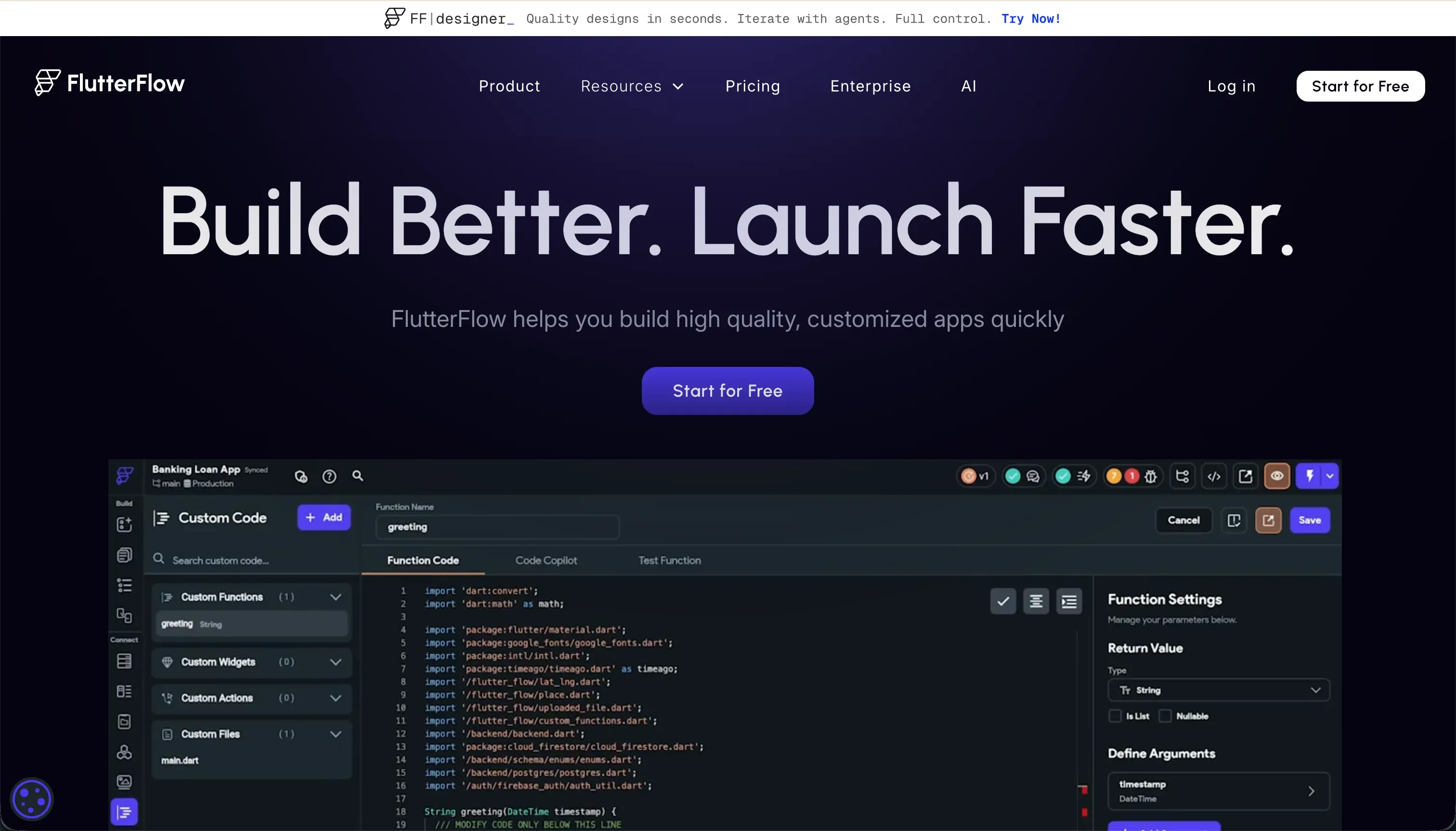
FlutterFlow is a visual builder on top of Flutter, Google’s cross-platform UI framework. It lets you design app screens using a drag-and-drop interface that represents Flutter widget trees, configure data connections to Firebase or Supabase, set up conditional logic and actions visually, and then export native Dart code or deploy directly to app stores. Its AI Gen feature can generate UI screens, custom Dart functions, and database schemas from text prompts.
| Spec | Details |
|---|---|
| Primary Stack | Flutter (Dart), Firebase, Supabase |
| Interface | Visual drag-and-drop widget builder + AI Gen |
| Primary Deployment Target | iOS App Store, Google Play Store, Web |
| Key Advantage | Native compilation to iOS and Android with codeless store deployment |
What is Retool?

Retool is a component-based builder for internal tools. It provides a library of 100+ pre-built UI elements - data tables, charts, forms, JSON editors - alongside a SQL and JavaScript console. Teams connect Retool to their existing databases and APIs, write queries to pull and push data, and arrange components in a layout editor. Retool also includes a built-in PostgreSQL database, visual workflow automation, and AI features for building data pipelines.
| Spec | Details |
|---|---|
| Primary Stack | JavaScript, SQL, REST/GraphQL APIs |
| Interface | Component drag-and-drop + SQL/JS console |
| Primary Deployment Target | Browser-based internal tools |
| Key Advantage | Broad database connectivity with a rich component library |
The Core Difference
FlutterFlow and Retool both require developer-level thinking, but they’re optimizing for entirely different outputs.
FlutterFlow is built around native mobile. Its widget tree architecture, Firebase/Supabase backend setup, and direct App Store deployment pipelines are all in service of shipping mobile apps that feel like real apps - not web pages in a container. If mobile distribution matters to you, FlutterFlow is the purpose-built option.
Retool is built around data operations. It connects to whatever database your team already uses, lets developers write SQL and JavaScript to manipulate that data, and surfaces it in a layout of pre-built components. It’s an internal tool builder in the traditional sense - optimized for data density and developer efficiency, not consumer-grade aesthetics or mobile distribution.

Head-to-Head Comparison
1. Developer Experience & Iteration Speed
FlutterFlow’s visual builder is genuinely faster than writing Flutter code from scratch - especially for UI-heavy screens. But it slows down significantly when you hit edge cases. Users on Capterra and Product Hunt describe situations where something breaks without an error message, leaving you to guess which setting is wrong. The browser editor also lags noticeably on projects with more than 12 screens, which is a real friction point for larger apps.
Retool’s iteration speed is good for SQL-literate developers. Connecting a data table to a PostgreSQL query, setting up filters, and wiring up form inputs to database writes is fast once you understand Retool’s mental model. The rough edges show up in reliability - Capterra reviewers have flagged issues with SQL content disappearing randomly after updates, and the platform’s frequent minor updates occasionally introduce UI bugs.
2. Code Quality & Portability
FlutterFlow generates real Flutter (Dart) source code that you can download on paid plans. This is a genuine advantage - the exported code is production-ready and can be continued by any Flutter developer in a standard IDE. Lock-in is real in practice (you build habits and configurations inside the platform), but the theoretical exit path is clean.
Retool does not provide code export. Your application logic lives inside Retool’s proprietary component system. You can query and export data, but the app architecture itself is locked in. Leaving Retool means rebuilding from scratch in another tool.
3. Database & Backend Capabilities
FlutterFlow requires external database setup. Firebase or Supabase are the primary options - both need external account configuration before FlutterFlow can do much with data. Supabase requires writing or understanding Row Level Security policies to control which users can access which records. This is real security infrastructure, but it adds setup overhead before you ship anything.
Retool’s database story is broader. Its built-in PostgreSQL database (Retool Database) removes the need for external setup for simple projects. It also connects to virtually any database or API - PostgreSQL, MySQL, MongoDB, REST endpoints, GraphQL, Google Sheets, and dozens more. The depth of connectivity is one of Retool’s genuine strengths. The catch is that most queries require writing SQL, and complex permission logic requires JavaScript.
4. Hosting & Deployment Options
FlutterFlow deploys to web hosting and directly to app stores. The codeless deployment pipeline to Google Play and Apple App Store is a major differentiator - it handles certificate management, build configuration, and submission without requiring Xcode or Android Studio knowledge. For web deployment, FlutterFlow Web is available but comes with heavier load times than standard web frameworks due to Flutter’s rendering approach.
Retool deploys to its cloud or to a self-hosted environment (Enterprise). Browser-based apps are available to your team immediately. There’s no mobile app compilation or store submission workflow.
Pricing Comparison
FlutterFlow pricing (billed annually):
- Free: $0 - basic builder, Firebase integration
- Standard: $22/month - APK downloads, code export, custom domain
- Pro: $50/month - full code export, Git integration, codeless store deployment, push notifications
- Teams: $50/seat/month - collaborative building, shared design library
Retool pricing (billed annually):
- Free: $0 - up to 5 users
- Team: $8/user/month - unlimited users, commit history
- Business: $40/user/month - SSO, granular access controls, custom JS libraries
- Enterprise: Custom - self-hosting, audit logs, source control, SLAs
The pricing model difference matters significantly at scale. FlutterFlow charges for the workspace, not users - one Pro plan covers the app regardless of how many end users install it. Retool charges per user seat on every plan, which makes it expensive for apps with large internal user bases. A 50-person team on Retool Business would cost $2,000/month.
Use Case Fit: When to use which?
When to choose FlutterFlow
- You’re building a native mobile app that needs to be distributed through the Apple App Store or Google Play Store.
- Your team includes Flutter knowledge (or you’re willing to invest in learning it).
- You need cross-platform support - the same codebase running on iOS, Android, and web.
- You want to own and export your Dart source code.
When to choose Retool
- You’re building internal tooling for a small technical team that needs to query and manipulate database records.
- Your team includes developers comfortable with SQL and JavaScript.
- You need to connect to an existing database (PostgreSQL, MySQL, MongoDB) quickly.
- Your user base is small and fixed (per-seat pricing stays manageable).
When neither FlutterFlow nor Retool is the right fit
For native mobile apps
If you need native mobile apps but want something simpler than FlutterFlow, FlutterFlow remains the leading visual option. For pure web-based mobile experiences without App Store distribution, Softr’s PWA output works well for field teams - but it won’t submit to the stores.
For internal tools and client portals
Retool works for internal developer tools, but it struggles with two scenarios: non-developer teams trying to maintain apps, and external-facing portals where clients or partners need their own login experience.
Softr handles both. It’s built for operational business software - client portals, vendor management, employee intranets, CRM tools - without requiring SQL or JavaScript. User authentication, granular role-based permissions, and native databases come configured out of the box. A non-technical operations manager can build a working client portal in a day, and update it themselves when requirements change. Softr’s pricing model also avoids the per-seat trap: paid plans include generous user limits without per-seat charges, so a portal for 200 clients doesn’t scale to $8,000/month.
For professional developer environments
If your team wants a full-featured development environment with AI assistance, Cursor provides an AI-integrated VS Code experience for building any type of application with complete infrastructure control.

Verdict
- Choose FlutterFlow if native iOS and Android app store distribution is a requirement and your team has Flutter familiarity or is willing to develop it.
- Choose Retool if you’re a developer-led team building SQL-driven internal dashboards and your user count is small enough to keep per-seat costs reasonable.
Neither is well suited for non-technical teams building external-facing business apps, or for organizations where the user base makes per-seat pricing unworkable.
Summary Comparison Table
| Feature | FlutterFlow | Retool |
|---|---|---|
| Build Paradigm | Visual Flutter widget builder | Component builder + SQL/JS console |
| Output Type | Native iOS/Android + Flutter Web | Browser-based web app |
| Database | Firebase / Supabase (external setup) | Retool DB (PostgreSQL) + broad connectors |
| Visual Permissions | Conditional visibility via action logic | Manual SQL/JS required |
| Pricing Metric | Per workspace (flat monthly) | Per user seat |
| Maintenance Burden | High (Flutter knowledge required) | High (SQL/JS required) |
| Code Export | Yes - Flutter (Dart) source code | No |