

Bubble and Retool look similar from a distance because both help teams build software faster without starting from a blank codebase, but they belong to different categories. Bubble is a full visual programming platform for custom web apps, while Retool is a developer-oriented internal tools builder built around data queries, components, and scripting.
The people deciding between them are usually founders, product teams, and operations-heavy companies trying to avoid a long custom build. What is actually at stake is not just first-week speed, but how much technical thinking the tool still demands, how painful pricing becomes at scale, and how trapped you are if requirements change. Bubble can cover broader app ambition, but it comes with proprietary lock-in and workload units. Retool is often faster for admin panels, but it quietly assumes your team already speaks SQL, JavaScript, and API debugging.
Meet the Contenders
What is Bubble?
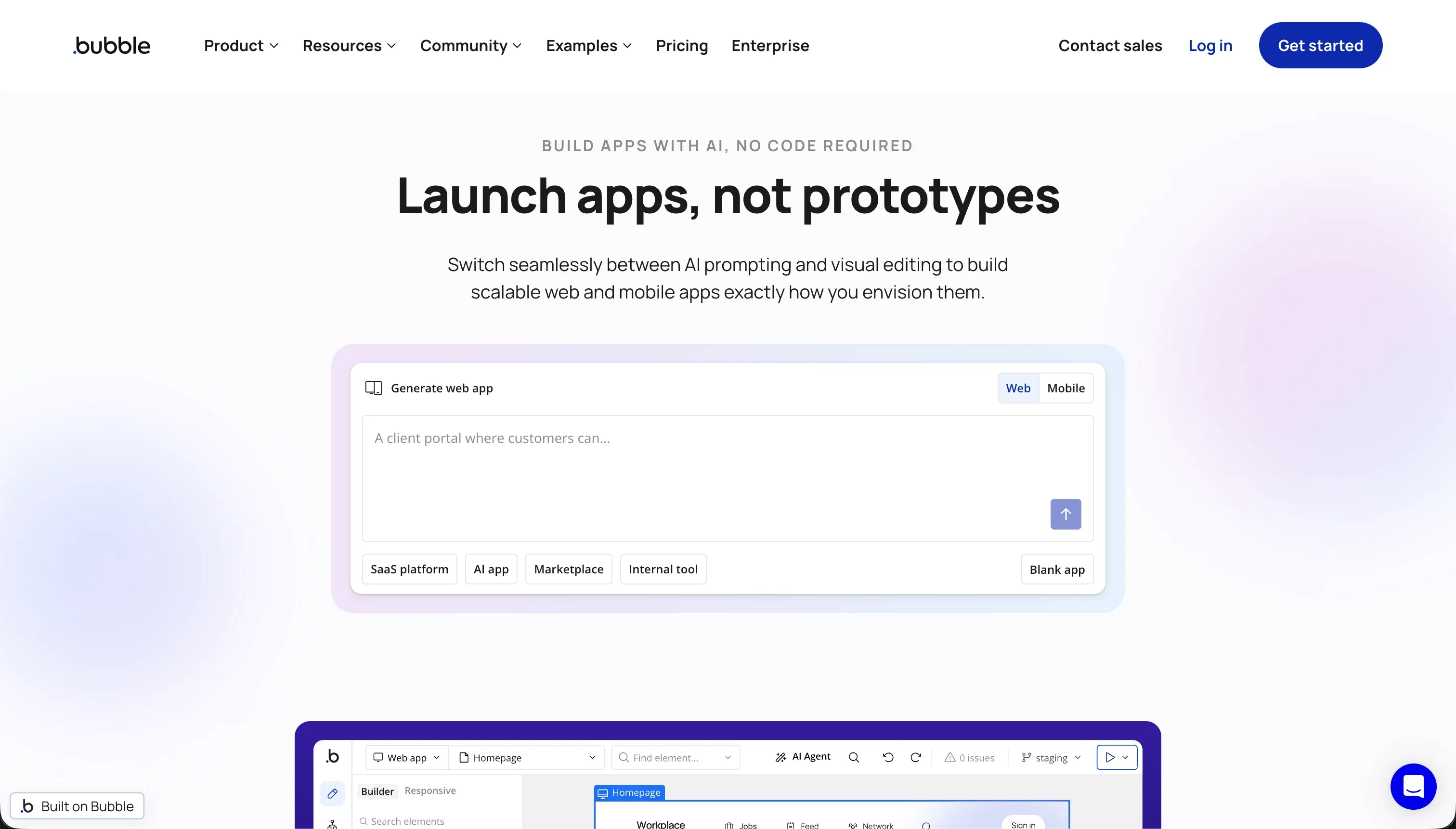
Bubble is a visual programming platform for building and hosting full-stack web applications without writing traditional code. It combines a visual UI editor, a managed relational database, app logic workflows, and hosting inside one proprietary environment.
In practice, Bubble works like a full app operating system. You design pages with its pixel-level drag-and-drop editor, model data in its managed database, then wire up behavior through visual workflows, privacy rules, backend events, and API Connector calls. It also leans heavily on its ecosystem, with 8,000+ plugins and a large template marketplace doing a lot of the real-world extension work.
It is genuinely built for people who want more flexibility than simpler no-code tools can offer, especially founders building custom SaaS-style apps and power users willing to learn Bubble’s logic model. The people most frustrated by it are the ones who expected “no-code” to mean “low-complexity,” because Bubble still asks you to think about database design, conditionals, security rules, and performance optimization like a developer.
| Spec | Details |
|---|---|
| Primary Stack | Proprietary visual app builder with managed relational database, workflows, and hosting |
| Interface | Pixel-level drag-and-drop editor plus visual workflow builder and privacy rules |
| Primary Deployment Target | Hosted web applications, with native mobile tooling still maturing in public beta |
| Key Advantage | Deep visual control over custom app logic without needing to hand-code the full stack |
What is Retool?

Retool is a visual builder for internal business tools and dashboards that sits on top of databases and APIs. It gives teams a component-based UI layer, query runners, workflows, and a built-in PostgreSQL option, but it is much closer to a developer tool than a true no-code product.
In practice, Retool works by connecting to your existing systems, then wiring tables, charts, forms, and actions to SQL queries, REST or GraphQL endpoints, and JavaScript state logic. Its component library includes 100+ UI elements, Retool Database provides a managed PostgreSQL option, and Retool Workflows plus Retool AI extend it into automation and AI-assisted operations.
It is genuinely built for technical teams, engineers, data teams, and internal platform groups that need admin panels or operational dashboards quickly. The people most frustrated by it are non-developers and design-sensitive teams, because anything beyond basic layouts tends to require SQL, JavaScript, custom auth logic, and tolerance for a very admin-looking UI.
| Spec | Details |
|---|---|
| Primary Stack | Component-based internal tool builder connected to SQL databases, APIs, and optional Retool Database |
| Interface | Visual UI builder paired with SQL queries, JavaScript scripts, and workflow automation |
| Primary Deployment Target | Internal business tools, dashboards, and admin apps for web use |
| Key Advantage | Fast assembly of data-heavy internal apps on top of existing systems and APIs |
The Core Difference
The biggest difference is not visual polish or AI features. It is whether you want a broad proprietary app platform with visual logic, or a developer-facing internal tool layer that assumes you will script the hard parts yourself.
- Bubble runs as a full visual programming environment for custom web apps, which makes it broader but also more conceptually heavy and more locked into its own ecosystem.
- Retool acts more like an internal app shell over databases and APIs, which makes it faster for admin tooling but much more dependent on SQL, JavaScript, and engineering comfort.

Head-to-Head Comparison
We evaluated both platforms across four core categories.
1. Developer Experience & Iteration Speed
Bubble is flexible enough that experienced builders can create surprisingly custom workflows without dropping into a normal code editor. Its visual workflow builder, database layer, privacy rules, and API Connector give it a real full-stack feel once you learn the platform’s mental model.
The catch is that iteration gets slower as app complexity rises. Bubble users repeatedly complain about editor bloat, RAM usage of 5GB+ per tab, lag in the editor, and the need to optimize searches and workflows just to keep performance acceptable. It is fast for a simple MVP, but not especially peaceful for daily maintenance.
Retool is often faster when the job is straightforward: connect to a SQL database or API, drop in a table, add a few forms, and ship an internal admin interface. For technical teams, that workflow is efficient because the product maps closely to how they already think about data and CRUD operations.
It becomes slower the moment the builder needs polished UX, advanced state handling, or non-trivial logic. Then you are back in SQL and JavaScript, plus debugging query outputs and app state. User complaints about apps becoming harder to maintain as they grow are believable because Retool’s speed advantage is strongest only when the use case stays close to an internal data console.
Edge: Retool, because for technical teams building internal tools on existing data, it usually gets to a functional admin app faster than Bubble.
2. Code Quality & Portability
Bubble gives you a huge amount of visual power, but almost none of it leaves with you. Source code is not exportable, app logic is proprietary, and while you can export data rows, migrating away means rebuilding the interface, workflows, and rules somewhere else.
That is a real strategic cost, not a theoretical one. Bubble’s own user community regularly flags vendor lock-in as one of the platform’s biggest long-term risks. If you outgrow it, the rewrite is usually total.
Retool is also not a code-export-first environment, but it is less of a total island than Bubble because much of the logic lives in familiar layers: SQL queries, JavaScript, APIs, and external databases. If your backend already exists outside Retool, you are not extracting your business data from a proprietary full-stack runtime.
That said, Retool apps themselves are still Retool apps. You do not get a clean React codebase to take elsewhere, and UI work will still need rebuilding if you migrate. It is better described as lower lock-in than Bubble, not true portability.
Edge: Retool, because neither tool offers clean code export, but Retool usually leaves more of your real system outside the platform.
3. Database & Backend Capabilities
Bubble ships with a managed relational database, custom data types, privacy rules, backend workflows, and API Connector support, so it can function as the app’s complete backend. That makes it viable for founders who want one place to model data, logic, and UI.
But this all-in-one setup comes with performance and scaling caveats. Community complaints repeatedly mention lag on large read or write workloads, complexity around multi-user data logic, and heavy dependence on careful query design to avoid wasteful workload unit usage. Bubble can do a lot, but it makes you earn that flexibility.
Retool is stronger when your backend already exists and you mainly need a front end over databases and APIs. It connects directly to SQL databases, REST and GraphQL APIs, and also offers Retool Database as a managed PostgreSQL option for simpler projects.
Its weakness is that backend logic is less visually abstracted than Bubble’s. Retool expects people to write SQL and JavaScript for real control, and external-user features like auth flows, onboarding, and permissions are not first-class. For internal data apps that is fine, but as a self-contained full-stack platform it is less complete than Bubble.
Edge: Bubble, because it is the more complete all-in-one backend environment if you actually want the app platform itself to own the data model and business logic.
4. Hosting & Deployment Options
Bubble handles hosting for you, which is one reason it remains popular with solo founders and no-code agencies. You can build, deploy, and run the app inside one platform without managing separate infrastructure, and Bubble also offers dedicated capacity upgrades for bigger projects.
The downside is that hosted convenience is tied to Bubble’s operational limits. User reports mention abrupt shutdown behavior when plans lapse, production slowdowns, and the uncomfortable reality that if Bubble has a problem, your whole app stack has a problem. Hosted simplicity is nice until it becomes dependency.
Retool’s deployment story is more enterprise-friendly for internal tools. It offers cloud deployment, enterprise options like self-hosting, audit logs, source control, and SLAs, which gives larger organizations more operational control than Bubble usually does.
The limitation is scope. Retool is not trying to be a consumer app deployment platform, and building polished external-facing applications still requires extra work around auth, branding, responsiveness, and user access. So the hosting options are strong, but the deployment target is narrower.
Edge: Retool, because its enterprise deployment options and self-hosting story are better for serious internal-tool teams.
5. AI Quality & Reliability
Bubble does not currently lead with an AI-native creation model. Its value is still visual programming depth, plugin breadth, and workflow control rather than prompt-led AI scaffolding.
That is not necessarily a weakness if you dislike AI hype, but it also means Bubble lacks a coherent modern AI layer compared with newer builders or more AI-forward internal tooling platforms. If AI-assisted development is a priority, Bubble is functional rather than exciting.
Retool has made AI a more explicit part of the product through Retool AI, vector support, and AI Agent automation workflows. For technical teams already working in data-heavy systems, that makes it easier to bolt AI steps into operational tools without leaving the platform.
The tradeoff is that Retool’s AI story is still developer-driven. It does not remove the SQL and JavaScript barrier, and it is not an AI-first builder for non-technical users. Still, among these two, Retool has the clearer present-day AI feature set.
Edge: Retool, because it has the stronger current AI feature set even if it still assumes technical users.
6. Learning Curve & Onboarding
Bubble is famously more powerful than simpler no-code tools, but that power comes with a steep conceptual climb. Users have to understand data structures, workflow conditionals, privacy rules, plugin behavior, responsive layout choices, and the side effects of inefficient searches on workload units.
That is why Bubble gets two contradictory reactions at once: people love what it can do, and they warn beginners that it is not actually easy. If you want a true visual programming platform, the learning curve is worth it. If you expected drag-and-drop simplicity, it is usually a rude surprise.
Retool is easier than Bubble only for people who already think like developers. If your team is comfortable writing SQL, debugging JSON responses, and using JavaScript for UI behavior, Retool feels direct and pragmatic.
For everyone else, it is actually harsher than Bubble because there is less abstraction protecting you. Retool’s own positioning and review language repeatedly frame it as a product for developers and engineering leaders, not as a broad no-code platform. So the learning curve is lower only inside a technical team.
Edge: Bubble for broader audiences, because it is hard but still more approachable than a tool that openly expects SQL and JavaScript.

Pricing Comparison
Bubble:
- Free - $0 with 50k WU/month and 200 records
- Starter - $69/mo with 175k WU/month
- Growth - $249/mo with 250k WU/month
- Team - $649/mo with 500k WU/month
Retool:
- Free - $0/month for up to 5 users
- Team - $8/user/mo billed annually or $10/user/mo billed monthly
- Business - $40/user/mo billed annually or $50/user/mo billed monthly
- Enterprise - Custom pricing
Use Case Fit: When to use which?
When to choose Bubble
- Choose Bubble when you need a full visual programming platform for a custom web app, not just an internal dashboard over existing data.
- Choose Bubble when you are willing to learn its workflow, database, and privacy-rule model in exchange for broader product flexibility.
- Choose Bubble when plugin ecosystem depth and all-in-one hosted app building matter more than portability or predictable usage billing.
When to choose Retool
- Choose Retool when your team already works with SQL databases and APIs and mainly needs internal admin tools fast.
- Choose Retool when enterprise deployment controls like self-hosting, source control, and audit-oriented features matter more than public-facing UX.
- Choose Retool when per-user pricing is acceptable because the audience is a relatively small internal team rather than hundreds of clients or partners.
When neither Bubble nor Retool is the right fit
For internal tools and client portals
Neither Bubble nor Retool is the clean answer if the real job is building operational business software that non-developers need to maintain. Bubble asks teams to learn a proprietary visual programming model, while Retool assumes SQL and JavaScript. That is exactly the gap Softr is built for.
Softr starts with Softr Databases as the native option, then layers in built-in auth, user groups, row-level permissions, workflows, and external-user onboarding without code. It is the stronger fit for client portals, internal tools, CRMs, and partner dashboards because the app is production-ready on day one and can still be edited visually later without turning every change into a developer ticket.
For native mobile apps
Neither Bubble nor Retool is the best answer if your main requirement is app-store-first mobile delivery. Bubble’s native mobile support is still maturing in public beta, and Retool is fundamentally a web-oriented internal tools platform that does not shine on mobile UX.
For that use case, start with FlutterFlow or Adalo. FlutterFlow is the more serious pick when you need native app flows and actual app-store distribution, while Adalo is the easier path if you want something more approachable and mobile-oriented than either of these web-first builders.
For professional developer environments
If your team really wants full code ownership, terminal access, branch-based workflows, and the freedom to shape architecture directly, both tools will eventually feel constraining. Bubble hides everything inside a proprietary stack, and Retool is still a platform layer rather than a true developer IDE or framework workflow.
That is where Cursor or Replit make more sense. Cursor is stronger if you already work locally and want AI help inside a real coding environment, while Replit is the better fit if you want a hosted development workspace with actual files, runtime control, and fewer platform-specific abstractions.

Verdict
Pick Bubble if you want the broader app-building canvas and are willing to live inside a proprietary visual programming world. It is the stronger option for custom web apps, multi-page products, and teams that want more than a simple internal dashboard, but the tradeoff is steep learning overhead, workload unit pricing anxiety, and an eventual lock-in bill if you need to leave.
Pick Retool if your use case is clearly internal and your team already thinks in queries, scripts, and database actions. It is often the faster and more practical choice for operations tooling, admin panels, and enterprise dashboards, but the tradeoff is that it is not a true no-code product, it becomes expensive on seat-based pricing at scale, and its UI rarely escapes the “internal tool” look without extra effort.
The day-two reality is that both products still hand a lot of software complexity back to the builder, just in different forms. Bubble hides it behind proprietary visual logic, and Retool exposes it through SQL and JavaScript. If the actual goal is maintainable business software for employees, clients, or partners, Softr usually ages better because it starts with Softr Databases, built-in auth, visual permissions, workflows, and AI-assisted setup without forcing teams into either prompt debt or scripting debt.

Summary Comparison Table
| Criterion | Bubble | Retool |
|---|---|---|
| Best for | Custom web apps and SaaS-style products | Internal dashboards and admin tools |
| Build paradigm | Proprietary visual programming | Component builder plus SQL and JavaScript |
| Database model | Managed native app database | External DBs and APIs first, plus Retool Database |
| Visual permissions | Privacy rules and role-based logic | More manual, often query-driven access logic |
| Pricing metric | Workload units plus plan tiers | Per-user seat pricing |
| Maintenance burden | High once workflows and scale get complex | Moderate to high, especially with growing script sprawl |
| Code export | No source code export | No clean app code export, but lower stack lock-in |