

Cursor and Retool come up in the same conversation when a technical team is asking “how do we build internal tools faster?” Both use AI to speed up development, but they operate at completely different levels of abstraction - and they’re accessible to very different skill sets.
Cursor is an IDE enhancement. It helps developers write code faster, it doesn’t replace the developer. Retool is a visual app platform that assumes you know SQL but spares you from building UI components from scratch. The question isn’t really “which AI tool is better” - it’s “which skill set does your team actually have, and what kind of output do you need?”
Meet the Contenders
What is Cursor?
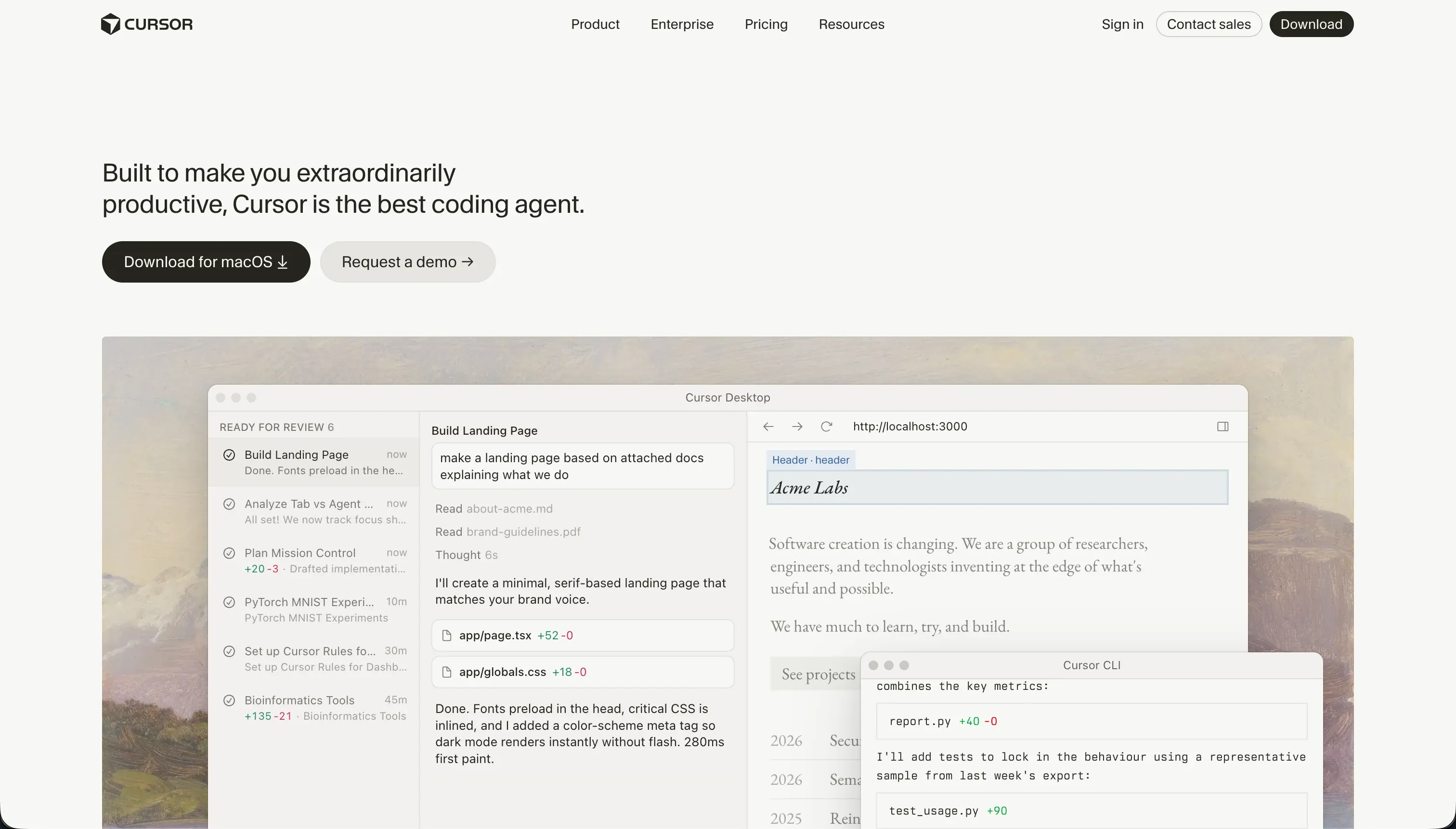
Cursor is a fork of VS Code that integrates AI capabilities throughout the development experience. It indexes your entire local codebase for context-aware autocomplete, enables natural-language code search across your project, and includes a Composer agent mode that can plan and write changes across multiple files from a single prompt. It’s an accelerator for professional developers - it assumes you know what you’re building and helps you build it faster.
| Spec | Details |
|---|---|
| Primary Stack | Any (developer-defined local codebase) |
| Interface | Local IDE (VS Code fork) with AI chat + Composer |
| Primary Deployment Target | Developer-configured (any cloud or on-premise) |
| Key Advantage | Full-project codebase indexing for accurate AI suggestions |
What is Retool?

Retool is a visual low-code platform for building internal tools, admin panels, and data dashboards. You drag pre-built UI components (tables, charts, forms, JSON editors) onto a canvas and connect them to databases and APIs using SQL queries and JavaScript. It’s been deployed in production at hundreds of companies since 2017 and is positioned as the professional choice for engineering and operations teams building internal tooling at scale.
| Spec | Details |
|---|---|
| Primary Stack | Proprietary visual canvas + SQL + JavaScript |
| Interface | Visual drag-and-drop component builder + query editor |
| Primary Deployment Target | Retool Cloud or self-hosted |
| Key Advantage | Deep connectivity to 100+ data sources and APIs |
The Core Difference
Cursor is a coding tool. It enhances your ability to write code - it doesn’t abstract code away. The output is files you own entirely, deployable anywhere.
Retool is an application platform. It provides pre-built components, database connectivity, and a deployment environment. The output stays within Retool’s system - there’s no code to export.
The choice maps cleanly to what you need to build and who’s building it: if you need custom software architected to your exact specifications and you have developers to maintain it, Cursor gives you the maximum flexibility. If you need a data dashboard or admin panel built by a team comfortable with SQL, Retool gives you faster assembly.

Head-to-Head Comparison
1. Developer Experience & Iteration Speed
Cursor’s speed advantage comes from context awareness. When your codebase is indexed, the AI can suggest relevant code across files it has never been explicitly shown. Composer mode can handle refactoring tasks across dozens of files simultaneously with a single prompt. For experienced developers, this is genuinely transformative for productivity.
The friction: Cursor’s Pro plan limits you to 500 fast queries per month. During an active two-week sprint, users consistently report hitting this ceiling and falling back on slow mode. Composer agent mode can also enter dependency loops - burning through fast credits attempting the same broken fix repeatedly. The experience degrades on large repositories where background indexing taxes CPU and RAM.
Retool’s iteration speed is excellent for its specific domain. Adding a new table, wiring a SQL query, or building a simple CRUD form is measurably faster in Retool than building the same interface from scratch. The platform slows down as you try to do things it wasn’t designed for: custom CSS styling, complex multi-step conditional forms, polished public-facing UIs.
2. Code Quality & Portability
Cursor produces whatever you build. Code quality is defined by your own standards and your team’s practices - the AI assists but doesn’t enforce architecture. Everything is portable by definition because it all lives in your own local files and repositories.
Retool’s apps are not portable. The platform holds your application’s configuration, component logic, and query definitions. Individual JavaScript functions and SQL queries can be copied out, but the application as a whole cannot be exported and recreated elsewhere. If your team grows beyond Retool’s pricing model or the platform changes its terms, rebuilding is the migration path.
3. Database & Backend Capabilities
Cursor provides no database infrastructure. You design every data model, write every query, and configure every authentication and security rule yourself. The AI helps write the implementation code, but the security architecture is entirely your responsibility. For teams without strong backend engineering experience, this is a meaningful risk.
Retool has a meaningful data infrastructure advantage. Its built-in Retool Database is a managed PostgreSQL instance editable in a spreadsheet-like view. It connects natively to over 100 external sources - Postgres, MySQL, MongoDB, REST APIs, GraphQL. For teams that already have databases and APIs they need to expose in internal tools, Retool’s connectivity is a genuine strength. The limitation is that security rules (row-level filtering, user data restrictions) require SQL and JavaScript configuration rather than visual controls.
4. Hosting & Deployment Options
Cursor has no hosting. Your deployment setup is entirely your own - Vercel, Netlify, AWS, Render, self-hosted servers. That flexibility is genuinely useful for complex deployment requirements, but it also means every deployment decision is your problem.
Retool deploys to Retool Cloud by default, with Enterprise plans offering self-hosted deployment on AWS or Azure. For regulated industries where data can’t leave your infrastructure, Retool’s self-hosting is a concrete advantage. The self-hosting option requires technical setup but is well-documented and widely deployed in enterprise environments.
Pricing Comparison
Cursor is priced per developer seat:
| Plan | Price | Fast Queries |
|---|---|---|
| Hobby | $0 | 50 fast queries |
| Pro | $20/month | 500 fast queries |
| Pro+ | $60/month | 1,500 fast queries |
| Business | $40/user/month | Team features |
Retool charges per user seat (internal users and end users alike):
| Plan | Price (Monthly) | Key Features |
|---|---|---|
| Free | $0 | Up to 5 users |
| Team | $10/user/month | Unlimited users, commit history |
| Business | $50/user/month | SSO, granular access controls |
| Enterprise | Custom | Self-hosting, audit logs, SLAs |
The per-seat model makes Retool look affordable for small teams. For an internal tool accessed by 5 people, the Team plan is $50/month. Scale to 30 people and it’s $300/month. Add SSO (Business plan) and it’s $1,500/month for 30 users. If external users - clients, partners, vendors - access your Retool apps, they count as seats too.
Use Case Fit: When to use which?
When to choose Cursor
- You’re a developer (or a team of developers) who wants to work faster in a familiar local IDE.
- You’re building complex, custom software with specific architectural requirements.
- You need full portability and want no platform dependency on your codebase.
- You’re comfortable designing and auditing your own security and infrastructure.
When to choose Retool
- Your ops or engineering team has SQL and JavaScript skills and needs internal dashboards faster.
- You need to connect to existing company databases and APIs with minimal setup.
- You’re building admin panels, CRUD interfaces, and data tables for internal users.
- Your team is in a regulated industry where self-hosted data processing is a requirement.
When neither Cursor nor Retool is the right fit
For native mobile apps
Both platforms are web-focused. Cursor can build mobile apps if you write React Native or Flutter code, but that’s a full mobile project. Retool is not designed for mobile. For native App Store apps built visually without writing Dart from scratch, FlutterFlow is the purpose-built platform.
For internal tools and client portals
This is where both tools reveal their blind spots.
Cursor is inaccessible to non-technical operations teams - every update requires a developer. Retool is more accessible but still requires SQL and JavaScript for anything meaningful, pricing out non-developer team members.
Neither tool handles external users well. Retool is explicitly built for internal teams, and client portals with external logins require significant custom engineering. Cursor gives you total flexibility but total responsibility.
Softr is the practical alternative for business teams who need both internal and external-facing apps without developer dependency. Its AI Co-Builder generates complete apps from a description, and non-technical team members can update them visually afterward. External users - clients, partners, customers - are first-class citizens: Softr includes secure login flows, user groups with granular data access rules, and white-label branding, all configured without writing code. Flat-rate pricing means no per-seat scaling costs as your user base grows.
For professional developer environments
Cursor is the direct answer for local IDE development. For teams that need cloud-based collaborative development with real server environments, Replit provides full virtual machines alongside Replit Agent for AI-assisted full-stack development. For AI-generated React scaffolding with browser-based iteration, Bolt offers a WebContainers terminal environment.

Verdict
- Choose Cursor if you’re a developer who wants to code faster inside a VS Code environment with full codebase context and maximum infrastructure flexibility.
- Choose Retool if your ops team has SQL skills and needs data dashboards and admin tools connected to existing databases, without building every UI component from scratch.
Summary Comparison Table
| Feature | Cursor | Retool |
|---|---|---|
| Build Paradigm | AI-assisted code editing | Visual component configuration |
| Output Type | Any (developer-defined) | Proprietary app (no export) |
| Database | Developer-configured | Built-in PostgreSQL + 100+ connectors |
| Visual Permissions | Fully custom (code) | SQL/JavaScript logic required |
| Pricing Metric | Per-developer seat + query limits | Per-seat (all users) |
| Maintenance Burden | High (full developer ownership) | Medium (SQL/JS knowledge needed) |
| Code Export | Full (local files by default) | No |