

Cursor and Bubble get compared more often than you’d expect, given how different they are. The reason is that both fall into broad “app development” searches - but one is a professional IDE for software engineers, and the other is a visual programming environment for non-developers. If you’re genuinely unsure which one fits your situation, the answer usually comes down to one thing: can you read and write code?
Meet the Contenders
The architectural difference between these tools is fundamental, so it’s worth establishing clearly before comparing any specific feature.
What is Cursor?
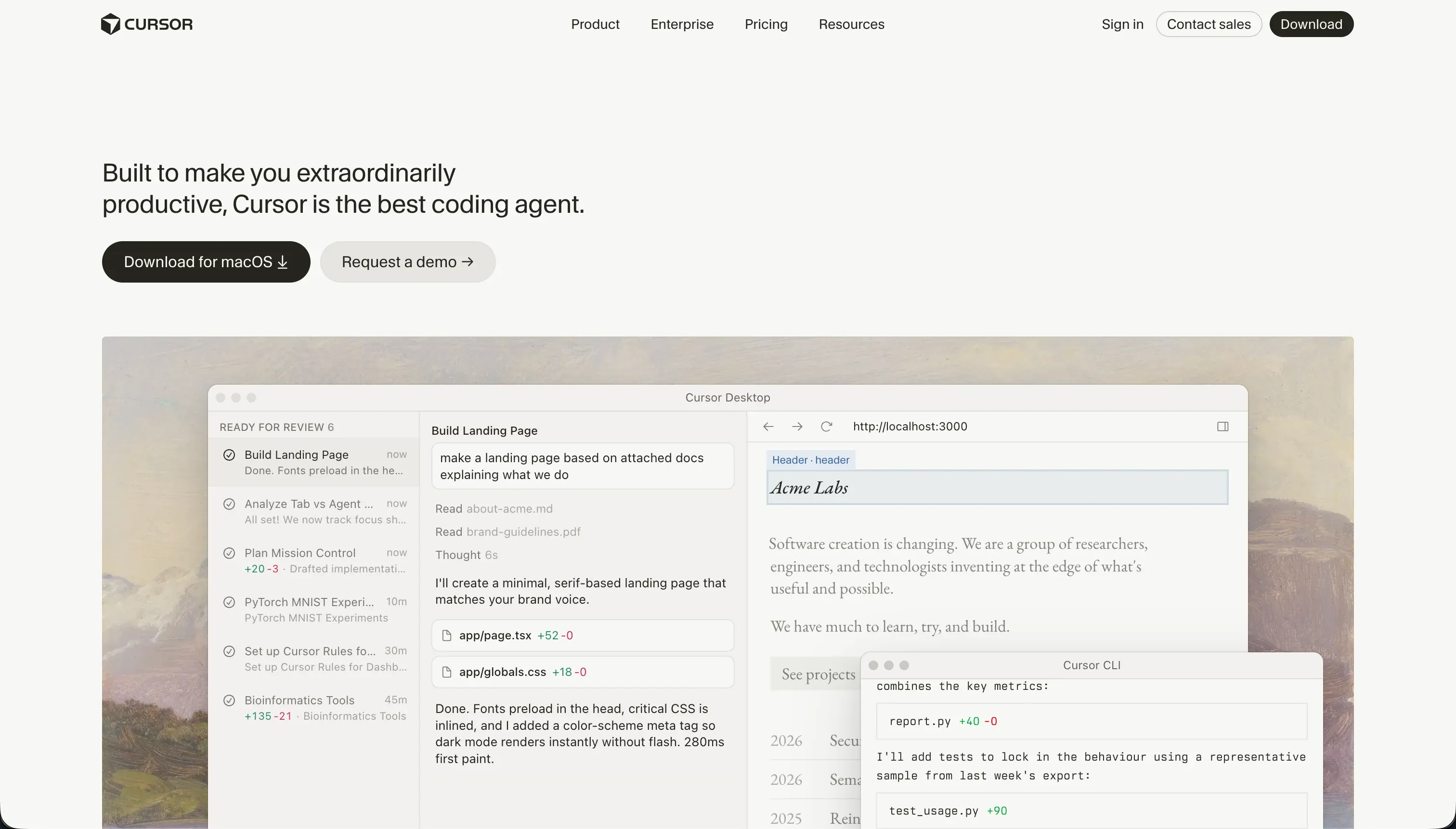
Cursor is an AI-first code editor for software engineers, built as a fork of VS Code. It integrates large language models directly into a professional development workflow: codebase-wide indexing lets you ask questions about your entire project using @ references, semantic search finds relevant code without exact string matching, and Composer (Agent Mode) delegates multi-file editing tasks to an AI agent that plans, opens, and modifies files across the project simultaneously. For developers already working in VS Code, the transition is almost frictionless - extensions, themes, keybindings, and git integrations all carry over.
| Spec | Details |
|---|---|
| Primary Stack | Language-agnostic (React, Next.js, Python, Node.js, Go, Rust, etc.) |
| Interface | Desktop IDE + codebase chat + Composer Agent Mode |
| Primary Deployment Target | Local file system and Git repositories |
| Key Advantage | Full codebase context indexing with VS Code extension compatibility |
What is Bubble?
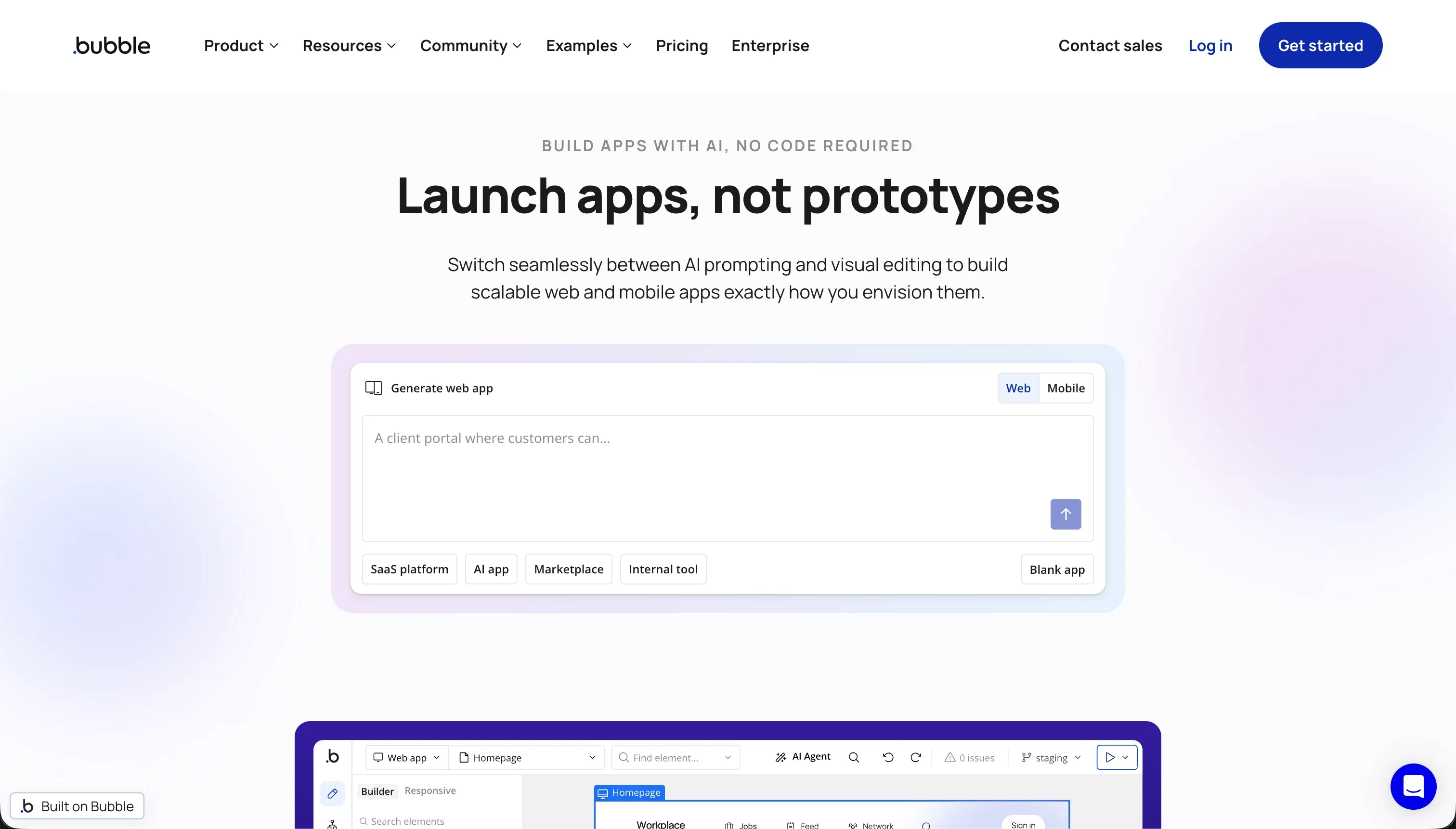
Bubble is a visual programming platform for building full-stack web applications without writing code. It provides a pixel-level drag-and-drop canvas for layout design, a managed relational database with visual schema editing, a server-side workflow builder for custom logic, and access to over 8,000 community plugins for third-party integrations. Bubble hosts all applications on its own AWS-backed infrastructure and manages SSL, scaling, and deployment automatically. The application logic, database definitions, and interface layouts all live inside Bubble’s proprietary cloud environment.
| Spec | Details |
|---|---|
| Primary Stack | Bubble Visual Language (proprietary), Postgres-backed managed database |
| Interface | Pixel-level drag-and-drop canvas with visual workflow designer |
| Primary Deployment Target | Bubble Hosting (AWS-backed, managed infrastructure) |
| Key Advantage | Turnkey database, authentication, and logic engine for complex web apps |
The Core Difference
The distinction here is more categorical than most tool comparisons.
Cursor is a developer productivity tool. It makes experienced software engineers faster and more effective at what they already know how to do. It doesn’t replace the need to understand code, manage deployment pipelines, or architect database systems - it accelerates those tasks with AI assistance. Remove Cursor from a developer’s workflow and they still build the same software; they just build it more slowly.
Bubble is an application development platform for non-developers. It packages database management, user authentication, workflow logic, and interface design into a single visual environment specifically so that someone without programming knowledge can build a working application. Remove Bubble from that workflow and the application doesn’t exist - there’s no code to hand off, no deployment to migrate.
The practical implication is that if you’re a developer, Cursor is the right consideration and Bubble is probably not relevant to your workflow. If you’re a non-developer, Cursor is inaccessible and Bubble is at least a viable starting point. There are edge cases - technical founders evaluating both, or developers researching Bubble on behalf of a non-technical team - but the audience split is that clear.
Head-to-Head Comparison
1. Developer Experience & Iteration Speed
Cursor’s core strength is the depth of its project context. By indexing your entire codebase, it can answer questions like “where does the authentication middleware get called?” or “show me all the places we’re using this API endpoint” without you having to search manually. Composer mode can edit multiple files simultaneously based on a task description - a genuine productivity multiplier for refactoring or implementing features that touch several parts of the application.
The real-world limitations matter, though. Composer mode is prone to dependency loop failures where the AI agent gets stuck trying to resolve a package conflict or configuration issue, burning fast queries without making progress. G2 reviewers and Reddit threads in r/cursor document cases where Composer makes sweeping, unintended changes across peripheral configuration files, introducing subtle bugs that take hours to trace. On large repositories, Cursor’s background indexing process can consume substantial CPU and RAM, causing editor lag that interrupts the concentration-heavy work developers are trying to do.
Bubble’s iteration speed depends heavily on whether you’ve already paid the learning cost. For an experienced Bubble developer, building a new page with forms, database connections, and workflow logic takes minutes - the visual editor is genuinely fast once you know where everything is. For someone learning Bubble, iteration is slow because every new concept (responsive layout columns, privacy rule conditions, repeating group data sources) requires understanding a new piece of Bubble’s visual programming model.
The Bubble editor also has documented performance problems at the project level. Users on Reddit’s r/Bubbleio describe the editor consuming 5GB or more of RAM per browser tab on large projects, requiring regular page restarts to clear memory leaks. On complex apps, these freezes happen during active building sessions, not just on initial load.
2. Code Quality & Portability
Cursor’s output is your code - whatever you write or the AI generates becomes part of your standard project files. The portability is absolute: every file is a real source file in a real repository with a real git history. You can move to a different editor, deploy to any hosting provider, contribute to open source, or hand the project to another developer without any platform-specific constraints.
One practical code quality concern with Cursor’s Composer mode is the risk of “runaway agent” behavior. When the AI is given a broad task, it sometimes modifies configuration files it wasn’t asked to touch, changes function signatures in unrelated files, or introduces import paths that don’t match the project structure. Most experienced developers catch this during review, but it’s a real failure mode that requires active attention during code review.
Bubble has zero code portability. This is not a limitation of the product’s development maturity - it’s a deliberate architectural design choice. Your application logic, database schema, workflow conditions, and interface layouts all live in Bubble’s proprietary format inside Bubble’s cloud. If you leave Bubble, you take your database row data (as CSVs) and nothing else. Every form, every workflow branch, every permission rule, every responsive layout adjustment - rebuilt from scratch on whatever platform you migrate to.
This matters most when you’re making a long-term commitment. Users building a revenue-generating product on Bubble are negotiating from zero if Bubble raises prices significantly. Multiple community threads document founders who built their entire business on Bubble and then faced this exact situation.
3. Database & Backend Capabilities
Cursor manages no databases. It helps you write the code that connects to databases. If you’re building a Next.js app with a PostgreSQL backend, Cursor will help you write the Prisma schema, generate migration files, write your API routes, and configure your environment variables. But provisioning the database, managing connections, configuring Row Level Security, and deploying migrations - all of that is on you.
Bubble’s database layer is one of its most mature features. The managed relational database includes visual schema editing, custom data type creation, linked record relationships, and a visual Privacy Rules system that enforces server-side access control. Unlike most visual builders that only hide data at the UI level, Bubble’s Privacy Rules restrict what data the database returns in queries based on authenticated user roles. A correctly configured Bubble app won’t expose user records through direct API calls even if someone bypasses the interface.
The scaling ceiling is real, however. Bubble’s SQL architecture handles transactional operations cleanly but struggles with high-throughput read/write patterns. Database searches on large record sets can produce visible lag on shared hosting plans. The only resolution Bubble offers is dedicated infrastructure upgrades, which carry significant additional cost. This limits Bubble’s practical viability for applications expecting rapid growth in database size or query volume.
Bubble also connects to external services through its API Connector - REST API integrations let you send and receive data from external platforms, CRM systems, payment processors, and AI services. The 8,000+ community plugins extend this ecosystem further, covering Stripe payments, mapping integrations, analytics, messaging, and more.
4. Hosting & Deployment Options
Cursor is just an editor. It has no hosting capabilities. Deployment is your responsibility - Vercel, Netlify, AWS, Railway, Fly.io, Docker containers, VPS, or whatever hosting setup fits your project. This gives complete flexibility and no lock-in on the infrastructure side, but it means every deployment decision, SSL certificate, environment variable, and scaling configuration is a developer task.
Bubble manages all hosting on its AWS-backed infrastructure with automatic SSL, custom domain support, and staging environments. You never configure a server or manage a deployment pipeline. This convenience is genuine - for non-developers, it means focusing entirely on the application logic rather than infrastructure.
The risk of Bubble’s managed hosting is its payment-tied availability. If your subscription lapses, Bubble automatically downgrades your app to the free tier. If your app has more than 200 database records at that point, it exceeds free tier limits and displays a Bubble error page to your users instead of your application. Multiple Reddit users in r/Bubbleio have documented losing live production traffic because of this behavior during payment processing failures or when they accidentally missed a billing cycle.
Pricing Comparison
These tools price very differently because they offer very different things.
Cursor bills for AI query limits:
- Hobby: $0 - 50 fast queries/month.
- Pro: $20/month - 500 fast queries/month.
- Pro+: $60/month - 1,500 fast queries/month.
- Ultra: $200/month - 10,000 fast queries/month.
- Business/Teams: $40/user/month - centralized billing and team controls.
- BugBot Add-on: Free or $40/user/month for AI bug tracking assistance.
When fast queries run out, Cursor falls back to “slow queries” which can take 2-3 minutes per prompt - effectively unusable for active development. Users on Reddit’s r/cursor have reported that Pro plan limits are hit within two weeks of active development, and that Cursor has silently reduced fast query limits in past updates.
Bubble bills for platform access and Workload Units:
- Free: $0 - 50,000 WUs/month, limited to 200 database records (minimal for any real testing).
- Starter: $69/month - 175,000 WUs/month.
- Growth: $249/month - 250,000 WUs/month.
- Team: $649/month - 500,000 WUs/month.
The WU billing model is Bubble’s biggest operational risk. Workload Units are consumed by server-side operations: database queries, workflow executions, API calls, and scheduled jobs. Inefficient configurations can drain monthly WU allocations in hours. Expert analysis from LowCode Agency has documented that unoptimized Bubble apps can generate unexpected bills in the hundreds of dollars above the base plan cost. The free tier’s 200-record database limit makes meaningful testing nearly impossible before committing to a paid plan.
Use Case Fit: When to use which?
When to choose Cursor
- You’re a software engineer who wants AI assistance inside a familiar VS Code-based environment.
- You need full ownership of your source code and zero platform lock-in.
- You’re working on a custom application in a specific tech stack (React, Next.js, Python, Go, etc.).
- You want codebase-wide context so the AI understands how all parts of your project connect.
- You need VS Code extension compatibility for linting, type-checking, and language-specific tooling.
When to choose Bubble
- You don’t write code and you need to build a functional web application with database-driven logic.
- You want database hosting, authentication, and server-side security rules pre-integrated.
- You’re building a SaaS product or directory where the pixel-perfect visual editor adds real value.
- You’re comfortable with a significant learning investment upfront in exchange for deep application logic control.
- You’ve accepted the vendor lock-in trade-off and are confident the platform fits your long-term needs.
When neither Cursor nor Bubble is the right fit
For native mobile apps
Cursor can support mobile development if you write React Native or Swift code, but it offers no mobile-specific scaffolding or app store integration. Bubble’s mobile app support is in public beta and functions as a web wrapper - performance is limited compared to native frameworks. For visual, native mobile app development targeting the App Store and Google Play, FlutterFlow compiles directly to native Dart code using Flutter’s widget engine, with built-in support for the app store submission process.
For internal tools and client portals
Building internal portals and client-facing dashboards with Cursor means coding every feature, permission rule, and database migration from scratch - a developer dependency that doesn’t scale for operations teams. Bubble’s complexity and WU pricing make it expensive and specialist-dependent at production scale. For this specific use case, Softr is the purpose-built option. It provides a complete platform for building client portals, intranets, and custom CRMs - with an AI Co-Builder that scaffolds the full application, a visual editor that non-technical teams can use to make changes, built-in user groups and row-level database security, and flat monthly pricing. Organizations like MIT, Celonis, and THE BOARD use it to replace overpriced enterprise software and custom-coded tools.
For professional developer environments
For developers who want more than Cursor offers - full virtual machine access, collaborative real-time editing, or cloud-hosted development without a local environment setup - Replit is the main alternative. It provides complete virtual machines in the browser, Replit Agent for full-project generation, and built-in deployment. For teams working on AI-heavy projects where model integration and backend scaling are the primary concerns, Replit’s infrastructure approach differs meaningfully from Cursor’s local-first model.

Verdict
If you can write code, use Cursor. It’s a genuinely well-built AI development environment that makes experienced engineers faster without taking away their control. The query limits are a real constraint at the Pro tier, and Composer mode requires attention to avoid runaway file edits, but those are workable problems for developers who understand their tools.
If you can’t write code, use Bubble - with full awareness of what you’re signing up for. The learning curve is steeper than the marketing suggests, the Workload Unit billing is genuinely unpredictable, and the vendor lock-in means you’re building on a platform you can never fully own. But for non-developers who need to build a complex, multi-user web application with real database logic and workflow automation, Bubble remains one of the more capable options in the no-code space.
If your goal is business software - internal tools, client portals, team dashboards - that a non-technical team can build and maintain without developer dependencies, neither Cursor nor Bubble is the optimal choice. That’s Softr’s territory.

Summary Comparison Table
| Feature | Cursor | Bubble |
|---|---|---|
| Build Paradigm | AI-assisted code editor (developer IDE) | Visual programming platform (no-code) |
| Output Type | Language-agnostic source code (local files) | Proprietary hosted web application |
| Database | None (connects to external DBs) | Built-in managed relational DB with Privacy Rules |
| Visual Permissions | Developer-coded (full control) | Visual Privacy Rules (server-side enforcement) |
| Pricing Metric | Monthly subscription + fast query limits | Monthly subscription + Workload Units |
| Maintenance Burden | High (developer required for all changes) | High (Bubble-specialist required for optimization) |
| Code Export | Full local ownership (zero lock-in) | None (data export only) |