What is Cursor?
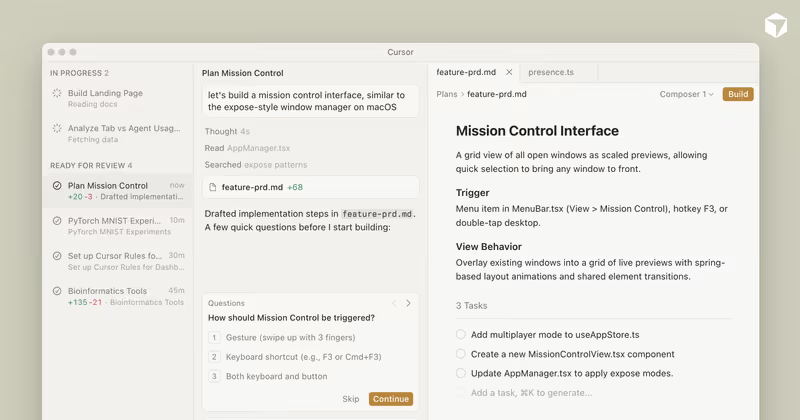
Cursor is an AI-first integrated development environment (IDE) built specifically for software engineers. Forked from VS Code, Cursor embeds large language models directly into the code editor workflow. Rather than forcing you to copy-paste code snippets to and from external chat windows, Cursor enables inline code writing, auto-refactoring, and conversational codebase search inside your active workspace.
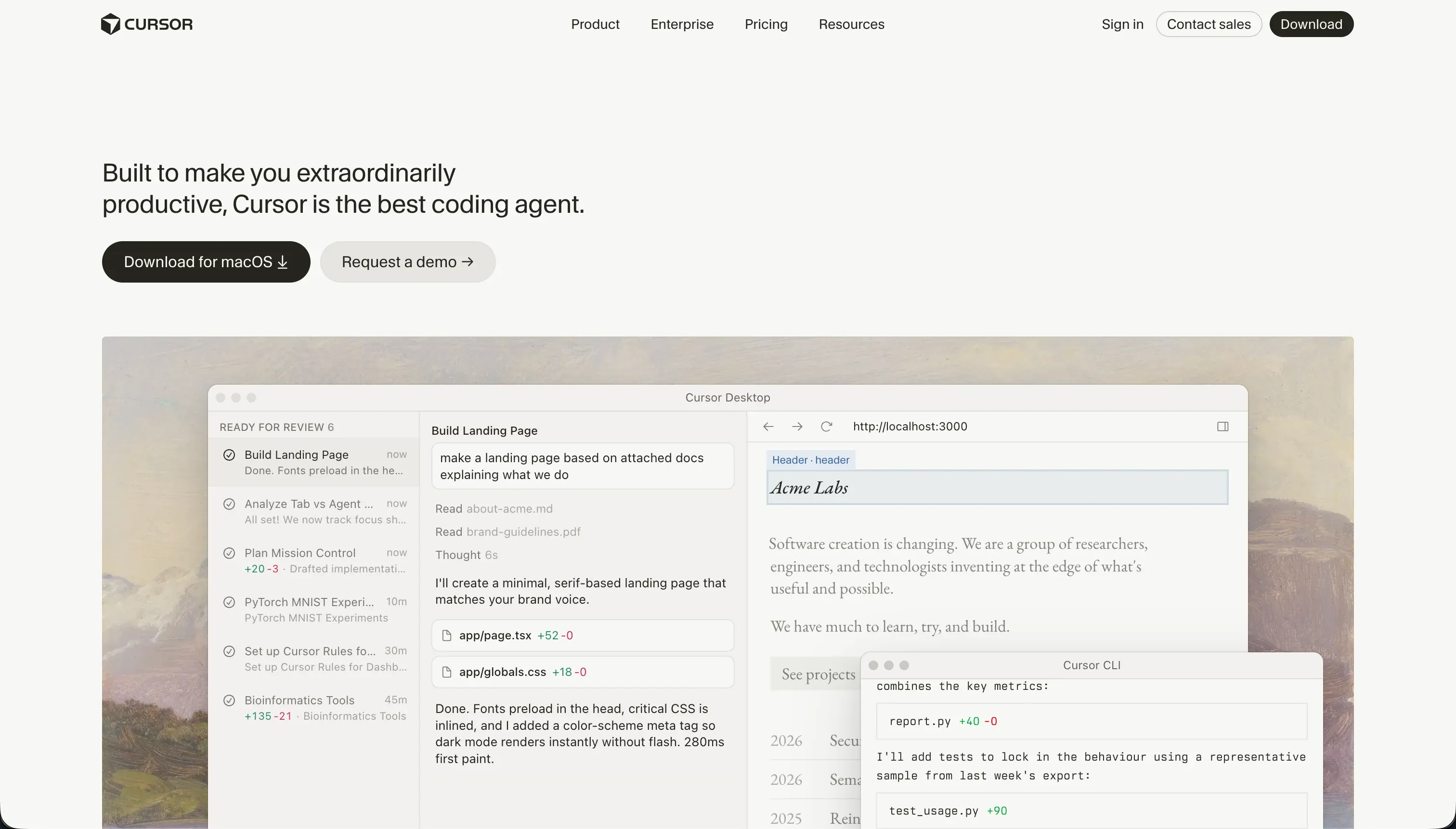 Cursor product snapshot
The editor is built to help programmers write code faster. It indices your entire repository, letting the AI analyze imports, file relations, and class configurations.

What types of applications can you build with Cursor?
Because Cursor is a professional developer IDE, there are no limitations on what you can build. It handles:
- Custom Full-stack Web Apps: Build Next.js dashboards, Python backends, or Rust scripts.
- Complex Data Engines: Code large data pipelines, web scrapers, and database APIs.
- Native Mobile Apps: Write Flutter or React Native systems to compile for App Stores.
However, Cursor does not provide turnkey hosting, databases, or pre-built interfaces. Building even a simple form requires you to write the backend code, configure SQL databases, manage libraries, and deploy server infrastructure yourself.
Where Cursor genuinely shines
Cursor is the gold standard for developer efficiency. Because it imports standard VS Code configurations and plugins, software engineers can transition without changing their setup. The @ mentions syntax makes it easy to context-feed specific folders, files, or functions to the AI, ensuring accurate code generations.
In its Agent (Composer) mode, the editor can autonomously write multi-file diffs, configure server routes, update database controllers, and install npm packages.
The engineering overhead & setup complexity
If you do not know how to code, Cursor is unusable:
- No Visual Abstractions: There are no visual panels or drag-and-drop components. You are editing raw source files.
- Agent Regressions: When tasked with complex operations, the editing agent can get stuck in compiler regression loops, writing buggy code or creating package dependency conflicts that require developer-level manual debugging.
- Manual Host & Database Assembly: You must configure database connections, set up Row-Level Security (RLS) tables, set up login authentication systems (like NextAuth), and deploy your server manually.
The pricing gotchas & token/credit model
Cursor pricing is built around “fast queries” that scale from free to enterprise tiers:
- Fast Request Limits: The $20/month Pro tier includes 500 fast requests. The AI Composer mode uses several queries during multi-file operations, meaning heavy builders can blow through their monthly pool in a couple of weeks.
- Slow Queue Fallbacks: Once your fast queries are spent, queries drop to a slow fallback queue. Users report that prompts in this queue can take several minutes, making complex agent modifications slow.
- Indexing CPU Heat: Running semantic code indexing on large repositories runs hot, causing editor slowdowns and high CPU resource usage on laptops.
Public Sentiment & Community Consensus
Developer discussions on coding subreddits show clear consensus:
- Seamless VS Code Integration: Developers praise how easily they can switch to Cursor without losing their VS Code extensions or keybindings.
- Composer Loop Frustrations: Users report that while simple scripts are generated cleanly, Composer often gets stuck in loops when trying to resolve npm dependency conflicts, quickly burning through query allocations.
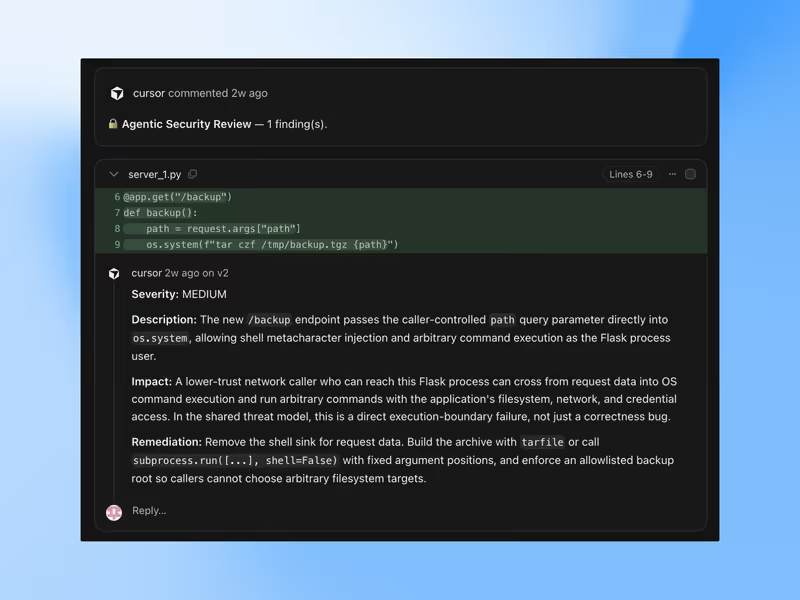
- Corporate Privacy Rules: index scanning raises data compliance concerns, prompting security teams to restrict Cursor usage for corporate work.
For business teams looking to build secure B2B client portals, dashboards, or CRM databases, writing code inside Cursor introduces heavy maintenance overhead and security risks. If you don’t have a development budget, Softr is worth a serious look. Its AI Co-Builder generates complete apps from a prompt - database, pages, user permissions, and navigation - and the result is production-ready business software from day one. Auth, user groups, and hosting are built in, so there’s no generated code to debug or infrastructure to manage.
Verdict: Who is it actually for?
Best for: Experienced developers and software engineers who want an AI-boosted IDE to code twice as fast while maintaining complete control over their codebases.
Not for: Non-technical operators, business owners, or startup founders looking for a drag-and-drop visual interface to launch web systems without coding.