

Cursor and Softgen both put AI at the center of building software, but they sit on opposite ends of the spectrum. Cursor is an AI-first code editor for developers who write and own every line. Softgen is a conversational app builder that scaffolds a working web app from a chat with its Cascade agent, then hosts it for you. One assumes you are an engineer; the other assumes you would rather not be.
The people deciding between these two are usually solo builders and small teams who want AI to speed up shipping. The real question is how much control and responsibility you want. Cursor gives you total control and total responsibility for the stack. Softgen trades control for speed and a very low base price, but locks your edits into a prompt loop. Pick wrong, and you either drown in engineering overhead you cannot handle, or hit a template ceiling right when your idea starts to matter.
Meet the Contenders
What is Cursor?
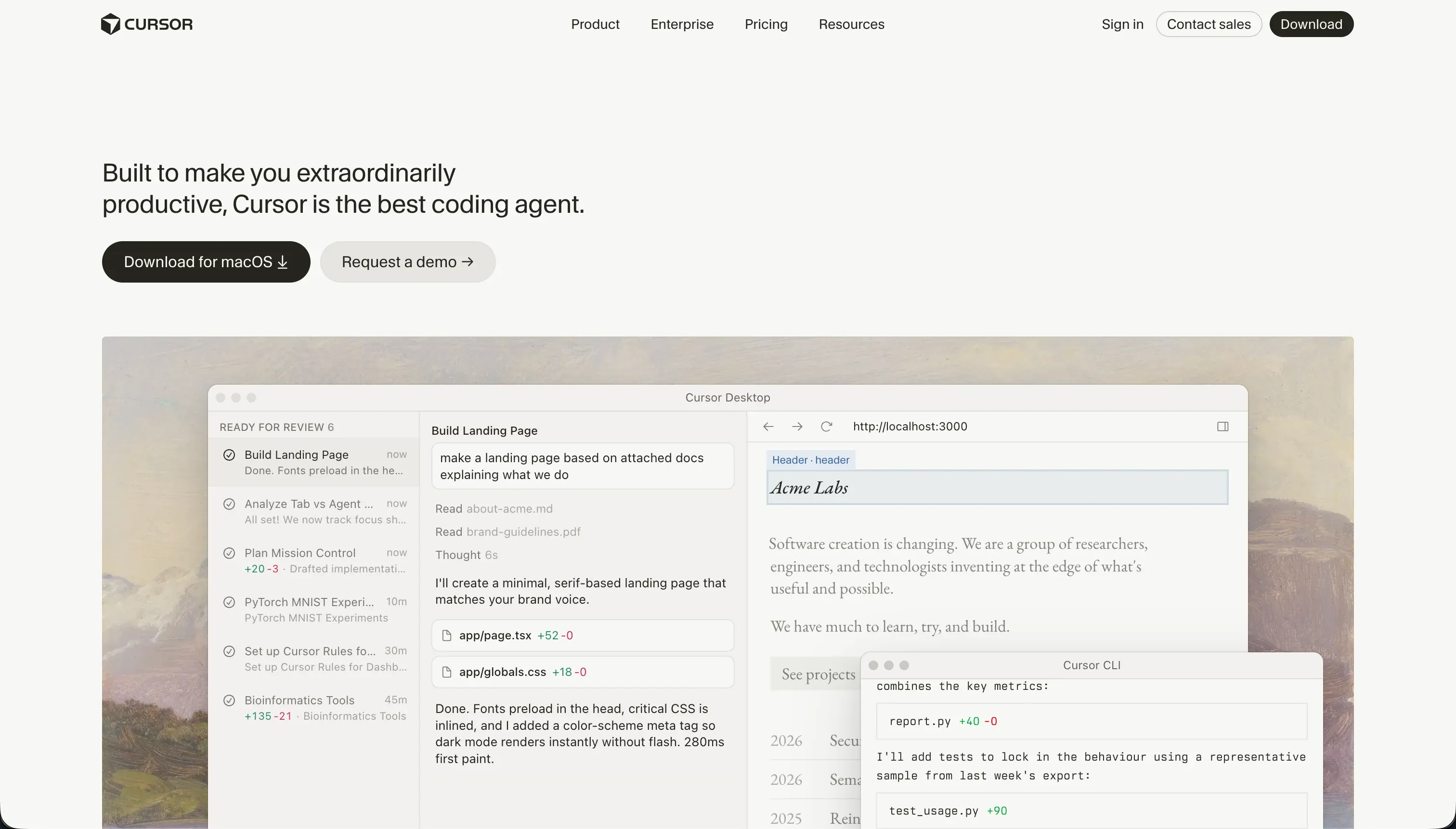
Cursor is an AI-first integrated development environment built on a fork of VS Code. It embeds large language models directly into the editor so you can write, refactor, and search code conversationally without copy-pasting into an external chat. It is aimed squarely at software engineers who want to code faster while keeping full control of their codebase.
In practice, Cursor works by indexing your entire repository so the AI can reference files, symbols, and functions through @ mentions, which produces accurate, context-aware generations. Its standout feature is Composer (Agent Mode), an editing agent that plans, opens, edits, and writes across multiple files in one loop, configuring routes, updating controllers, and installing npm packages. Because it is a VS Code fork, you import your existing settings, themes, and extensions in one click. There is no turnkey hosting, database, or prebuilt interface; you write the backend, configure the database, and deploy the server yourself.
Cursor is genuinely built for experienced developers who already live in an IDE and want AI pair-programming on real code. It becomes frustrating fast for non-coders, since there are no visual abstractions or drag-and-drop components, and Composer can get stuck in regression loops fixing dependency conflicts that burn through fast query credits and require developer-level debugging.
| Spec | Details |
|---|---|
| Primary Stack | Any stack you write (Next.js, Python, Flutter, etc.); no managed backend provided |
| Interface | AI-first code editor (VS Code fork) with inline generation and Composer agent |
| Primary Deployment Target | Whatever you build and host yourself; no turnkey hosting |
| Key Advantage | Full-codebase context, multi-file Composer edits, and complete code ownership |
What is Softgen?
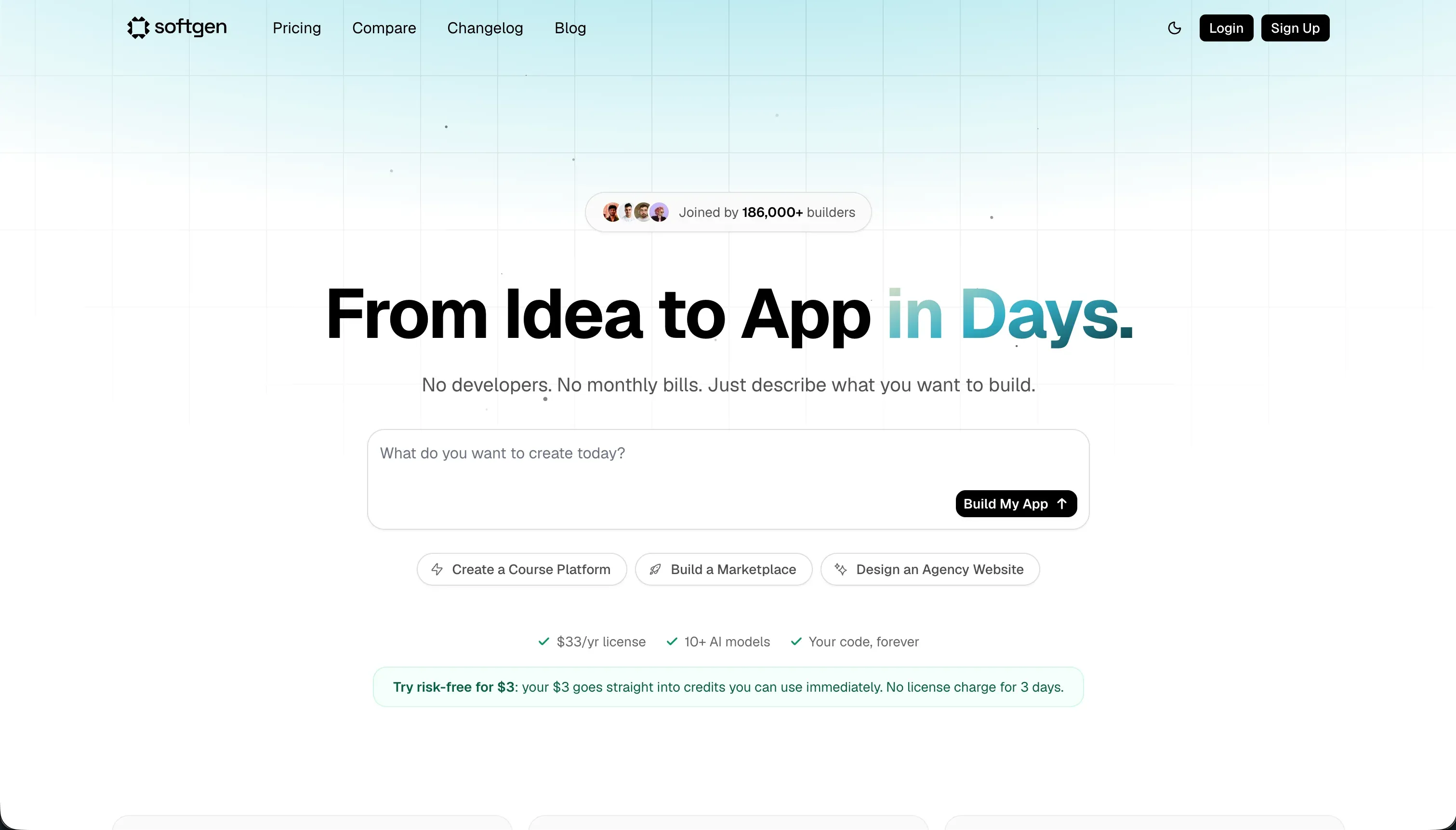
Softgen is an AI-powered conversational application builder that generates web systems from text instructions. Instead of starting on a blank design canvas, you chat with its Cascade AI Agent to outline database columns, user sign-in views, and integrations like Stripe payments, then the AI compiles the code and deploys it to a staging domain. It is built to simplify the prototyping phase for indie hackers and creators.
In practice, Softgen leans on two strengths. First, the Cascade agent acts as a structured planning helper, walking you through schema and layout decisions before it generates anything. Second, its templates ship with pre-configured databases and authentication out of the box, plus one-click deployment with custom domains and code export support. The major tradeoff is that there is no visual drag-and-drop editor, so every change, whether aligning a button or adjusting padding, requires a new chat prompt, and the AI compiles within strict template modules that create a visual ceiling if your design deviates.
Softgen is built for indie hackers, solo founders, and creators shipping simple database-driven web utilities like SaaS MVPs, filterable directories, and CRUD tools. It is a weaker fit for business operations teams or agencies building stable client portals or systems that need complex data relationships, multi-role permissions, or precise visual control, since those push you into exporting React files and writing custom code yourself.
| Spec | Details |
|---|---|
| Primary Stack | AI-generated React web app with templated database and auth |
| Interface | Conversational chat builder (Cascade agent); no visual drag-and-drop editor |
| Primary Deployment Target | Hosted responsive web apps and PWAs with one-click deploy and custom domains |
| Key Advantage | Cheap $33/year base plus pay-as-you-go credits, with code export support |
The Core Difference
The biggest difference is who is expected to do the engineering. One tool assumes you are a developer and amplifies your work; the other tries to do the developer’s job for you through conversation, then deploys the result.
- Cursor is a professional code editor that gives developers full control over a self-built, self-hosted stack, with AI accelerating the writing rather than replacing the engineering.
- Softgen generates and hosts a working web app from a chat with its Cascade agent, trading control and visual precision for speed, a low annual price, and zero setup.

Head-to-Head Comparison
We evaluated both platforms across six categories that matter most for these two tools.
1. Developer Experience & Iteration Speed
Cursor’s iteration experience is excellent for developers but assumes engineering fluency. Composer can plan and write multi-file diffs, install packages, and configure routes in a single conversation loop, and the @ mention syntax feeds exact files and functions to the model for accurate edits. For someone who knows the codebase, that is a real speed-up over copy-pasting into a separate chat.
The friction shows up when the agent goes off the rails. Users report that Composer gets stuck in infinite loops trying to resolve dependency conflicts, in one case breaking a Tailwind configuration and burning through all fast credits in an hour. On large repositories, background indexing runs hot and the editor can freeze for seconds while Composer generates diffs. Iteration is fast right up until you spend an afternoon untangling what the agent broke.
Softgen’s first-run experience is faster for a non-coder because there is nothing to set up. You describe the app to Cascade, it plans the schema and layout, then compiles and deploys to a staging domain. For a simple MVP, you can get a live, working demo without ever opening an editor.
The problem is everything after that first demo. There is no visual drag-and-drop editor, so every tweak, including aligning a button or adjusting margin padding, means writing another chat prompt. Fine-tuning grids or borders can spiral into repetitive prompt loops that burn credits without landing the exact result, which is slower and less precise than dragging an element in a visual designer.
Edge: Softgen for the first hour with no setup, but Cursor for sustained iteration once you can actually code, since prompt-only editing makes Softgen tedious for visual changes.
2. Code Quality & Portability
Cursor wins code ownership decisively because it never takes ownership from you in the first place. You are editing raw source files in your own repository with full Git history, so portability is a non-issue: stop using Cursor and your project opens in any editor. The AI generations are only as good as the model and your prompts, and @ context tends to keep them accurate, but you are always the one reviewing and committing.
The quality risk is the agent, not the editor. Composer can introduce regressions across peripheral config files and create dependency conflicts that need developer-level manual debugging. That is manageable for an engineer who reads diffs carefully, and dangerous for anyone who blindly accepts agent changes.
Softgen also gives you code, which is rare for a conversational builder. It supports downloading the generated codebase if you outgrow the platform, so you are not fully locked in at the code layer. For an indie hacker, having an exit path at all is a genuine advantage over hosted-only generators.
The catch is maintainability. Analysts warn that relying purely on prompt-generated code can create technical debt that complicates future scaling, and complex data relationships already require you to export the React files and write custom code by hand. So you own the output, but the output may need real engineering work before it is something you can confidently maintain.
Edge: Cursor, because you own clean code you wrote and reviewed, while Softgen’s exported code carries documented technical-debt risk.
3. Database & Backend Capabilities
Cursor provides no turnkey backend at all. There is no managed database, no auth, and no hosting; you configure the database connection, build row-level security tables, set up a login system like NextAuth, and deploy the server yourself. For a developer who wants exactly the architecture they designed, that is the point. For everyone else, it is a wall.
Because the backend is entirely hand-built, its capabilities are unlimited in theory and entirely dependent on your skill in practice. Cursor will happily generate the code for a complex data pipeline or a database API, but it does not run, host, or secure any of it for you.
Softgen is friendlier at the start for a non-coder. Its templates integrate databases and authentication out of the box, and Cascade helps plan a relational schema before generating, which is enough for basic CRUD tools, simple directories, and SaaS MVPs with signup and billing screens.
The ceiling arrives with complexity. Softgen struggles to handle complex data relationships without manual developer coding, and its access control is comparatively basic, lacking the field-level or button-level visibility logic real multi-tenant apps need. So it handles structured CRUD comfortably and gets shaky as soon as the data model or permissions get serious.
Edge: Softgen for non-coders building simple data apps, since it ships a working database and auth, while Cursor offers no backend at all unless you build it.
4. Hosting & Deployment Options
Cursor does not host anything. Deployment is entirely your responsibility, which means configuring servers, scaling, and infrastructure yourself or wiring up a separate platform. For a developer this is normal and gives total flexibility, including compiling native mobile apps for the App Store through Flutter or React Native. For a non-developer it is a dealbreaker.
There is also an operational cost to running Cursor itself. Semantic indexing on large repositories consumes significant CPU and memory, causing editor slowdowns on standard laptops, and corporate security teams frequently restrict Cursor because codebase scanning raises data-compliance concerns. Those are real friction points before you even get to deployment.
Softgen handles hosting for you with one-click deployment to its environment, including custom domain support, so a generated app is live without any DevOps. For an indie hacker validating an idea, that convenience is the whole appeal.
The limits are in packaging and polish rather than setup. Softgen ships responsive web apps and PWAs, not native app-store binaries, and the template constraints mean the hosted result may not match a fully custom design. Deployment is easy, but it is web-only and shaped by Softgen’s defaults.
Edge: Softgen, because it deploys and hosts a working web app instantly, while Cursor leaves all hosting and infrastructure for you to build and manage.
5. AI Quality & Reliability
Cursor’s AI is the most capable of the two for real software work, precisely because it operates on actual code with full project context. Composer can reason across an entire indexed repository and execute multi-file changes, which is something a chat-only generator cannot match for complex engineering tasks. When it works cleanly, it is a strong accelerator for an experienced developer.
Reliability is the weak spot. The same Composer that shines on simple scripts gets stuck in loops on dependency conflicts, and recent silent updates have reportedly reduced fast-request limits and even broken extensions and terminals. The AI is capable but unpredictable, and recovering from its mistakes requires you to understand the code it touched.
Softgen’s AI, the Cascade agent, is more constrained and therefore more predictable for its narrow job. It guides schema planning and generates within known template modules, which keeps simple builds on the rails. For scaffolding a basic MVP, that structure is a feature, not a limitation.
The reliability problem is iteration, not generation. Because every change runs through the AI and there is no manual visual fallback, getting stuck in a prompt loop on a layout offset both wastes time and burns pay-as-you-go credits, and you spend more credits asking the AI to repair compile errors it introduced. The AI is dependable for the first build and fragile for the hundredth tweak.
Edge: Cursor for raw AI capability on real codebases, though both tools share an AI-loop reliability problem that costs you time or credits to escape.
6. Learning Curve & Onboarding
Softgen is the gentler onboarding by a wide margin. If you can describe what you want in plain language, you can use Cascade to outline a schema and generate an app, with no IDE, packages, or build commands involved. For a first-time builder, that conversational entry point removes the blank-canvas and blank-terminal fear at the same time.
The flip side is that the simplicity has a hard edge. The moment you want a layout the templates do not anticipate, or permissions beyond the basics, the friendly chat flow turns into a frustration loop, because the only lever you have is more prompting. You are not learning advanced Softgen so much as discovering where it stops.
Cursor is approachable only if you already code. Importing your VS Code settings, themes, and keybindings in one click makes the editor itself feel instant, so the onboarding into the tool is genuinely smooth for developers. The learning curve is not the UI; it is the software engineering knowledge the tool quietly assumes.
For a non-coder, Cursor is effectively unusable: there are no visual panels, you edit raw source files, and you must understand builds, packages, and deployment to get anything running. The onboarding gap is not gradual, it is a cliff that depends entirely on whether you can already program.
Edge: Softgen for total beginners shipping a simple app, but Cursor is the smoother onboarding for anyone who already writes code.
Pricing Comparison
Cursor:
- Hobby - $0, 50 fast queries, VS Code extension support, standard autocomplete (no Composer)
- Pro - $20/mo, 500 fast queries/month, unlimited slow queries, Composer agent mode
- Pro+ - $60/mo, 3x limits (about 1,500 fast queries)
- Ultra - $200/mo, 20x limits (about 10,000 fast queries)
- Business/Teams - $40/user/mo, 500 fast queries per member, centralized admin, privacy mode, SSO
Softgen:
- Annual Membership - $33/year, full editor workspace access, Softgen hosting and custom domains, code export support (AI generation credits not included)
- AI Usage Credits - pay-as-you-go credit packs to fund AI generation and updates, with no monthly subscription
Use Case Fit: When to use which?
When to choose Cursor
- Choose Cursor when you can already code in React, Node, Python, or similar and want an AI-boosted IDE to write and refactor faster while keeping full control of your codebase.
- Choose Cursor when you need unlimited flexibility over architecture, including building and compiling native mobile apps or complex data pipelines you will host yourself.
- Choose Cursor when owning clean, reviewable code in your own repository matters more than turnkey hosting, and you are comfortable debugging the occasional Composer regression loop.
When to choose Softgen
- Choose Softgen when you are a non-coder or indie hacker who wants to scaffold a simple SaaS MVP, directory, or CRUD tool from a chat without setting up an IDE.
- Choose Softgen when a low base cost matters and the flat $33/year plus pay-as-you-go credits fits a project you will edit only occasionally.
- Choose Softgen when a hosted, responsive web app within its template modules is enough and you do not need precise visual control or complex multi-role permissions.
When neither Cursor nor Softgen is the right fit
For internal tools and client portals
Neither Cursor nor Softgen is built for production business software with real user roles. Cursor can build a portal but hands you the entire job of writing and securing auth, permissions, and hosting, which is heavy maintenance overhead for an operations team without a development budget. Softgen can scaffold a basic portal, but its access control is comparatively basic, lacking field-level or button-level visibility, and complex permission paths push you into exporting and hand-coding React.
For internal tools and client portals, Softr is the more practical fit, paired with Retool when your team is more technical and wants tighter control over data-heavy admin panels. Softr ships native Softr Databases with row-level restrictions, visual user groups, authentication, and hosting from day one, plus SOC 2 Type II compliance with data hosted in Europe, so a non-developer can maintain the app without reopening code. Retool covers the more engineering-heavy internal dashboards where teams want to wire up many data sources and write custom logic.
For native mobile apps
If your goal is publishing native iOS and Android apps to the App Store and Google Play, Softgen is the wrong tool outright, since it only ships responsive web apps and PWAs. Cursor can technically get you there by hand-coding Flutter or React Native, but that requires full engineering skill and effort that defeats the point of a faster build path.
For that job, look at FlutterFlow or Adalo. FlutterFlow is the stronger choice when you need serious native-app flexibility and a real path to app-store output without writing everything from scratch, while Adalo is the simpler, more beginner-friendly native-mobile builder for straightforward apps.
For complex visual web apps with deeper logic
If your app needs unusual UX flows, deep visual customization, or logic orchestration that starts to resemble full application engineering, both compared tools strain. Softgen hits its template ceiling quickly, and Cursor only helps if you are prepared to build and host the whole thing as a developer.
That is where Bubble or WeWeb make more sense. Bubble remains the heavyweight for complex visual web app logic without writing code, while WeWeb is more attractive if you want a developer-friendlier front-end layer connected to your own backend systems.

Verdict
Pick Cursor if you already write code and want AI to make you faster without taking the wheel. It is one of the strongest AI-assisted editors for developers, with full-codebase context and a Composer agent that handles real multi-file work. The tradeoff is that you own everything, including the hosting, the security, and the cleanup when Composer loops on a dependency conflict and burns your fast credits. For non-coders, it is simply the wrong tool.
Pick Softgen if you are a solo builder or indie hacker who wants a simple web MVP scaffolded from a chat on a genuinely cheap annual plan. Cascade plans your schema, ships a working app with templated database and auth, and hosts it with a custom domain. The tradeoff is the template ceiling and the prompt-only editing model, where every visual tweak is another credit-consuming chat prompt and complex permissions or data relationships eventually force you into hand-coding the exported React.
The day-two reality is where both tools age the same way: the first version is rarely the expensive part, the changes after launch are. Cursor’s code needs a developer forever, and Softgen’s generated code accumulates technical debt that someone eventually has to refactor. Between these two, Cursor is the right answer for developers and Softgen for indie hackers shipping simple MVPs; but if the real goal is a maintainable internal tool or client portal that a non-developer can keep running, Softr ages better, with Bubble as the alternative when the app needs heavier custom logic.

Summary Comparison Table
| Criterion | Cursor | Softgen |
|---|---|---|
| Best for | Developers wanting an AI-boosted IDE | Indie hackers scaffolding simple web MVPs |
| Build paradigm | AI-assisted code editor (VS Code fork) | Conversational chat builder (Cascade agent) |
| Output type | Code you write and host yourself | Hosted responsive web app / PWA |
| Database & backend | None turnkey; you build it all | Templated database and auth out of the box |
| Visual permissions | DIY in code (e.g. NextAuth, RLS) | Basic; no field- or button-level logic |
| Pricing metric | $20-$200/mo by fast-query tier | $33/year plus pay-as-you-go AI credits |
| Code export | Full ownership of your repo | Yes, but carries technical-debt risk |