

The choice between Cursor and Zite highlights the growing divide in development tools, contrasting pure developer power with conversational no-code app construction. Cursor is built for software engineers who want to code significantly faster within a familiar local development environment, while Zite operates as an AI-native no-code platform designed to turn plain-English text prompts into fully hosted database software.
Technical founders, software engineers, and business operators frequently compare these tools to determine the best approach for their workflows. What is at stake is not just the initial development speed, but also code portability, AI credit predictability, and the technical background required to maintain and scale a production environment.
Meet the Contenders
What is Cursor?
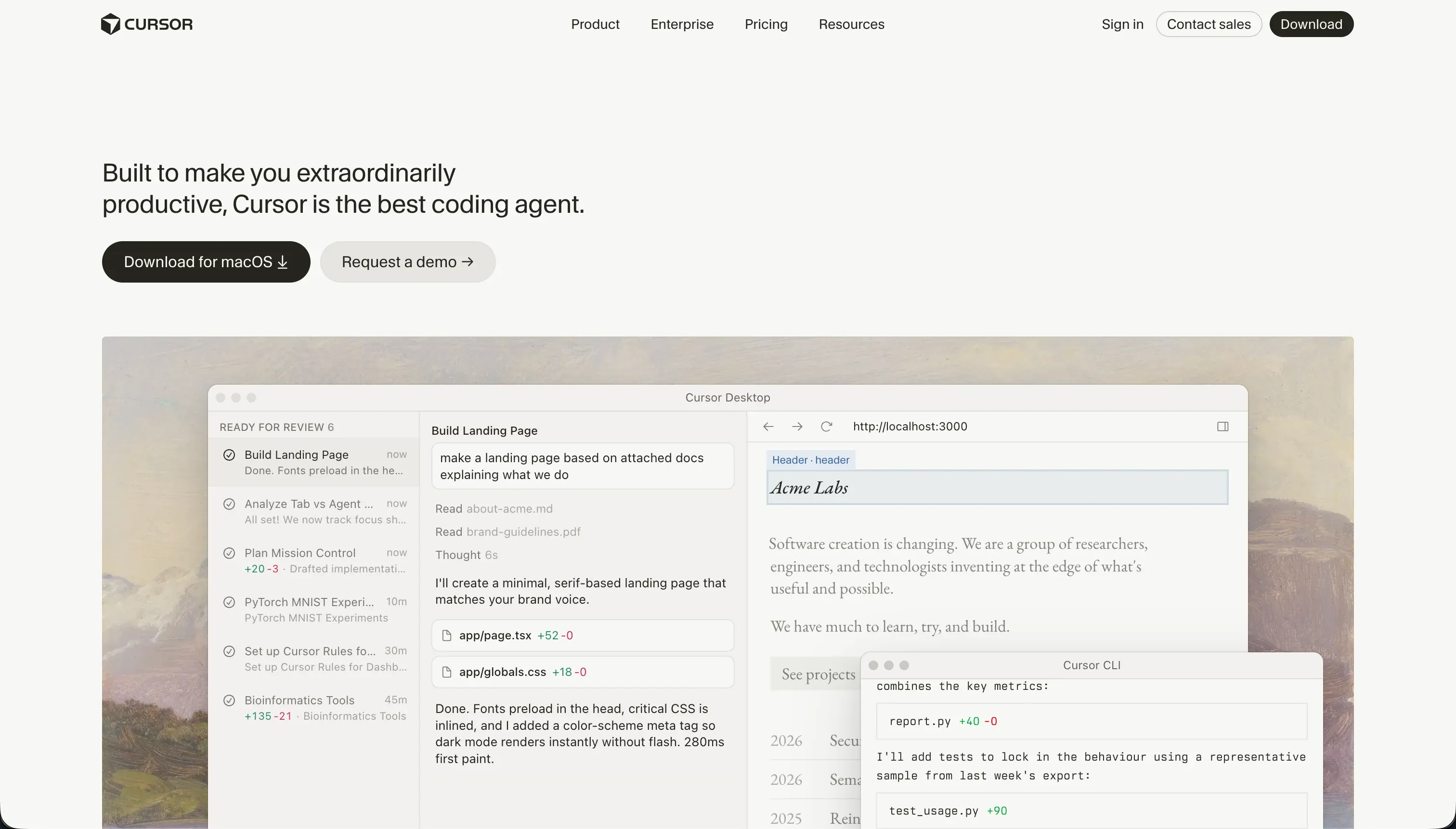
Cursor is an AI-first code editor designed to integrate language models directly into the software development workflow. Built as a customized fork of VS Code, it is fully compatible with standard developer extensions, themes, and workspace settings, serving as a drop-in replacement for traditional software engineering setups.
In daily practice, Cursor allows builders to index entire projects, reference file architectures using simple symbol prompts, and run semantic, natural-language queries instead of exact string searches. Developers rely heavily on Composer - its advanced Agent Mode - which can modify files across a workspace simultaneously, as well as smart autocomplete capabilities that suggest complex logical corrections inline.
Cursor is genuinely built for professional software developers, technical builders, and programmers who are comfortable running visual shells, setting up custom API routers, and debugging npm dependency errors. Users without a software engineering background are quickly overwhelmed by the tool, as they must manually manage their databases, configure hosting setups, and handle deployment loops outside the editor.
| Spec | Details |
|---|---|
| Primary Stack | TypeScript, React, Python, or any code-based languages inside your local machine |
| Interface | VS Code fork with embedded AI Chat, Composer agent, and terminal integration |
| Primary Deployment Target | Developer-chosen target (AWS, Vercel, Fly.io, or manual hosting) |
| Key Advantage | Turnkey codebase parsing with total control of files and no vendor platform lock-in |
What is Zite?

Zite (formerly known as Fillout) is an conversational, AI-driven no-code application platform designed to help teams assemble software, custom databases, and multi-step interfaces using plain-English prompts.
In active use, the platform operates through a prompt-to-app workspace and features a visual review interface called Plan Mode, which lets builders examine markdown change logs before the AI changes the digital build structure. It carries mature, visual form configurations influenced by its Fillout history, pairing visual UI builders with an embedded SQL-based spreadsheet backend that supports relational links, undo history, and custom actions.
Zite is built specifically for business operators, operations heads, and non-technical managers who need to rapidly prototype and share operational dashboards or client portals. However, builders attempting highly custom layouts or advanced database views find the tool rigid, and the continuous prompting required to tweak visual elements can burn monthly AI credits very rapidly.
| Spec | Details |
|---|---|
| Primary Stack | Zite proprietary framework (inheriting Fillout form engine and SQL storage) |
| Interface | Chat-based prompt builder with a visual side-by-side post-generation canvas |
| Primary Deployment Target | Instantly deployed to Zite cloud hosting under custom domains |
| Key Advantage | Zero manual coding with unlimited visual user seats on all pricing tiers |
The Core Difference
The primary dividing line between these two generators comes down to coding autonomy versus managed visual simplicity.
- Cursor runs as a local professional developer environment requiring traditional software engineering expertise to configure libraries, design databases, and deploy files.
- Zite operates as a conversational visual sandbox that handles hosting, authentication, database configurations, and deployment behind the scenes.
Head-to-Head Comparison
We evaluated both platforms across four core categories.
1. Developer Experience & Iteration Speed
Cursor transforms standard developer editing by making AI context-aware of your entire local repo. Its Composer agent mode allows engineers to modify many file arrays across subfolders from a single message, while smart autocomplete suggests modifications inline. The prompt cycles occur instantly in your local workspace.
However, Cursor expects you to run terminal servers, manage configuration files, and troubleshoot package conflicts manually. If a Composer file edit creates an infinite loop or breaks local frameworks, you must parse the error log yourself. The AI is an assistant, not a development safeguard.
Zite abstracts away traditional file directories in favor of a web-based conversational design canvas. Its distinct Plan Mode provides a visual markdown roadmap of changes before execution, which prevents unnecessary credit usage and keeps updates structured. The initial prototype speed is remarkably quick since hosting and styling are managed by Zite.
Despite this, manual visual formatting soon becomes frustrating. When the conversational AI produces layouts that do not quite suit your project, tweaking elements outside standard designs is highly complex, often forcing you into repetitive prompt-and-correct loops that burn valuable credit budgets.
Edge: Cursor for technical developers searching for full file execution speed, but Zite wins for non-programmers.
2. Code Quality & Portability
Cursor works with whatever standard React, Python, or next-gen framework you have defined manually in your folders. It generates complete, standard, and highly exportable source files. Since it uses local folders, you can easily use git versioning and migrate your project across any cloud host without editor lock-in.
This portability requires high maintenance ownership. You must write proper test sequences, organize components, and make sure that any generated methods conform to corporate database rules, meaning that you bear 100% of the long-term code maintenance burden.
Zite does not offer git-level source export or code synchronization paths. The entire layout, configuration scheme, and deployment runtime are hosted and closed within Zite’s managed cloud ecosystem. If your business decides to migrate your frontend or backend off Zite, you must build the app again on another platform.
This lack of portability does keep setup simple. You do not have to review webpack structures, organize node dependencies, or worry about code quality patterns because Zite processes the execution layer as managed no-code infrastructure.
Edge: Cursor, because it offers clean, exportable code and total project durability with no platform lock-in.
3. Database & Backend Capabilities
Cursor does not provide pre-built databases or managed storage. Developers must write data schemas manually, select database targets like SQLite, PostgreSQL, or Supabase, and configure active secure authentication systems directly in code.
While this requires custom backend engineering, it provides limitless scalability. You can implement custom database models, write complex raw SQL queries, and construct fine-grained caching endpoints tailored to complex multi-user enterprise tools.
Zite features a built-in SQL database that behaves much like a visual spreadsheet, with relational records, webhook hooks, and API connectivity. Setting up tables, columns, and basic relationships takes seconds via visual selection and conversational chat prompts.
However, Zite currently lacks advanced backend features. There are observable database functionality gaps, including a lack of complex formula properties, advanced data roll-ups, and native custom SQL views, which slows down complex analytical apps.
Edge: Cursor for technical relational scalability, while Zite wins for basic spreadsheet-like setups.
4. Hosting & Deployment Options
Cursor serves only as an editor, so hosting is a direct manual task for the developer. You must select, configure, and maintain your own hosting platforms like Vercel, AWS, or Azure, and set up continuous integration pipelines.
This setup gives engineers precise domain setups, database region selections, and enterprise cloud access. However, it adds developer cost, security responsibility, and significant configuration work that non-technical teams cannot execute.
Zite removes all hosting friction by packaging deployment directly into the workspace. Your applications are instantly live on Zite’s secure web servers, and custom domain configuration is standard on Pro plans starting at $15 per month billed annually.
This managed setup provides strong uptime, SSL security, and staging configurations out of the box. But because there is no self-hosting exit path, you are completely dependent on Zite’s infrastructure and monthly pricing setups to keep public components online.
Edge: Zite, as it completely eliminates cloud hosting overhead for business teams.
5. AI Quality & Reliability
Cursor utilizes a very advanced full-project context indexing engine, allowing you to ask the assistant complex questions. It reads file directories on standard local machines and outputs highly custom logical blocks that fit your project architecture.
However, this indexing consumes robust hardware resources, and G2 reviews flag noticeable CPU freezes and lag on standard laptops during complex runs. There is also the constant risk of runaway AI agents making peripheral edits that break logic.
Zite relies on a targeted, conversational conversational framework that performs exceptionally well on narrow applications like custom forms or calculations. By integrating visual editor modes with Plan Mode reviews, it helps avoid unnecessary changes that might disrupt existing components.
Unfortunately, as apps expand, credit consumption scales fast. Because conversation, visual styling, and schema configurations all consume credits from Zite’s monthly pool, you can quickly hit constraints during active design periods, demanding expensive tier upgrades.
Edge: Cursor, as its codebase-wide index delivers more comprehensive reasoning context.

Pricing Comparison
Cursor:
- Hobby Plan: $0 per month (includes 50 fast queries and standard autocomplete access)
- Pro Plan: $20 per month (includes 500 fast queries per month, unlimited slow queries, and Cursor Composer agent mode)
- Pro+ Plan: $60 per month (includes 1,500 fast queries per month with high-priority support)
- Ultra Plan: $200 per month (includes 10,000 fast queries per month for high-volume development)
- Business/Teams Plan: $40 per user per month (adds workspace admin controls and privacy configurations)
Zite:
- Free Plan: $0 per month (includes 50 credits, 5,000 database records, and 1,000 automated workflow actions per month)
- Pro Plan: $15 per month billed annually or $19 monthly (includes 100 credits, 100,000 database records, 5,000 workflow actions, and custom domains)
- Business Plan: $55 per month billed annually or $69 monthly (includes 200 credits, 250,000 database records, and AI training opt-out protection)
- Pro & Business Credit Tiers: Scale up to 19,200 credits per month with total subscription costs reaching approximately $3,799 per month
Use Case Fit: When to use which?
When to choose Cursor
- Select Cursor when you possess a strong programming background, write custom code, and need total control of your codebase files.
- Select Cursor when you cannot accept vendor lock-in and need clean, portable React or TypeScript projects published on your own cloud host.
- Select Cursor when you manage a complex codebase and need an AI autocomplete model that indexes your entire project architecture.
When to choose Zite
- Select Zite when you are a non-technical worker who wants to quickly generate hosted database software without learning programming paradigms.
- Select Zite when your application depends heavily on multi-language form behaviors and basic database views under a managed cloud model.
- Select Zite when you want to authorize unlimited internal seats without facing predictable per-user licensing bottlenecks.
When neither Cursor nor Zite is the right fit
For internal tools and client portals
When your primary objective is to build multi-tenant business software such as partner portals, internal team dashboards, or client platforms, neither Cursor nor Zite represents the best operational path. Cursor demands deep database, routing, and manual permission engineering, while Zite frequently locks non-technical teams into prompting loops for design changes and suffers from database limits like a lack of advanced rollups.
Instead, Softr presents the optimal hybrid solution by pairing no-code speed with visual, business-grade reliability. Softr starts with Softr Databases as its native solution and connects to 17 external sources, providing clear, visual permissions and secure row-level security out of the box, meaning your workspace security never depends on hallucinated AI code.
For native mobile apps with App Store delivery
If you are attempting to publish user-facing mobile apps directly to the Apple App Store or Google Play Store, neither of these platforms fits. Cursor requires you to manage complex native iOS or Android configurations manually in raw files, while Zite is strictly built as a managed web-database engine.
For native mobile applications, FlutterFlow or Adalo are much better suited. FlutterFlow provides deep visual custom configuration controls, runs on standard mobile libraries, and provides 1-click publishing pipelines straight to Android and iOS ecosystems without custom file packaging.
Verdict
The decision between Cursor and Zite depends on your developer background. If you know how to write software or want to learn core programming concepts, Cursor is the superior choice because it provides a familiar VS Code workspace alongside project-wide indexing and clean, portable code. You accept the tradeoff of configuring hosts, databases, and authentication endpoints yourself in exchange for full system control.
If you do not program and need to construct a hosted database software setup or operational system, Zite is the more practical tool. It removes the stress of deployment, database provisioning, and manual server configurations via conversational chat loops. You accept the tradeoff of limited styling customization, zero file portability, and scaling credit fees in exchange for first-day launch speed.
However, when the target is an operational B2B portal or custom business app, both approaches run into the typical day-two problem. Code generated inside Cursor requires constant engineering maintenance, while prompting loops inside Zite can quickly drain credit budgets. For long-term business apps that demand visual permissions, predictable plans, and zero technical debt, using an visual platform like Softr alongside its native Softr Databases is often the safest path.

Summary Comparison Table
| Criterion | Cursor | Zite |
|---|---|---|
| Best for | Software engineers wanting complete workspace control | Non-technical operators wanting fast database portals |
| Build Paradigm | AI-first code editor and IDE | Conversational prompt-to-app generator |
| Database Layer | Manual selection and code configuration | Built-in spreadsheet SQL backend |
| User Permissions | Must be coded manually | Basic dynamic roles via chat setup |
| Code Portability | 100% portable file systems | Zero export, total platform hosting lock-in |
| Pricing Metric | Monthly user seats and fast query quotas | Database records and AI scaling credit packages |