

Bolt and Zite both promise to turn a prompt into a working app, but they are aimed at very different people. Bolt is an AI full-stack builder that scaffolds real React and Node code inside a browser-based Node.js environment, made for developers who want speed without giving up the codebase. Zite, built by the team behind the Fillout form builder, is an AI-first no-code platform that generates interfaces, a SQL database, and workflows from plain-language prompts for operators who never want to see code.
The people actually choosing between these two are usually split into two camps: technical founders and developers who want AI to handle the boilerplate but still need to own and debug the result, and non-technical operations people who just want an internal tool or portal live this week. What is at stake is not only how fast you launch, but what you are stuck with afterward: token or credit burn during iteration, whether you can export your work, and how far the tool bends before it breaks. Pick wrong and you either drown in engineering overhead or hit a customization and lock-in wall.
Meet the Contenders
What is Bolt?

Bolt is a browser-based AI development workspace that generates and iterates on full-stack web applications from text instructions. It is built on StackBlitz’s WebContainers technology, which runs a complete, virtualized Node.js environment client-side inside a normal browser tab. When you prompt Bolt, it does not just write code: it boots a runtime container, installs npm dependencies, configures schemas, and launches a live development server.
In practice, Bolt works like a real dev environment with an AI sitting next to you. You can install npm packages directly in the virtual container, run shell commands in the browser terminal, edit source files side by side with AI generations, and watch a live preview update instantly. It guarantees code portability through GitHub sync and full React, Vite, and Node source download, and offers one-click Netlify deployments plus .bolt.host staging domains. The Free plan gives 1 million tokens per month with a 150K daily cap.
Bolt is genuinely built for web developers and technical builders who want to scaffold prototypes fast and keep full ownership of the codebase. It gets frustrating for non-technical operators: generated code often needs manual debugging, there is no native database UI, and the token model can drain aggressively during editing loops. Users also report browser containers hitting Out of Memory crashes and a “Project too large” wall once a codebase grows.
| Spec | Details |
|---|---|
| Primary Stack | Browser-based WebContainers running a virtualized Node.js environment with React, Vite, and Node output |
| Interface | AI prompt workspace plus a real browser IDE with file editor and terminal |
| Primary Deployment Target | Web apps and SaaS MVPs deployed to .bolt.host or Netlify |
| Key Advantage | Full code ownership with GitHub sync and source export, zero vendor lock-in |
What is Zite?
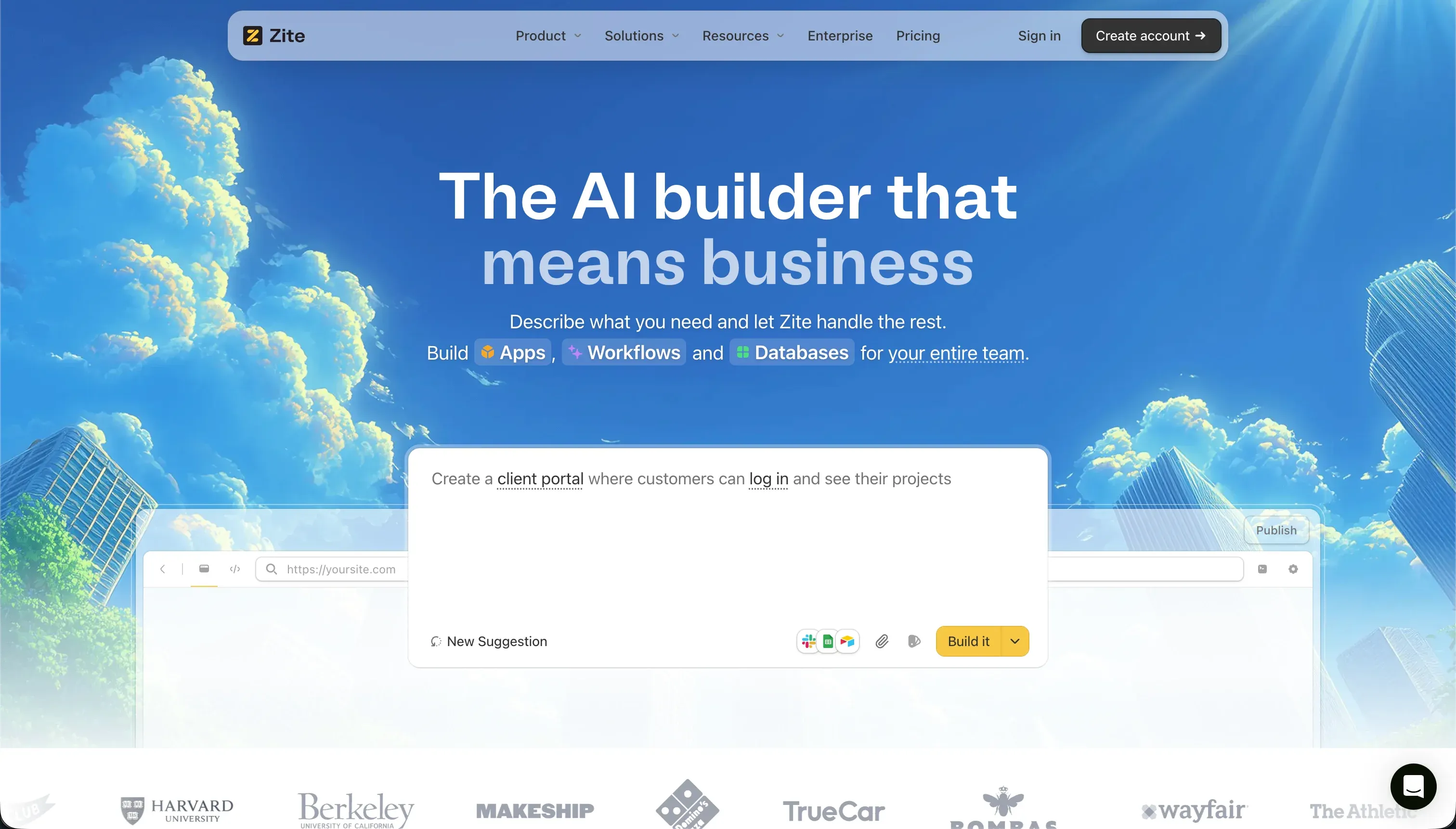
Zite (formerly Fillout) is an AI-first no-code application builder that constructs web portals, databases, and internal workflows from conversational prompts. By typing a text description, you generate styled frontends, configure relational SQL database schemas, and set up multi-step automations inside a single dashboard. It stands out in the B2B space by offering unlimited active users on every plan, including the free tier, so there are no per-seat licensing fees.
In practice, Zite leans on two things. Its Plan Mode shows a markdown outline of the AI’s planned changes before it executes, helping builders catch mistakes before the app is rebuilt around a wrong idea and saving credits in the process. Its built-in Zite Database works like a spreadsheet, with linked records, bulk operations, undo and redo history, and REST API and webhook support. It also inherits Fillout’s form DNA, including multi-language validation, translations, and SSO security.
Zite is built for SMB owners, solopreneurs, and operations teams who want to spin up simple internal portals and database tools quickly and can accept a managed, credit-based platform. It frustrates buyers who need precise design control, since the layout engine is template-rigid, and those who care about ownership, since there is no GitHub sync or code export. Community feedback is consistent that Zite shines for narrow MVPs but is not fully there for scaling.
| Spec | Details |
|---|---|
| Primary Stack | AI prompt generator with a built-in spreadsheet-like SQL database and Fillout form roots |
| Interface | Conversational Chat Mode and Plan Mode plus visual editing of generated layouts |
| Primary Deployment Target | Hosted web portals, internal CRMs, and multi-step forms |
| Key Advantage | Unlimited users on every plan and Plan Mode guardrails before each build |
The Core Difference
The biggest difference is not how fast each tool generates a first version. It is whether you walk away with code you own or a hosted app you rent, and how much technical skill the tool expects from you.
- Bolt scaffolds real React and Node code in a browser dev environment and hands you full ownership through GitHub sync and export, which suits developers but assumes you can debug and host what it builds.
- Zite generates a hosted no-code app with its own SQL database and unlimited users, optimized for non-technical operators who accept template rigidity and full vendor lock-in in exchange for never touching code.

Head-to-Head Comparison
We evaluated both platforms across the dimensions that matter most for these two tools.
1. Developer Experience & Iteration Speed
Bolt’s first-hour experience is built for people comfortable with code. You prompt, and within seconds you are inside a real browser IDE where a virtualized Node.js container installs packages, runs a dev server, and shows a live preview. For a developer that is genuinely fast, since you can edit files directly alongside the AI rather than waiting on a black box. The Free plan’s 1 million tokens are enough to test the workflow before committing.
The trouble starts on iteration. Bolt v2 is often described as a one-shot generator rather than an agent, overwriting large code blocks instead of making surgical edits, occasionally erasing manual changes. One user summed it up: it modifies code with a diff approach, then rewrites the entire thing and drops the new changes, so they were “just burning tokens with no changes.” Once a project grows, the browser compiler lags and prompts get slow or unstable.
Zite’s iteration model is conversational. You describe a change in Chat Mode, and Plan Mode lets you review a markdown plan before the AI runs, which is a sensible guardrail that catches obvious errors before a rebuild. For a non-developer, this is far less intimidating than reading a diff or a stack trace.
The weakness is that conversational iteration on visual details consumes credits quickly, and there is no rollover. Multiple paid subscribers report exhausting a full month of credits in one day of active design tweaking, and the rigid layout engine means you can get caught in prompting loops trying to nudge padding or grids that the editor does not want to expose.
Edge: Bolt, because direct file and terminal access gives technical builders far more control over iteration, even though both tools meter usage aggressively.
2. Code Quality & Portability
This is Bolt’s strongest dimension. It produces standard React, Vite, and Node code with no proprietary format, syncs directly to GitHub, and lets you download the entire source directory to run locally in VS Code. If your long-term plan is to take the app off the platform, Bolt gives you real landing gear and zero vendor lock-in at the code layer.
The honest caveat is quality. Generated code often contains compilation errors or security oversights, and to ship it you need to understand React state management, API routes, and environment variables. The portability is excellent, but the code you are porting still needs a developer’s hands before it is production-ready.
Zite offers almost nothing here. It is a proprietary cloud-hosted platform with no code export and no GitHub sync. You can export your database rows, but the visual interface and logic files stay locked inside Zite. Builders on Reddit have specifically flagged the missing GitHub sync when comparing it with more developer-friendly tools.
That lock-in is the real cost. Leaving Zite means rebuilding your app logic from scratch elsewhere, which turns a quick MVP into a one-way door. For a non-technical user who never intends to migrate, that may be acceptable, but it is a genuine risk if the app becomes important.
Edge: Bolt, decisively, because it gives you exportable, GitHub-synced source code while Zite locks the interface and logic inside a proprietary platform.
3. Database & Backend Capabilities
Bolt has no native database interface. It can write code to connect a backend, but you must configure and host it yourself, typically a Supabase PostgreSQL instance complete with schema migrations, connection pooling, and row-level security policies you manage by hand. For a developer that is flexible; for anyone else it is a wall. One community thread captured the dilemma well, noting Supabase feels like overkill for simple form submissions while lightweight options are too limited.
The result is that Bolt’s backend story is as strong as the person using it. A skilled developer can build a real, scalable backend. A non-technical builder is left prompting the AI to generate database code with no admin UI to fall back on, which is exactly where token-draining loops tend to start.
Zite is friendlier here. Its built-in Zite Database behaves like a spreadsheet with linked records, bulk operations, undo and redo history, and REST API and webhook support, so a non-developer gets a usable data layer immediately without configuring anything external.
The ceiling arrives faster than the marketing suggests. The database lacks advanced formula fields, complex roll-ups, and native SQL custom views, and community consensus is that it is fine for validating an MVP but not mature enough for complex enterprise operations. It is a good starter database, not a system of record.
Edge: Zite, because its built-in spreadsheet-style SQL database is usable out of the box, whereas Bolt offers no native data layer at all.
4. Hosting & Deployment Options
Bolt handles staging for you and adds flexible publishing paths. You can deploy to a .bolt.host domain or push to Netlify with one click, and paid plans add custom domains, SEO settings, and analytics. For a developer who wants to ship a prototype quickly without leaving the browser, that is convenient.
The limits are real. Bolt is web-only and cannot produce native App Store or Play Store builds, and because WebContainers run client-side, large projects can trigger Out of Memory crashes and a “Project too large” error that blocks further edits. Reviewers also report build failures, container crashes, and slow customer support when things go wrong.
Zite is fully hosted with built-in staging environments, so a non-technical user never thinks about infrastructure. Paid plans add custom domains: one on Pro and unlimited on Business, alongside the unlimited-users model that makes it cheap to share a tool broadly.
The tradeoff is the same template rigidity that shows up everywhere in Zite. Hosting is easy, but you are publishing whatever the layout engine produces, and there is no path to take the deployed app elsewhere. It is convenient as long as you stay inside the platform’s expectations.
Edge: Bolt, narrowly, because its Netlify and custom-domain paths plus exportable code give more deployment flexibility, though both stay web-only and Bolt’s browser containers can crash on large projects.
5. AI Quality & Reliability
Bolt’s AI is the engine of the whole product: it generates React components, Node backend logic, routing, state management, styling, and schemas in one pass, with a Prompt Enhancement feature to sharpen requests first. When it works, the prompt-to-app speed is its main draw.
Reliability is the problem. Because Bolt v2 tends to one-shot the whole result rather than make targeted tool calls, it frequently overhauls working code and erases manual edits, and fixing its own build errors costs more tokens. The community describes this as draining a monthly allocation on bootloops without successfully landing changes, which makes the AI fast but unpredictable.
Zite’s AI is more cautious by design. Plan Mode forces a reviewable markdown plan before execution, and Selective AI Editing lets you target specific components or troubleshoot backend queries inline. That structure reduces the odds of the AI rebuilding your app around the wrong assumption.
But the guardrails do not fix the cost or the rigidity. Chat and Plan prompts both burn credits with no rollover, iteration can exhaust a month’s pool in a day, and the output is described by some users as skewing corporate, which is a mismatch for brand-heavy work. The AI is safer than Bolt’s but still expensive to lean on heavily.
Edge: Zite, because Plan Mode’s review-before-execute guardrail makes its AI more predictable than Bolt’s one-shot overwrites, even though both meter AI usage tightly.
6. Learning Curve & Onboarding
Zite is the easier onboarding for a non-technical operator. If you can describe a portal or CRM in plain English, you can get a working app, and Plan Mode plus the spreadsheet-style database remove most of the blank-canvas fear. It is explicitly aimed at SMB owners and solopreneurs who do not want to learn a development platform.
The simplicity has a hard edge. It comes partly from saying no: the moment you need custom styling, precise layouts, or anything outside the generated templates, the conversational editor struggles and you discover the limits rather than learn advanced features. The ease is real but shallow.
Bolt asks more upfront. Its mental model is a code editor with an AI, so non-developers get fast initial results but quickly hit walls debugging errors, managing state, or customizing beyond the prompt, exactly as Bolt’s own FAQ warns. For someone who already knows web development, that learning curve is mostly familiar territory.
The payoff for that steeper curve is control. Once you understand the environment, you can do things Zite simply cannot, like installing arbitrary npm packages and editing any file. So the right onboarding choice depends entirely on whether you write code: Zite for those who do not, Bolt for those who do.
Edge: Zite for non-technical beginners building simple apps, but only because Bolt deliberately targets developers who will outgrow Zite’s template ceiling.
Pricing Comparison
Bolt:
- Free - $0/mo, 1 million tokens per month with a 150K daily cap, basic staging deployments, public-only projects
- Pro - starts at $25/mo for 10 million tokens, private projects, custom domains, token rollover up to 2 months
- Teams - starts at $30/member/mo for 10 million tokens per member, centralized billing, team access controls, token rollover
- Token scaling - both Pro and Teams scale up to 1.2 billion tokens per month at $2,000/mo
Zite:
- Free - $0/mo, 50 credits, 5,000 database records, 1,000 workflows per month, unlimited users and apps
- Pro - $15/mo billed annually or $19/mo monthly, 100 credits, 100,000 database records, 5,000 workflows per month, 1 custom domain, branding removal
- Business - $55/mo billed annually or $69/mo monthly, 200 credits, 250,000 database records, 50,000 workflows per month, unlimited custom domains, AI training opt-out, advanced models
- Credit scaling - Pro scales to 19,200 credits at $3,769/mo and Business to 19,200 credits at $3,799/mo
- Team / Enterprise - custom pricing with higher caps, priority support, and SOC 2 compliance
Use Case Fit: When to use which?
When to choose Bolt
- Choose Bolt when you are a developer who wants AI to scaffold a React, Vite, and Node prototype fast while keeping full control of the codebase.
- Choose Bolt when code ownership matters and you want GitHub sync, source export, and the ability to run the project locally in VS Code.
- Choose Bolt when you are validating a SaaS MVP or web app and are comfortable wiring up and hosting your own backend like Supabase.
When to choose Zite
- Choose Zite when you are a non-technical operator who wants to prompt a simple internal portal, CRM, or form-driven tool into existence this week.
- Choose Zite when you want to share an app with a large team and the unlimited-users model on every plan saves you real per-seat money.
- Choose Zite when your app stays close to its generated templates and you do not need custom layouts, code export, or a system of record.
When neither Bolt nor Zite is the right fit
For secure business portals and internal tools
If you are building a client portal, vendor portal, CRM, or internal tool that needs real authentication and granular permissions from day one, both tools make you work harder than you should. Bolt leaves auth, permissions, and the database as generated code you maintain yourself, and Zite’s access control is more basic with no code export when you outgrow it.
For this job, Softr is usually the more practical route: its AI Co-Builder generates a complete app including the database, pages, navigation, and user roles, and the output is production-ready software with built-in auth, dynamic user groups, and row-level restrictions rather than code to debug. It leads with native Softr Databases and also connects to 17 external sources like Airtable and Google Sheets, and every AI action can be done manually so credit limits never block you. If your team is developer-heavy and wants to own the internal-tools codebase instead, Retool is a sensible alternative that pairs a visual builder with deeper engineering control.
For native mobile apps
Neither Bolt nor Zite produces native iOS or Android apps. Bolt is web-only and cannot generate the binaries the App Store requires, and Zite’s rigid layout engine makes mobile-store apps difficult and targets web portals instead.
For real native distribution, look at FlutterFlow or Adalo. FlutterFlow is the stronger option when you need serious native-app flexibility and a closer path to App Store and Play Store output, while Adalo is the simpler, more beginner-friendly native-mobile builder when your app is straightforward.
For complex custom web applications
If your app needs deep custom logic, unusual UX flows, or orchestration that starts to resemble full application engineering, Zite will hit its template and database ceiling fast, and Bolt will hand you a growing codebase to maintain by hand.
In that case, Bubble or Replit make more sense. Bubble is the heavyweight visual builder for complex web app logic without writing code, while Replit is the better fit if you want a full browser-based coding environment with deployment and runtime tooling built in and you are comfortable working closer to real code.

Verdict
Pick Bolt if you write code, or work with people who do, and you want AI to remove the boilerplate without taking your codebase hostage. It is one of the faster ways to scaffold a React and Node prototype, and the GitHub sync plus full source export mean you are never locked in. The tradeoff is real engineering overhead: you host your own backend, you debug generated code, and the token model can punish you with bootloops and a “Project too large” wall right when momentum builds.
Pick Zite if you are a non-technical operator who wants a simple internal portal or CRM live quickly and you value unlimited users and Plan Mode guardrails over flexibility. It is a decent idea-to-app tool for narrow, bounded builds. The tradeoff is steep: template rigidity, a database that lacks formulas and roll-ups, credit burn with no rollover, and a proprietary platform with no code export, so it is better read as a fast prototyping tool than a forever home.
The day-two reality is what separates them from a third option. The first version is rarely the expensive part; every change after launch is, especially once real users log in and permissions matter. Bolt ages better than Zite for developers because you keep the code, but if your goal is a secure business app or portal that you maintain visually without engineering, a platform like Softr tends to age better than either, with Retool as the stronger pick for developer-led internal tools.

Summary Comparison Table
| Criterion | Bolt | Zite |
|---|---|---|
| Best for | Developers scaffolding React and Node prototypes | Non-technical operators building simple portals |
| Build paradigm | AI prompt plus a real browser IDE and terminal | AI-first prompting with Plan Mode review |
| Database | No native UI, you host your own backend | Built-in spreadsheet-style SQL database |
| Code export | Yes, GitHub sync and full source download | No, proprietary, database rows only |
| Pricing model | Token-based, $25/mo to $2,000/mo | Credit-based, $19/mo to roughly $3,769/mo |
| User model | Per token and per member on Teams | Unlimited users on every plan |
| Native mobile apps | No | No |