

Bolt and Base44 sit in the same broad category of AI app builders, but they come from different instincts. Bolt is closer to an in-browser AI coding environment with WebContainers, GitHub sync, and real file-level control, while Base44 is a conversational full-stack scaffolder that tries to hide more of the stack behind chat. On paper, both promise a fast route from idea to working web app. In practice, they optimize for different kinds of users and different kinds of pain.
The people seriously comparing these two are usually founders, product-minded operators, and developers who want speed without walking straight into technical debt. What is at stake is not just first-day velocity, but how painful iteration becomes once prompts start misfiring, credits burn down, or the backend needs real structure. Bolt appeals to users who still want to touch the steering wheel. Base44 appeals to users who want the steering wheel hidden until the road gets rough.
Meet the Contenders
What is Bolt?

Bolt is an AI-powered app builder that feels more like a browser IDE than a classic no-code product. It generates full-stack web apps from prompts, but its real identity is technical: React code, Node.js logic, WebContainers, terminal access, and deployment paths that appeal to builders who still want a development environment.
In practice, Bolt lets you generate React components, backend logic, routing, styling, and PostgreSQL schemas in one pass, then keep editing inside a browser-based workspace. Its WebContainers setup means you can run npm packages, execute terminal commands, import GitHub repositories or Figma designs, and sync code back out through GitHub. It also supports Bolt Cloud hosting and one-click deployment to Netlify, which makes it much more hands-on than pure prompt-only builders.
Bolt is genuinely built for technical founders, developers, and ambitious tinkerers who want AI scaffolding without giving up code ownership. The people who get frustrated are usually non-technical users who thought prompting would remove engineering work, then run into token burn, container crashes, or generated code that still needs debugging before it is safe to ship.
| Spec | Details |
|---|---|
| Primary Stack | AI-generated React/Vite frontends with Node.js logic and PostgreSQL schema generation |
| Interface | Browser-based editor with WebContainers, live preview, terminal access, and AI prompting |
| Primary Deployment Target | Bolt Cloud and one-click deployment to Netlify, with custom domains on paid plans |
| Key Advantage | Real code ownership and a browser-native developer workflow, not just chat-driven scaffolding |
What is Base44?
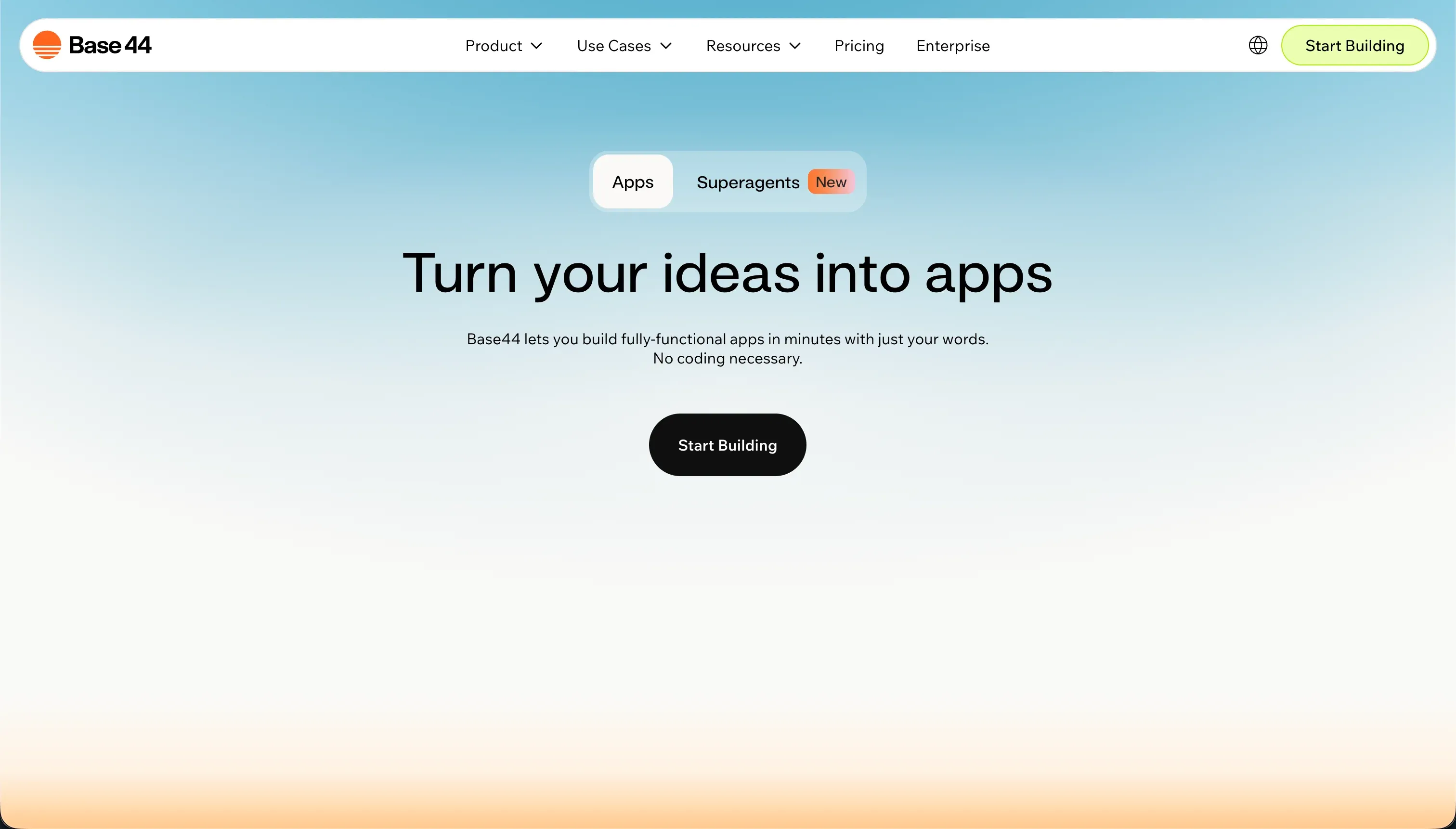
Base44 is an AI-powered all-in-one app builder that generates full-stack web apps from conversational prompts. Unlike Bolt, it tries to collapse the stack into one simpler experience by bundling UI generation, a managed PostgreSQL database, authentication, and hosting inside the same prompt-driven workflow.
In practice, you describe the app in chat, let Base44 scaffold the interface and backend, then refine it through its conversational builder and click-to-tweak visual editor. It includes Discuss Mode for planning without spending message credits, built-in hosting, managed auth, and frontend GitHub sync on higher tiers. The product is clearly optimized for speed and approachability rather than exposing a full coding environment.
Base44 is genuinely built for non-technical founders, operators, and teams who want a working web app without touching infrastructure. The people who get frustrated are the ones who assume that conversational simplicity will hold up as the app grows, then discover that backend control is limited, credits disappear during bug-fix loops, and production stability depends heavily on what the AI decides to do next.
| Spec | Details |
|---|---|
| Primary Stack | AI-generated frontend with managed PostgreSQL backend, auth, and hosted infrastructure |
| Interface | Conversational builder chat plus click-to-tweak visual editing |
| Primary Deployment Target | Base44 cloud hosting, with frontend GitHub sync on Builder and above |
| Key Advantage | Very fast all-in-one scaffolding with database, auth, and hosting included from the start |
The Core Difference
The biggest difference is how much of the stack each tool expects you to engage with after the first prompt. Bolt treats AI as a coding accelerator inside a browser dev environment, while Base44 treats AI as the main interface for building and maintaining the app.
- Bolt runs like an AI-assisted browser IDE, giving you terminal access, npm installs, GitHub sync, and exportable code so you can keep real developer control.
- Base44 runs like a conversational full-stack scaffolder, bundling backend, auth, and hosting for you but keeping more of the important infrastructure inside its managed black box.

Head-to-Head Comparison
We evaluated both platforms across four core categories.
1. Developer Experience & Iteration Speed
Bolt is excellent in the first hour if you are even slightly technical. The combination of prompt-based generation, live preview, WebContainers, terminal access, and package installation makes it feel like a real workspace rather than a toy demo builder. If you want to tweak dependencies, inspect files, or push beyond the default scaffold, Bolt gives you more room than most AI builders.
The problem is that iteration quality can degrade as projects grow. User reports mention diff-based edits rewriting working code, “project too large” lockouts, and WebContainer crashes on larger projects. That means Bolt’s developer-friendly setup can still turn into a token-burning repair job once the context gets messy.
Base44 is easier to iterate with at the very beginning because the interface is simpler. You can stay in chat, use Discuss Mode without spending message credits, and make visual tweaks directly in the live preview without thinking about terminal commands or architecture. For rough prototypes and internal demos, that simplicity is a real advantage.
The catch is that Base44 depends much more heavily on continued conversational editing. User complaints repeatedly describe regression loops where each fix creates more bugs, and several reports mention spending hundreds of credits while the app gets worse instead of better. So Base44 feels smoother at first, but its iteration model is more fragile once the app stops being simple.
Edge: Bolt, because its workflow gives technical users more ways to recover and iterate when the AI starts drifting.
2. Code Quality & Portability
Bolt has the strongest portability story in this matchup. It lets you download standard React/Vite codebases, sync to GitHub, and keep version control in a format developers actually want to inherit. If your goal is AI scaffolding now and conventional engineering later, Bolt has a credible handoff path.
That does not mean the generated code is always clean. Research notes that generated code often needs manual refinement before it is production-ready, and some users complain that repeated prompts overhaul functioning code unnecessarily. Still, imperfect exportable code is usually better than code you cannot fully get out.
Base44 also offers GitHub integration and frontend export on Builder and above, which is better than total lock-in. That makes it more attractive than many prompt builders if you care about preserving at least the UI layer. For a non-technical team that might later hire a developer, that escape hatch matters.
But the portability is partial in a way that really matters. Community feedback consistently points out that the backend and database remain trapped in Base44’s managed infrastructure, and even code access can be gated by plan level. If your serious concern is long-term ownership of the whole application, Base44’s export story looks thinner than it first appears.
Edge: Bolt, because its code export is broader and more developer-friendly even if the generated code still needs cleanup.
3. Database & Backend Capabilities
Bolt can generate PostgreSQL schemas and backend logic, which is enough to get a full-stack prototype moving quickly. It also benefits from being closer to a real coding environment, so technical users can install packages, wire their own services, and shape architecture more directly than in a locked conversational builder.
The weakness is that Bolt lacks a native database admin layer and rich visual backend controls. Research specifically flags the absence of a native database UI, which pushes users toward generated code or external backend services. That makes Bolt more flexible for developers, but less turnkey for teams that want a durable operational backend without extra engineering decisions.
Base44’s big advantage is that it ships with a managed PostgreSQL database and built-in authentication from the start. For beginners, that is a very real relief because there is no separate Supabase setup, no auth wiring, and no deployment choreography just to get a login flow working. It is a cleaner day-one backend story than Bolt.
The trouble is that convenience comes with reduced control. Base44’s backend is managed entirely by its own infrastructure, cannot be directly exported, and users have reported issues with multi-user SaaS patterns, workspace isolation, and structural limitations as apps grow. So Base44 wins on setup simplicity, but loses trust once backend requirements become more serious.
Edge: Base44 for initial backend convenience, because it includes managed database and auth where Bolt often leaves more plumbing to the user.
4. Hosting & Deployment Options
Bolt gives you more deployment flexibility than most AI builders in its class. You can publish to a .bolt.host domain, use paid-plan custom domains, or deploy directly to Netlify, which gives technical teams more control over where the app lives. That is a useful middle ground between pure managed hosting and fully self-managed deployment.
The downside is operational stability inside the workspace itself. Product Hunt and Reddit feedback mention build failures, WebContainer crashes, and out-of-memory issues on larger files. Bolt gives you more routes to ship, but the road getting there is not always smooth.
Base44 keeps hosting simpler because everything is designed to stay inside its own managed environment. You get instant live URLs, built-in hosting, and no separate deployment process, which makes stakeholder demos and first launches very easy. For teams that hate infrastructure, that is legitimately attractive.
But the simplicity comes with heavier dependency on Base44’s own uptime and decisions. User reports describe the service going down regularly, production apps breaking after updates, and support being inconsistent when that happens. If you are fine with managed hosting until it becomes a problem, Base44 works, but it asks for more trust than it has earned.
Edge: Bolt, because its deployment paths are broader and less dependent on a single hosted black box.
5. AI Quality & Reliability
Bolt’s AI is strongest when used as a coding accelerator rather than an autonomous app owner. Features like Enhance, live code generation, and AI debugging can genuinely speed up scaffolding and early refactors. For developers who are willing to supervise, the model is useful because you can inspect what it produced and intervene directly.
The reliability issue is that the model still burns tokens when it gets things wrong, and user feedback repeatedly mentions unnecessary rewrites, context drift, and expensive error-fixing loops. Bolt’s AI is helpful, but it still behaves like a generator that needs oversight, not a dependable engineer you can stop thinking about.
Base44 sells harder on AI doing more of the full-stack work for you. It can scaffold UI, business logic, database schema, auth, and hosting configuration in one pass, and its visual post-generation editor reduces the need to touch code at all. That makes it feel more magical to non-technical users at the beginning.
The problem is that Base44’s AI also appears to be the source of many of its worst user complaints. Reports cite false positives, destructive edits, bug-fix loops that create more bugs, and credits disappearing while the builder fails to execute support-recommended fixes. When the AI is the main interface, bad AI behavior becomes the whole product problem.
Edge: Bolt, because its AI can be supervised inside a real workspace instead of being the only serious control surface.
6. Learning Curve & Onboarding
Bolt has a steeper but more honest learning curve. A developer or technical founder will usually understand the mental model quickly because it resembles a lightweight cloud IDE: files, terminal, packages, previews, prompts, deploy. For that audience, the learning curve is not bad at all, and the free tier with 1M tokens is enough to explore.
For non-technical users, though, Bolt still asks you to think like an engineer once anything breaks. The moment you have to reason about dependencies, build failures, or backend choices, the supposed simplicity fades. Bolt is easier than starting from raw code, but it is not actually beginner-friendly in the long-run sense.
Base44 is easier to understand in the first session because the main interaction is just conversation. The free plan includes 25 message credits per month with a max of 5 per day plus 100 integration credits, which makes it approachable for casual testing. If your main goal is to get from blank page to rough app with minimal setup, Base44 wins on immediate accessibility.
But the easy start can be deceptive. Once the app requires more structured logic, repeated fixes, or production stability, the lack of deeper control becomes a learning tax of its own. Users who came for simplicity often end up learning how to manage prompt loops, credit budgets, and regressions instead of learning durable product-building concepts.
Edge: Base44 for first-hour onboarding, because its conversational model is easier to start with if you are non-technical.

Pricing Comparison
Bolt:
- Free - $0 with 1M tokens and a 150K daily cap.
- Pro - starts at $25/month with 10M tokens, private projects, custom domains, and token rollover up to 2 months.
- Teams - starts at $30/member/month with 10M tokens per member, centralized billing, team controls, and token rollover.
- Pro scaling tiers - $50 for 26M tokens, $100 for 55M tokens, with higher intermediate tiers up to $2,000/month for 1.2B tokens.
- Teams scaling tiers - $60 per member for 26M tokens, $110 per member for 55M tokens, $210 per member for 120M tokens, up to $2,000 per member/month for 1.2B tokens.
Base44:
- Free - $0 with 25 message credits per month, capped at 5 per day, plus 100 integration credits.
- Starter - $16/month billed annually or $20/month monthly with 100 message credits and 2,000 integration credits.
- Builder - $40/month billed annually or $50/month monthly with 250 message credits, 10,000 integration credits, backend functions, custom domain, and GitHub sync.
- Pro - $80/month billed annually or $100/month monthly with 500 message credits and 20,000 integration credits.
- Elite - $160/month billed annually or $200/month monthly with 1,200 message credits and 50,000 integration credits.
Use Case Fit: When to use which?
When to choose Bolt
- Choose Bolt when you want AI scaffolding inside a browser-native coding environment with terminal access, packages, and exportable code.
- Choose Bolt when GitHub sync and long-term code ownership matter more than having the backend fully managed for you.
- Choose Bolt when you or your team can tolerate debugging generated code in exchange for more architectural control.
When to choose Base44
- Choose Base44 when you want the fastest path to a hosted web app with managed database and auth already included.
- Choose Base44 when the team is less technical and prefers conversational building plus click-to-tweak UI edits over working in a browser IDE.
- Choose Base44 when the app is a lightweight MVP or internal workflow and you can accept credit-based usage plus higher lock-in.
When neither Bolt nor Base44 is the right fit
For internal tools and client portals
Neither Bolt nor Base44 is the best answer if you are building an operational app for real employees, clients, vendors, or partners. Both can produce working web apps, but both also inherit the classic day-two problem of generated software: permissions get messy, edits become risky, and every change can turn into another prompt loop.
That is where Softr is the better fit. It starts with Softr Databases as the native backend, then layers in authentication, user groups, row-level permissions, workflows, and hosting in a visual system that non-developers can maintain without re-prompting every change. If the use case is a CRM, internal dashboard, partner portal, or client workspace, Softr is the more credible production choice.
For native mobile apps
Bolt and Base44 are both web app builders, not true native mobile app platforms. Bolt’s own user discussions explicitly note that what it produces is primarily for web apps and not ready for Apple App Store publishing, and Base44 is in the same general camp of hosted web application output rather than native mobile binaries.
If native iOS or Android distribution is a real requirement, go to FlutterFlow first and consider Adalo or Glide depending on complexity. FlutterFlow is the strongest fit when you need app-store-oriented mobile UX and native packaging instead of trying to stretch a browser app into a mobile product.
For professional developer environments
If what you really want is a serious coding setup with stronger local workflows, better debugging, and less dependence on app-builder abstractions, neither of these tools is ideal. Bolt gets closer than Base44, but it is still a hosted AI builder with token constraints and browser-environment limits, while Base44 is even more opinionated and locked down.
That is where Cursor or Replit make more sense. Cursor is the better choice if you already want a proper IDE experience with AI assistance layered into normal development, while Replit is stronger if you want a full cloud dev environment instead of a prompt-first app scaffolder.

Verdict
Pick Bolt if you are a technical founder, product engineer, or serious builder who wants AI to accelerate code generation without surrendering real control. The tradeoff is that you are still signing up for token limits, debugging overhead, and a browser-based environment that can stumble on larger projects. But if code ownership and recovery options matter, Bolt is the stronger tool here.
Pick Base44 if your top priority is getting a hosted full-stack web app online with the fewest upfront decisions. The tradeoff is steeper proprietary lock-in, a dual-credit billing model, and more evidence that reliability falls apart once the app gets more ambitious. It is easier to start with, but harder to trust as the stakes rise.
That is the day-two reality these tools do not solve especially well for non-developers. Code ownership sounds comforting, and conversational simplicity sounds liberating, but both still leave many teams managing AI regressions, backend uncertainty, and prompt economics. If the app is actually a business system with users, permissions, and workflows, Softr usually ages better because it ships on stable no-code infrastructure instead of making prompt repair part of the job.

Summary Comparison Table
| Criterion | Bolt | Base44 |
|---|---|---|
| Best for | Technical founders and developers who want AI scaffolding with code control | Non-technical teams who want fast all-in-one web app scaffolding |
| Build paradigm | AI-assisted browser IDE | Conversational full-stack app builder |
| Database model | Generated schemas, but no rich native database UI | Managed PostgreSQL included from the start |
| Pricing metric | Monthly token allowances with scaling tiers | Message credits plus integration credits |
| Code export | Strong - exportable codebase and GitHub sync | Partial - frontend export, backend stays managed |
| Maintenance burden | Moderate to high, but recoverable if you can code | High once prompts start regressing and backend limits appear |
| Learning curve | Better for technical users | Easier in the first hour for non-technical users |