

Two of the most widely used AI-assisted development environments in 2026 are also two of the most frequently misunderstood. Bolt and Replit are both browser-based platforms where you can go from a text prompt to a running web application without setting up a local development environment. Both generate real code, provide live previews, and allow you to export the codebase and deploy it independently. But their architectural philosophies, target audiences, and billing models diverge significantly - and choosing the wrong one for your project type can mean expensive debugging sessions, unexpected billing spikes, or hitting a platform ceiling at exactly the wrong moment.
This comparison cuts through the marketing to give you a clear picture of where each platform excels, where it falls short, and when you should be looking at something else entirely.
Meet the Contenders
What is Bolt?

Bolt (bolt.new) is built on StackBlitz’s WebContainers technology - a complete Node.js runtime that runs directly inside a browser tab. This is not a simplified code editor or a prompt-to-preview sandbox. It is a genuine development environment: npm is installed and functional, you can run terminal commands, start development servers, and install any package from the npm registry. The AI assistant works alongside this environment, generating and modifying code files while the Node.js container executes them in real time.
The result is a platform that feels like sitting in front of a real IDE with a particularly capable AI co-pilot. You can bypass the AI at any point and edit files manually, run scripts, or debug in the terminal. Bolt is primarily a web application scaffold tool - it generates React, TypeScript, and Tailwind CSS projects and deploys to Bolt Host or Netlify.
| Spec | Details |
|---|---|
| Primary Stack | React, TypeScript, Tailwind CSS, Node.js, WebContainers |
| Interface | Chat prompt + browser-native IDE with full terminal |
| Primary Deployment Target | Bolt Host, Netlify, or GitHub sync |
| Key Advantage | Full terminal and npm package access within the browser |
What is Replit?
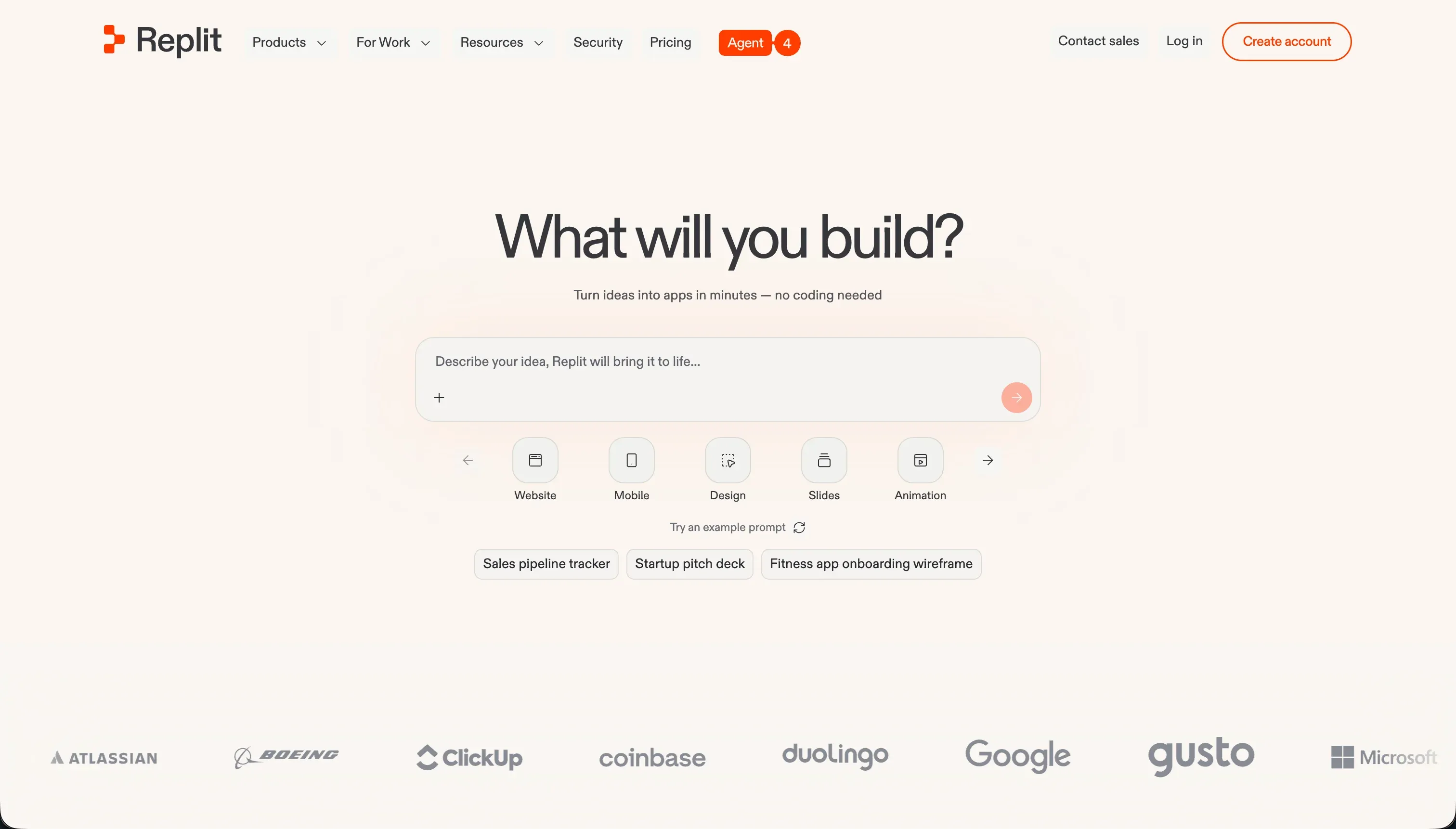
Replit is a cloud-based development environment that has been serving developers and students since 2016. It supports over 50 programming languages, provides a full browser-accessible IDE with terminal, and features Replit Agent - an autonomous AI system that builds and deploys applications from natural language prompts. Unlike Bolt’s browser-local WebContainers, Replit runs on actual cloud virtual machines with persistent compute, dedicated databases, and autoscaling deployment infrastructure.
Replit Agent can plan, scaffold, test, and deploy a complete application from a single prompt, including generating file structures, installing dependencies, running self-correction loops, and producing documentation. The platform also supports real-time multiplayer collaboration with shared cursors, voice chat, and centralized team billing - features that go well beyond what Bolt offers.
| Spec | Details |
|---|---|
| Primary Stack | 50+ languages (Python, JavaScript, Go, Rust, C++, and more) |
| Interface | Cloud-based IDE + Replit Agent autonomous scaffolding |
| Primary Deployment Target | Replit hosting with autoscaling custom domains |
| Key Advantage | Autonomous agent with self-correction, multiplayer collaboration, built-in managed database |
The Core Difference
Bolt and Replit represent two very different answers to the question of what a “browser-based AI development environment” should be.
Bolt prioritizes the local development experience in the browser. WebContainers technology means the Node.js runtime lives inside your browser tab - it is fast, it does not depend on Replit’s cloud infrastructure, and it gives you immediate, low-latency feedback as the AI writes code. The tradeoff is that browser tabs have memory limits, and running a large Node.js container inside a browser creates real resource pressure. Bolt is also primarily a React/JavaScript tool - it does not support Python backends, Go services, or Ruby applications.
Replit prioritizes the cloud infrastructure. Your code runs on actual virtual machines with real compute, real storage, and a real network. You can build in Python, Go, Rust, or any of the 50+ supported languages. You can deploy autoscaling backends, run scheduled jobs, and access a managed PostgreSQL database with backup and rollback. The tradeoff is that Replit’s infrastructure is more complex to understand, the billing is less predictable, and the platform coupling is tighter.
For a React web application prototype, Bolt is often the faster and cheaper path. For a multi-service application with a Python backend, a scheduled worker, and a shared team workspace, Replit is the only platform in this pairing that can handle it.

Head-to-Head Comparison
1. Developer Experience & Iteration Speed
Bolt’s development loop is optimized for speed. The WebContainers environment starts instantly - no virtual machine boot time, no cloud provisioning delay. You write a prompt, the AI generates the code, the live preview updates, and the cycle repeats. For a developer who knows what they are building and can write precise prompts, Bolt is probably the fastest path from idea to a working React prototype currently available in a browser-based tool.
The iteration experience has documented problems at scale. When Bolt makes a mistake on a large project, the AI has a tendency to overhaul unrelated code rather than making a targeted fix. Users report prompting Bolt to add a small feature and finding that the visual appearance of unrelated pages has changed in the update. The token-burning loop problem is real: users describe sessions where the AI “modifies the code with the diff based approach, then after it modifies the code, it immediately rewrites the entire thing and does not include the new changes - just burning tokens with no changes.” And the “Project too large” ceiling - where the editor blocks new prompts when the workspace exceeds an internal size limit, regardless of token balance - is the most frustrating platform limit in Bolt’s current implementation.
Replit’s Agent 4 provides a more autonomous scaffolding experience than Bolt. The agent does not just write code in response to prompts - it runs its own reflection loops, tests its output, identifies errors, and applies fixes iteratively until features work as expected. For complex, multi-component applications, this self-correction capability is a meaningful advantage over Bolt’s more passive code generation approach.
The flip side is Replit’s billing during those agent loops. When the agent enters a “fix and re-fix” cycle on a bug it introduced, every iteration costs credits. Community reports of agents spending $350 in a single day, $700 in a month, and $1,500 in unexpected database checkpoint fees are specific, documented, and numerous. The Replit team has acknowledged the billing feedback and made pricing model changes, but the credit consumption unpredictability during debugging sessions remains the platform’s most serious user complaint.
2. Code Quality & Portability
Bolt generates clean, standard React projects. The initial scaffolding quality is high: well-structured component hierarchies, appropriate TypeScript typing, consistent Tailwind CSS application. GitHub sync is built in, and the exported repository is a standard Vite project that runs identically in a local editor. The code you own is real, readable, and maintainable by any JavaScript developer.
Code quality degrades during complex editing sessions. Bolt’s code regression pattern - where adding a feature rewrites the visual styling of unrelated components - is the most commonly cited quality issue. Developers who review every AI-generated diff before accepting it can mitigate this. Developers who accept all changes automatically risk accumulating regressions that are expensive to untangle.
Replit’s code quality varies more by project type and language. For Python and JavaScript applications, the Agent produces generally good initial output. Community feedback points to a specific pattern: the agent occasionally ignores the tech stack you specified (“You tell it to use Firebase. It ignores you and creates Postgres”) and can generate code that reports as “fixed” while the underlying bug remains. One Reddit thread describes an agent “going around and around in circles with the agent telling me it fixed basic bugs, only to have to repeatedly paste screenshots proving to it that they still exist.”
Replit’s portability is harder than Bolt’s. The platform’s tighter coupling to its cloud infrastructure means migrating a complex Replit project requires more than pulling a GitHub repository. Environment configurations, database connections, and deployment settings need to be replicated. Simple projects migrate cleanly; complex ones require meaningful developer work.
3. Database & Backend Capabilities
Bolt has no native database. It generates the frontend and logic layer of your application and connects to external databases through AI-written connection code. Supabase is the most common integration choice, and Bolt will write the Supabase connection code if prompted - but you own the database provisioning, migration management, and security configuration. If the AI generates an incorrect Supabase RLS policy (a documented issue), there is no visual layer to catch it before deployment.
The absence of a native database is the most significant functional gap between Bolt and Replit. For a simple read-heavy application, external database configuration is manageable. For a multi-table relational application with complex access rules, the manual overhead is substantial.
Replit’s built-in managed database layer is one of its strongest differentiators. The Agent can provision PostgreSQL databases, generate schema migrations, and manage table relationships as part of the application scaffolding process. Pro users get 28-day database rollbacks, which provides a meaningful safety net against the data loss scenarios that have been documented in the community.
The risk with Replit’s database approach is the autonomous agent access problem. One community post describes an incident where granting the agent full write access to production resulted in catastrophic data loss during what appeared to be a routine code update. Another thread documented $1,500 in unexpected database charges from the agent running automated backups at every code checkpoint. The agent’s database capabilities are genuinely useful, but they require careful configuration of what the agent is allowed to touch in a production environment.
4. Hosting & Deployment Options
Bolt deploys to bolt.host or directly to Netlify through a one-click integration. Custom domains, SEO configurations, and analytics are available on Pro plans. GitHub sync means you can also deploy to Vercel, Railway, Render, or any platform that pulls from a Git repository. The deployment workflow is clean and well-documented.
The WebContainers development environment creates hosting complexity during the build phase. Running a large Node.js container in a browser tab puts pressure on local memory and CPU. Users with memory-constrained machines or large projects report out-of-memory errors and container crashes during active development sessions. These are browser-side issues that disappear once the app is deployed to Netlify or bolt.host, but they make working on large Bolt projects in the editor frustrating.
Replit’s deployment infrastructure is more robust. Applications deploy to Replit’s cloud with autoscaling, custom domain routing, and persistent compute. The Replit hosting environment is closer to a real production server than Bolt’s browser-local WebContainers. For applications that need reliable uptime, background jobs, or sustained compute under load, Replit’s infrastructure is the better fit.
The billing risk during deployment is a Replit-specific concern. Users have reported unexpected charges from deployment-related agent activity - database checkpoint backups, automated migration runs, and infrastructure provisioning that the agent executes as part of the deployment process and bills as credit usage. Understanding what the agent is doing during deployment, and setting appropriate limits on its autonomy, is an important step before deploying anything to Replit that handles real user data or traffic.

Pricing Comparison
Bolt uses token-based billing with rollover:
- Free ($0/month): 1 million tokens/month with a 150K daily cap. Public projects only.
- Pro (starts at $25/month): 10 million tokens/month. Private projects, custom domains, token rollover for up to 2 months.
- Teams (starts at $30/member/month): 10 million tokens per member, centralized billing, team controls.
- Token scaling: $50/month for 26M tokens, $100/month for 55M tokens, up to $2,000/month for 1.2 billion tokens.
- Rollover rule: Rolled-over tokens are only valid while a paid subscription is active. Cancel the subscription and unused tokens are forfeited.
Replit uses effort-based credit billing:
- Starter ($0/month): Free daily AI credits. 1 published public project.
- Core ($20/month billed annually / $25/month billed monthly): $25.00 in monthly credits. Up to 5 collaborators, 2 parallel agents, unlimited workspaces.
- Pro ($95/month billed annually / $100/month billed monthly): $100.00 in monthly credits. Up to 15 collaborators, 50 viewers, 10 parallel agents, 28-day database rollbacks, premium models.
- Pro credit add-ons: $225/month for $250 in credits, $440/month for $500 in credits, $850/month for $1,000 in credits, $2,050/month for $2,500 in credits.
The billing risk comparison is important to understand clearly. Both platforms have documented problems with unexpected credit consumption during debugging loops. Bolt’s “Project too large” ceiling is frustrating but has a spending cap built into it - you stop being able to spend tokens once the project is locked. Replit’s billing has generated reports of $350/day charges and $1,500 overages from background agent activity. The potential downside on Replit is more severe in dollar terms. Replit does not offer hard spending caps in its standard plans, which is the root cause of most of the extreme billing incidents.
Use Case Fit: When to use which?
When Bolt makes sense
- You are building a React web application and want the fastest possible path from prompt to working prototype.
- You need direct terminal access and custom npm package support within the browser development environment.
- You plan to export the codebase to GitHub and deploy independently, using Bolt primarily for scaffolding rather than long-term hosting.
- Your project fits within React/Node.js and you do not need Python backends, Go services, or multi-language support.
- You want predictable token-based billing that scales clearly with usage tier.
When Replit makes sense
- You are building in a language other than JavaScript - Python, Go, Rust, or any of Replit’s 50+ supported languages.
- You need a native managed database with backup and rollback, without setting up and connecting an external service.
- You want real-time multiplayer collaboration with shared cursors and team billing controls.
- You need autoscaling cloud hosting infrastructure rather than a browser-local development environment.
- You are using the platform for learning or collaborative education - Replit’s educational tooling and multi-language support make it the better fit for programming education contexts.
When neither Bolt nor Replit is the right fit
Both Bolt and Replit are developer-oriented platforms. They generate real code that requires real developer oversight to maintain safely. If your project does not fit that model, you should not be forcing either tool into service.
For native mobile apps
Bolt cannot produce native mobile app binaries - its community documentation is explicit about this. Replit has stronger mobile support but is still primarily oriented toward web applications. If your goal is publishing a native app to the Apple App Store or Google Play Store with push notifications, offline device storage, and native API access, FlutterFlow is the appropriate tool. It provides a visual builder over Flutter’s mobile widget system and compiles directly to native iOS and Android binaries, with TestFlight and Google Play Console integrations built in.
For internal tools and client portals
For business-critical operational software - client portals, internal CRMs, partner dashboards, team directories - both Bolt and Replit require ongoing developer involvement to maintain safely. Bolt’s generated codebase needs a developer for every schema change or permission update. Replit’s autonomous agent carries documented data loss risks when given write access to production systems. Non-technical teams cannot maintain either platform’s output independently.
Softr is designed for exactly this category. It connects directly to Airtable, Google Sheets, or its own native database and provides a visual editor for user groups, row-level data access, and conditional block visibility. Non-technical team members can add users, adjust data permissions, and update content without any developer involvement. Pricing is flat-rate monthly - no credits to manage, no agents to supervise, no billing spikes from debugging loops. For stable, maintainable business software, it is a fundamentally different category of tool from code-generation platforms.
For professional developer environments
If you are an experienced developer who wants AI assistance alongside a full local development workflow - version-controlled repository, custom package management, multi-language polyglot services, and established team tooling - both Bolt and Replit are likely too constrained in different ways.
Cursor is a VS Code fork that indexes your local repository and provides context-aware AI assistance across your actual codebase, without moving your work into a browser environment. For teams who need AI scaffolding alongside genuine cloud compute and collaborative tooling, Replit at its Pro tier is actually a reasonable fit - the key is understanding the credit billing model well enough to set appropriate spending expectations.

Verdict
Bolt and Replit are the two strongest contenders in the browser-based AI development environment space in 2026, and for most developers, the choice is more about workflow fit than raw capability.
Choose Bolt if you are building React web applications and want the fastest scaffold-to-export workflow. The WebContainers technology gives you genuine terminal and package access in the browser, the code export is clean, and the token billing is more predictable than Replit’s effort-based model. The “Project too large” ceiling and the code regression patterns during large-project edits are real limitations, but they are manageable with disciplined prompting and regular code review.
Choose Replit if your project needs anything beyond the React/JavaScript stack, if you need a native managed database without external service configuration, or if you are working collaboratively with a team and need real-time multiplayer coding. Replit’s infrastructure is more production-ready than Bolt’s browser-local environment. But go in with full awareness of the credit billing risk. Set budget limits, review what the agent is doing before giving it write access to production data, and treat the $100/month Pro plan as a floor that can rise dramatically during debugging-heavy sessions.
For production business software maintained by non-technical teams, look at the alternatives below. Code generation platforms are not the right tool for that job.
Summary Comparison Table
| Feature | Bolt | Replit |
|---|---|---|
| Build Paradigm | AI code generation + browser-native IDE | Autonomous AI agent + full cloud IDE |
| Output Type | React / TypeScript / Node.js (Vite) | 50+ languages (Python, JS, Go, Rust, and more) |
| Database | Third-party (Supabase / Xano, manual setup) | Native managed PostgreSQL with 28-day rollback (Pro) |
| Visual Permissions | Prompt-based custom rules | Prompt-based, full code autonomy (data loss risk) |
| Pricing Metric | Subscription + tokens (2-month rollover) | Subscription + effort-based credits (high billing risk) |
| Maintenance Burden | High (developer needed, token ceiling risk) | High (developer needed, billing spikes, agent autonomy risk) |
| Code Export | Yes (GitHub sync, standard React/Vite) | Yes (file download, tighter platform coupling) |