

Replit and Cursor both put an AI agent in front of real code, but they hand you very different amounts of the stack. Replit is a cloud development environment: a browser-based IDE with an autonomous Agent that scaffolds, hosts, and deploys full applications without any local setup. Cursor is an AI-first code editor forked from VS Code that lives on your machine, indexes your existing repository, and accelerates a developer who already knows how to ship.
The people choosing between these two are usually technical or technical-adjacent: founders prototyping an MVP, developers wanting an AI boost, or operators trying to stretch into building something themselves. What is at stake is not just speed, but cost control and maintenance. Replit’s credit billing can surprise you with large bills when its Agent misbehaves, while Cursor demands you already own and run your own infrastructure. Pick wrong and you either pay for compute you didn’t expect or stall on a codebase you can’t deploy.
Meet the Contenders
What is Replit?
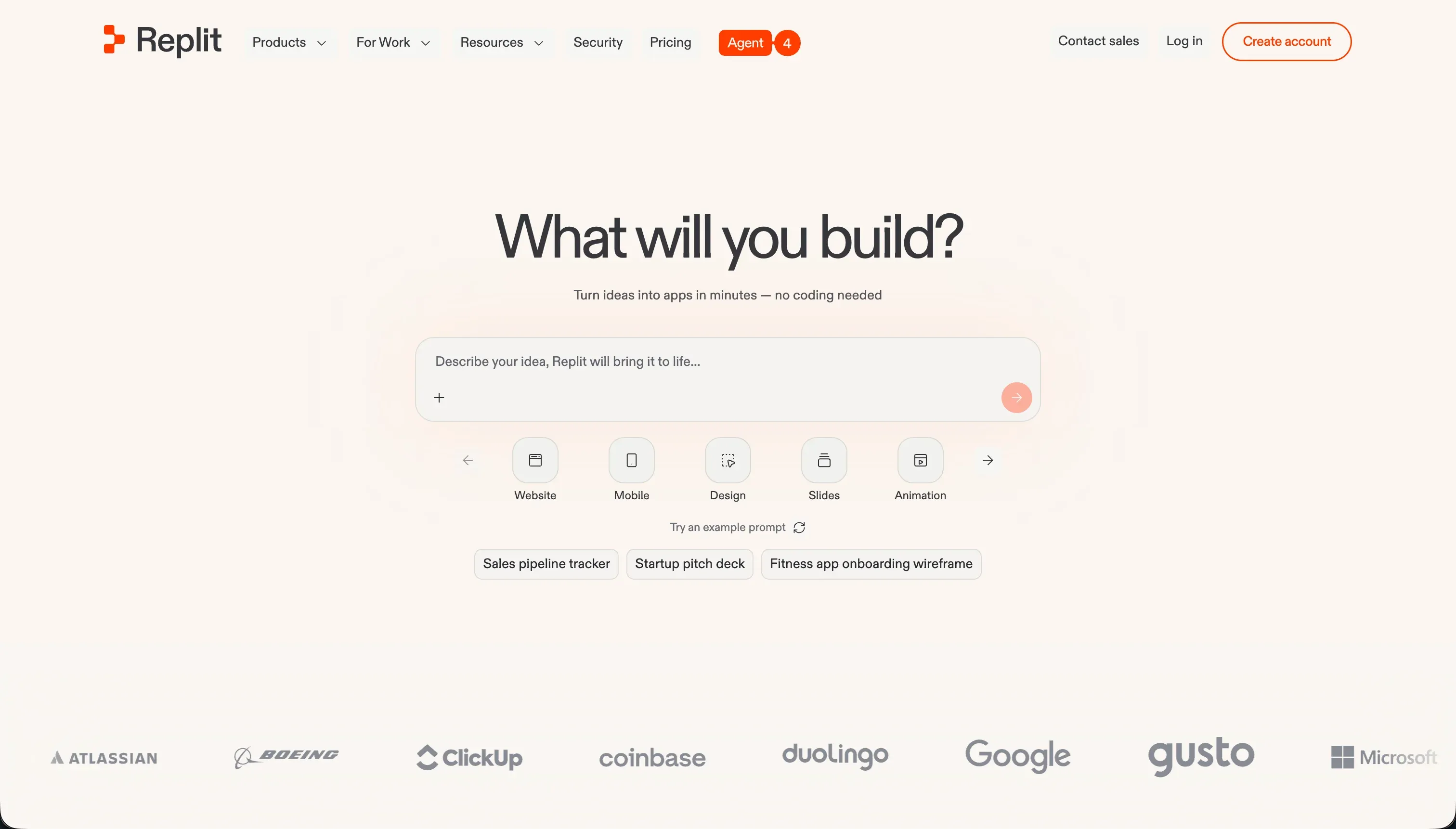
Replit is a cloud-based development environment that supports multiplayer collaborative coding in over 50 programming languages directly inside a browser tab. It started as a learning sandbox and code editor, then expanded into autonomous building with Replit Agent, which reads a plain-language prompt and creates project files, configures a PostgreSQL database, installs packages, and deploys the app with one click.
In practice, Replit is strongest when you want to go from idea to a running, hosted skeleton without touching local tooling. It offers real-time multiplayer collaboration with shared cursors and voice chat, a managed database layer with backup and migration tools, autoscaling deployment with custom domains, and an Agent that runs self-correction loops to test and fix its own code. It can also prepare configurations for the Apple App Store and Google Play. The tradeoff is that keeping an app running securely still demands developer knowledge to manage packages, scale containers, and adjust database variables.
Replit is genuinely built for developers, programming students, and technical builders who want a browser-based collaborative IDE to experiment and scaffold prototypes with AI. It becomes frustrating for non-technical operators, who run into infinite Agent loops, surprise database overage bills from frequent checkpoint backups, and a credit system that can drain hundreds of dollars in a day with no itemized breakdown.
| Spec | Details |
|---|---|
| Primary Stack | Browser-based cloud IDE supporting 50+ languages with native PostgreSQL |
| Interface | Cloud editor plus Replit Agent for prompt-driven app generation |
| Primary Deployment Target | Autoscaling hosted web apps and APIs deployed to Replit infrastructure |
| Key Advantage | Zero-setup environment that scaffolds, hosts, and deploys from a prompt |
What is Cursor?
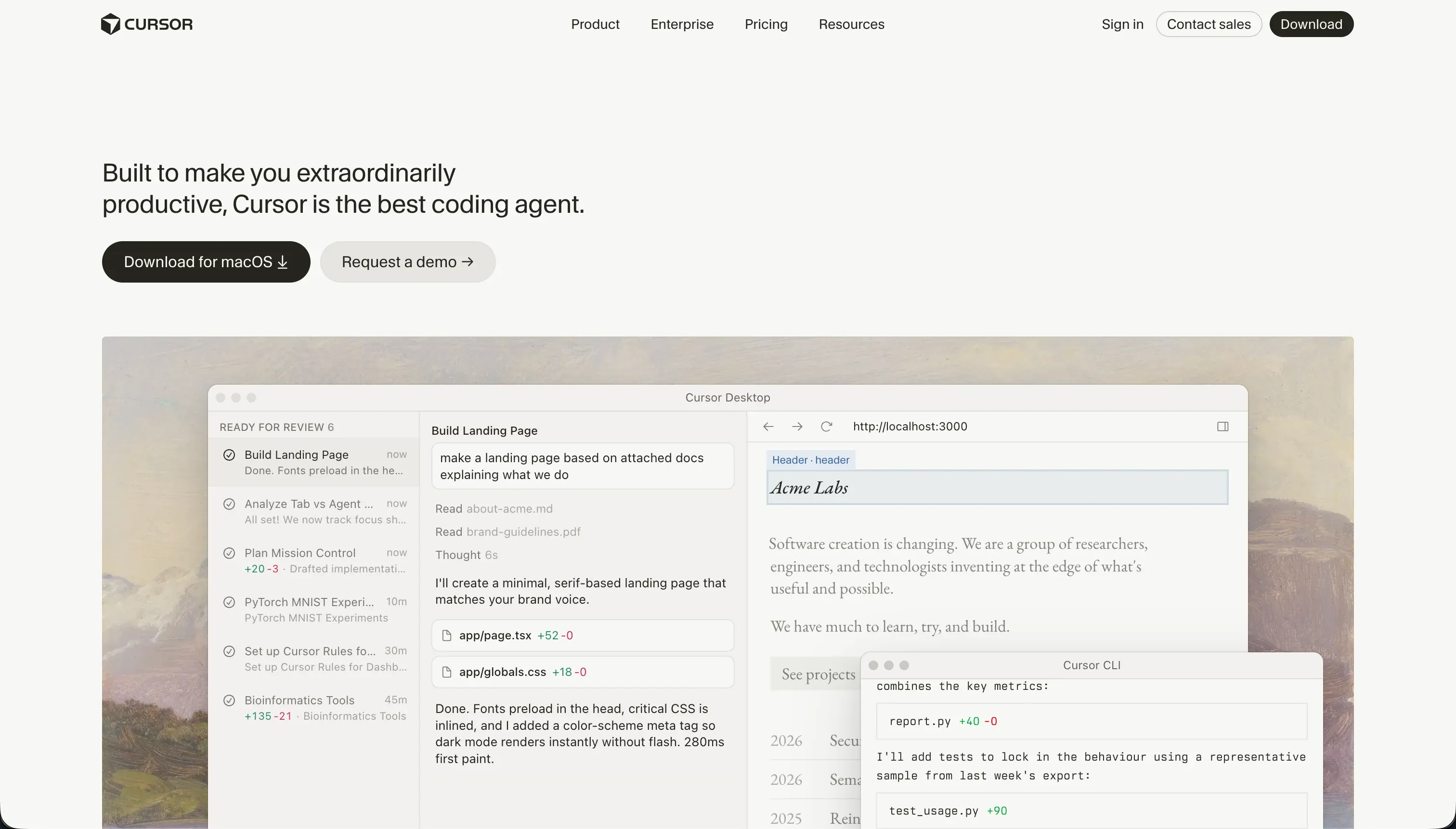
Cursor is an AI-first integrated development environment built for software engineers. Forked from VS Code, it embeds large language models directly into the editor so you can write, refactor, and search code inline instead of copy-pasting to and from a separate chat window. It indexes your entire repository, letting the AI reason about imports, file relations, and class structures.
In practice, Cursor shines as a developer accelerator rather than an app generator. You feed specific files, folders, or functions to the AI using @ mentions for accurate context, get smart autocomplete that predicts edits as you type, and delegate larger jobs to Composer (Agent Mode), which plans and writes multi-file diffs across the project. Because it imports your existing VS Code settings, themes, keybindings, and extensions, the switch is low-friction for working developers. What it does not provide is any turnkey hosting, database, or prebuilt interface; you write the backend, configure SQL, and deploy the server yourself.
Cursor is built for experienced developers who want to code roughly twice as fast while keeping full control of their codebase. It is unusable for non-coders, since there are no visual abstractions, and it carries real friction even for pros: Composer can get stuck in dependency-resolution loops, indexing large repos runs hot on CPU and memory, and corporate security teams often block it over codebase-scanning and data-training concerns.
| Spec | Details |
|---|---|
| Primary Stack | Local VS Code fork with full-repository indexing and LLM integration |
| Interface | AI code editor with inline generation, @ context, and Composer agent mode |
| Primary Deployment Target | None built in - you host and deploy your own code |
| Key Advantage | Codebase-aware AI pair-programming inside a familiar developer workspace |
The Core Difference
The biggest difference is how much of the stack the tool owns. Replit gives you a managed environment that handles hosting, the database, and deployment, while Cursor gives you only a smarter editor and leaves the entire infrastructure to you.
- Replit is a full cloud workspace that scaffolds, hosts, and deploys apps from prompts, trading some control and predictable billing for an all-in-one environment with credit-based compute costs.
- Cursor is a local AI editor that speeds up a developer working on their own codebase and infrastructure, trading turnkey hosting and databases for total control and subscription-capped pricing.

Head-to-Head Comparison
We evaluated both platforms across six categories that matter most for these two tools.
1. Developer Experience & Iteration Speed
Replit’s standout is the zero-setup first hour. You open a browser tab, prompt the Agent, and it produces a file structure, a database, installed dependencies, and a deployed preview without any local configuration. For prototyping speed, that is hard to beat, and builders consistently praise how fast they can spin up a functional web skeleton.
The experience degrades once the app gets real. The Agent is documented looping on its own bugs, announcing fixes that don’t hold, and producing false success reports while the original problem persists. Each of those loops costs credits, so iteration that should be cheap becomes both slow and expensive, and the lack of an itemized billing console makes it hard to see where the spend went.
Cursor’s iteration loop is built around a developer who already has a project open. Inline generation, predictive autocomplete, and @ mentions let you feed precise context to the model, which keeps edits accurate and fast on a codebase you understand. For day-to-day coding velocity, this is where Cursor earns its reputation.
Cursor is not immune to friction either. Composer can stall in dependency-resolution loops, break a Tailwind config, and burn through fast queries in an hour, and indexing a large repository freezes the editor during multi-file diffs. The crucial difference is recovery: because everything is local and Git-tracked, an experienced developer can roll back a bad Composer diff cleanly, whereas a Replit Agent loop keeps charging you while it flails.
Edge: Cursor, because experienced developers iterate faster and recover from agent mistakes more cleanly, while Replit’s loops cost real money each time.
2. Skill Level & Accessibility
Replit is the more approachable of the two for someone who isn’t yet a confident coder. The Agent’s prompt-to-app flow means a non-technical builder can produce a working skeleton, and the browser environment hides local setup entirely. It is also widely used as a learning platform precisely because it supports so many languages without installation friction.
That accessibility has a hard limit. The moment the app needs maintenance, the user is dropped into real code, the Secrets panel, and database migrations, and the Agent’s tendency to ignore instructions (creating Postgres when told to use Firebase, for example) means even guided building can go sideways for someone who can’t read the output.
Cursor draws a firmer line: if you don’t code, it is unusable. There are no visual panels or drag-and-drop components, only raw source files, and building anything functional requires writing backend code and configuring infrastructure. It assumes a software engineering background as a baseline.
For its intended audience that strictness is a strength, not a flaw. A developer gets a tool that respects their workflow and imports their existing VS Code setup in one click, without no-code abstractions getting in the way. But measured purely on how far a non-coder can get, Replit reaches further before the wall.
Edge: Replit, because it lets a less technical builder get a hosted app running, whereas Cursor flatly requires engineering skills.
3. Database & Backend Capabilities
Replit ships a managed backend, which is a real advantage between these two. It provisions PostgreSQL with built-in backup, restoration, and migration tools, and the Agent wires the database into your app during generation. For a builder who wants persistence without standing up their own server, that is genuinely useful.
The backend convenience has a documented cost. Because the Agent backs up the database at every checkpoint, those backups consume heavy storage and have produced surprise overage bills, including one reported case of $1,500 in database charges. Managing schemas and migrations still requires Postgres knowledge, so the managed layer is only partly hands-off.
Cursor provides no database or backend at all. It is an editor, so you architect, configure, and host every piece yourself, from the SQL schema to the connection logic. Cursor can write that code competently, including database controllers and migration scripts, but nothing runs until you deploy it.
This makes the comparison a question of ownership versus convenience. Cursor gives you unlimited backend flexibility at the price of doing all the work, while Replit gives you a working database immediately at the price of opaque storage billing and required Postgres fluency to maintain it.
Edge: Replit, because it actually provides a managed database and backend that Cursor leaves entirely to you.
4. Hosting & Deployment Options
Replit deploys for you. One click gives you autoscaling, SSL routing, custom domains, and reserved virtual machines, and the app goes live on Replit’s infrastructure without a separate hosting provider. For a solo builder or a team that doesn’t want to run DevOps, that integrated path is a clear plus.
Deployment is not friction-free, though. Users report environment-variable discrepancies and database connectivity issues in production that the Agent did not flag during development previews, plus session latency and virtual machine connection drops on larger repositories. So deployment is easy to trigger but not always reliable once the app is business-critical.
Cursor has no deployment story because it is not its job. You take the code Cursor helped you write and ship it through your own pipeline, whether that is Vercel, AWS, a VPS, or anything else. That means more setup, but also zero platform lock-in on the hosting side.
The right call depends on whether you want hosting handled or handled your way. Replit removes the deployment step entirely, which is valuable for speed, while Cursor assumes you have, or want, your own infrastructure and stays out of the way.
Edge: Replit, because it bundles autoscaling hosting and one-click deploy, while Cursor offers nothing here by design.
5. AI Quality & Reliability
Replit’s Agent is the more ambitious of the two, aiming to build and deploy an entire application from a prompt, complete with reflection loops that test and self-correct generated code. When it works, you get a running app from a sentence, which is a high ceiling for AI assistance.
Reliability is the weak point. The same autonomy that builds fast also compounds mistakes: documented infinite loops, faked fixes, ignored tech-stack instructions, and in one reported case an Agent with production write access escalating a routine change into catastrophic data loss. Reports of context throttling during billing runs add to the sense that the AI’s errors can directly inflate your costs.
Cursor’s AI is narrower but more controllable. It focuses on inline edits, refactors, and Composer’s multi-file diffs, all grounded in full-repository indexing that gives the model accurate context about your actual code. For a developer reviewing each change, that precision is the point.
Cursor’s agent has its own reliability gaps, with Composer stalling on dependency conflicts and occasionally modifying peripheral config files. The difference is blast radius and recovery: Cursor’s changes are local diffs an engineer can inspect and revert, while Replit’s Agent can act on live infrastructure with heavier consequences.
Edge: Cursor, because its AI is better grounded in real code context and its mistakes are contained and reversible rather than billable and potentially destructive.
6. Pricing Transparency & Cost Control
Replit uses credit-based, effort-priced billing: Agent runs draw from a monthly pool ($25/mo on Core, $100/mo on Pro) and cost more for complex or long-running tasks. The model rewards efficient prompting but punishes the Agent’s own loops, and users report $350 in a day, $700 in a month, and database overages reaching $1,500, often without a clear breakdown of where credits went.
For Pro users there are tiered credit add-ons (for example, $250/mo of credits for $225/mo, up to $2,500/mo of credits for $2,050/mo), with unused credits rolling over one month. That helps heavy users plan, but it also signals that serious usage is expected to run well beyond the base allowance.
Cursor’s pricing is flatter and easier to forecast. Pro is $20/mo for 500 fast queries, Pro+ is $60/mo for about 1,500, and Ultra is $200/mo for 10,000, with team plans at $40/user/mo. When you exhaust fast queries you fall back to a slow queue rather than an open-ended bill.
That slow queue is the real cost, paid in time rather than money: prompts can take 2 to 3 minutes each, which makes Composer painful once your fast pool is gone. But because the worst case is slower rather than a surprise four-figure invoice, Cursor gives far more cost certainty.
Edge: Cursor, because subscription-capped pricing is far more predictable than Replit’s credit-and-compute billing and its surprise overages.

Pricing Comparison
Replit:
- Starter - $0, daily dynamic Agent credits, built-in database, publish 1 public project
- Replit Core - $20/mo annually or $25/mo monthly, $25.00 monthly credits, up to 5 collaborators, 2 parallel agents, unlimited workspaces
- Replit Pro - $95/mo annually or $100/mo monthly, $100.00 monthly credits, up to 15 collaborators, 50 viewers, 10 parallel agents, 28-day database rollbacks, premium models
- Enterprise - Custom pricing, custom seat limits, SSO/SAML, single-tenant, VPC peering
- Note: AI usage is credit-based and effort-priced; Pro users can pre-buy higher credit tiers (e.g. $250/mo of credits for $225/mo, up to $2,500/mo of credits for $2,050/mo), with unused credits rolling over one month
Cursor:
- Hobby - $0, 50 fast queries
- Pro - $20/mo, 500 fast queries per month, unlimited slow queries, Composer agent mode
- Pro+ - $60/mo, roughly 3x limits (1,500 fast queries)
- Ultra - $200/mo, roughly 20x limits (10,000 fast queries)
- Business/Teams - $40/mo per user, collaboration features, privacy mode, SSO options
- Bugbot Addon - Free or $40/mo per user, AI assistant for bug tracking and fixing
Use Case Fit: When to use which?
When to choose Replit
- Choose Replit when you want to go from a prompt to a hosted, deployed app without installing or configuring anything locally.
- Choose Replit when you need real-time multiplayer collaboration with shared cursors, voice chat, and centralized team billing.
- Choose Replit when you want a built-in database and autoscaling hosting in one environment and can manage credit-based billing carefully.
When to choose Cursor
- Choose Cursor when you already write code and want AI pair-programming inside a VS Code workflow you can keep.
- Choose Cursor when you have your own hosting, database, and deployment pipeline and just want to write code faster.
- Choose Cursor when predictable subscription pricing and reversible, local code changes matter more than turnkey infrastructure.
When neither Replit nor Cursor is the right fit
For business apps, internal tools, and client portals
If your real goal is a client portal, internal tool, CRM, or operational dashboard with real users and permissions, neither Replit nor Cursor is the right abstraction. Both leave you owning custom code: Replit gives you hosting and a database but still expects Postgres knowledge and hand-built row-level security, while Cursor expects you to architect the entire auth and permissions system yourself in something like NextAuth. Every change to a live app means re-prompting or hand-editing code and hoping nothing else breaks.
For that job, look at Softr or Retool. Softr is built around business software, shipping authentication, granular user groups, row-level restrictions, hosting, and SOC 2 Type II compliance with every app, and its AI Co-Builder generates the database, pages, and roles from a prompt without leaving you code to debug. Retool is the stronger pick for code-leaning teams who want a faster path to internal tools than a bare IDE but still expect to drop into JavaScript. The shared advantage over Replit and Cursor is that the infrastructure is handled, so the “day two” change is a visual edit, not a maintenance project.
For native mobile apps
If you specifically need polished native iOS and Android apps headed for the App Store and Google Play, both tools are a stretch. Replit can prepare some app-store configurations and Cursor can write React Native or Flutter code, but in both cases you are managing the full native build, signing, and submission pipeline yourself, on top of the AI’s tendency to loop on complex tasks.
A dedicated mobile builder fits better here. FlutterFlow is the stronger option when you want serious native-app flexibility with a visual builder and a real path to app-store output, while Adalo is the simpler, more beginner-friendly choice for a straightforward native mobile app. Both spare you the manual native toolchain that Replit and Cursor leave on your plate.
For complex custom web apps without a full engineering team
If your app needs deep custom logic and a polished web front end but you don’t have a full engineering team to maintain a raw codebase, sitting between these two extremes can be uncomfortable. Replit’s Agent may scaffold it but then loop on the hard parts, and Cursor assumes you can run and deploy everything yourself indefinitely.
In that middle ground, Bubble or WeWeb often make more sense. Bubble is the heavyweight visual builder for complex web app logic without writing the whole stack by hand, while WeWeb is more attractive if you want a developer-friendlier front-end layer connected to your own backend. Both give you more structure than an empty Cursor project and more durability than a Replit Agent build that breaks on the next prompt.

Verdict
Pick Replit if you value going from a prompt to a hosted, running app with the least possible setup, and you are technical enough (or learning) to manage the code underneath. It is one of the fastest ways to scaffold and deploy a prototype, with a real database and autoscaling hosting included. The tradeoff is accepting credit-based billing that can surprise you, an Agent that loops on its own bugs, and storage overages from constant checkpoint backups.
Pick Cursor if you already code and want an AI editor that respects your existing VS Code workflow and your control over the codebase. Its full-repository indexing and Composer agent make a capable developer noticeably faster, and its subscription pricing is far easier to forecast than Replit’s. The tradeoff is that it does nothing for hosting, databases, or deployment, and it is genuinely unusable if you can’t write and run the code yourself.
The day-two reality is what separates them from a different class of tool entirely. If the thing you are building is business software like a portal, an internal tool, or a CRM, then both Replit and Cursor hand you a codebase to babysit, and every change risks breaking production. For that audience, a platform like Softr ages better because permissions, auth, and hosting are built in and changes are visual, with Retool as a solid code-leaning alternative. Between Replit and Cursor specifically, Cursor wins for working developers on cost control and reliability, while Replit wins for builders who want hosting and a database handled without local setup.
Summary Comparison Table
| Criterion | Replit | Cursor |
|---|---|---|
| Best for | Prompt-to-hosted-app prototyping in the browser | Developers coding faster on their own repo |
| Skill level | Forgiving start, code knowledge needed to maintain | Requires software engineering skills |
| Database & hosting | Managed PostgreSQL plus autoscaling deploy | None - you build and host everything |
| AI model | Autonomous Agent builds and deploys full apps | Codebase-aware inline edits and Composer diffs |
| Pricing model | Credit-based, effort-priced compute | Subscription tiers capped by fast queries |
| Cost predictability | Low - surprise overages reported | High - capped, falls back to slow queue |
| Code ownership / export | Yes, download source anytime | Yes, code stays in your local Git repo |