

Lovable and Cursor both promise AI-accelerated building, but they sit on opposite sides of the line that matters most: who writes and owns the code. Lovable is an AI full-stack builder that turns a prompt into a complete React and Supabase application, so you start with a finished app and refine it. Cursor is an AI-first code editor built on VS Code that makes a developer faster without building anything for them, so you start with an empty project and a smart assistant.
The people choosing between these two are usually technical founders, indie hackers, and developers deciding how much of the work they want to hand to AI. What is at stake is not just speed to a first demo, but who is on the hook when the app needs real security, real maintenance, and changes that do not break what already worked. Pick wrong and you either inherit a fragile generated codebase you cannot safely evolve, or you sit in an IDE that assumes skills you do not have.
Meet the Contenders
What is Lovable?
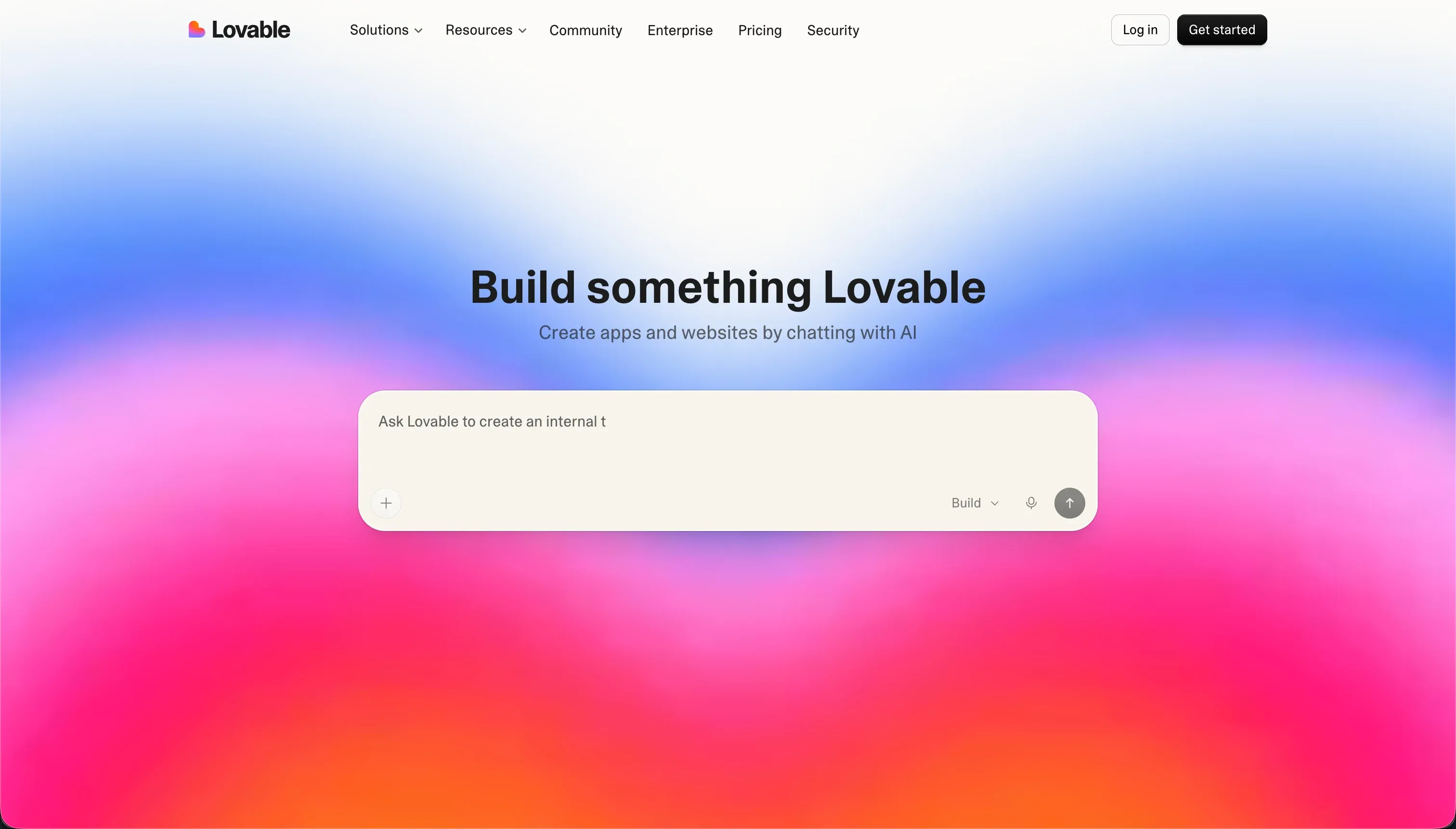
Lovable is an AI-powered full-stack application builder that turns natural language descriptions into React frontends, Node.js backends, and Supabase databases. Rather than producing proprietary visual blocks, it works at the code level, generating standard React, TypeScript, and Tailwind that connects directly to Supabase.
In practice, you write a description and Lovable scaffolds the UI, database schema, routing, and third-party API hooks in one pass, then you refine by chat in a workflow it calls vibe coding. Concrete features back this up: a built-in Supabase connection for managed PostgreSQL and instant authentication, GitHub sync so you can continue in a local IDE, Figma import for layout scaffolding, and pre-publish security scans that audit generated code and row-level security policies. It is a strong scaffolding engine for the first version of an app.
Lovable is genuinely built for technical founders, solo developers, and product teams who want to spin up a React and Supabase MVP quickly and have the skills to maintain it. It gets frustrating for non-technical operators, because hardening RLS rules needs manual Postgres SQL, extended chat sessions can trigger credit-draining regression loops where the AI claims a bug is fixed when it is not, and the final 30% of business logic often has to be finished in a real IDE.
| Spec | Details |
|---|---|
| Primary Stack | AI-generated React, TypeScript, and Tailwind frontend with a Supabase PostgreSQL backend |
| Interface | Conversational prompt-to-app builder with chat-based “vibe coding” iteration |
| Primary Deployment Target | Web apps via Lovable Cloud, with GitHub sync and custom domains on paid plans |
| Key Advantage | Fast prompt-to-MVP scaffolding that produces real, exportable code |
What is Cursor?
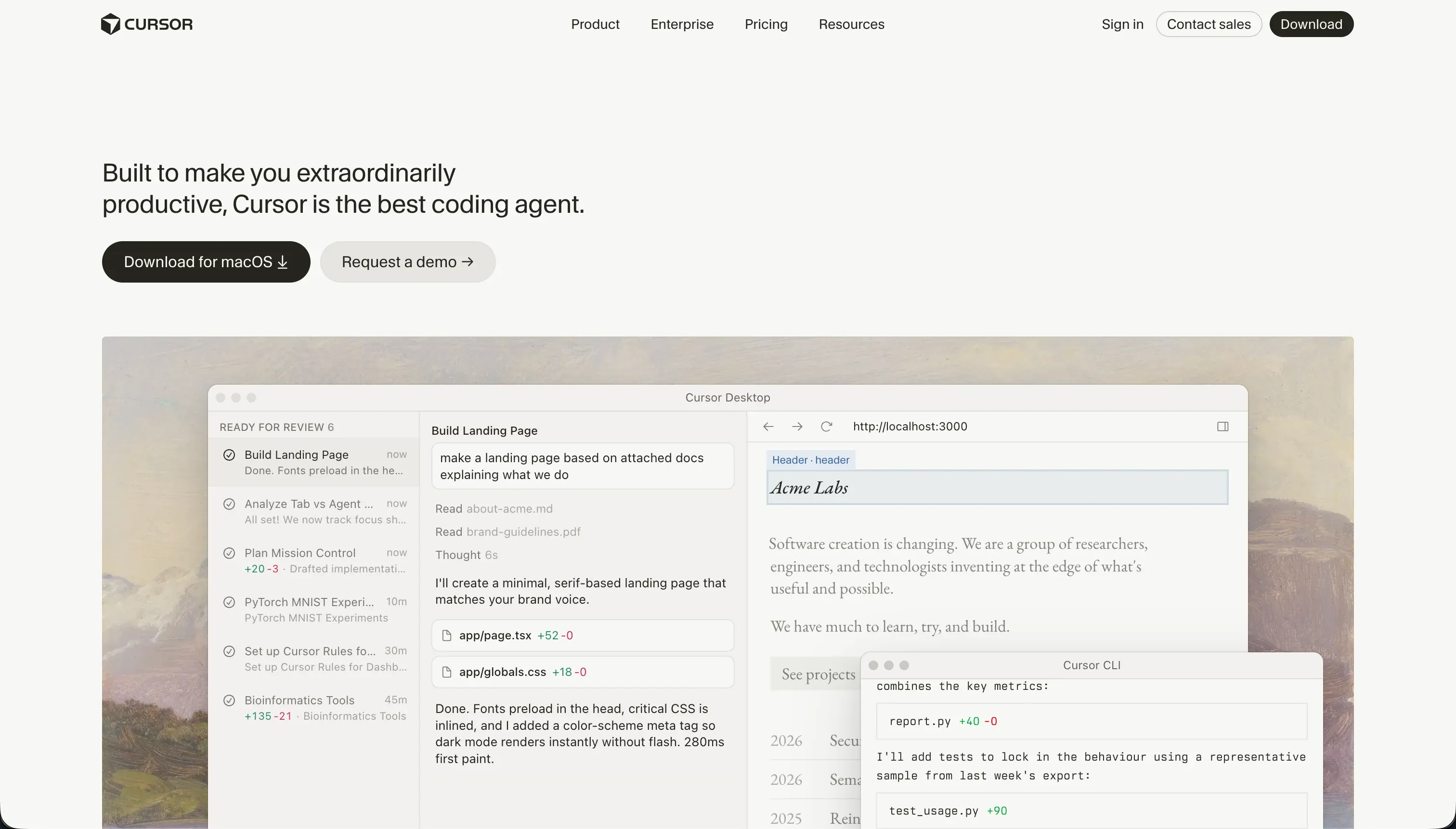
Cursor is an AI-first code editor built on a fork of VS Code, designed to put language models directly inside a developer’s workflow. Instead of copy-pasting between a chat window and the editor, you write, refactor, and search code inline in your active workspace.
In practice, Cursor speeds up a developer who already knows how to code. It indexes the entire repository so the AI can reference files, symbols, and types through @ mentions, runs natural-language semantic search across the codebase, and offers a Composer agent that plans and edits across multiple files at once. Because it is a VS Code fork, you import existing themes, keybindings, and extensions in one click, so the switch is low-friction for working engineers.
Cursor is built for experienced developers and software engineers who want an AI-boosted IDE while keeping full control of their stack. It is unusable for non-coders, since there are no visual abstractions, no managed database, and no hosting. It also has real friction even for developers: Composer can get stuck in dependency-fix loops that burn fast queries, background indexing of large repos runs hot on CPU and memory, and codebase scanning raises compliance concerns that lead some security teams to restrict it.
| Spec | Details |
|---|---|
| Primary Stack | Any stack you write yourself (Next.js, Python, Flutter, etc.); no managed backend |
| Interface | VS Code-based IDE with inline AI, semantic search, and the Composer agent |
| Primary Deployment Target | None built in; you configure hosting, databases, and auth manually |
| Key Advantage | AI pair-programming with full-project context and complete code ownership |
The Core Difference
The biggest difference is not which one uses AI better. It is how much of the work each tool actually does for you, and how much it assumes you can do yourself.
- Lovable generates a complete, running app from a prompt, including the database and auth, and assumes you can read and harden the code it produced.
- Cursor generates nothing on its own and builds nothing turnkey; it accelerates a developer who is already writing, owning, and hosting the code.
Head-to-Head Comparison
We evaluated both platforms across six core categories.
1. Speed to First Working App
Lovable is built to win the first hour. Describe an app and it returns a working React frontend, a Supabase database, routing, and authentication, so you can show a clickable SaaS prototype or dashboard almost immediately. This is the thing Lovable is most praised for, and reviewers widely agree it handles the first 70% of a build well.
The catch is that the fast first draft is not the finished product. The same reviews describe a wall at the final 30%, where business logic and security have to be completed, often by exporting to a local IDE. So Lovable’s speed is real, but it front-loads the easy part and leaves the hard part for later.
Cursor does not produce an app from a prompt at all, so on raw time-to-demo it loses to Lovable outright. You start with an empty project and have to know what to build. For a developer, Composer can scaffold routes, components, and scripts quickly, but there is no moment where a non-coder watches a finished app appear.
What Cursor trades away in instant gratification it makes up in not having a false summit. There is no 70% illusion, because every line exists because you or the agent deliberately wrote it. The progress is slower at the start but does not collapse when the app needs to do something real.
Edge: Lovable, because nothing beats a prompt that returns a running app, as long as you remember the first draft is the easy 70%.
2. Code Quality & Portability
Lovable produces real, standard React and TypeScript rather than proprietary blocks, and that is a genuine strength. You can sync to GitHub and keep working locally, which gives the project a clear exit path on paper. For a developer who wants a head start on boilerplate, that output has value.
In practice the quality story is mixed. Users report the generated code is not made to be ported cleanly, with common advice being to use a Lovable page as a visual reference and rebuild it in the real stack. As the codebase grows, the context window degrades and Lovable starts overwriting files, injecting trackers, or adding duplicate React hooks that break the build. Pushing local Git changes back to the editor also triggers merge conflicts the AI cannot resolve.
Cursor has no portability problem because the code is yours from the start. There is no editor to sync back to and nothing white-labeled. You write normal files, commit with normal Git, and the AI works on the code you already control. Quality depends on you and the model, not on a generator’s degrading context.
That control cuts both ways. Composer can introduce regressions or dependency conflicts across files that need manual rollbacks, so Cursor does not guarantee clean code either. But the difference is that you are reviewing and owning every diff in your own repo, instead of trying to reconcile an external generator with local edits.
Edge: Cursor, because both can write messy code, but only Cursor keeps the codebase fully yours with no sync conflicts or generator drift.
3. AI Agent Reliability
Lovable’s AI is the whole product, which is both its appeal and its risk. The conversational agent can make coordinated multi-file changes from a single instruction like adding a dark mode toggle, and pre-publish scans check the generated code and RLS policies. When it works, it removes a lot of typing.
When it does not work, the failure mode is expensive. Users describe regression loops where the agent claims it fixed a bug it did not fix, and each retry costs credits, with reports of spending half a monthly pool patching the same issues. Because re-prompting is the main way to change the app, a flaky agent directly drains your budget.
Cursor’s Composer agent is similar in ambition. It can plan, open, edit, and write across multiple files, install npm packages, and configure routes in one loop. For a developer delegating a chunk of work, it is a real accelerator and Cursor is considered a gold standard for in-editor AI assistance.
It has the same class of failure, though. Composer can get stuck in infinite loops trying to fix dependency conflicts, has been reported breaking Tailwind configs while burning through fast queries in an hour, and can modify peripheral config files in ways that introduce subtle bugs. The key difference is that a Cursor user can read the diff, reject it, and fix it by hand, whereas a Lovable user often has to pay for another prompt and hope.
Edge: Cursor, because both agents loop and break things, but a developer can directly override Cursor’s mistakes instead of paying credits to re-prompt out of them.
4. Database, Auth & Backend
Lovable gives you a backend out of the box. The Supabase integration sets up managed PostgreSQL, real-time sync, and instant email and social auth, all from the initial prompt. For a data-driven app, that is a meaningful head start over starting from nothing.
The weakness is security ownership. Lovable scaffolds tables with public or weak defaults, and locking them down with row-level security needs manual Postgres SQL. The 2026 BOLA incident, which exposed prompts, hardcoded Supabase service-role keys, and live customer data from poorly secured projects, is a concrete reminder that a generated backend is only as safe as the rules you add afterward.
Cursor provides no backend whatsoever. There is no database, no auth, and no hosting; you build and configure all of it yourself, including setting up something like NextAuth and your own RLS tables. For a developer that is expected and fine, because the backend is supposed to be a deliberate architecture decision.
This is the cleanest split between the two tools. Lovable hands you a backend and the responsibility to secure it; Cursor hands you nothing and assumes you will design the right one. Neither is turnkey-safe for a non-technical team, since one needs SQL hardening and the other needs you to write the auth layer from scratch.
Edge: Lovable, narrowly, because it actually ships a working database and auth, even though securing that backend is left to you.
5. Learning Curve & Onboarding
Lovable has the gentler on-ramp for the first session. You type what you want and get something back, with no setup, no environment, and no packages to install. For validating an idea, that low barrier is the entire point and it delivers.
The curve gets steep right where it counts. Beginners report that vague prompts produce generic or structurally broken UI, and the moment you need to fix security, resolve regressions, or understand the schema the AI built, you need developer skills. The onboarding is easy; the production path is not.
Cursor is the opposite shape. If you already use VS Code, onboarding is almost instant because you import your settings, themes, and extensions in one click and keep your existing workflow. There is essentially no learning curve for a working developer.
For everyone else, Cursor has no on-ramp at all. There are no visual panels and no drag-and-drop; you edit raw source files, and if you cannot read code, you cannot use the tool. So Cursor is trivial for its intended audience and a wall for anyone outside it.
Edge: Lovable for an absolute beginner’s first prompt, but Cursor for any developer, who is productive in minutes with their existing setup.
6. Production Readiness & Maintenance
Lovable’s honest reputation is prototype-first. It excels at MVPs and investor demos, but reviewers repeatedly note that text-to-fullstack output is far from production-ready. The “Hotel California” reports of unannounced database migrations and the slow 76-day patch on a serious vulnerability are the kind of operational signals that make it hard to trust for business-critical apps without heavy oversight.
Maintenance is the recurring pain. Because changes flow through re-prompting, every fix can introduce a new regression, and as the project grows the agent degrades and starts breaking builds. For a non-technical owner this becomes a tool they are afraid to touch, and for a developer it often means abandoning the editor and finishing in their real stack.
Cursor’s production readiness is whatever you make it, because it is just an editor on top of your own code. There is no platform behavior that surprises you, no forced migration, and no vendor cloud quietly handling your data. The flip side is that all of the production work, hosting, scaling, monitoring, and security, is yours to build and maintain.
That makes Cursor more dependable for teams that have engineering capacity and less relevant for teams that do not. It will not hand a non-developer a maintainable production app, but it also will not pretend to, and it never locks your code or data behind a proprietary layer.
Edge: Cursor, because it puts maintenance and production fully in your hands rather than behind a degrading agent and a platform that has migrated data without consent.
Pricing Comparison
Lovable:
- Free - $0, 5 daily credits (up to 50/mo), public projects only, GitHub sync
- Pro - starts at 25€/$25/mo for 100 monthly credits, private projects, custom domains, 3 editors, credit rollover
- Business - starts at 50€/$50/mo for 100 monthly credits, advanced design templates, SSO, data training opt-out, custom user limits
- Scaled credit tiers - 10,000 monthly credits costs 2,250€/mo on Pro and 4,300€/mo on Business
- Enterprise - custom pricing
Cursor:
- Hobby - $0, 50 fast queries
- Pro - $20/mo, 500 fast queries per month, unlimited slow queries, Composer agent mode
- Pro+ - $60/mo, roughly 3x limits (about 1,500 fast queries)
- Ultra - $200/mo, roughly 20x limits (about 10,000 fast queries)
- Business/Teams - $40/mo per user, Pro features plus centralized admin and privacy mode
Use Case Fit: When to use which?
When to choose Lovable
- Choose Lovable when you want a working React and Supabase MVP from a prompt to validate an idea or demo to investors this week.
- Choose Lovable when you have, or can hire, the developer skills to harden RLS, resolve regressions, and finish the last 30% of business logic.
- Choose Lovable when GitHub sync and a clean exit to a local IDE matter more than predictable per-action costs.
When to choose Cursor
- Choose Cursor when you are a developer who wants AI speed inside your existing VS Code workflow without giving up control of the code.
- Choose Cursor when you need to work across a large or complex codebase and want full-project indexing, semantic search, and multi-file agent edits.
- Choose Cursor when flat per-seat pricing is easier to justify than Lovable’s credit-per-change model for sustained heavy use.
When neither Lovable nor Cursor is the right fit
For internal tools and client portals
If you are a business operator who needs a secure internal tool, CRM, or client portal and you do not want to write or audit code, neither tool fits. Lovable hands you a generated backend whose row-level security you must harden in Postgres SQL, and the BOLA incident that exposed service-role keys and live customer data shows how unforgiving that responsibility is. Cursor gives you nothing turnkey at all, expecting you to build auth and hosting from scratch.
For this job, look at Softr or Retool. Softr builds the database, pages, navigation, and user roles from a prompt, with authentication, granular user groups, and row-level permissions configured visually rather than in code, so there is nothing to harden by hand and every AI action can also be done manually. Retool is the stronger pick when the internal tool sits on top of existing engineering-managed databases and you want fast admin UIs. Both keep permissions out of generated code, which is exactly where Lovable and Cursor put the risk.
For complex custom web apps
If your app needs deep custom logic and unusual UX flows but you still do not want to manage a raw codebase and its hosting yourself, both tools become awkward. Lovable struggles with complex business logic and can time out or break database relationships on harder builds, while Cursor can do it but only by making you the full-time engineer for the entire stack.
That middle ground is where Bubble or WeWeb make more sense. Bubble remains the heavyweight visual builder for genuinely complex web app logic without writing code, and WeWeb is a developer-friendlier front-end layer you connect to your own backend. Both let you go deeper than Lovable’s generated apps allow while sparing you the full DIY burden of Cursor.
For native mobile apps
Neither tool is the right call if you specifically need native iOS and Android apps on the App Store and Google Play. Lovable focuses on web apps that run in a cloud container, and while Cursor can technically build native code, it only helps you write it faster and leaves all the native build, signing, and deployment work to you.
For native distribution, look at FlutterFlow or Adalo. FlutterFlow is the better fit when you need serious native flexibility and a real path to app-store output, while Adalo is the simpler, more beginner-friendly native builder if you can accept fewer advanced options.

Verdict
Pick Lovable if your goal is a fast first version of a React and Supabase app and you have the technical skills to take it the rest of the way. It is one of the quickest routes from a prompt to a clickable prototype, which is real value for validation and demos. The tradeoff you accept is the hard 30%: manual RLS hardening, credit-draining regression loops, code that is awkward to port cleanly, and a platform that has migrated data without consent. It is a great prototyping engine, not a safe production destination on its own.
Pick Cursor if you are a developer who wants AI to speed up work you would otherwise do by hand. It keeps the code, the stack, and the hosting fully yours, integrates instantly with an existing VS Code setup, and lets you override the agent’s mistakes directly instead of paying to re-prompt around them. The tradeoff is that Cursor builds nothing turnkey: no database, no auth, no hosting, and it is unusable if you cannot code. For its intended audience, that control is the point.
The day-two reality is that both tools assume someone technical owns the result, which is exactly the wrong assumption for most business software. If you are building internal tools, client portals, or a CRM and you want it to stay maintainable as users and features grow, a platform like Softr ages better because permissions, auth, and hosting are built in and visually editable rather than buried in generated code, with Retool a strong alternative for tools built on engineering-owned data. Between the two compared here, Cursor is the more dependable choice for people who can code, and Lovable is the faster choice for a prototype you still have to finish elsewhere.

Summary Comparison Table
| Criterion | Lovable | Cursor |
|---|---|---|
| Best for | Fast React/Supabase MVPs and demos | Developers wanting AI speed with full control |
| Build paradigm | Prompt-to-app full-stack generator | AI-first code editor (VS Code fork) |
| Backend & auth | Bundled Supabase, but RLS hardened manually | None; you build and host everything |
| Code ownership | Real React/TS, but messy to port and sync | Fully yours from the first line |
| Pricing model | Credits per action; 100 credits from 25€/$25/mo | Flat per-seat; 500 fast queries at $20/mo |
| Skill required | Low to start, high to ship to production | High; unusable without coding skills |
| Production readiness | Prototype-first, fragile to maintain | As solid as the developer building it |