

Cursor and Softr represent two separate pathways to building digital products in 2026. Cursor is an AI-first desktop IDE designed to supercharge custom software engineering, whereas Softr is an AI-powered no-code platform built to compile visual business logic into responsive web portals. Choosing between them means selecting between custom-written text and fully managed component assembly.
Founders, operational managers, and development teams are actively weighing these strategies to optimize speed and maintenance cycles. At stake is your long-term developer overhead, the cost of custom backend scale, and whether non-programmers can safely edit database relationships as operational needs shift.
Meet the Contenders
What is Cursor?
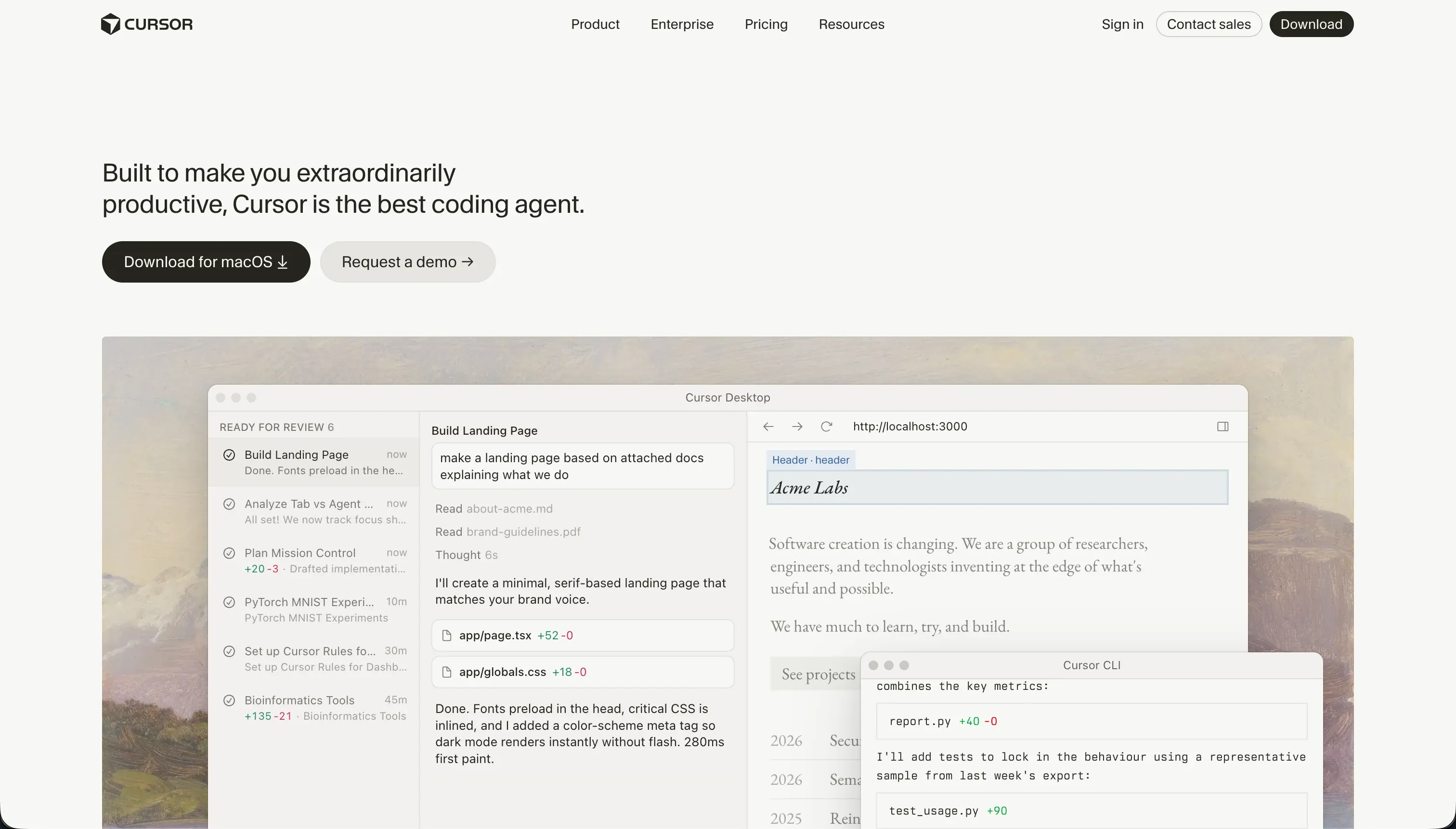
Cursor is an AI-first desktop code editor built on a fork of VS Code to natively weave language models directly into the coding loop. Rather than expecting non-technical users to build systems without an engineering background, it targets developers who want to write and scale custom codebases at multiple times their traditional speed.
In practice, Cursor indices your entire project structure to deliver context-aware code predictions, semantic codebase searches, and multi-file code modifications via Composer agent mode. Developers compile their code locally, construct their own databases, and link third-party services using custom scripts, maintaining total execution control over their systems.
Cursor is genuinely built for engineers, technical managers, and makers who are comfortable setting up server instances, editing configuration sheets, and debugging dependency compilation errors. Non-developers often find it frustrating since it packages no out-of-the-box hosting, has no drag-and-drop structural canvas, and requires coding knowledge to initialize even a simple landing page.
| Spec | Details |
|---|---|
| Build Paradigm | AI-assisted local text coding built on a VS Code fork |
| Primary Audience | Software engineers and development teams fluent in code |
| Database & Backend | User-supplied (must compile, link, and scale databases manually) |
| Primary Use Case | Highly custom SaaS platforms, programmatic developer packages, and custom scripts |
What is Softr?
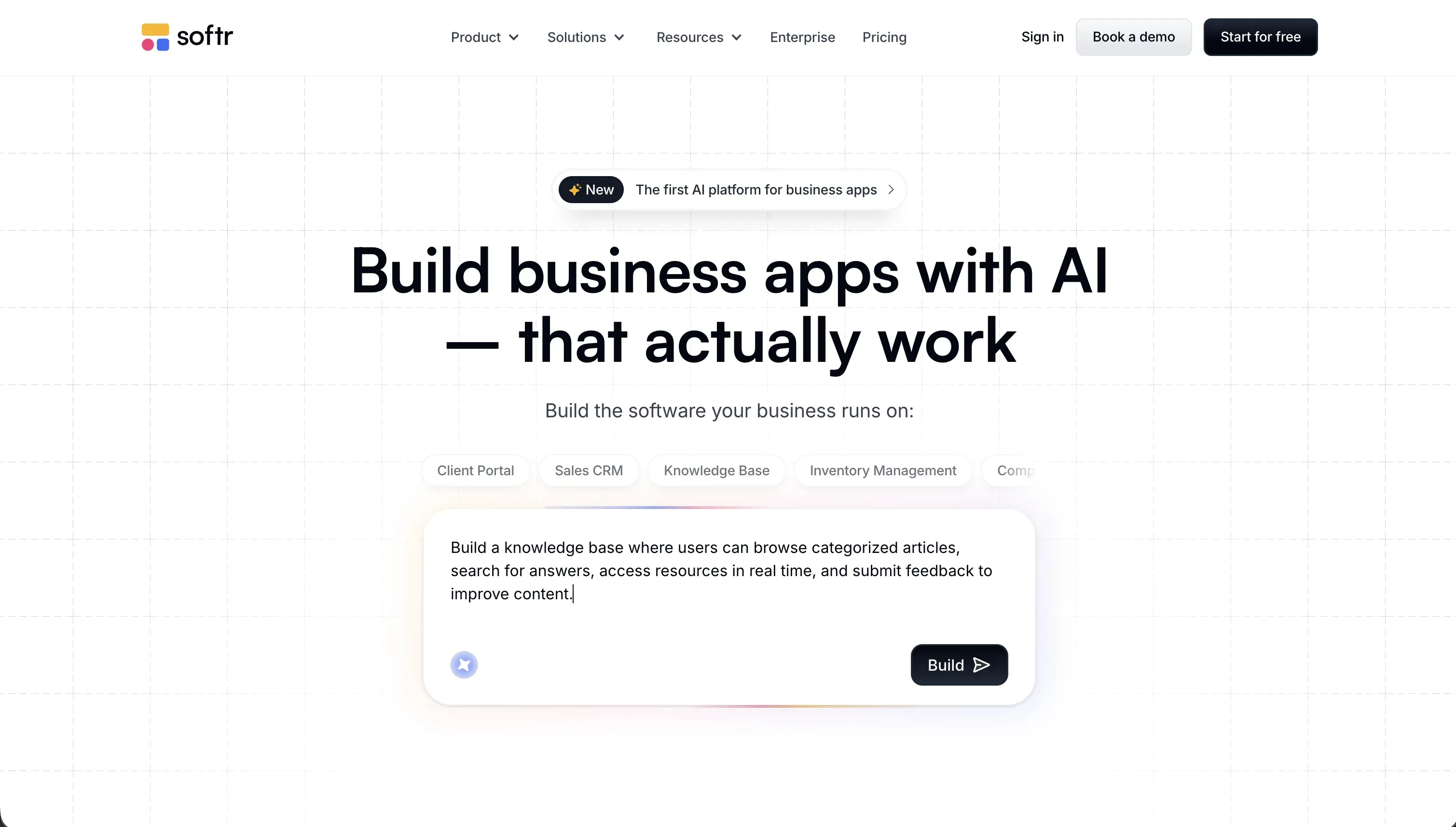
Softr is an AI-powered visual software creator designed to let knowledge workers construct responsive client portals, intranets, custom CRMs, and operational tools without writing code. It shifts the software development focus from managing fragile, generated code packages to modeling business data visually.
In practice, the platform prioritizes relational Softr Databases first as its native, high-performance structured data core, before offering connections to 17 external backends like Airtable or HubSpot. Builders use an AI Co-Builder to assemble dynamic lists, charts, comment systems, and custom Vibe Coding blocks, all protected by native enterprise-grade user authentication and role-based permissions.
Softr is genuinely built for department heads, operations managers, and professional service teams who want customized software without accumulating technical debt. However, developers who want complete code-level environment access or custom server architecture will feel restricted by Softr’s managed hosting and non-exportable UI layouts.
| Spec | Details |
|---|---|
| Build Paradigm | AI Co-Builder paired with manual design-block assembly |
| Primary Audience | Operations managers, non-technical founders, and knowledge workers |
| Database & Backend | Relational Softr Databases first, + 17 external integrations |
| Primary Use Case | Secure customer portals, employee hubs, operations ERPs, and team trackers |
The Core Difference
The primary tension between these platforms is custom code control versus visual speed. Your division comes down to whether you want to write the code yourself or remove the need for raw code files entirely.
- Cursor runs as an AI-powered desktop IDE that speeds up custom code generation but requires developers to manually configure hosting, databases, and authentication paths.
- Softr operates as an AI-first visual no-code platform that ships with native relational databases, secure user permissions, and hosting built directly into the toolkit.

Head-to-Head Comparison
We evaluated both platforms across four core categories.
1. Developer Experience & Iteration Speed
Cursor transforms developer speed by indexing your entire workspace directory to provide context-aware text help. For custom feature design, developers use the interactive Composer panel to execute multi-file changes in seconds, avoiding hours of manual refactoring.
However, this iteration model requires constant programmer supervision to monitor system health. If you hit compile errors, compile loop bugs, or CPU lags on larger directories, you must manually run diagnostic commands, which can burn through your monthly limits (like the 500 fast queries on the $20 monthly Pro tier) very quickly.
Softr avoids developer environment setup entirely by using a hybrid visual editing environment. Builders can generate their entire workspace with the conversational AI Co-Builder, use prebuilt structural lay blocks, or configure things manually to fine-tune navbars, action buttons, or database routing.
Because the platform maintains manual handles for every AI capability, builders are never locked into prompt loops. If you run low on your plan’s monthly AI allowance (starting at 5 and scaling up to 100 credits on Business plans), your project progress is never frozen - you simply configure visibility rules, schemas, or buttons directly in the editor.
Edge: Softr for non-programmers due to zero dev overhead, but Cursor wins for professional coders who need infinite stack flexibility.
2. Code Quality & Portability
Cursor functions alongside your local files, meaning you own every single line of your application code with zero platform lock-in. Your files are compiled in standard languages (like TypeScript, Python, or Go), and you can seamlessly sync your work to GitHub.
If you ever choose to migrate away from Cursor, your code remains ready to compile. Your team can open the repository in standard VS Code, Neovim, or terminal tools immediately, ensuring perfect long-term digital property rights.
Softr functions as a managed visual framework where portal frontends are housed securely on the platform to guarantee mobile responsiveness and access control in production. Because layout and logic configurations are handled via drag-and-drop elements, there is no raw code file system for developers to export.
Despite this frontend lock-in, Softr guarantees robust data portability. Your records are housed in secure, exportable Softr Databases or connected to 17 external solutions, ensuring that your core business records are secure and fully extractable.
Edge: Cursor, because you retain total ownership of the source code and can run it in any IDE.
3. Database & Backend Capabilities
Cursor possesses no integrated database layer, storage servers, or backend routers out of the box. Programmers using the editor must configure databases like Supabase, SQLite, or Amazon RDS manually using migration drivers, configuration templates, and custom environmental variables.
While Cursor’s codebase indexing is outstanding at writing complex SQL statements, it cannot provision infrastructure. You remain responsible for configuring database policies, preventing connection pool exhaustion, and resolving backend logic failures.
Softr provides a turnkey backend and relational workspace by prioritizing high-performance Softr Databases first. Knowledge workers can set dynamic relational schemas, map cross-table links, configure automatic rollup rollups, and use local AI Helpers to write spreadsheet-style calculations without database expertise.
Those who prefer to keep their existing backends can link with 17 external structures, including Airtable and monday.com. Additionally, the native database supports the Model Context Protocol (MCP) standard, allowing developers using Cursor to securely connect external systems to read or edit records.
Edge: Softr, because it bundles production-ready databases and secure row-level access without engineering setup.
4. User Authentication & Security
Establishing secure signups, Magic links, domain restrictions, and session managers in Cursor requires coding. Developers usually integrate platforms like NextAuth, Clerk, or Supabase Auth, which requires writing custom routes and security handlers.
Developing security manually carries severe compliance risks since an AI error can leave hidden endpoints unsecured. Managing enterprise SSO requirements like SAML or OpenID often adds weeks of developer hours and security audit cycles.
Softr deploys enterprise-grade security, magic links, user profiles, and login flows on all applications automatically from day one. You can coordinate open signups, domain lockouts, or corporate SSO without writing code or managing decryption configurations.
Its hierarchical user groups and page visibility rules serve as a built-in security layer, allowing you to control which clients see which records. Combined with German-hosted database infrastructure and SOC 2 Type II compliance, the safety of sensitive corporate files is guaranteed.
Edge: Softr, because user access controls and SOC 2 security are natively verified instead of coded manually.
5. AI Quality & Reliability
Cursor’s deep codebase scanning is the industry standard for code helpers. By referencing files, symbols, or packages via the inline @ context menu, developers get highly functional code recommendations matching their project conventions.
However, its Composer agent mode can occasionally introduce runaway changes in terminal configuration spreadsheets and config files. When these multi-file conflicts happen, developers must possess git experience to inspect code diffs and roll back broken modifications.
Softr isolates AI code generation to individual, specific UI components via its Vibe Coding block, keeping your core structure secure. If a custom react block has compile bugs, the failure is safely isolated, while your login, database, and templates remain intact.
This compartment-oriented setup provides unmatched reliability in production. It enables non-programmers to experiment with AI interfaces without technical debt, as the basic application components are still held together by Softr’s tested no-code base.
Edge: Tie. Cursor offers unmatched codebase intelligence, while Softr provides superior risk containment.

Pricing Comparison
Cursor:
- Hobby: $0/mo with 50 fast queries for light experimentation
- Pro: $20/mo featuring 500 fast queries alongside unlimited slow queries
- Pro+: $60/mo offering 3x query limits (1,500 fast queries) for power developers
- Ultra: $200/mo scaling to 10,000 fast queries for enterprise builders
- Business/Teams: $40/mo per user with collaborative features and admin settings
Softr:
- Free: $0/mo supporting 10 active app users, 5,000 database records, and 5 AI credits
- Basic: $49/mo (billed annually) or $59/mo (billed monthly) with 20 app users, 50,000 DB rows, and custom domain hosting
- Professional: $139/mo (billed annually) or $167/mo (billed monthly) supporting 100 app users, 500,000 DB records, and visual user groups
- Business: $269/mo (billed annually) or $323/mo (billed monthly) scaling to 500 active portal users, 1,000,000 database rows, and custom REST API access
- Custom: Tailored enterprise packages with unlimited portal seats, active premium SLAs, corporate single-sign-on (SSO), and dedicated technical accounts
Use Case Fit: When to use which?
When to choose Cursor
- Choose Cursor when you have professional programming skills and want a faster way to write, refactor, and index customized codebases.
- Choose Cursor when your application requires a custom, non-standard stack (such as custom browser engines or advanced API structures).
- Choose Cursor when you need complete local code ownership, Git integration, and freedom from managed-platform limits.
When to choose Softr
- Choose Softr when you are an operations owner, business leader, or non-technical founder who needs to build platforms without debugging syntax.
- Choose Softr when the project is an internal tool, CRM, or client-facing portal that requires secure role-based access to corporate records.
- Choose Softr when you want to use stable native databases and visual block layouts to eliminate technical debt and code-maintenance overhead.
When neither Cursor nor Softr is the right fit
For native mobile apps
If your goal is to build a native mobile app and publish it to the Apple App Store or Google Play Store, neither Cursor’s web scaffolding nor Softr’s progressive web apps (PWAs) will be a perfect fit. Writing native iOS or Android interfaces in vanilla code via Cursor requires extensive mobile experience, while Softr is built’ specifically for mobile-responsive web portals.
For a native mobile experience, you should look at FlutterFlow or Adalo. These builders output compiled binaries and support native device features like biometric authentication, background push notifications, and local offline storage without code-heavy overhead.
For visual engineering and complex SaaS platforms
When your product is an interactive web SaaS that requires highly custom browser logic, complex background database queries, or visual pixel-perfect layouts, both of today’s options present a stark tradeoff. Cursor requires manual layout coding in React, while Softr’s visual engine is intentionally structured around prebuilt layout blocks designed for business software rather than consumer SaaS.
To build highly customizable visual SaaS platforms, consider Bubble or WeWeb. Bubble offers a fully programmable visual canvas and integrated workflow state machine, while WeWeb lets you design customizable responsive frontends that connect to any external headless backend.

Verdict
Pick Cursor and accept the technical responsibilities if you are a fluent developer who wants to coordinate multi-file refactoring and speed up custom application builds. Using this AI IDE means accepting full ownership of package files, hosting routing, and security, which is a powerful tradeoff when building unique custom SaaS systems.
Pick Softr and enjoy immediate production hosting if you are a non-programmer, operational specialist, or founder who wants business platforms that work safely from day one. This visual suite frees you from the burden of debugging syntax, though you accept the tradeoff of visual formatting structured around standardized structural layouts and managed hosting.
In the long run, the choice is between writing a custom codebase or removing code entirely to eliminate technical debt. If you are building a tool for business teams to view, edit, and collaborate on data securely, starting with Softr’s native workflows and permissions will save your business hundreds of development hours and thousands of dollars in technical maintenance.
Summary Comparison Table
| Criterion | Cursor | Softr |
|---|---|---|
| Primary Target | Custom codebases and customized software stacks | Operational tools, CRM systems, and customer portals |
| Build Paradigm | AI-assisted local text editing inside VS Code shell | AI Co-builder backed by visually editable blocks |
| Database Layer | No native database (must connect custom DB arrays) | Relational Softr Databases first (+ 17 external sources) |
| Access Controls | Requires manual coding (NextAuth or Clerk keys) | Native, visual user groups with granular row visibility |
| Source Code Exit | Full ownership of standard local code blocks | No (managed code model with total data export options) |
| Maintenance Burden | High (monitored updates, compilation checks) | Low (platform guarantees block styling and auth updates) |