

Choosing between FlutterFlow and Glide is really a choice between two very different builder philosophies. FlutterFlow is a visual Flutter app builder aimed at cross-platform mobile products, while Glide is a spreadsheet-first low-code builder for data-centric web and mobile-style business apps. Both promise speed, but they cut corners in different places. FlutterFlow gives you more technical power and code ownership, but asks you to think more like a developer. Glide is much easier to start with, but it hits harder limits on design freedom, backend depth, and pricing as usage grows.
The people actually comparing these two are usually founders, operators, agencies, and product teams trying to avoid a full custom build. What is at stake is not just first-week speed, but what happens after launch when you need more users, more logic, better permissions, or a cleaner exit path. FlutterFlow can save you from PWA-only limitations, but it brings setup overhead and a steeper learning curve. Glide can get a usable app live fast, but its pricing structure and rigid layouts can become the real bottleneck. This is one of those comparisons where picking the easier tool up front can become the more expensive choice later.
Meet the Contenders
What is FlutterFlow?
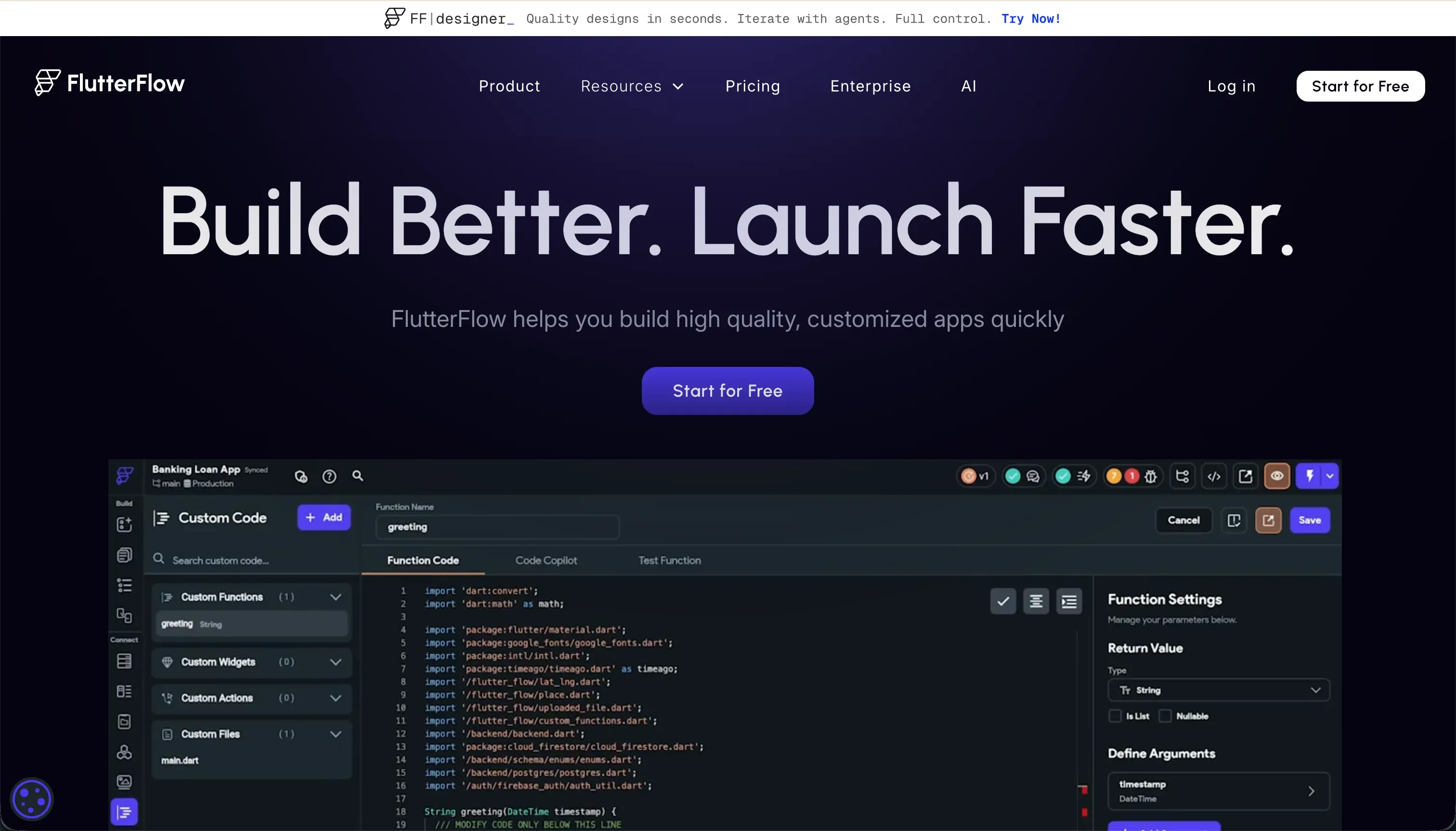
FlutterFlow is a visual builder for creating mobile and web apps on top of Flutter. Its big pitch is simple: design screens visually, connect a backend, and publish to real app stores without hand-coding every screen from scratch.
In practice, FlutterFlow behaves more like a visual IDE than a simple no-code tool. You work with Flutter widget trees such as Containers, Rows, Columns, and Stacks, wire up actions visually, use FlutterFlow AI Gen to generate screens or custom Dart functions, connect Firebase or Supabase, and on paid plans export full Dart code or push builds toward Google Play and Apple TestFlight/App Store. That is a serious feature set, but it also means backend rules, auth setup, and state handling do not disappear just because there is a canvas.
FlutterFlow is genuinely built for designers, freelancers, and developers who want cross-platform mobile apps without starting from a blank codebase. It tends to frustrate non-technical teams who expected a lighter builder, because the research repeatedly points to buried settings, debugging friction, browser lag on larger projects, and the need for implicit Flutter and backend knowledge once the app gets beyond a basic prototype.
| Spec | Details |
|---|---|
| Primary Stack | Flutter framework with Dart code, plus Firebase, Supabase, or REST APIs |
| Interface | Visual Flutter widget builder with action editor and AI generation |
| Primary Deployment Target | Native iOS and Android apps, plus web |
| Key Advantage | Native app compilation with full Dart code export |
What is Glide?
Glide is a low-code app builder that turns spreadsheets and simple databases into polished internal tools and mobile-friendly web apps. Its appeal is speed: connect structured data, let Glide scaffold the interface, and you can have something usable very quickly.
In practice, Glide works best when your app is mostly a clean layer on top of rows, relations, and basic workflows. It can generate layouts from Google Sheets, Airtable, Excel, or Glide Tables, supports relations, lookups, rollups, and AI-powered columns, and ships a library of pre-configured components that adapt automatically across screen sizes. The tradeoff is that those layouts are rigid, design customization is constrained, and once you need deeper backend logic or more branded frontends, users report hitting a hard ceiling.
Glide is genuinely built for operations managers, SMB founders, and logistics or field teams who want data-centric tools fast. It frustrates buyers who need client-facing portals at scale, pixel-level branding, or a clear migration path, because pricing rises with shared users and data rows, custom styling is gated, and there is no code export if the app outgrows the platform.
| Spec | Details |
|---|---|
| Primary Stack | Glide Tables or connected spreadsheets such as Google Sheets, Airtable, and Excel |
| Interface | Spreadsheet-connected visual builder with pre-configured layouts |
| Primary Deployment Target | Responsive web apps and PWA-style mobile experiences |
| Key Advantage | Very fast scaffolding for data-driven internal tools |
The Core Difference
The biggest gap between these tools is where they hide complexity. FlutterFlow exposes more of the real app-building stack so you can ship native apps and export code, while Glide hides more complexity behind templates and structured data at the cost of flexibility.
- FlutterFlow runs like a visual app IDE for people willing to manage widgets, backend setup, and deployment in exchange for native output and code export.
- Glide runs like a polished spreadsheet-to-app layer for teams that value speed and simplicity more than code ownership, deep customization, or app-store distribution.

Head-to-Head Comparison
We evaluated both platforms across four core categories.
1. Developer Experience & Iteration Speed
FlutterFlow is faster than coding Flutter from scratch, but that does not make it lightweight. Its visual action config, AI generation, and drag-and-drop widget builder can accelerate the first version, especially if you already understand app structure and backend concepts.
The downside is that iteration can get messy once the project grows. User feedback in the research calls out a steep learning curve, hidden menus, debugging without useful error messages, and browser lag once a project goes beyond about 12 screens. So yes, it can be fast, but only for builders who are comfortable working like semi-developers.
Glide is the clear speed machine for getting something functional in front of users. If your data is already in Google Sheets, Airtable, Excel, or Glide Tables, it can scaffold a usable interface shockingly fast, and its components are already tuned for mobile-responsive layouts.
That speed comes from constraint. You are not really iterating on a blank canvas, you are selecting within Glide’s opinionated system. Users consistently praise how slick and easy it feels at first, then complain that bringing apps public, stretching the layout system, or adding deeper logic becomes painful once the simple happy path ends.
Edge: Glide, because for pure first-version speed and low-friction iteration on structured data, it is simply easier to get moving.
2. Code Quality & Portability
FlutterFlow has a real answer to the lock-in question: code export. On paid plans you can download production-ready Flutter and Dart source code, and the Pro plan also adds Git integration, which matters if you expect the app to outgrow the platform or need developers to take over later.
That said, exportability does not eliminate all friction. Some users still describe the code and project structure as feeling tied to FlutterFlow’s way of doing things, and progressing beyond basic use can require more setup knowledge than the marketing suggests. But compared with most visual builders, FlutterFlow gives you an actual exit door.
Glide is weak on portability. There is no code export path in the research, and that absence shows up directly in user complaints from Reddit, where people describe the platform as having no landing gear once an app needs to scale or migrate.
The practical result is simple: your app can be fast to build, but the long-term ownership story is poor. If your business logic, UI, and user workflows become important, you are committing to Glide’s roadmap, pricing, and technical ceiling rather than building an asset you can gradually reclaim.
Edge: FlutterFlow, because full Dart code export is a meaningful ownership advantage and Glide has no comparable exit path.
3. Database & Backend Capabilities
FlutterFlow is more flexible on backend architecture. It supports Firebase and Supabase natively, plus REST APIs, which gives technical teams a real backend foundation rather than just a structured data layer. For apps that need auth, custom APIs, and more serious data models, that matters.
But flexibility here also means setup overhead. The research is clear that Firebase or Supabase require manual configuration of rules, authentication services, and API structure. FlutterFlow does not save you from backend thinking, it mostly gives you a faster UI layer on top of it.
Glide is easier to understand for simple operational apps because its backend model is tightly tied to structured data. Glide Tables support relations, lookups, rollups, formulas, and AI columns, which is enough for inventory trackers, lightweight CRMs, and field apps.
The weakness is depth and policy control at scale. Users report being pushed into higher tiers for features like larger tables, and some explicitly say Glide feels limited once you need more logic or a deeper backend. It is good at structured operational data, but not at becoming a full backend platform.
Edge: FlutterFlow, because it can sit on top of real backend systems like Firebase and Supabase instead of topping out at a lighter spreadsheet-style data model.
4. Hosting & Deployment Options
Deployment is where FlutterFlow earns its keep. Native compilation is the differentiator: it can generate APKs, support codeless deployment to app stores on Pro, and target Apple TestFlight and Google Play in a way most no-code builders simply cannot.
Its weakness is on the web side. Because Flutter web can be heavy, the research flags initial load latency and resource weight as genuine downsides, especially for web experiences where fast browser performance matters. So FlutterFlow wins native deployment, but not necessarily universal deployment elegance.
Glide keeps deployment extremely simple because everything is basically a web app or PWA-style experience. You publish fast, users access it via link, and the platform handles responsive behavior across devices without asking you to think about app-store approval or native build pipelines.
That simplicity has a hard limit: no native app-store route. Even Glide-friendly commentary acknowledges that the PWA approach is fine when you control distribution internally, but weak if discoverability, native installs, or store presence matter. For consumer apps especially, this is a real limitation.
Edge: FlutterFlow, because native iOS and Android deployment beats Glide’s web-only distribution when mobile is mission-critical.
5. Learning Curve & Onboarding
FlutterFlow has a steeper onboarding path than its visual UI suggests. Multiple review quotes call out a steep learning curve, too many buried switches and menus, and confusing debugging, which lines up with the fact that you still need to understand Flutter layout logic, state, and backend setup.
That complexity is not accidental. FlutterFlow is trying to expose enough real app architecture to let you build serious mobile products, so beginners often feel like they were sold a no-code experience and received a visual development environment instead.
Glide is much easier to learn. If you can think in rows, relations, and forms, you can usually get productive quickly, and its polished templates reduce the number of choices a beginner has to make.
The catch is that easy onboarding can mask future frustration. Users who start happily often run into confusing pricing, gated features, support limitations on lower tiers, and the realization that the same opinionated structure that made Glide easy also makes it harder to bend once requirements change.
Edge: Glide, because it asks for far less technical context up front and is more forgiving for non-developers.
6. Pricing, Scaling, and Cost Predictability
FlutterFlow’s base pricing is relatively straightforward. The Free plan is $0, Standard is $22 annually billed or $30 monthly, Pro is $50 annually billed or $70 monthly, and Teams starts at $50 per seat annually or $70 per seat monthly.
The good news is that the pricing is not heavily tied to shared-user counts in the way Glide is. The bad news is that teams still need to budget for real backend infrastructure, developer time, and the cost of complexity. FlutterFlow can look cheap in plan terms while being more expensive in implementation effort.
Glide’s pricing is where much of the user frustration lives. Maker starts at $49 annually billed or $60 monthly, Team at $99 or $125, and Business at $249 or $310, with shared-user and data-row limits that become painful for public or external-facing apps.
The complaints are not subtle. Users describe the pricing as confusing, outrageous, and hostile to scale, especially when external users pile up or features move to higher tiers. Even if the builder feels easier than FlutterFlow, the total cost curve can become worse once the app is successful.
Edge: FlutterFlow, because Glide’s shared-user and row-based pricing creates more scaling anxiety for successful apps.

Pricing Comparison
FlutterFlow:
- Free - $0
- Standard - $22/mo billed annually, or $30/mo billed monthly
- Pro - $50/mo billed annually, or $70/mo billed monthly
- Teams - $50/seat/mo billed annually, or $70/seat/mo billed monthly
Glide:
- Free - $0
- Maker - $49/mo billed annually, or $60/mo billed monthly
- Team - $99/mo billed annually, or $125/mo billed monthly
- Business - $249/mo billed annually, or $310/mo billed monthly
- Enterprise - Custom
Use Case Fit: When to use which?
When to choose FlutterFlow
- Choose FlutterFlow when you need native iOS and Android apps with real app-store deployment, not just a mobile-friendly web app.
- Choose FlutterFlow when code export, Git integration, or the ability to hand the project to developers later matters.
- Choose FlutterFlow when your team can handle Firebase, Supabase, REST APIs, and the steeper learning curve that comes with a more technical builder.
When to choose Glide
- Choose Glide when your app is fundamentally a data-centric internal tool built on spreadsheets or a simple native table structure.
- Choose Glide when speed and ease of onboarding matter more than code ownership, custom layout freedom, or native mobile binaries.
- Choose Glide when your user count is modest and you want a polished operational app without touching backend setup.
When neither FlutterFlow nor Glide is the right fit
For internal tools and client portals
This is the hole in both products. FlutterFlow can technically build internal software, but it forces business teams into developer-shaped problems like backend rules, state handling, and mobile-oriented UI logic. Glide is much easier, but its rigid layouts, seat-driven pricing, and limited flexibility make it a shaky long-term choice for serious client portals or multi-role business systems.
If your real use case is an operational app, not a mobile product demo, Softr is the more pragmatic fit. Softr Databases come first as the native backend, with relational structure, permissions, and workflows already integrated, and it also connects to 17 external sources when needed. More importantly, it is built for business apps from day one: granular user groups, row-level restrictions, external user access, AI-assisted creation, and visual editing without generated-code maintenance loops.
For professional developer environments
Neither FlutterFlow nor Glide is great if you want a full engineering workflow with local tooling, terminal access, serious debugging, and fewer proprietary abstractions. FlutterFlow gets closer than Glide because of code export, but it is still a proprietary visual layer. Glide is even further away, because there is no code export path and the platform is intentionally constrained.
If you want AI scaffolding inside a more professional coding environment, look at Cursor or Replit. They are better fits when the goal is to own the stack, inspect everything directly, work with real repositories, and avoid the sort of platform ceilings that show up when a visual builder succeeds beyond its intended use case.
For simpler native mobile builders
If you want app-store distribution but find FlutterFlow too technical and Glide too web-first, there is a middle category worth considering. FlutterFlow’s power comes with a steep learning curve, while Glide’s simplicity comes with the hard limit that it is not a native app builder at all.
That is where tools like Adalo can make more sense for lighter native mobile projects. You still will not get the same code ownership story as FlutterFlow, but you may get a friendlier path to mobile app creation than wrestling with Flutter concepts or settling for Glide’s PWA-style delivery.

Verdict
Pick FlutterFlow if mobile is the product and not just a viewing surface. It is the stronger choice for teams that need native deployment, want exportable Flutter code, and are comfortable accepting more setup and debugging overhead in exchange for more serious long-term ownership.
Pick Glide if the app is mainly an operational layer over structured data and you care more about getting a useful tool live this week than about code portability or perfect flexibility. It is the easier product to learn and the faster one to prototype with, but you are accepting template constraints, web-only delivery, and a pricing model that can get awkward as shared users and data volume grow.
The day-two problem is where both start to wobble for business software. FlutterFlow hands non-technical teams too much architectural responsibility, and Glide makes mature client portals or multi-role systems harder than they should be. If your real need is a CRM, vendor portal, partner dashboard, or internal ops system that real people will use every day, Softr tends to age better because the database, permissions, workflows, and hosting are already production-shaped instead of being left for you to improvise.

Summary Comparison Table
| Criterion | FlutterFlow | Glide |
|---|---|---|
| Best for | Cross-platform native mobile apps | Spreadsheet-driven internal tools |
| Build paradigm | Visual Flutter IDE | Spreadsheet-to-app builder |
| Output type | Native iOS, Android, and web | Responsive web app / PWA-style app |
| Database model | Firebase, Supabase, REST APIs | Glide Tables plus Sheets, Airtable, Excel |
| Code export | Yes, full Dart code on paid plans | No code export |
| Learning curve | Steep | Beginner-friendly |
| Pricing pressure | Plan-based, plus implementation effort | User and row limits can get expensive |