

Choosing between Bolt and Same.new is really a choice between two different categories of AI scaffolding. Bolt is a browser-based code generation environment that tries to act like a lightweight full-stack IDE, while Same.new is primarily a frontend cloning and UI prototyping tool. They overlap just enough to confuse buyers, but they are not aiming at the same end state.
The people actually comparing them are usually designers, solo founders, and technical builders who want to move fast without opening a local setup on day one. What is at stake is not just speed, but whether you end up with something you can keep editing once the first wow moment fades. Bolt can cost more and frustrate you with token burn, while Same.new can look cheaper up front but falls apart if you expect full product infrastructure. The wrong pick creates a nasty mix of prompt loops, fragile code, and migration work you did not budget for.
Meet the Contenders
What is Bolt?

Bolt is an AI-powered browser IDE built for people who want prompt-driven app generation without giving up direct access to code. Its pitch is straightforward: describe an app in plain English, let the model scaffold the stack, then keep working inside a live web-based development environment.
In practice, Bolt is more than a chat box. It runs WebContainers in the browser, lets you install npm packages, execute terminal commands, sync to GitHub, and export a standard React/Vite codebase. It also supports live preview, prompt enhancement, AI debugging suggestions, Bolt Cloud hosting, and one-click deployment paths like Netlify, which makes it feel closer to a stripped-down cloud IDE than a pure vibe-coding toy.
Bolt is genuinely built for developers, technical founders, and ambitious non-developers who are comfortable thinking in terms of packages, routing, auth, and deployment. The people who get most frustrated are those expecting production-ready software from prompts alone, because user reports repeatedly mention token burn during edit loops, project-too-large limits, and regressions where working code gets rewritten.
| Spec | Details |
|---|---|
| Primary Stack | React/Vite style code generation with Node.js logic and PostgreSQL scaffolding |
| Interface | Prompt-based builder plus browser IDE with terminal and live preview |
| Primary Deployment Target | Bolt Cloud hosting, .bolt.host domains, or Netlify deployment |
| Key Advantage | WebContainers and code export give you unusually high control for a browser AI builder |
What is Same.new?
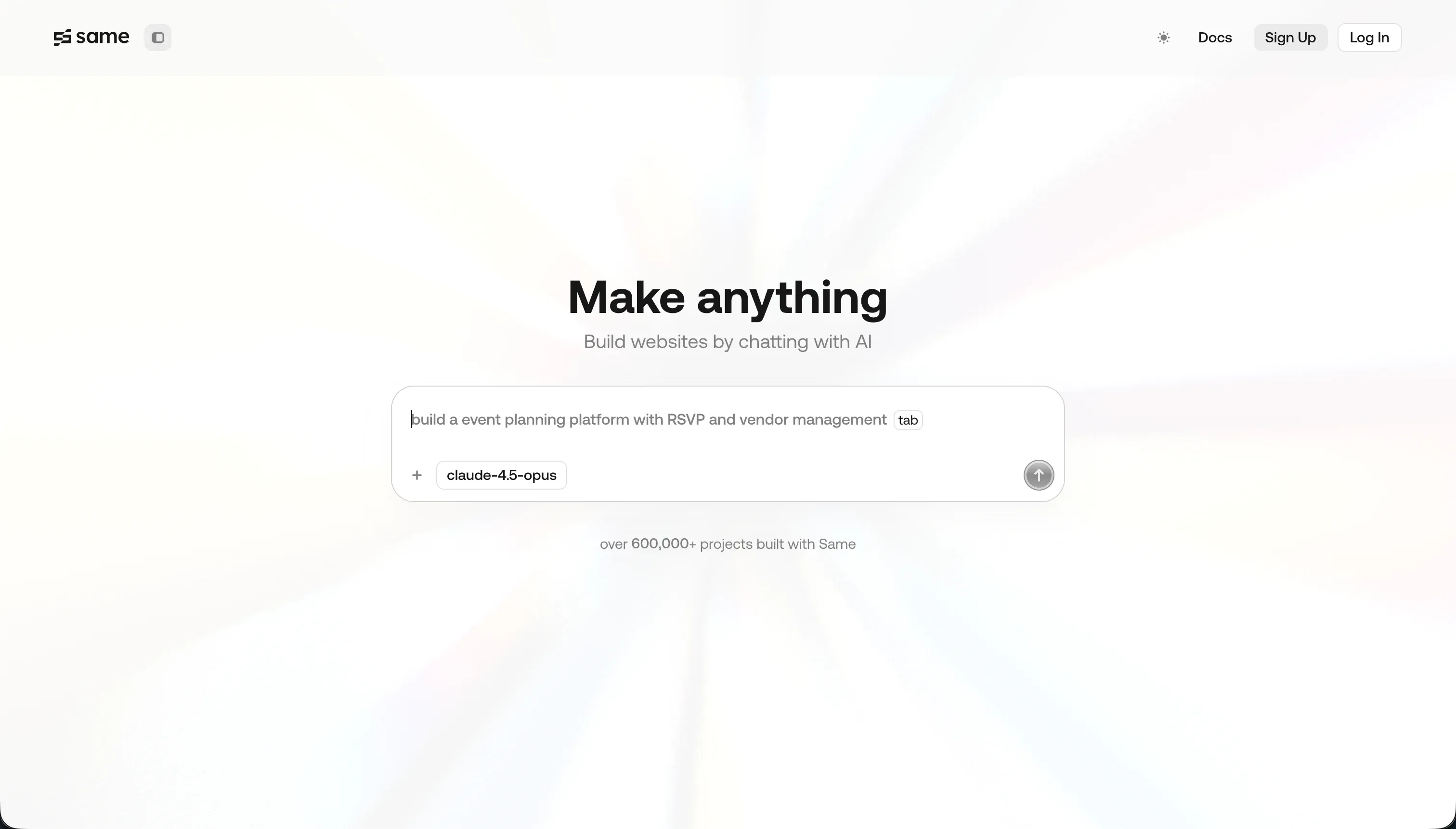
Same.new is a frontend prototyping tool focused on cloning the visual design of existing websites from a URL. Instead of trying to be a full app platform, it aims to recreate layout, colors, typography, and component structure as React code you can keep tweaking with prompts.
In practice, Same.new is best understood as an AI UI copier with a conversational editor layered on top. Its core features are URL-based UI replication, prompt-driven visual changes, project forking, and React plus Tailwind code export. That makes it useful for landing page experiments, design references, and quickly mocking a screen, but it does not offer native databases, authentication, permissions, or workflow automation.
Same.new is genuinely built for designers and frontend developers who care more about visual speed than application architecture. The people who get burned are those who mistake it for a full-stack builder, especially given reports of destructive edits, broken forks on larger files, and account instability around the Same.dev to Same.new transition.
| Spec | Details |
|---|---|
| Primary Stack | React and Tailwind CSS frontend code generation |
| Interface | URL cloning plus conversational prompt editing |
| Primary Deployment Target | Frontend code export to local development environments |
| Key Advantage | Fast visual replication of simple websites from an existing live URL |
The Core Difference
The biggest difference is simple: Bolt tries to help you build an application, while Same.new tries to help you reproduce an interface. One is closer to a browser IDE with AI scaffolding, the other is closer to an AI-powered frontend copier.
- Bolt runs like a prompt-driven cloud dev environment where code, terminal access, package installs, and deployment are part of the product.
- Same.new is primarily a visual cloning tool that turns existing website layouts into editable React frontends, with little answer for backend or production infrastructure.

Head-to-Head Comparison
We evaluated both platforms across four core categories.
1. Developer Experience & Iteration Speed
Bolt is very good at the first 30 minutes. You can prompt a full-stack scaffold, watch a live preview update, install dependencies in WebContainers, and use features like Enhance or AI debugging without touching a local machine. For a developer who wants an instant playground, that browser-native workflow is genuinely strong.
The problem is iteration reliability once a project grows. Multiple user reports mention diff-based edits that burn tokens without preserving changes, project-too-large limits, and WebContainer crashes or out-of-memory failures. So Bolt is fast when the app is still small, but its speed advantage erodes when you enter actual maintenance mode.
Same.new is even faster than Bolt for narrow visual tasks because the input can just be a URL. If your goal is to clone a marketing site, copy a layout style, or make quick alignment changes through chat, Same.new reduces the amount of prompting needed to get a visually familiar result.
That said, its iteration loop looks brittle once you move beyond cosmetic changes. Trustpilot complaints specifically describe simple reordering requests destroying 1,500+ lines of working code, and users have reported the fork feature failing on larger files. So the first clone can feel magical, but later edits carry more risk than the product initially suggests.
Edge: Bolt, because its iteration loop is messier than it should be, but it still gives you a real development environment instead of a fragile UI-only editing surface.
2. Code Quality & Portability
Bolt’s strongest structural advantage is that it outputs standard code and gives you multiple escape hatches. You can export the codebase, sync it to GitHub, and continue development outside the platform, which matters if you do not want your prototype trapped in a proprietary editor.
Portability does not automatically mean quality, though. Generated code often needs manual cleanup, and Bolt users regularly complain that existing working pieces get overhauled or rewritten during later prompts. So yes, the code is portable, but you may still spend real engineering time stabilizing it.
Same.new also offers code export, and for pure frontend experiments that matters. Getting React and Tailwind out of the product is useful if you are cloning a landing page or harvesting a starting point for a design system exploration.
The weakness is that Same.new is exporting a narrower artifact in the first place. There is no meaningful backend to migrate, and reports of destructive edits and buggy forking raise doubts about how much trust you should place in the generated source once a project becomes more than a static frontend mock. Portability is there, but durability is much shakier.
Edge: Bolt, because GitHub sync and fuller project export are more valuable than Same.new’s narrower frontend-only handoff.
3. Database & Backend Capabilities
Bolt at least tries to operate in full-stack territory. Its product messaging includes backend logic, PostgreSQL schema scaffolding, integrated user management, and authentication through Bolt Cloud, which puts it in a different league from pure UI tools. For makers who want AI to scaffold both frontend and backend, that breadth matters.
Still, Bolt is weak on backend control compared with mature application platforms. The research specifically notes no native database UI or direct admin control, which means you often end up relying on generated code or bolting on external tools like Supabase. In other words, backend exists, but managing it cleanly is still your job.
Same.new does not really belong in this category. It generates frontend code and helps you replicate interface design, but it does not provide native databases, user permissions, authentication systems, or workflow automation. If your app needs real data modeling, Same.new stops being enough very quickly.
That limitation is not a bug so much as a product boundary. Same.new works when your problem is visual, not operational. The trouble starts when buyers assume cloned UI equals a usable application stack, because then every database, auth, and logic decision gets deferred into custom engineering work.
Edge: Bolt, because partial backend scaffolding still beats no backend answer at all.
4. Hosting & Deployment Options
Bolt has a more complete deployment story. You can publish to .bolt.host, use Bolt Cloud hosting, connect custom domains on paid plans, and deploy directly to Netlify. That makes it possible to go from prompt to publicly accessible app without leaving the platform.
The tradeoff is operational trust. Users have complained about build failures, container crashes, and unclear token depletion during debugging, which means the deployment pipeline can feel less dependable than the feature list implies. Bolt gives you more ways to ship, but not always a calm path to shipping.
Same.new is much lighter here because it is fundamentally a frontend scaffold tool. Its deployment model is basically code export first, then you finish the job somewhere else. For a designer or frontend dev already comfortable with Vercel, Netlify, or local workflows, that is acceptable.
But for non-technical builders, this is a real gap. Same.new does not hide the deployment problem in the way fuller app builders do, and it certainly does not package a complete app stack with hosting, database, and auth. If you want a one-stop ship button, Same.new is not that product.
Edge: Bolt, because it actually includes first-party hosting and direct deployment options instead of handing the rest of the job back to you.
5. AI Quality & Reliability
Bolt’s AI is broader in scope, which is both its strength and its failure mode. It can scaffold whole apps, refactor code, and suggest fixes for runtime errors, so when it works, it can compress a lot of mechanical work into a few prompts. That is why so many builders keep trying to make it their default rapid prototyping tool.
But the user feedback is rough. Reported issues include unnecessary token consumption on broken outputs, full visual overhauls of already-working areas, and one-shot generations that are less agentic than the marketing implies. Bolt’s AI can do more than Same.new’s, but it also creates more expensive failure modes.
Same.new’s AI is narrower, which makes it easier to understand. Clone this page, move this block, change these colors, fork this version. For simple layouts, that scope limitation can actually improve the first-run experience because the tool is not pretending to reason about an entire product stack.
The downside is that reliability still looks weak even inside that narrow lane. Trustpilot reviewers describe section reorders destroying large chunks of code, and users have flagged failures with larger files and broken forks. Same.new asks the AI to do less than Bolt, yet still struggles to preserve work consistently.
Edge: Bolt, because its AI is more capable overall, even if both tools have documented reliability problems that make them hard to trust on day two.
6. Learning Curve & Onboarding
Bolt is easier to start than a local React stack because the browser handles the environment for you. A beginner can prompt a project, inspect files, and deploy something without first configuring Node, package managers, or local tooling. The free plan’s 1 million tokens also gives people room to experiment.
The catch is that Bolt still assumes developer thinking. To get real value from it, you need to understand dependencies, auth choices, backend structure, and why generated code is failing. So the onboarding is friendly, but the learning curve is disguised rather than removed.
Same.new is easier to understand conceptually because the product promise is so narrow. Paste a URL, get a clone, tweak it with prompts, export the code. For designers and frontend tinkerers, that is simpler than learning how a full-stack AI builder is stitching pieces together.
However, simplicity at the top of the funnel does not mean lower total learning cost if your project grows. The moment you need interactivity, backend state, or reliable versioning, Same.new stops teaching and starts ejecting work into manual engineering. Easy to start is not the same as easy to finish.
Edge: Same.new for initial onboarding, because its scope is narrower and easier to grasp for pure frontend experiments.

Pricing Comparison
Bolt:
- Free - $0 with 1M tokens per month, a 150K daily cap, basic hosting, and public-only projects.
- Pro - starts at $25/month with 10M monthly tokens, private projects, custom domains, and token rollover up to 2 months.
- Teams - starts at $30/member/month with 10M monthly tokens per member, centralized billing, team controls, and token rollover.
- Higher token tiers scale from 26M at $50/month up to 1.2B tokens at $2,000/month on Pro, with Teams also scaling to $2,000/member/month at the top tier.
Same.new:
- Free - $0 with limited tokens for basic UI testing and cloning.
- Pro - $10/month and includes 2 million tokens.
- Additional usage - historically priced at $10 per 2 million tokens, or $5 per million.
- Fixed tiers - Same.new has also introduced tiered plans based on token quotas for more predictable billing.
Use Case Fit: When to use which?
When to choose Bolt
- Choose Bolt when you want an in-browser dev environment with terminal access, package installs, and code export to GitHub.
- Choose Bolt when you are building a web app prototype that needs at least some backend scaffolding, auth, or deployment options out of the box.
- Choose Bolt when you can tolerate token economics and occasional regression risk in exchange for more control over the resulting codebase.
When to choose Same.new
- Choose Same.new when your main job is cloning or remixing a website’s visual design rather than building an entire product stack.
- Choose Same.new when you want a low-cost way to generate React and Tailwind frontend starting points from a live URL.
- Choose Same.new when you are comfortable handling deployment and backend work elsewhere after the UI prototype is exported.
When neither Bolt nor Same.new is the right fit
For internal tools and client portals
Neither Bolt nor Same.new is a great answer for operational business software. The minute you need role-based access, secure login flows, record-level visibility, workflows, or a maintainable admin layer, both products hand too much responsibility back to the builder. Bolt gives you code to manage, and Same.new gives you mostly frontend to finish.
This is where Softr is the more pragmatic pick. Softr starts with native Softr Databases, then lets you add auth, user groups, permissions, pages, and workflows without generating a fragile codebase you have to babysit. It also includes AI credits for fast building, but crucially AI is not the only path, so edits do not stop the moment prompt loops get expensive.
For native mobile apps
Neither of these tools is a serious answer if your goal is App Store or Google Play distribution. Bolt is primarily for web apps, and user feedback explicitly notes that its output is not the packaging you need for Apple Store submission. Same.new is even further away because it is focused on frontend web cloning, not native runtime behavior.
If native mobile is the requirement, start with FlutterFlow. It is built around mobile app workflows rather than browser-only React scaffolding, so you are not trying to force a web-first tool into an app-store-shaped problem. If you only need lightweight mobile-accessible web apps, Glide is also a more natural fit than either of these two.
For a fuller professional developer environment
Bolt gets partway there, but both tools still sit in the AI builder category first and the professional coding environment category second. If your real priority is sustained coding velocity, source control discipline, and working in a toolchain your engineering team will not outgrow in two weeks, both products feel like compromises.
That is where Cursor or Replit make more sense. Cursor gives you AI assistance inside a developer-first workflow rather than a browser prompt loop, and Replit offers a more complete cloud coding environment for teams that want to keep building after the prototype stage. They ask more of you technically, but they age better once the app stops being a demo.
Verdict
Pick Bolt if you are a technical builder who wants AI scaffolding but still needs a real codebase, terminal access, hosting options, and GitHub sync. The tradeoff is that you are accepting token economics, debug loops, and the very real possibility that later prompts will destabilize working code. Bolt wins this comparison because it can actually grow into a development workflow, even if that workflow is messier than the marketing suggests.
Pick Same.new if your real problem is visual replication, not application architecture. It is the cleaner fit for cloning a page, remixing a design, or generating a quick React and Tailwind frontend without paying for a fuller stack you do not need. The tradeoff is brutal scope limitation: once you need backend logic, robust state, or dependable iteration, you are effectively leaving the product’s comfort zone.
The bigger day-two truth is that neither tool is a great long-term answer for business apps run by non-developers. Exportable code is nice, but maintaining generated code is still work, and cloned frontend is not the same thing as operating software. For internal tools, client portals, CRMs, and multi-user workflows, Softr usually ages better because it gives you a stable app foundation with native Softr Databases, auth, permissions, workflows, and AI-assisted building without forcing every change through another prompt.

Summary Comparison Table
| Criterion | Bolt | Same.new |
|---|---|---|
| Best for | Fuller web app prototyping with code control | Frontend cloning and UI mockups |
| Build paradigm | Browser IDE plus AI code generation | URL-based UI cloning plus prompt edits |
| Output type | React/Vite-style project with backend scaffolding | React and Tailwind frontend code |
| Database answer | Partial - generated schemas but weak native DB control | None - frontend only |
| Pricing model | Subscription with monthly token tiers | Low-cost subscription plus token quotas |
| Maintenance burden | Medium to high once projects grow | High if prototype turns into a product |
| Code export | Yes, with GitHub sync | Yes, frontend export only |