

The choice between Emergent and Bubble represents the fundamental dividing line in modern application development: AI-first conversational code scaffolding versus robust visual visual programming. Emergent resides in the class of prompt-to-application generators that build full-stack code bases in response to natural chat instructions, whereas Bubble is a pioneer in visual programming, offering a pixel-perfect design canvas and custom execution engines that run without raw code. Finding the sweet spot between these paradigms requires looking past the initial builder magic.
Founders, operational product managers, and technical team leads are the primary builders deciding between these platforms, and they face high stakes regarding development speed, logic complexity, and hosting costs. Opting for a prompt-based canvas means risking technical debt and rapid credit exhaustion when handling subsequent edits, while choosing a traditional visual programming tool demands a steep learning curve and a complex understanding of cloud workload consumption. A clear balance of speed, hosting budget, and long-term maintenance dictates which path ultimately scales with a business project.
Meet the Contenders
What is Emergent?
Emergent is an AI-powered software creation platform designed to generate full-stack web applications, including custom frontends, backends, databases, and containerized hosting configurations, entirely from natural language prompts. It bypasses the need for manual design configuration, database schema building, or server-side API setups by coordinating automated multi-agent routines in the cloud.
In practice, builders operate Emergent through a conversational chat sidebar that controls specialized edit agents, compile engines, and task forking systems. The platform natively boots private previews, handles domain hosting variables, and offers GitHub integration to sync the underlying visual project code with private repositories so that developers can access, download, or edit files locally.
It is genuinely built for makers, early-stage non-technical founders, and software teams seeking rapid prototyping structures to spin up functional database systems in under five minutes. However, users are often frustrated by its unpredictable credit-billing model, occasional wakes latency, development container wake errors, and unfinished mobile application deployments.
| Spec | Details |
|---|---|
| Primary Stack | AI-generated React and SQL database stack compiled in containerized servers |
| Interface | Conversational prompt pane alongside visual post-generation code editing |
| Primary Deployment Target | Emergent container cloud hosting with automated preview links and GitHub sync |
| Key Advantage | Ultra-fast full-stack web scaffolding from single conversational descriptions |
What is Bubble?
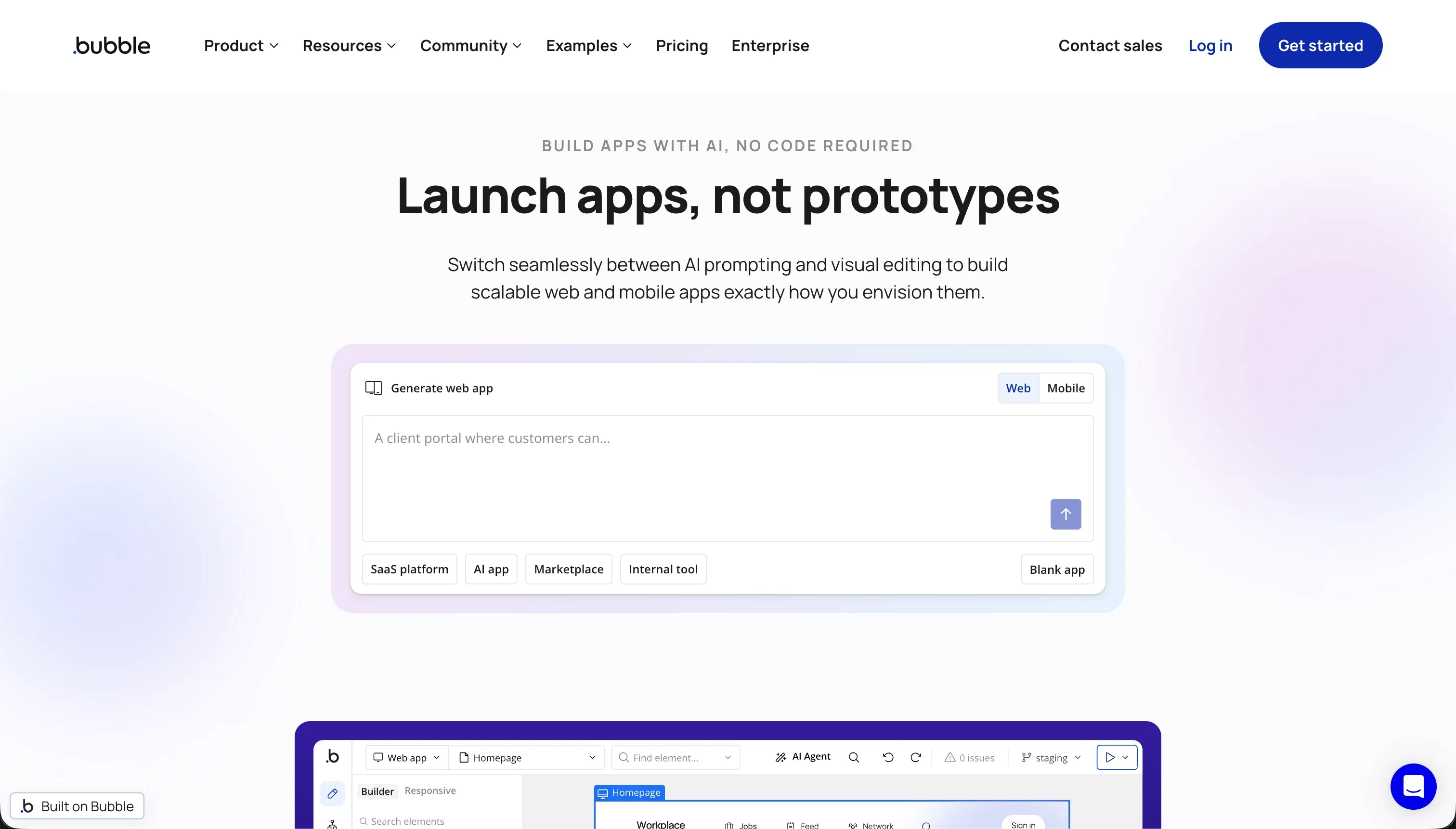
Bubble is a visual visual programming platform that enables anyone to build and deploy complex, responsive, full-stack applications with absolute visual freedom and no raw code. Operating as a mature walled garden, the tool coordinates server-side logic triggers, database management, external integrations, and hosted serverless infrastructure under a unified environment.
In practice, builders construct platforms using a pixel-level drag-and-drop editor, coordinate custom schedules or multi-step logic pathways via a visual workflow editor, and link systems with its official API Connector. Additionally, Bubble manages a dedicated relational database layer where builders can establish detailed privacy rules and access a marketplace featuring over 8,000 community plugins.
It is built for custom tech founders, operations teams, and visual developers who need to design custom visual logic or heavy relational apps with high scalability. However, users are often frustrated by Bubble’s steep learning curve, editor performance degradation causing lag in large repositories, and unpredictable Workload Unit cost spikes.
| Spec | Details |
|---|---|
| Primary Stack | Proprietary serverless cloud architecture with visual database controls |
| Interface | Pixel-perfect visual editor and server-side visual workflow designer |
| Primary Deployment Target | Bubble serverless hosting with native support for backend processing schedules |
| Key Advantage | Highly programmable workflows, detailed privacy rules, and a massive ecosystem |
The Core Difference
The primary dividing line relies on conversational prompt scaffolding of code packages versus manual, pixel-level visual programming directly on a serverless visual runtime.
- Emergent runs on Conversational AI Scaffolding, where specialized agents generate and maintain the application codebase based on chat prompts.
- Bubble utilizes a visual visual programming interface, giving builders manual, pixel-level control and logical triggers over their hosted application without any generated code files to maintain.

Head-to-Head Comparison
We evaluated both platforms across four core categories.
1. Developer Experience & Iteration Speed
Emergent is built for rapid initial drafting, allowing builders to spawn an entire working application with a database schema and UI within five minutes of prompting. The system works as an iterative chat loop: you request a change, the edit agent processes it, and the container automatically rebuilds so you can preview the modifications in real time. For spin-ups and visual testing of simple web layouts, it offers a remarkably fast path to verification.
However, this iteration model hits a severe wall once the codebase grows or complex edits are requested. Because the environment relies heavily on AI agents to compile changes, subsequent edits can inadvertently introduce regressions, causing bugs that require multiple follow-up chats to fix. This is known to trap builders in debugging loops that consume valuable monthly credits to resolve errors originally introduced by the platform’s own AI.
Bubble treats developer experience as a visual programming trade, requiring builders to arrange UI structures, connect database events, and debug logic pathways by hand. The pixel-level drag-and-drop editor provides maximum visual freedom, letting you control margins, responsive containers, and styling states without typing CSS. This visual precision ensures that once a button or page rule is set, it stays exactly where it was placed.
The tradeoff is a high daily editing overhead and system resource requirements. The Bubble visual editor is notorious for memory leaks and browser bog-down, often consuming several gigabytes of RAM in complex workspaces until the tab is manually refreshed. Furthermore, setting up even basic operations like custom data queries requires navigating multiple setting layers, making daily iteration feel heavy and sluggish compared to typing a simple prompt.
Edge: Bubble, because its manual developer editor guarantees logical stability, avoiding the unpredictable code degradation loops that plague conversational builders.
2. Database & Backend Capabilities
Emergent sets up a containerized SQL database behind the scenes during its conversational scaffold loop. The platform automatically handles basic routing, backend server structures, and hosting environment requirements without any manual server administration. Modifying tables, linking records, or establishing data pathways flows through conversational instructions passed directly to the system architect agent.
The weakness of this model is the absolute lack of visual oversight or fine-tuning. Because database configurations are abstracted into chat commands, verifying security compliance, establishing structured data types, or building multi-tenant data pipelines can feel like shooting in the dark. If the agent misinterprets your prompt, the backend structure can quickly mismatch the visual interface, presenting high risks for production data security.
Bubble hosts a true relation-mode database engine natively, complete with visual structure tools to create relational data types, link properties, and execute bulk CSV operations. It shines brightest globally due to its visual Privacy Rules layer, where builders establish row-level fields, role filters, and privacy conditions to control which user groups can browse, modify, or search sensitive datasets.
The major limitation is scaling performance and data locking. The database relies on standard relational structures that can experience lag during complex real-time search queries if search filters are not carefully optimized. Since your underlying architecture is tied directly to Bubble’s proprietary server stack, transferring millions of records out of the system can become a bottleneck when trying to scale outside of the environment.
Edge: Bubble, because its robust visual database manager and granular Privacy Rules make secure multi-user data architectures far more trustworthy.
3. Hosting & Deployment Options
Emergent offers built-in hosting container deployments, compiling and serving your application dynamically on its servers with unique preview URLs. The integration with GitHub makes it straightforward to push code changes and maintain local copy pipelines, creating a familiar path for developers who want a local backup or wish to sync git branches.
However, production reliability remains a documented point of concern for serious operations. User reviews frequently report platform-side waking errors, container latency, and blocked backend environments when servers struggle to spin up application containers. This instability makes running business-critical production tools on Emergent’s hosted containers highly risky.
Bubble completely eliminates standard deployment steps by hosting your database, front-end assets, and workflow schedules under its specialized serverless cloud infrastructure. The platform handles server patches, security compliance upgrades, and global CDN distribution automatically, meaning an application goes live instantly with custom subdomains or fully branded URLs.
The main pitfall of Bubble hosting is the severe price volatility from its Workload Unit (WU) model. Inefficient logic scripts, unoptimized search loops, or sudden user traffic spikes can drive massive WU consumption, leading to severe invoice increases or sudden platform account lockouts when credits expire. Additionally, your visual program cannot be exported or self-hosted, creating total platform lock-in.
Edge: Bubble, because its serverless cloud infrastructure has proven production-level uptime, despite the risk of workload unit cost swings.
4. Pricing & Billing Dynamics
Emergent relies on a standard credit-based pricing tier starting from a basic Free tier with 10 free credits up to Standard at $20 per month and Pro at $200 per month. These tiers grant credit buckets representing agent processing work, where editing tools, automated bug-fixing scripts, and computing models consume units from your monthly balance.
This credit consumption strategy can lead to severe financial drain, with multiple community logs of builders spending huge amounts on repeated prompts because edit agents kept reverting previous changes. Because you are billed for any agent processing time - even when fixing errors introduced by conversational bugs - costs can jump unexpectedly without progressing your feature list.
Bubble’s plans scale from a Free plan capped at 200 records to Starter at $69 per month, Growth at $249 per month, and Team at $649 per month. All plans are bound to Workload Units (WUs) which calculate hosting actions, background logic, database reads, API requests, and visual loading cycles.
While Bubble is more predictable for basic design work because visual updates do not cost money, the ongoing hosting charges can become punitive as user bases scale. Inefficient workflow structures or frequent API calls can spike WU consumption rapidly, forcing bootstrap startups to optimize database scripts and workflows with developer-like precision to prevent severe bill increases.
Edge: Bubble, because while host costs can scale quickly with usage, editing, updating, and polishing UI elements does not bleed valuable credits.
5. AI Quality & Reliability
Emergent is powered entirely by AI, orchestrating multiple Large Language Models under private task configurations, system prompt adjustments, and advanced thinking nodes. This unified approach makes conversational revising extremely convenient, since you can describe a desired UI component or database modification and have the agents scaffold it in minutes.
The major drawback is consistency and agent loop vulnerabilities. The conversational builder can get stuck in repeating debugging loops where agents continuously attempt to patch a failing system call, depleting credit pools with no accountability. This lack of logical control means AI-scaffolding apps frequently struggle to move from experimental mockups to production-ready reliability.
Bubble is primarily a visual developer platform rather than an AI generator, historically relying on manual styling and event logic creation. While the platform has started syncing AI assistant tools to help configure initial layouts or draft database fields, these are utility features rather than core building mandates.
Because AI is treated as a minor companion rather than the architect, you will not experience code hallucination, regression loops, or agent server blocks. However, builders must construct visual logic entirely from scratch, which requires a higher time investment and does not offer the immediate prompt-to-app speed of AI-first generators.
Edge: Bubble, because its non-AI visual foundation guarantees that your application logic code never suffers from context drift, hallucination, or destructive agent updates.

Pricing Comparison
Emergent:
- Free - $0/mo with 10 free monthly credits to build web and mobile experiences
- Standard - $20/mo (billed annually) with 100 credits/mo, private project hosting, and GitHub integration
- Pro - $200/mo (billed annually) with 750 credits/mo, 1M context window, and custom AI agents
- Enterprise - Custom pricing with custom seat limits, SSO/SAML, and dedicated support structures
Bubble:
- Free - $0/mo with 50k Workload Units (WU) and a 200 database record limit
- Starter - $69/mo (billed monthly) with 175k WUs/mo and basic custom domains
- Growth - $249/mo (billed monthly) with 250k WUs/mo and visual developer options
- Team - $649/mo (billed monthly) with 500k WUs/mo and priority backend execution priorities
Use Case Fit: When to use which?
When to choose Emergent
- Choose Emergent when you want to spawn a functional full-stack web or mobile skeleton in minutes through simple conversational prompts.
- Choose Emergent when you need private GitHub repository sync to allow technical developers to download and inspect backend code assets.
- Choose Emergent when building simple MVPs or rapid visual mockups where credit consumption limits and server waking lag are not major concerns.
When to choose Bubble
- Choose Bubble when you require maximum design control, pixel-perfect visual styling, and custom responsive layouts across desktop and mobile.
- Choose Bubble when your application relies on complex server-side database privacy controls, custom transaction structures, and over 8,000 plugins.
- Choose Bubble when you are building a production-ready web platform that demands reliable cloud hosting uptime and stable api connections.
When neither Emergent nor Bubble is the right fit
For internal tools and client portals
When building operational databases for internal teams or client-facing spaces (such as partner portals, inventory trackers, or CRMs), both Emergent’s unstable AI agent loops and Bubble’s steep visual learning curve present unnecessary development friction. This is where Softr offers the most pragmatic, zero-maintenance solution. Instead of generating fragile custom code or demanding complex variable logic, Softr connects natively to Softr Databases (or 17 external sources like Airtable and HubSpot) to construct secure, role-based business apps inside a professional visual interface.
By utilizing its hybrid building model, you can use a unified AI Co-Builder to generate workspaces, layouts, page visibility options, and database relations, then switch directly to direct manual edits without risking technical debt or breaking your app. Because every application ships natively with user management, permissions, and hosting built in, teams can bypass both credit-draining bug loops and workload unit billing volatility entirely.
For native mobile apps
If your primary goal is to deploy high-performance mobile apps directly to the Apple App Store or Google Play Store, neither of these platforms is the right choice. Emergent’s mobile workflows remain highly unfinished, while Bubble’s native mobile wrapper visual system is still a maturing feature that lacks true performance patterns. For mobile-first products, FlutterFlow or Adalo provide the ideal dedicated visual platform, outputting optimized native build assets suited for official app store distribution.

Verdict
Choose Emergent if you prioritize speed above all else and want to spin up a functional full-stack MVP skeleton in under five minutes using natural chat commands. By choosing this prompt-driven path, you accept the tradeoff of volatile agent credit consumption, container waking delays, and the constant risk of regression loops where automated edits fail or break existing code.
Choose Bubble if you are building complex visual logic structures, require deep integration options via API, and want complete visual control over your responsive layouts and server-side database permissions. Opting for this traditional visual programming ecosystem means accepting a steep learning curve and total vendor lock-in to its serverless hosting, along with potential Workload Unit bill increases as your platform scales.
If your actual goal is to build secure, reliable operational business software such as client dashboards or supplier portals, the choice between raw AI scaffolding and complex visual programming is a false coordinates map. For those workflows, Softr offers a far more sustainable path. Its hybrid visual model lets you generate relational structures instantly, maintains visual roles, and provides predictable app-user scaling, allowing your business software to grow cleanly without technical debt, credit-draining updates, or workload unit overhead.

Summary Comparison Table
| Criterion | Emergent | Bubble |
|---|---|---|
| Best for | Conversational MVPs | Custom full-stack web apps |
| Build Paradigm | Chat-driven code scaffolding | Direct visual programming |
| Database Model | AI-managed containerized SQL | Proprietary relational database with Privacy Rules |
| Code Export | Private repository sync to GitHub | No visual source code export (Walled garden) |
| Learning Curve | Low (Prompt and revise) | High (Deep logic mastery required) |
| Pricing Metric | Agent processing credits | Workload Units (WU) |