

Choosing between v0 and Softr is not a standard head-to-head comparison of similar tools; it represents a basic strategic decision between developer-centric frontend scaffolding and visual, database-driven business software. v0 serves as an AI assistant by Vercel that converts natural language into React and Tailwind CSS user experience layouts, whereas Softr is an AI-powered no-code platform designed to assemble fully functional, secure client portals, internal dashboards, and operational intranets without writing code.
This decision is typically faced by founders, engineering departments, and business operators who need to launch custom business software but want to avoid long engineering timelines. What is truly at stake is not just how fast you can generate your initial prototype, but who will maintain it on day two. Selecting v0 means managing a codebase, deploying databases manually, and handling host environments, while selecting Softr trading away raw frontend syntax customization for immediate, long-term operational reliability.
Meet the Contenders
What is v0?
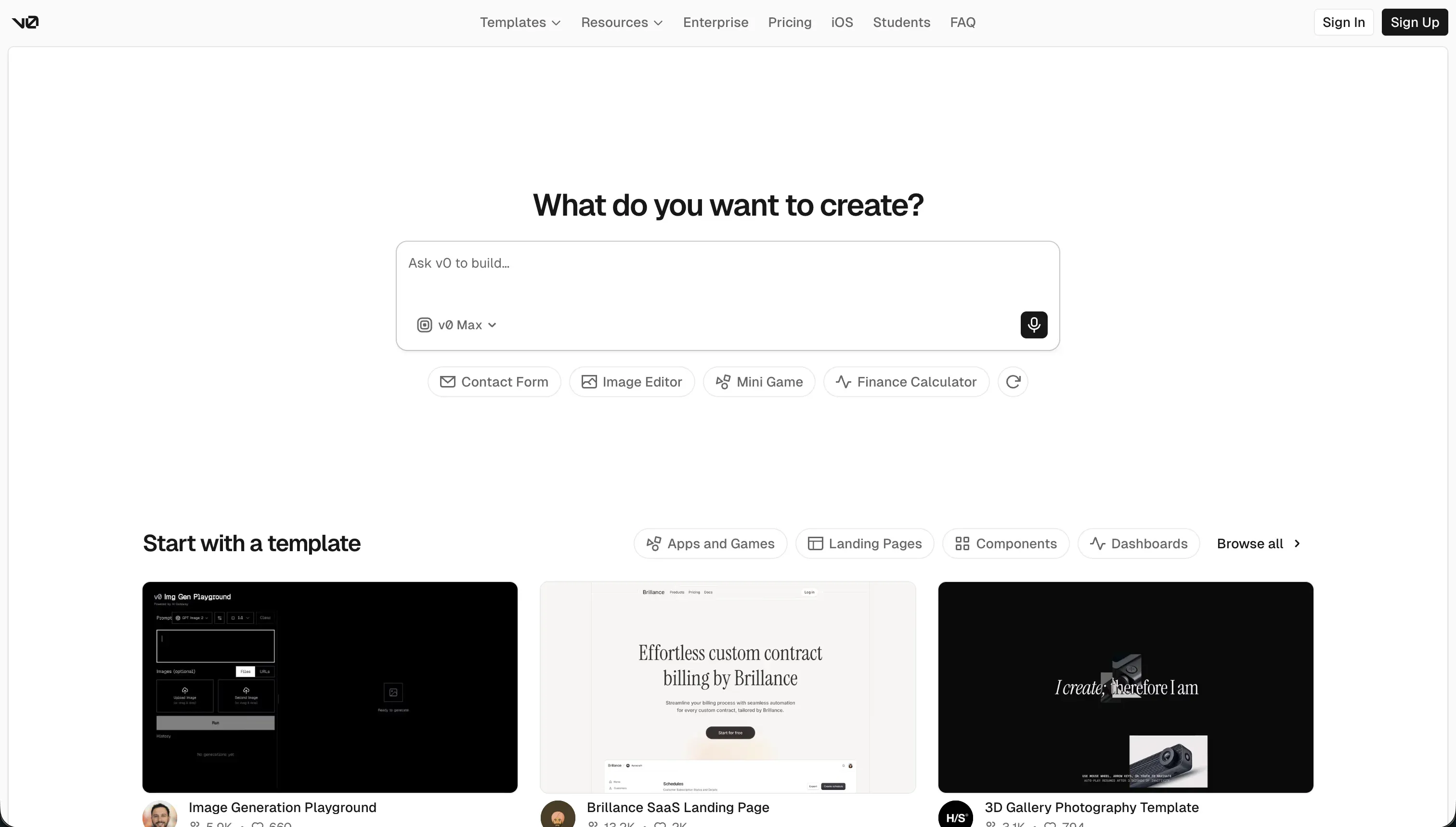
v0 is an AI-powered conversational user interface generator launched by Vercel. It is engineered to speed up early-stage frontend scaffolding by styling complete, highly polished layouts on top of modern developer-friendly libraries like Tailwind CSS and shadcn/ui. Rather than running a graphical visual layout system, v0 works through conversation, interpreting descriptions into code interfaces.
In daily operations, developers or technical founders feed the AI chat prompts, sketches, or screenshots through Design Mode. v0 outputs functional React code, which teams preview instantly via Vercel deployments and sync directly into code repositories using raw GitHub system access. The preview behaves like a standard web canvas, showing exact alignments, visual color themes, and responsive design states.
It is genuinely built for engineers, technical founders, and product designers seeking visual blueprints without coding each component by hand. However, non-technical users and general teams often experience friction when they realize it lacks built-in databases, user auth, or hosting workflows. Without developer integration, v0 remains an incredibly beautiful but empty visual shell.
| Spec | Details |
|---|---|
| Primary Stack | React, TypeScript, Tailwind CSS, and shadcn/ui components |
| Interface | Conversational prompt input with Design Mode coordinate uploads |
| Primary Deployment Target | Vercel global CDN with direct GitHub integration pipelines |
| Key Advantage | Produces clean, copyable production-ready JSX frontend elements |
What is Softr?
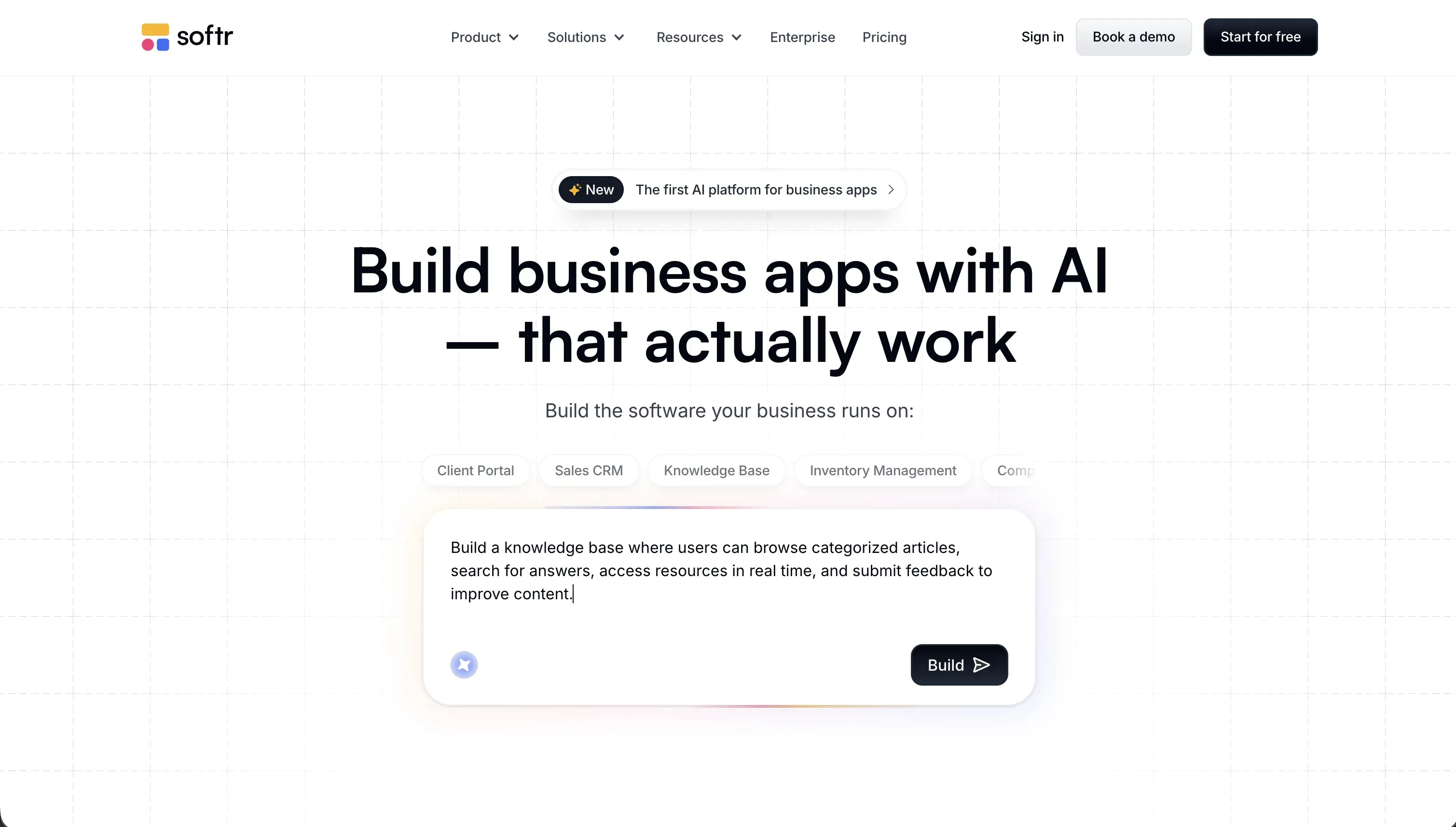
Softr is an AI-powered platform designed to create operational business software without code. Instead of producing isolated folders of code that require developer configuration, Softr’s AI Co-Builder instantly outputs a working full-stack ecosystem. The platform automatically generates the relational database structure, visual interface pages, and backend business logic in a secure, unified workspace.
In practice, Softr builders can choose to prompt the AI Co-Builder into assembling pages, tables, user roles, and action buttons, or they can build manually by placing pre-made layout blocks. Softr is centered first on Softr Databases for native, lightning-fast performance, while also supporting outward data synchronization to 17 external databases. For features that require custom coding logic, the platform provides a browser-level Vibe Coding block that lets builders embed React elements without breaking the core app structural security.
It is built specifically for business operators, operational directors, and product squads looking to replace complex spreadsheets or expensive SaaS applications with tailored client hubs, CRMs, and vendor portals. However, developers who want custom hosting setups, code repository freedom, or full local development control often find its managed no-code environment restrictive.
| Spec | Details |
|---|---|
| Primary Stack | Softr Databases, pre-built responsive blocks, and manual workflows |
| Interface | AI Co-Builder with manual drop visual controls and custom blocks |
| Primary Deployment Target | Structured web application or mobile-friendly PWA under custom domains |
| Key Advantage | Operational ready within minutes with secure pre-built authentication |
The Core Difference
The primary dividing line between these tools is whether you want to own and maintain generated frontend code, or deploy a functional no-code database application.
- v0 acts as a technical assistant to output responsive JSX components that developers must manually wire into real backends and database networks.
- Softr functions as an all-in-one no-code platform providing native relational databases, custom permissions, and pre-built hosting directly out of the box.
Head-to-Head Comparison
We evaluated both platforms across four core categories.
1. Developer Experience & Iteration Speed
v0 is lightning-fast at generating an initial UI container. By uploading a mock sketch or simply typing what you need, v0 outputs highly styled shadcn/ui layouts in seconds. The developer workflow is frictionless during the initial stages as you tweak styling parameters and preview them immediately under Vercel.
The developer experience starts to decay once you go past the first five or ten chat prompts on a single project. The AI assistant can experience context drift, introducing complex bugs, duplicate Tailwind classes, or broken React imports. Developers also encounter npm dependency errors and package version conflicts when trying to run v0 projects locally, turning simple updates into debugging sessions.
Softr offers a different execution cycle based on its hybrid visual method. You describe your operational requirements to the AI Co-Builder, and it instantly sets up the pages, menus, custom blocks, and data tables. From there, you do not have to continue writing conversational prompts to make updates; you simply click on any visual block to adjust field mappings, rename buttons, or change visibility options manually.
This workflow avoids prompt-loop burnout entirely. Because you have direct access to manual layout controls alongside the AI editor, you can make precise, risk-free modifications in seconds. The only downside is that you cannot freely redesign the layout grid from absolute scratch because Softr confines styling to layout columns and structured parameters to protect responsiveness.
Edge: Softr, because its visual manual editor removes prompt-loop fatigue and ensures you do not break working features during iteration.
2. Code Quality & Portability
v0 shines when code ownership is your ultimate measure of project success. Every visual element it renders translates to clean, inspectable React and TypeScript files using copyable inline Tailwind utility styling. There are no proprietary lock-ins or closed-network modules to consider.
By utilizing GitHub sync, technical teams can easily port generated components into their own locally managed development directories. However, v0 only handles the presentation layer. The exported assets are purely visual layout files, meaning the developer is still fully responsible for setting up API routes, database connections, and session infrastructure from scratch.
Softr is a managed cloud platform and does not offer source-code extraction. You cannot download the raw React files or host the compiled interface on independent web server infrastructures outside of Softr’s ecosystem. If your business model requires owning the intellectual property of the source code, this is a clear limitation.
However, Softr offers stellar data portability. Because the system utilizes Softr Databases first and connects directly with Airtable, Google Sheets, or REST APIs, your structural information is never locked. You can export your data, change data storage sources, or connect external systems to your Softr-managed portal with zero risk of leaving records behind.
Edge: v0, because its clean React and TypeScript generated code is completely portable for custom application developers.
3. Database & Backend Capabilities
v0 lacks any native database, relational tables, backend server functions, or functional storage pipelines. It generates only visual elements. When v0 outputs a form block or a dashboard table, it is just a mock rendering with fake dummy data.
To make a v0 interface functional, a developer must configure a custom database like Supabase or PostgreSQL, set up API routes, program validation rules, and manually manage CORS configurations. The entire weight of backend architecture, schema planning, and system administration rests squarely on your engineering team.
Softr provides a full relational database platform. It features Softr Databases as its primary native backend engine, allowing users to build records, relational links, and automated data calculations. It also exposes support for the Model Context Protocol (MCP) standard, allowing builders to hook up external AI tools like Cursor directly to the database schema for structural updates.
Additionally, Softr includes a robust permission engine out of the box. You do not have to write code to protect private rows or design dynamic user dashboards; you simply configure visual User Groups and granular access conditions so a manager and an external client see entirely different datasets within the same portal.
Edge: Softr, because it provides a complete built-in relational database and visual security controls v0 cannot match.
4. Hosting & Deployment Options
v0 deploy cycles are handled directly via Vercel’s globally distributed CDN architecture, ensuring rapid loading times and modern server optimizations. The integration allows teams to generate a UI and view the live hosted website with a single click, providing an excellent tool path for design reviews.
But because v0 projects are raw Next.js or React applications under the hood, hosting management can get complicated fast. Changing framework versions, upgrading libraries, or dealing with Tailwind version updates can throw build errors on Vercel, forcing the developer to research configuration and build-log bugs manually.
Softr treats hosting and infrastructure as an automatic utility. Every application built on the platform hosts on reliable, enterprise-grade cloud architecture with automated scaling, custom domains, and SSL certificates included natively. Builders simply hit Publish to make changes live instataneously.
Softr handles security and hosting compliance at an enterprise level. The platform carries SOC 2 Type II compliance standards and hosts all user-facing databases inside secure European servers based in Germany, ensuring compliance with global data protection laws without any infrastructure setup.
Edge: Softr, because its managed cloud hosting provides out-of-the-box SOC 2 compliance and zero infrastructure overhead.
5. AI Quality & Reliability
v0’s prompt generation capabilities are excellent at interpreting complex visual requests into modern Tailwind designs. You can feed it an uploaded JPG of a website layout and it will generate a highly accurate, clean React representation. The model utilizes a token usage credit structure that balances between its Mini, Pro, and Max model rates.
However, the pay-for-mistakes model can make the iteration cycle frustrating. If the AI hallucinates a non-existent React package or writes broken Tailwind logic, you still burn through your monthly credit balance while trying to get v0 to correct its own errors. The reliance on prompting for minor refinements creates a stressful billing dynamic over long development cycles.
Softr embeds its AI Co-Builder as a helper rather than a strict bottleneck. While you can use the AI to draft pages, database rows, or even clean React components via the Vibe Coding block, the AI is completely optional. If you run out of monthly credit allowances, your ability to build is never blocked.
You can simply switch to direct visual editing to configure fields, permissions, or navigation blocks manually. This hybrid design model prevents the AI’s hallucinations from derailing your productivity, as a human builder can easily step in to correct styling or relational parameters directly inside the editor’s visual panel.
Edge: Softr, because its hybrid visual editor prevents AI credit drain from blocking critical application milestones.

Pricing Comparison
v0:
- Free: $0/mo with $5 in included monthly credits, visual layout editing, and an active usage cap of 7 messages/day.
- Team: $30/user/mo with $30 of included monthly credits per team member, shared design chats, and centralized billing infrastructure.
- Business: $100/user/mo with $30 of monthly credits, training opt-out protection policies by default, and shared workspaces.
- Enterprise: Custom pricing including SAML SSO, advanced RBAC, dedicated project queues, and custom SLAs.
Softr:
- Free: $0/mo for 10 app users, 5,000 native database records, 500 workflow actions, and 5 AI credits.
- Basic: $49/mo (billed annually) or $59/mo (billed monthly) for 20 app users, 50,000 records, 2,500 workflow actions, and 10 AI credits.
- Professional: $139/mo (billed annually) or $167/mo (billed monthly) for 100 app users, 500,000 database records, 10,000 workflow actions, and 50 AI credits.
- Business: $269/mo (billed annually) or $323/mo (billed monthly) for 500 app users, 1,000,000 database records, 25,000 workflows, and 100 AI credits.
- Custom: Custom pricing with scalable records, SSO enterprise access, advanced data compliance, and dedicated client success accounts.
Use Case Fit: When to use which?
When to choose v0
- Choose v0 when you are an experienced web developer who wants to save time writing CSS styling frameworks and visual component designs.
- Choose v0 when you require complete React or TypeScript code ownership to integrate into customized local codebases and Git repos.
- Choose v0 when you are creating simple frontend prototypes and have backend database frameworks already operational.
When to choose Softr
- Choose Softr when you are building operational business software like client portals, internal dashboards, and customer directories.
- Choose Softr when you need enterprise data security, GDPR compliance, and granular row-level user permissions without coding backend access rules.
- Choose Softr when you want a team workspace that non-technical operators can easily maintan and update without developer pipelines.
When neither v0 nor Softr is the right fit
For native mobile app store distribution
If your project requires launching true native binaries onto the Apple App Store or Google Play Store to access on-device hardware sensors, neither v0 nor Softr are the correct fit. v0 generates pure web-first frontend components, while Softr outputs responsive browser applications and installable Progressive Web Apps (PWAs).
For native mobile applications, you should evaluate FlutterFlow or Adalo. FlutterFlow is highly specialized in outputting clean Dart code for cross-platform compiled binaries, and Adalo enables simple no-code configurations designed directly for mobile store deployment.
For professional developer environments and IDE assistance
If you are a professional software engineer looking for deep code integration, server terminal controls, and system file manipulation, v0’s isolated preview wrapper will quickly feel claustrophobic, while Softr’s managed environment is too abstracted for custom software development.
In these instances, using Cursor or Replit will provide a much more suitable framework. Cursor serves as an exceptionally powerful AI-first IDE that pairs with your local workspace codebase, and Replit delivers a full cloud-based development container with live server environments and database terminals ready for programming actions.

Verdict
v0 and Softr occupy completely different sectors of the design space. Choosing v0 means you are entering a commitment to own the code. You get clean frontend designs that look gorgeous, but you accept the full responsibility of setting up a PostgreSQL server, programming user authentication from scratch, managing token consumption models, and paying developers to maintain and update the codebase whenever Vercel libraries shift.
Choosing Softr means choosing software utility over visual design isolation. You trade away the capability to download raw React files, but you gain an entirely operational, secure, and hosted application within hours. Because the underlying relational database, backend user configurations, and layout workflows speak to each other natively, non-technical teams can safely adjust and expand the system over time without risk of breaking production processes.
This division is the essence of the ‘Day Two’ software challenge. For business teams trying to build operational engines like partner portals, client directories, or intranets, building with pure code generators creates technical debt that requires permanent engineering attention. For these scenarios, Softr delivers a vastly cleaner architecture that remains stable and maintainable long after the initial AI code generation phase is finished.

Summary Comparison Table
| Criterion | v0 | Softr |
|---|---|---|
| Best for | Visual frontend React components | Secure portals, business apps, and internal tools |
| Database model | None (mock data only) | Softr Databases (native) plus 17 integrations |
| User Access Controls | None (must be custom programmed) | Visual User Groups and Row-Level Security built-in |
| Pricing basis | AI model token and message credits | Platform feature tiers and active portal users |
| Code export | Full React/Tailwind frontend code export | No code export, complete data portability |
| Maintenance burden | High (developer needed for every update) | Very low (visual no-code modification model) |