

Vibecode and Emergent both promise the same thing: describe your app in plain English and let AI build it. They take that promise in different directions. Vibecode is mobile-first, generating native iOS and Android apps with a built-in backend and a direct path to the app stores. Emergent is web-first, scaffolding full-stack applications with database routing, backend logic, and hosting from a single prompt.
The people choosing between them are usually solo founders, indie hackers, and small product teams who want a working build fast and do not want to hire engineers for a prototype. What matters is not just how good the first generation looks, but what the second, fifth, and fiftieth change cost you in time, credits, and broken features. Pick wrong, and you either ship a fragile app you cannot safely maintain or watch a credit balance evaporate fixing bugs the AI introduced.
Meet the Contenders
What is Vibecode?
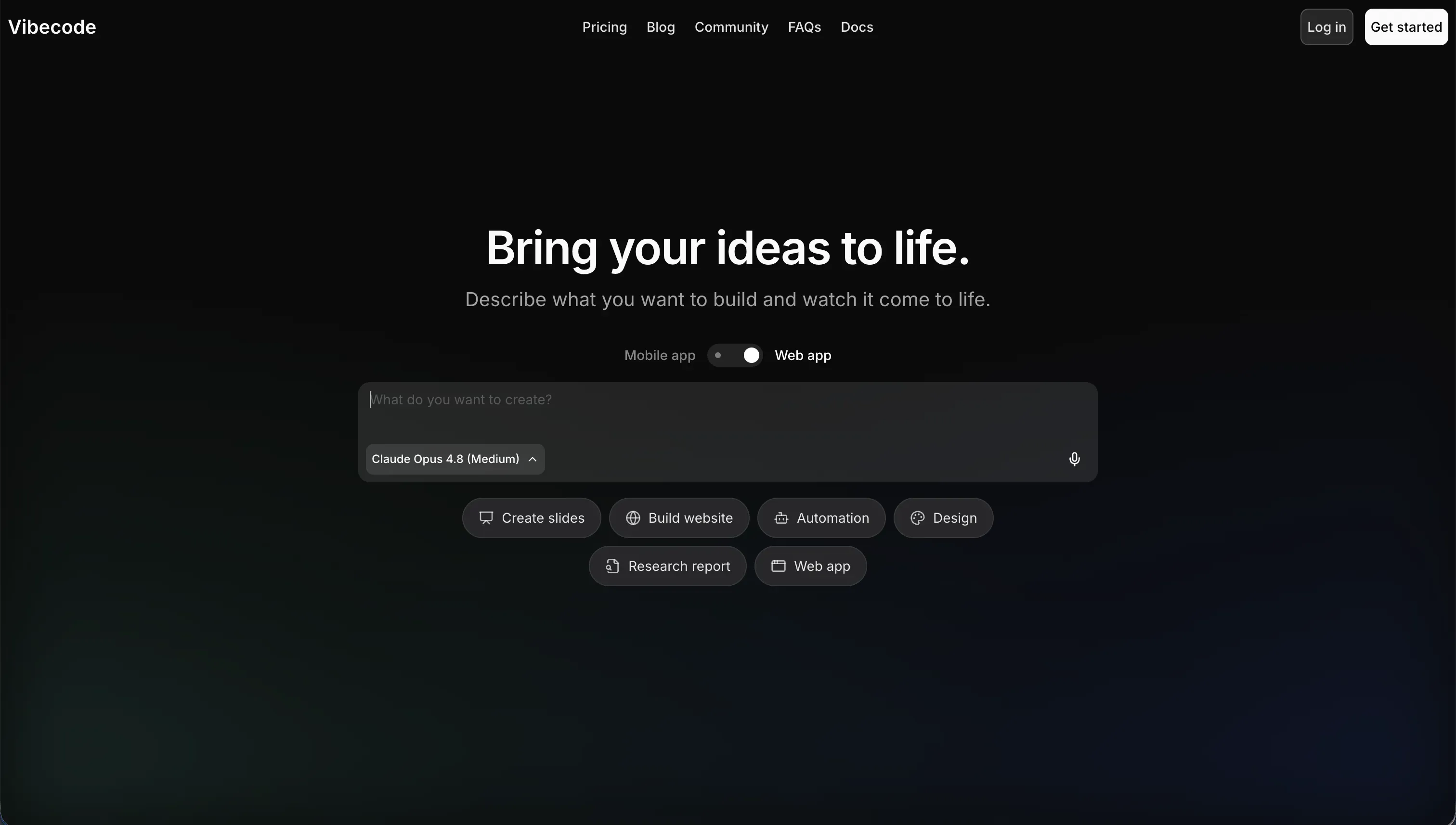
VibeCode is an AI-powered, mobile-first app builder that turns natural language descriptions into native iOS and Android apps. You act as the director, describing features in plain English, and the AI generates the underlying software, including a backend database, user authentication, and cloud storage through VibeCode Cloud. Unlike web-first tools, it is specifically tailored for building and testing native mobile apps and publishing them directly to the app stores.
In practice, Vibecode is at its best for native mobile MVPs, utilities, simple games, and quick prototypes you can preview on your own phone in an afternoon. It has two features that genuinely set it apart: a transparent credit model where payments map directly to raw AI usage with no markup, and code export plus SSH access to editors like Cursor on its Pro and Max tiers, which gives developers a real escape hatch. The tradeoff is that as apps grow in logic complexity, the AI can lose context, overwrite working code, and produce bugs that non-technical builders struggle to debug without exporting the code.
Vibecode is built for creators who want native mobile output without learning Swift, Kotlin, or React Native. It gets harder to recommend once an app needs complex data pipelines, custom native integrations, or production-grade security, because vibe coding alone can introduce gaps that fail store review.
| Spec | Details |
|---|---|
| Primary Stack | AI-generated native mobile code with built-in VibeCode Cloud backend |
| Interface | Prompt-based mobile builder with instant on-device preview |
| Primary Deployment Target | Native iOS and Android apps published to the App Store and Google Play |
| Key Advantage | True native mobile output plus no-markup credits and code export on Pro |
What is Emergent?
Emergent is an AI-powered platform that generates full-stack web and mobile applications from natural language prompts. From a single prompt it scaffolds a backend schema, database routing, UI components, and hosting, then lets you revise the app conversationally through chat. It relies on autonomous edit agents: once an app exists, you describe changes and the agents attempt to implement them across the backend and frontend, with built-in cloud deployment and public preview links.
In practice, Emergent shines at the very first generation. It can produce a working full-stack skeleton, including database tables and styled UI, in under 10 minutes, which makes it a fast sandbox for validating an idea. It supports task forking for branching app states, GitHub integration on paid tiers, and a $200/month Pro plan with a 1M context window, Ultra Thinking, and system-prompt editing. The serious problem is what happens after that first build. The edit agent triggers on even minor changes, scans the codebase, and consumes credits heavily, and users widely report it getting stuck in debugging loops that revert completed work.
Emergent is aimed at builders and non-technical founders who want a rapid full-stack prototype and developers who can maintain the code afterward. It becomes a poor fit for anyone trying to run a stable production system, because container wake errors, preview-versus-production discrepancies, and unpredictable credit drain pile up as the codebase grows.
| Spec | Details |
|---|---|
| Primary Stack | AI-generated full-stack web code with backend routing and hosting |
| Interface | Conversational prompt builder driven by autonomous edit agents |
| Primary Deployment Target | Hosted web apps with public preview links and built-in cloud deployment |
| Key Advantage | Very fast prompt-to-full-stack scaffolding in under 10 minutes |
The Core Difference
The biggest difference is the target platform, and right behind it, how stable each tool stays once you start changing things.
- Vibecode is a mobile-first builder that generates native iOS and Android apps with a transparent, no-markup credit model and a real code-export path on higher tiers.
- Emergent is a web-first full-stack generator that scaffolds fast but relies on edit agents whose billing and regression loops make ongoing maintenance expensive and unpredictable.

Head-to-Head Comparison
We evaluated both platforms across six core categories.
1. Developer Experience & Iteration Speed
Vibecode’s first-run experience is built around mobile. You describe an app, watch the AI generate native interfaces and a backend, and preview it instantly in a mobile browser or on your own device. For native mobile MVPs, utilities, and simple games, that loop is genuinely fast, and non-technical creators report going from an idea to a running mock in a single afternoon.
Where Vibecode slows down is at scale. As the app grows, the AI’s grasp of the overall codebase can degrade, which sometimes leads it to overwrite existing code blocks or generate bugs. The honest escape hatch is that Pro and Max users can export the code or connect via SSH to Cursor to take over manually, so iteration does not have to stay trapped in the prompt loop forever, but only if you are on a paid tier.
Emergent’s initial generation is impressive. It scaffolds a full-stack web app, including database routing and styled UI, in under 10 minutes, and conversational revisions let you change workflows and copy through chat without writing code. For a first prototype, it feels quick and capable.
The trouble is iteration itself. Emergent’s edit agent boots on even a two-line change, scans the whole codebase, and consumes credits, and users repeatedly report it reverting completed work or getting stuck in debugging loops. So the first build is fast, but every change after that gets slower and more expensive, which is the opposite of what you want from an iteration engine.
Edge: Vibecode, because both start fast, but Vibecode’s code-export path beats Emergent’s regression-prone edit-agent loop for sustained iteration.
2. Code Quality & Portability
Vibecode generates custom mobile application code and gives you a clear way to take it with you. On the Pro plan at $50/month and Max at $200/month, you can download the full source code or connect via SSH to an external editor. That matters because if the AI introduces opaque logic errors or invalid API calls, a developer can pull the code into Cursor or VS Code and fix it directly rather than re-prompting blindly.
The catch is the gate. On Free and Plus, there is no code export and no SSH, so base-tier users are entirely dependent on the in-browser prompting interface. And like any vibe-coded output, the generated code still needs a manual security audit and testing before it goes to production, because relying purely on prompts risks structural issues and unoptimized assets.
Emergent also generates custom full-stack code and supports exporting it to GitHub on the Standard and Pro plans, which is a lower price point for export than Vibecode. On paper, that is a point in its favor for ownership.
In practice, the code you would be exporting is the same code users describe as fragile at scale, with edit agents that revert work and a documented gap between preview and production. Migrating the relational database and backend integrations off Emergent’s infrastructure also needs developer configuration, so the export is not a clean handoff. You can get the code out, but you may not want to maintain what comes with it.
Edge: Vibecode, narrowly, because both export code, but Vibecode’s SSH-to-Cursor path produces a more maintainable handoff than Emergent’s regression-heavy output.
3. Database & Backend Capabilities
Vibecode provisions a backend database, authentication, and cloud storage automatically when it generates an app, and supports built-in API integrations to services like GPT, Gemini, weather, and maps using your plan’s credits. For a focused mobile app, that bundled backend is enough to ship something real without configuring infrastructure yourself.
The ceiling arrives with complexity. As mobile apps take on custom data pipelines or complex authentication patterns, the AI can struggle, sometimes hallucinating code or breaking logic. For large apps, it may lose context of the overall structure and produce code that is hard to manage, which makes deep database work fragile unless you export and take over manually.
Emergent leans harder into the full-stack backend story. From one prompt it generates a backend schema, database routing, and server deployment, and on Pro the 1M context window and Ultra Thinking are meant to handle multi-step database structures and security rules. The ambition is broader than Vibecode’s mobile backend.
The reliability does not match the ambition. Community reports describe a scale breakdown once the codebase grows past a few thousand lines, container wake errors that block backend access for days, and production behavior that diverges from preview. A backend that is fast to generate but unstable to operate is risky for anything holding real data.
Edge: Vibecode, because its bundled mobile backend is more dependable in its lane than Emergent’s ambitious but unstable full-stack generation.
4. Hosting & Deployment Options
Vibecode’s deployment story is its strongest argument. It builds native iOS and Android apps and, on paid tiers, publishes them directly to the Apple App Store and Google Play. For a creator who actually needs an app in the stores, that is a concrete, end-to-end path rather than a web wrapper. The honest caveat is that store review can reject apps with security gaps or crashes, so a manual audit before submission is not optional.
Plan limits shape how many things you can ship at once: Plus allows 1 active deployment, Pro allows 3, and Max allows 5. That is fine for focused builders but worth knowing if you plan to run several apps in parallel.
Emergent handles hosting automatically, configuring cloud environments and giving you public preview links the moment an app is generated. For sharing a prototype quickly, that convenience is real, and GitHub integration on paid tiers lets you move the code into your own pipeline.
The weak point is the gap between preview and production. Users report that fixing bugs after deployment was harder because production did not equal preview, and that container wake errors blocked backend access. So deployment is easy to start, but the deployed result is not consistently trustworthy, and mobile deployment specifically remains less mature than the web path.
Edge: Vibecode, because direct native app-store publishing is a clearer, more complete deployment path than Emergent’s preview-to-production gap.
5. AI Quality & Reliability
Vibecode’s AI is the entire build engine, and its standout trait is pricing honesty rather than raw novelty. Credits map directly to raw model costs from providers like Anthropic and OpenAI with no markup, so you are paying for actual AI usage rather than a marked-up proprietary currency. For mobile generation, the model is capable enough to produce working apps that preview instantly.
Reliability drops as scope grows. The AI can lose context in larger codebases and overwrite working code, and without manual review, vibe-coded apps risk security gaps and edge-case crashes. The mitigation is the export path, which lets a developer step in, but that is a workaround for the AI’s limits rather than a fix for them.
Emergent’s AI is more aggressive and, by user accounts, less reliable in daily use. Its edit agents are autonomous and will attempt sweeping changes across the stack, and on Pro you get Ultra Thinking and custom agents. The capability is there for ambitious generation.
The reliability record is the problem. Analysis cited from wavespeed.ai notes the agent can get stuck in infinite debugging loops consuming credits to fix errors it introduced, and users describe the same bugs being fixed five or more times while quality dropped. An AI that undoes its own completed work and bills you for the repeat is the clearest reliability failure in this comparison.
Edge: Vibecode, because its no-markup credits and bounded mobile generation are more trustworthy than Emergent’s credit-draining edit-agent loops.
6. Pricing Transparency & Credit Model
Vibecode’s credit model is the cleanest in this comparison. One dollar of credits equals one dollar of raw AI usage with no markup, and the tiers are legible: Free with $2.50 in credits, Plus at $20/month with $20 included, Pro at $50/month with $55 included, and Max at $200/month with $220 included. You can predict spend because it tracks real model usage, and annual plans add the usual discount.
The honest limitation is that the most useful capabilities, code export and SSH, sit behind the $50/month Pro tier, so the transparent pricing still has a paywall around the features developers care about most. But within a tier, you are not guessing at what credits buy.
Emergent’s pricing is where its reputation suffers most. It is credit-based with Free at 10 monthly credits, Standard at $20/month for 100, and Pro at $200/month for 750, and monthly credits do not roll over. Top-up packs ($10 for 50 credits) never expire, which is a small plus, but the core issue is consumption.
The edit agent charges credits for changes you did not expect to be expensive, including fixing bugs the platform itself introduced, and users report predatory auto-renewal on packages they thought were one-time. One builder documented spending close to $10,000 AUD. When the billing model rewards the tool for its own instability, that is a structural problem, not a one-off complaint.
Edge: Vibecode, decisively, because no-markup credits that track real usage beat a model that bills you to fix its own bugs.

Pricing Comparison
Vibecode (credit model where $1 in credits equals $1 in raw AI usage, no markup; annual discounts available):
- Free - $0/mo, $2.50 included credits, access to premium AI models, prompt-based building, no app-store deployments
- Plus - $20/mo, $20 included credits, 1 active deployment, custom domains
- Pro - $50/mo, $55 included credits, 3 active deployments, full code export and SSH access, 24/7 priority support
- Max - $200/mo, $220 included credits, 5 active deployments, full code export and SSH access, 24/7 priority support
Emergent (credit-based; monthly subscription credits do not roll over; top-ups at $10 for 50 credits never expire):
- Free - $0, 10 free monthly credits, build web and mobile experiences, core platform features
- Standard - $20/mo billed annually, 100 credits/mo, private project hosting, GitHub integration, task forking, purchasable extra credits
- Pro - $200/mo billed annually, 750 credits/mo, 1M context window, Ultra Thinking, system-prompt editing, custom AI agents
- Enterprise - Custom pricing, custom seat limits, SSO/SAML, advanced privacy, single-tenant, custom SLAs
Use Case Fit: When to use which?
When to choose Vibecode
- Choose Vibecode when you need a native iOS or Android app published directly to the Apple App Store or Google Play, not just a mobile-friendly web page.
- Choose Vibecode when budget predictability matters and you want credits that map one-to-one to raw AI usage without a proprietary markup.
- Choose Vibecode when you may want a developer to take over later, since Pro and Max allow full code export and SSH access to Cursor or VS Code.
When to choose Emergent
- Choose Emergent when you only need a fast full-stack web prototype to validate an idea and you will not iterate heavily afterward.
- Choose Emergent when you want conversational revisions and task forking to branch and test different app states quickly.
- Choose Emergent when you have the budget to absorb edit-agent credit consumption and a developer who can maintain the GitHub-exported code.
When neither Vibecode nor Emergent is the right fit
For internal tools and client portals
Neither tool is the right pick if you are building operational business software like an internal tool, a CRM, a vendor portal, or a client portal. Both generate custom code, which means the authentication, permissions, and database logic your business depends on are AI-written and unproven until you test them, and every change risks re-prompting and credit spend.
For that job, look at Softr or Replit. Softr builds business apps where authentication, user groups, and row-level permissions are built in rather than generated, so an admin and a client see entirely different parts of the same app without you auditing any code. Its AI Co-Builder generates the database, pages, navigation, and roles from a prompt, but you can switch to direct visual editing whenever you want precision, so running low on AI credits never blocks maintenance. Replit is the better fit if you want code-level control with a browser-based environment that includes real deployment and runtime tooling.
For professional developer environments
If your team wants source control, terminal access, Git workflows, and the ability to own the stack end to end with AI assistance, neither Vibecode nor Emergent gives you a full developer environment. They are prompt-driven generators first, with export bolted on, rather than environments built for serious engineering.
In that case, look at Cursor or Replit. Cursor is the stronger choice for developers already living in an IDE who want AI pair-programming on a real codebase they fully control. Replit makes more sense if you want a browser-based coding environment with deployment, hosting, and runtime tooling built in alongside AI generation.
For complex web apps with deeper logic
Both tools trade durability for speed, so an app with deeply custom interactions, unusual flows, or heavy logic orchestration will eventually feel the limits, Emergent through edit-agent instability and Vibecode through context loss in larger codebases.
That is where Bubble makes more sense. Bubble remains the heavyweight visual builder for complex web app logic, giving you fine control over data and workflows without the regression loops of an autonomous edit agent. It asks for more upfront learning, but it ages better for ambitious web applications than either prompt-only generator.

Verdict
Pick Vibecode if your project is genuinely a native mobile app and you value transparent pricing and a real exit path. It is the more honest of the two on cost, since credits map directly to raw AI usage, and the Pro tier’s code export plus SSH to Cursor gives developers somewhere to go when the AI hits its context limits. The tradeoffs are that export is paywalled at $50/month and that anything beyond a focused mobile app still needs a manual security review before it can survive store approval.
Be far more cautious with Emergent. Its first generation is fast, and for a throwaway full-stack prototype that you will not iterate on, it can work. But the edit-agent model charges you for minor changes and for fixing bugs it introduced, regularly reverts completed work, and shows a real gap between preview and production. The documented cases of builders spending thousands of dollars fighting their own tool make it hard to recommend for anything you intend to maintain.
The day-two reality decides this for most people. The first version of an app is rarely the expensive part; the expensive part is every change after launch, especially once real users depend on it. Between these two, Vibecode ages better because its costs are predictable and its export gives you an escape, while Emergent’s billing punishes exactly the iteration that real software requires. And if the app is actually operational business software rather than a consumer mobile app or a prototype, a managed platform like Softr or a developer environment like Replit will serve you better than either.
Summary Comparison Table
| Criterion | Vibecode | Emergent |
|---|---|---|
| Best for | Native mobile MVPs and app-store apps | Fast full-stack web prototypes |
| Build paradigm | Prompt-to-native-mobile generator | Prompt-to-full-stack web generator |
| Output type | Native iOS and Android apps | Hosted full-stack web apps |
| Database | Built-in VibeCode Cloud backend | AI-generated backend schema and routing |
| Pricing metric | No-markup credits ($1 = $1 raw AI usage) | Credit pool, no rollover, top-ups never expire |
| Maintenance burden | Rises with complexity; context loss at scale | High; edit agent reverts work and burns credits |
| Code export | Yes, on Pro and Max (download or SSH) | Yes, to GitHub on Standard and Pro |