

VibeCode and Cursor both put AI at the center of building software, but they target opposite people. VibeCode is an AI-powered, mobile-first app builder that turns plain-English prompts into native iOS and Android apps, complete with a generated backend. Cursor is an AI-first code editor for software engineers, built on a fork of VS Code, that makes writing and refactoring real code dramatically faster.
The person choosing between these two is usually trying to answer one question: do I want to write code or not? VibeCode says you should never have to, and hands the whole codebase to the AI. Cursor assumes you live in code already and just want an AI that keeps up with you. Pick the wrong one and you either end up staring at source files you cannot read, or fighting a prompt loop that will not give you the control you actually need.
Meet the Contenders
What is VibeCode?
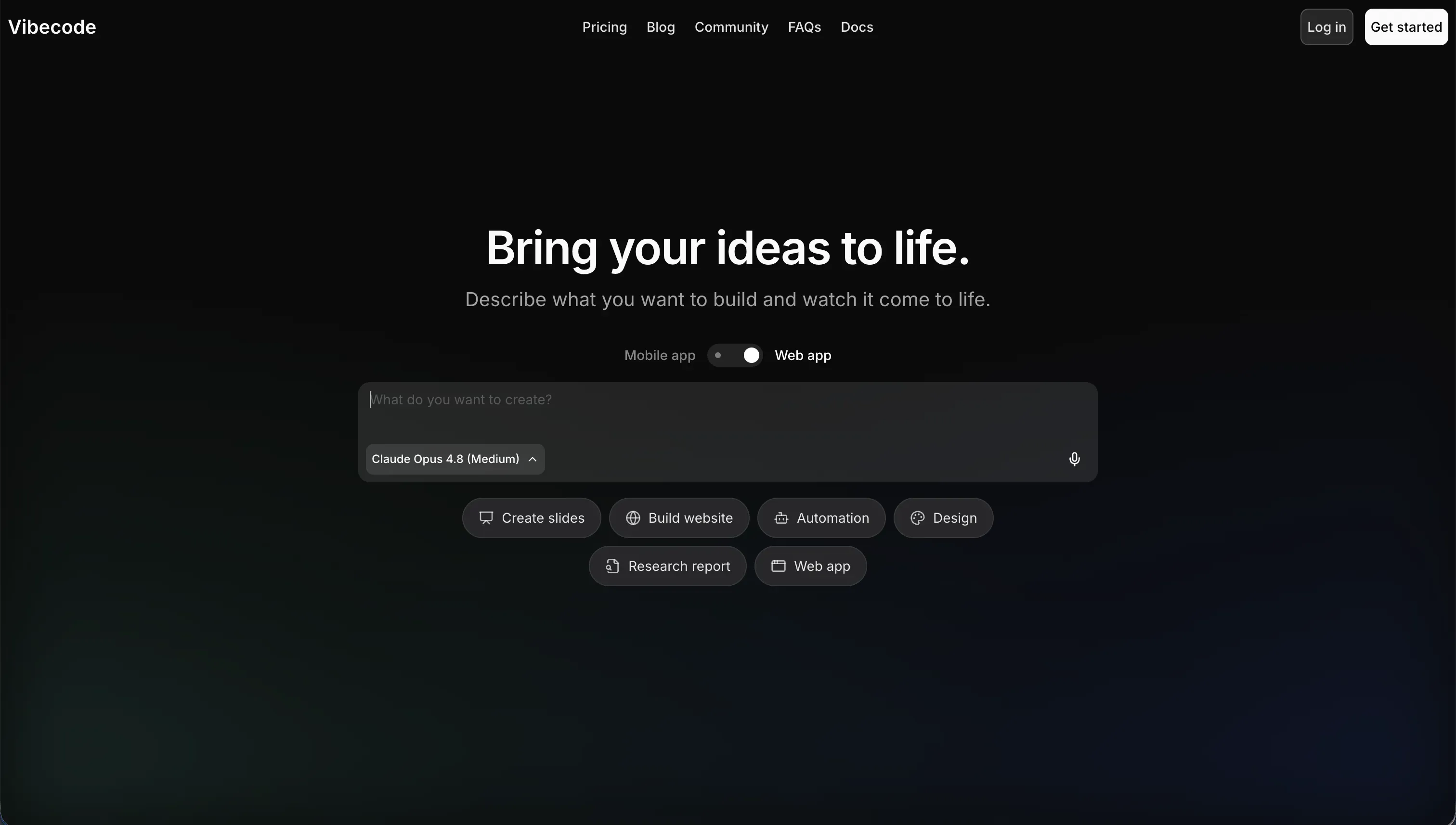
VibeCode is an AI-powered, mobile-first platform that builds, tests, and publishes native mobile applications from natural-language descriptions. You act as a director, describing features in plain English while the AI generates the underlying app. It is specifically tailored for mobile rather than web, and it ships native iOS and Android output with a built-in backend database, user authentication, and API integrations.
In practice, VibeCode shines for quick mobile MVPs: fitness trackers, task lists, daily logs, simple games, and utility apps you can preview instantly on your phone. Paid tiers let you publish straight to the Apple App Store and Google Play, and the credit model passes raw AI costs through with no markup. The catch is that the AI manages the entire codebase from prompts, so as logic grows the model can lose context, overwrite working code, or introduce bugs that are hard to debug without exporting the project.
VibeCode is genuinely built for non-technical mobile creators and developers who want fast native prototypes. It gets riskier the moment the app becomes complex, because vibe coding an entire production app can introduce security gaps, edge-case crashes, or inefficiencies that fail store review. The developer escape hatch, code export and SSH access to editors like Cursor, only opens on the $50 Pro tier and above.
| Spec | Details |
|---|---|
| Primary Stack | AI-generated native mobile app with built-in backend, auth, and cloud storage |
| Interface | Prompt-based builder with instant mobile preview |
| Primary Deployment Target | Native iOS and Android apps published to the App Store and Google Play |
| Key Advantage | Prompt a native mobile app into existence with no coding required |
What is Cursor?
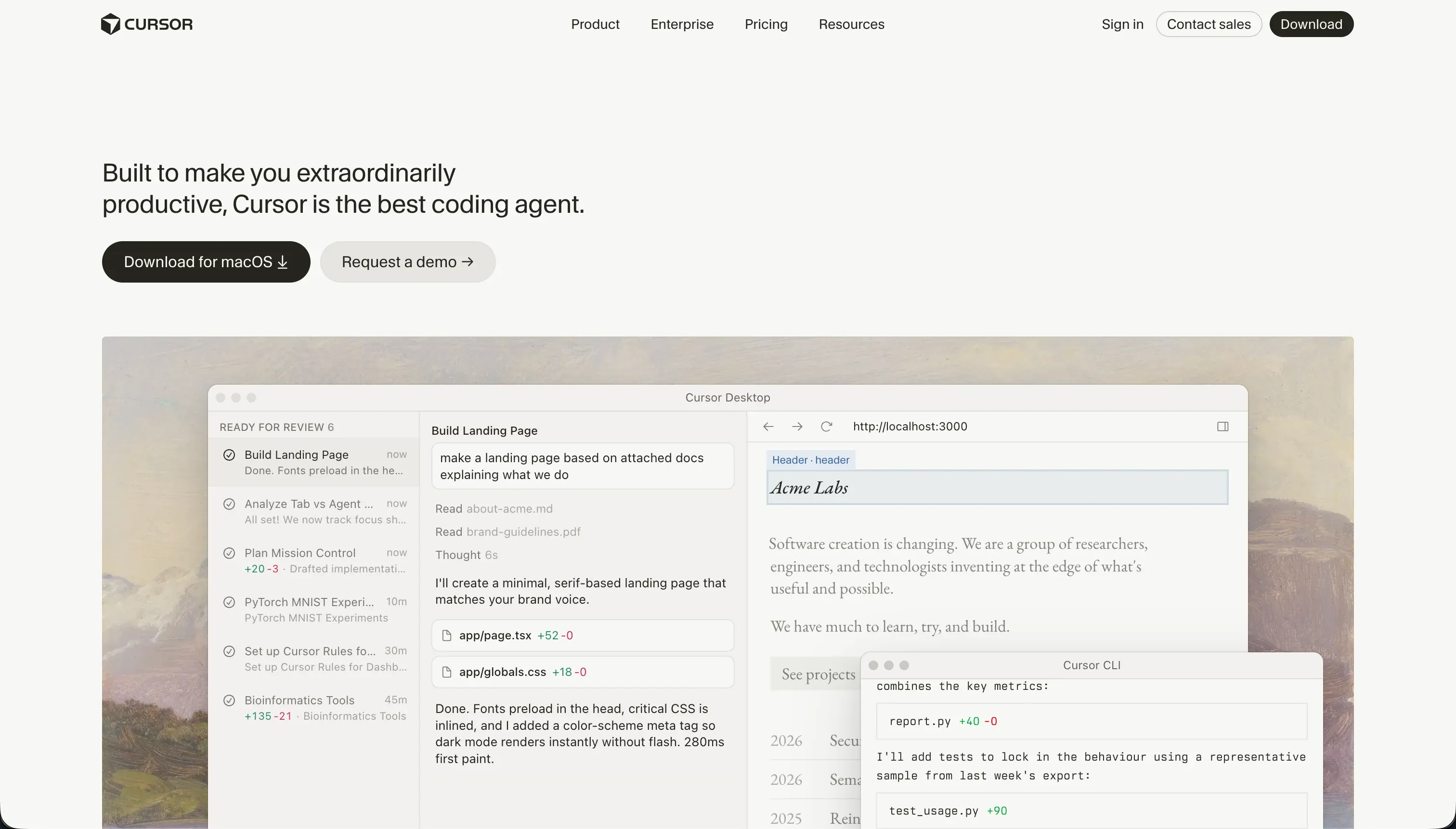
Cursor is an AI-first integrated development environment built for software engineers. Forked from VS Code, it embeds language models directly into the editor so you can generate, refactor, and search code inside your active workspace instead of copy-pasting to and from a chat window. It indexes your entire repository, letting the AI reference files, symbols, and types across the project using @ mentions.
In practice, Cursor is the gold standard for developer efficiency. Smart autocomplete predicts your edits in real time, semantic search finds code by natural-language query, and Composer agent mode can plan and write multi-file diffs, configure routes, and install npm packages on its own. Because it imports standard VS Code settings, themes, and extensions, developers transition without changing their setup. What it does not give you is any turnkey infrastructure: there are no managed databases, no hosting, and no prebuilt auth, so you build and deploy all of that yourself.
Cursor is built for people who already write code and want to write it twice as fast while keeping full control of their stack. It is unusable for non-developers, since there are no visual panels or drag-and-drop components, just raw source files. Even experienced users report Composer getting stuck in regression loops on dependency conflicts, and heavy repository indexing that runs the CPU hot on large projects.
| Spec | Details |
|---|---|
| Primary Stack | Local source files in your own Git repo, any language or framework |
| Interface | VS Code fork with inline AI, semantic search, and Composer agent mode |
| Primary Deployment Target | Whatever you build and host yourself; no managed runtime |
| Key Advantage | AI pair-programming with full codebase context and total code ownership |
The Core Difference
The biggest difference is not which one has better AI. It is who the tool expects you to be and how much of the code it expects you to touch.
- VibeCode assumes you do not want to code, so the AI owns the entire mobile codebase and you direct it with prompts. Speed and accessibility come first, at the cost of control and long-term maintainability.
- Cursor assumes you already code, so the AI accelerates work on files you fully own and understand. Control and ownership come first, at the cost of needing real engineering skill.

Head-to-Head Comparison
We evaluated both platforms across six core categories.
1. Developer Experience & Iteration Speed
VibeCode’s first-run experience is hard to beat for a non-technical builder. You describe a mobile app, the AI scaffolds the interface and a backend, and you preview it on your phone almost immediately. For an MVP or a personal utility, going from idea to a running native app in one afternoon is a real and repeatable outcome, and that speed is the entire point of the product.
Iteration is where the model strains. Because the AI manages the whole codebase, every change is another prompt, and on larger apps the model can lose context, overwrite working blocks, or generate fragile logic. Non-technical builders then face opaque errors they cannot easily debug, since the fix often requires exporting the code to a local editor, which only happens on the Pro tier.
Cursor’s iteration story is built for people who already work in code. Smart autocomplete and inline generation make day-to-day editing genuinely faster, and Composer can carry out multi-file changes in one pass. The feedback loop is tight because you are watching real diffs land in files you understand, not waiting for an opaque regeneration.
The downside is that Cursor’s speed assumes competence. When Composer gets stuck in a dependency loop, as users report it doing while trying to fix package conflicts, you need the skill to step in and untangle it. For a developer that is a minor annoyance; for a non-coder it would be a dead end.
Edge: It depends on your skill - VibeCode is faster for a non-coder’s first mobile app, Cursor is faster for anyone who can already read the code it produces.
2. Code Quality & Portability
Cursor wins ownership decisively. The code lives in your own files and your own Git repository from the first line. There is no platform layer to escape, no export step, and no tier gate. You can hand the project to another developer, switch editors, or self-host whenever you like, because nothing was ever captive.
The quality of that code still depends on review. Cursor’s agent can introduce subtle regressions and modify peripheral config files, so the safeguard is a developer who reads the diffs. That is a fair trade for people who know how to review code, and a poor one for those who do not.
VibeCode does provide a genuine escape hatch with full source-code download and SSH access to external editors like Cursor, which prevents absolute lock-in. The important caveat is that these capabilities are restricted to the $50 Pro tier and above, so anyone on Free or Plus cannot leave with their code.
On quality, VibeCode’s risk is that the AI writes everything from prompts. As the codebase grows the model can hallucinate code or produce messy, unoptimized output that is hard to manage, and experienced developers warn that shipping a purely vibe-coded production app risks security gaps and store-review failures without a manual audit.
Edge: Cursor, because it gives you full code ownership with no tier gate, while VibeCode locks export behind its $50 plan and ships AI-written code you must audit.
3. Database & Backend Capabilities
VibeCode is the more convenient option on the surface because it provisions a backend database, authentication, and cloud storage automatically when it generates your app. For a non-technical builder that is a real benefit, since you get working data and login without assembling any of it yourself.
The trade is trust and headroom. The backend is AI-generated, and VibeCode explicitly hits a complexity wall when apps need advanced database logic or custom data pipelines. As the model loses context on larger codebases, debugging data operations becomes difficult without developer intervention, which undercuts the convenience exactly when the app starts to matter.
Cursor offers no database or backend at all. You design the schema, write the queries, configure row-level security, and deploy the server yourself. For a skilled developer that is total freedom, with no opinionated limits on what the backend can do.
That freedom is also the ceiling for everyone else. Building even a simple form in Cursor means writing the backend code, configuring the database, and deploying infrastructure manually. There is no scaffolding to lean on, so the backend is exactly as capable, and as much work, as you make it.
Edge: VibeCode for instant out-of-the-box backend on simple apps; Cursor for unlimited backend control if you have the skills to build and maintain it.
4. Hosting & Deployment Options
VibeCode’s deployment is its headline strength. It compiles native iOS and Android apps and publishes them directly to the Apple App Store and Google Play on paid tiers, with Plus allowing one active deployment, Pro three, and Max five. For someone who wants a real app in the stores without learning a build pipeline, that is a clear advantage no code editor matches out of the box.
The limits are tier-bound and quality-gated. Free has no deployments at all, deployment counts scale with price, and because the app is vibe-coded, you carry the risk that store review flags performance or security issues you cannot see. Deployment is easy, but production-readiness is on you.
Cursor provides no hosting whatsoever. You handle building, signing, and submitting yourself, and you deploy any web backend to your own infrastructure. For a developer this is normal and flexible, since you can target any platform and any host.
For a non-developer this is simply not an option, and even for developers it is more work than a turnkey publish button. Cursor assumes you already own a deployment workflow; it does not give you one.
Edge: VibeCode, because direct native App Store and Google Play publishing is built in, while Cursor leaves every deployment step to you.
5. AI Quality & Reliability
VibeCode’s AI is the product, and for what it targets it is effective: describe a mobile app and it generates interfaces, a backend, and API integrations using top models through a transparent credit pass-through. For small apps the output is quick and usable, and the no-markup credit model is refreshingly honest about cost.
Reliability degrades with scope. The same AI that scaffolds a clean MVP can lose track of a growing codebase, overwrite working code, or introduce bugs, and because it owns the whole app there is no manual fallback inside the platform. When the AI gets it wrong, your recovery path is to export the code, which again requires the Pro tier.
Cursor’s AI is more reliable precisely because it works against code you control. Full-project indexing feeds accurate context to the model, semantic search and @ mentions keep generations grounded, and you review every change before it sticks. The human stays in the loop by design.
It is not flawless. Composer can enter regression loops on dependency conflicts and burn fast queries in the process, and heavy indexing runs the CPU hot on large repositories. But these failures are visible and recoverable for a developer, rather than buried inside a generated app.
Edge: Cursor, because its AI stays grounded in code you can inspect and roll back, while VibeCode’s whole-app generation gives you no manual fallback when it drifts.
6. Learning Curve & Onboarding
VibeCode is the gentler on-ramp by a wide margin. If you can describe what you want in plain English, you can produce a mobile app, with no install, no terminal, and no packages. For non-technical creators that removes the usual wall of setup entirely, and the instant phone preview makes progress feel tangible from the first prompt.
The hidden cost arrives later. Onboarding is easy, but maintaining a growing app is not, because the moment the AI produces an error a non-coder cannot read, the learning curve turns into a debugging cliff. Simplicity at the start can mask difficulty at scale.
Cursor’s curve is shaped like its audience. For a working developer it is nearly flat, since one-click import of VS Code settings, themes, keybindings, and extensions means the environment is instantly familiar and the AI features layer on naturally.
For a non-developer that same curve is a wall. There are no visual abstractions, only raw source files, and using Cursor productively requires understanding builds, packages, and debugging. The onboarding is not hard for the right person and impossible for the wrong one.
Edge: VibeCode for total beginners who want a mobile app today; Cursor for anyone who already codes and wants a familiar editor with AI built in.

Pricing Comparison
VibeCode (credit-based, $1 of credit equals $1 of raw AI usage with no markup):
- Free - $0/mo, $2.50 included credits, access to premium models, prompt-based building, no app store deployments
- Plus - $20/mo, $20 included credits, 1 active deployment, custom domains
- Pro - $50/mo, $55 included credits, 3 active deployments, full code export and SSH access, 24/7 priority support
- Max - $200/mo, $220 included credits, 5 active deployments, full code export and SSH access, 24/7 priority support
Cursor (subscription, built around fast queries):
- Hobby - $0/mo, 50 fast queries, VS Code extension support, standard autocomplete
- Pro - $20/mo, 500 fast queries per month, unlimited slow queries, Composer agent mode
- Pro+ - $60/mo, 3x limits (1,500 fast queries)
- Ultra - $200/mo, 20x limits (10,000 fast queries)
- Business/Teams - $40/user/mo, Pro-level limits with centralized administration, privacy mode, and SSO options
The structural difference matters more than the headline numbers. VibeCode charges for AI usage directly, so a quiet month costs little and a heavy build month costs more. Cursor charges a flat fee for a query allowance, which is predictable until you exhaust your fast queries and drop into a slow queue where prompts can take two to three minutes each.
Use Case Fit: When to use which?
When to choose VibeCode
- Choose VibeCode when you are non-technical and want a native iOS or Android app published to the stores without learning to code.
- Choose VibeCode when you are prototyping a mobile MVP, utility, or simple game and value going from prompt to phone preview in an afternoon.
- Choose VibeCode when transparent, usage-based AI pricing suits you better than a flat subscription, and you plan to stay on Pro or above for code export.
When to choose Cursor
- Choose Cursor when you already write code and want an AI editor that speeds up generation, refactoring, and multi-file edits on a real codebase.
- Choose Cursor when full code ownership, Git workflows, and the freedom to build any backend or target any platform are non-negotiable.
- Choose Cursor when you want to keep your existing VS Code setup and layer AI on top without changing tools.
When neither VibeCode nor Cursor is the right fit
For native mobile apps with more structure
VibeCode handles native mobile from prompts, but it hits a complexity wall once an app needs custom pipelines or intricate logic, and Cursor only builds native apps if you write the whole Flutter or React Native project yourself. If you want native-app flexibility with more guardrails than pure vibe coding offers, look at FlutterFlow, which gives you a visual native-app builder with a closer path to real App Store output, or Adalo for a simpler, beginner-friendly native-mobile builder.
For internal tools and client portals
Neither tool is built for operational business software. VibeCode targets consumer-facing mobile apps and Cursor expects you to architect and maintain the entire stack. For a client portal, internal CRM, or vendor dashboard with real permissions, Softr is the more practical AI-powered fit: its AI Co-Builder generates the database, pages, navigation, and user groups from a prompt, and you can then edit everything visually without re-prompting. Auth, granular user groups, row-level restrictions, and SOC 2 hosting in Germany are built in from day one. If your team is genuinely developer-heavy and wants a fully custom internal app instead, Replit is the reasonable code-first alternative that pairs a browser IDE with built-in hosting.
For professional developer environments at scale
Cursor is a strong AI editor, but if your team wants a fully managed coding environment with hosting and runtime tooling included rather than assembled, the editor-only model can feel thin. In that case Replit makes more sense, since it bundles a browser-based coding environment with deployment and a runtime, while VibeCode remains too narrow and prompt-bound for serious multi-developer work.

Verdict
Pick VibeCode if you are non-technical and your goal is a native mobile app in the App Store without writing code. It is one of the fastest ways to turn a mobile idea into something running on your phone, and the no-markup credit model is honest about cost. The tradeoff is that the AI owns the whole codebase, so you accept a complexity wall, AI-written code you should audit before shipping, and an export path that only opens at $50 per month.
Pick Cursor if you already write code and want an AI editor that makes you faster while keeping full control. You own every file, you can target any platform, and the codebase context features keep generations grounded in your real project. The tradeoff is that Cursor demands genuine engineering skill, gives you no databases, auth, or hosting, and can occasionally send Composer into dependency loops you have to untangle yourself.
The day-two reality decides most of these choices. Writing or generating the first version is the easy part; the expensive part is every change after launch, especially when real users log in and something breaks. VibeCode hands maintenance back to you as prompts and audits, and Cursor hands it back as code you must keep architecting. For business apps that need permissions and stability without an engineering team, a no-code platform like Softr ages better, while developers who want a managed coding environment should look at Replit. Between these two specifically, Cursor is the safer long-term bet for anyone who can code, and VibeCode is the better quick-hit tool for non-coders shipping a native mobile app.

Summary Comparison Table
| Criterion | VibeCode | Cursor |
|---|---|---|
| Best for | Non-coders shipping native mobile apps | Developers coding faster on real codebases |
| Build paradigm | Prompt-driven AI generation | AI-assisted hand-coding in an IDE |
| Output type | Native iOS and Android apps | Any code you write, any platform |
| Database and backend | Auto-generated backend, auth, storage | None; you build and host everything |
| Visual permissions | AI-generated, no visual controls | None; coded manually (e.g. NextAuth, RLS) |
| Pricing metric | Usage-based AI credits | Flat tiers with fast-query limits |
| Code export | Yes, but only on Pro ($50/mo) and above | Yes, full ownership by default |