

Replit and Retool both attract technical builders, but they answer very different questions. Replit is a cloud IDE with an autonomous agent that turns a natural-language prompt into a deployed full-stack app. Retool is a visual builder for internal tools that wires pre-built UI components directly to your SQL databases and APIs using custom queries and JavaScript.
The people choosing between them are usually engineers, technical founders, and ops-minded developers. One camp wants AI to scaffold and host an entire app fast; the other has a database full of business data and needs a dashboard on top of it this week. The stakes are real: pick Replit and your risk is credit-based billing that can spike during agent debug loops; pick Retool and your risk is per-seat pricing plus the requirement that someone on the team actually knows SQL and JavaScript.
Meet the Contenders
What is Replit?
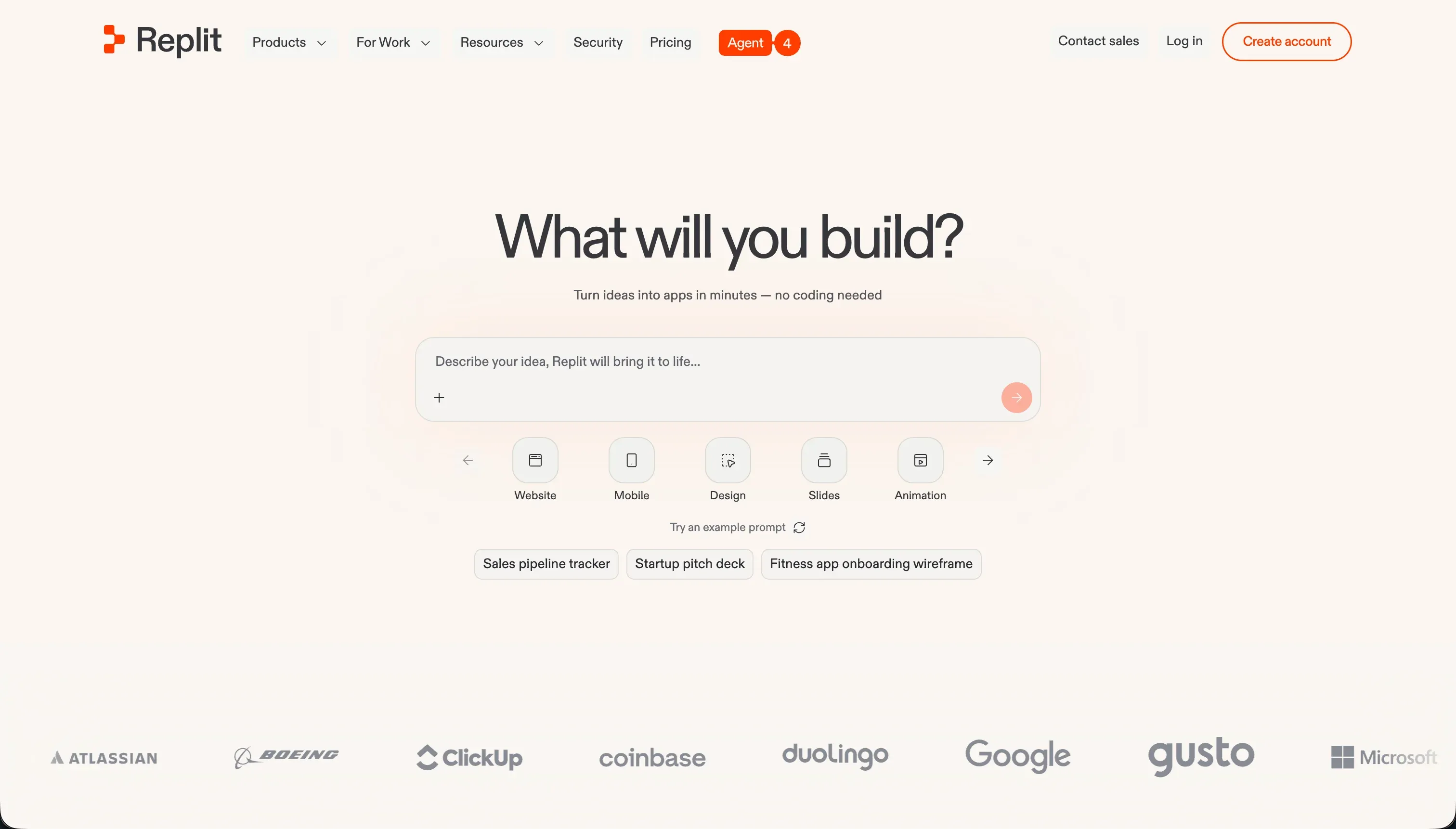
Replit is a cloud-based development environment that supports multiplayer collaborative coding in over 50 programming languages directly in a browser tab. It started as a learning sandbox and code editor, then expanded into autonomous building with Replit Agent, which reads your specifications and builds entire applications from natural-language prompts.
In practice, the agent generates the file structure, writes code, configures a relational PostgreSQL database, installs npm packages, and deploys with a single click. It runs built-in reflection loops to test its own code and fix compilation errors, and it supports Figma import, a visual editor for layout tweaks, and one-click autoscaling hosting on custom domains. Replit also leans hard on real-time collaboration, with shared cursors, voice chat, and centralized team billing.
Replit is genuinely built for developers, programming students, and technical founders who want to experiment, learn, and scaffold prototypes with AI assistance. It gets frustrating for non-technical operators, because keeping an app running means managing database migrations, package versions, and environment secrets yourself, and because credit-based billing can drain hundreds of dollars during agent debug loops.
| Spec | Details |
|---|---|
| Primary Stack | Browser-based multi-language IDE with managed PostgreSQL and Replit Agent |
| Interface | Code editor plus natural-language agent and a visual editor for layout tweaks |
| Primary Deployment Target | One-click autoscaling hosting to <app>.replit.app with custom domains |
| Key Advantage | Prompt-to-deployed full-stack app with exportable, ownable code |
What is Retool?

Retool is a developer-focused visual builder for internal tools, admin consoles, and database managers. Instead of writing CSS, routing, and table components from scratch, developers drag pre-built UI components onto a canvas and connect them to data using SQL queries and JavaScript.
In practice, Retool is a visual wrapper for your data. It ships a library of 100+ dense components like tables, charts, and JSON editors, a built-in managed PostgreSQL database with a spreadsheet-like view, and native connectors for Postgres, MongoDB, Salesforce, Slack, and REST/GraphQL APIs. It includes professional software-management features such as Git commit history, staging and production environment branching, custom JS libraries, and Retool Workflows for scheduled crons and API pipelines.
Retool is built for technical teams and engineering leaders who need to ship internal admin tools fast on top of existing SQL data. It is a poor fit for non-developers, because building anything beyond a basic layout requires SQL and JavaScript, and it is a poor fit for client portals, because it has no native login or signup flows and its seat-based pricing scales painfully with external user counts.
| Spec | Details |
|---|---|
| Primary Stack | Visual component canvas over SQL/API data, with JavaScript for logic |
| Interface | Drag-and-drop UI builder that requires SQL and JS for real functionality |
| Primary Deployment Target | Hosted internal web tools (self-hosting via Docker/Kubernetes on Enterprise) |
| Key Advantage | Direct, governed connections to existing databases and APIs for dev teams |
The Core Difference
The biggest split is not visual versus code. It is whether the AI builds the app for you or whether you assemble it by hand on top of data you already own.
- Replit is an AI-first cloud IDE that turns a prompt into a deployed full-stack app, trading predictable billing for speed and code ownership.
- Retool is a developer-driven visual builder that wires pre-built components to your existing SQL databases and APIs, trading accessibility for direct data control.

Head-to-Head Comparison
We evaluated both platforms across six categories that matter for these two tools.
1. Developer Experience & Iteration Speed
Replit’s first-hour experience is its headline. You prompt the agent, and it scaffolds files, sets up a PostgreSQL database, installs dependencies, and deploys, all without leaving the browser. For a developer who wants a working full-stack skeleton in minutes, this is one of the fastest paths available, and the built-in self-correction loops mean the agent at least attempts to fix its own compilation errors.
The catch is day-two iteration. The same agent that scaffolds fast can spin in circles: users describe it announcing a bug is “FINALLY FIXED” while generating new errors, and report it ignoring an explicitly chosen stack (creating Postgres when told to use Firebase). Every loop burns credits, so iteration speed and iteration cost move in opposite directions once the app gets complicated.
Retool’s iteration model is more deliberate. A developer drags components onto the canvas and binds them to SQL queries, which is quick for someone fluent in SQL and JavaScript and slow for everyone else. There is no agent thrashing your credits, and Git commit history plus environment branching make changes auditable.
The downside is that even small additions can mean hand-writing queries and state logic, and reviewers note that large dashboards get slow and that updates have introduced UI bugs and even made SQL content disappear. Iteration is steady but never effortless.
Edge: Replit, because the agent gets a working full-stack app live faster, even though that speed comes with credit and reliability risk.
2. Code Quality & Portability
Replit produces real, exportable code. You can download your Python, Node, or HTML source at any time and run it elsewhere, which is a meaningful hedge against lock-in. The quality, though, is only as good as what the agent writes, and the output is real code that must be monitored, refactored, and maintained or it accrues technical debt like any codebase.
That tradeoff is the core of Replit’s portability story: you own a runnable artifact, but you also own its bugs. For a technical team that can read and clean up agent output, that is a fair deal. For anyone who cannot, the export is theoretical comfort more than practical freedom.
Retool’s logic is far less portable. Apps are a mix of visual config, SQL resources, and JavaScript locked inside Retool’s editor, with no clean code-export path. The data stays in your own database, which is good, but the application layer does not come with you.
Reliability adds friction here too: a Capterra reviewer reported SQL content in resources disappearing at random, leading them to keep local copies of every query. Self-hosting on Enterprise via Docker keeps the app inside Retool rather than giving you a portable codebase.
Edge: Replit, because it hands you exportable source code while Retool keeps your application logic locked in its proprietary editor.
3. Database & Backend Capabilities
Replit gives you a managed PostgreSQL database with backup, restoration, and migration tools, built and edited through prompts or by hand. That is plenty of backend for SaaS MVPs and prototypes, but managing schemas still requires Postgres knowledge, and the agent’s habit of backing up the database at every checkpoint has produced surprise overage bills, including one reported $1,500 charge.
The bigger backend concern is trust. Giving an LLM agent write access to production once escalated a routine update into catastrophic data loss, per a widely shared Reddit account. The database is capable, but the way the agent touches it demands careful guardrails.
Retool’s backend strength is breadth of connection. It reads and writes directly to Postgres, MongoDB, Salesforce, and REST/GraphQL APIs, and ships its own managed PostgreSQL with a spreadsheet-like view. For teams whose data already lives in those systems, Retool is comfortable and avoids migrating anything.
The limitation is that this power is gated behind code. Filtering tables, handling state, and gating content all require SQL and JavaScript, and there are no native forms, so multi-step or conditional input flows need custom workflows or plugins. The backend is strong, but only in skilled hands.
Edge: Retool, because its native connectors to existing SQL databases and APIs give developers more direct, governed data control without an unpredictable agent in the loop.
4. Hosting & Deployment Options
Replit handles hosting end to end, with one-click deploys, autoscaling, reserved virtual machines, SSL routing, and custom domains to <app>.replit.app. For getting a prototype in front of real users without DevOps, that convenience is real, and it extends to mobile, where the agent can prepare configurations for App Store and Google Play submission.
The weak spots are reliability and cost transparency. Reviewers report virtual-machine connection drops and lag on larger repositories, plus deployment-to-editor mismatches where production hits database or environment-variable issues the agent never flagged in preview. Usage-based compute billing on top of the subscription also makes production hosting costs hard to forecast.
Retool hosts internal tools for you and, uniquely here, offers self-hosting via Docker and Kubernetes on Enterprise, with VPC-friendly deployment for teams that need data inside their own perimeter. For regulated internal use, that on-premise option is a genuine differentiator.
The constraints are that Retool tools are not responsive by default, so mobile-friendly output needs extra development, and external distribution is expensive (one reviewer cited an £18k annual paywall for app-store distribution). Deployment is solid for internal, behind-the-firewall use and awkward for anything customer-facing.
Edge: Retool, narrowly, because its self-hosting and direct-data deployment suit business-critical internal use better than Replit’s convenient but billing-opaque, occasionally unstable hosting.
5. AI Quality & Reliability
Replit’s AI is foundational rather than additive. Replit Agent builds whole apps, and Ghostwriter adds context-aware autocomplete, refactoring, and inline debugging. When it works, you go from prompt to deployed app with the agent self-testing along the way, which is the strongest AI build story of the two tools.
Reliability is the open question. Documented complaints include infinite bug loops, false claims of fixes, ignored tech-stack instructions, and reports that weaker models get throttled to an 8,000-token context during billing runs, which produces more mistakes and therefore more billable agent runs. The AI is capable but can become an expensive liability when a task confuses it.
Retool’s AI is narrower and developer-driven. Retool AI supports building AI features with Retool Vectors and configuring AI Agent automation inside workflows, aimed at adding intelligence to data pipelines rather than generating entire apps.
That scope makes it more predictable: the AI is a feature you wire up, not an autonomous builder that can run away with your bill. The flip side is that it does nothing to lower Retool’s coding barrier, since you still hand-build the app and use AI only for specific data tasks.
Edge: Replit, because its agent actually builds full apps from a prompt, though the reliability and billing risks mean that edge comes with real caveats.
6. Learning Curve & Onboarding
Replit lowers the entry barrier with its agent: describe what you want and an app appears, which feels accessible even to people who would never open a terminal first. The browser-based, zero-setup environment and 50-plus language support also make it a strong learning platform for people studying programming concepts.
The deeper curve shows up after the demo. Maintaining the generated code, managing secrets, and debugging deployment mismatches all require real developer skills, so the gentle start gives way to genuine engineering work once the app needs to be reliable.
Retool is more honest about its audience from minute one. The canvas looks approachable, but Capterra describes it as primarily for developers and engineering leaders comfortable with JavaScript and SQL, and reviewers note it can be challenging to configure for specific needs.
For an engineer, that learning curve pays off quickly because the platform maps to skills they already have. For a non-developer, there is no gentle on-ramp at all, because the visual layer cannot do much without code behind it.
Edge: Replit, for total beginners and learners, because its agent and zero-setup environment are more welcoming than Retool’s SQL-and-JavaScript prerequisite.
Pricing Comparison
Replit (subscription plus credit-based, effort-priced AI usage):
- Starter - $0/mo, daily dynamic Agent credits, built-in database, publish 1 public project
- Replit Core - $20/mo annually or $25/mo monthly, $25.00 monthly credits, up to 5 collaborators, 2 parallel agents, unlimited workspaces
- Replit Pro - $95/mo annually or $100/mo monthly, $100.00 monthly credits, up to 15 collaborators, 50 viewers, 10 parallel agents, 28-day database rollbacks
- Enterprise - Custom pricing, SSO/SAML, single-tenant, VPC peering
- Note: Pro buyers can pre-purchase higher monthly credit tiers at a discount, e.g. $250 credits for $225/mo or $1,000 credits for $850/mo, with unused credits rolling over one month.
Retool (seat-based, charged per active user):
- Free - $0, up to 5 users, connects to databases and APIs, basic UI library
- Team - $8/user/mo annually or $10/user/mo monthly, unlimited users, commit history, release management
- Business - $40/user/mo annually or $50/user/mo monthly, SSO (SAML), granular access controls, custom JS libraries
- Enterprise - Custom pricing, self-hosting, audit logs, source control, SLAs
Use Case Fit: When to use which?
When to choose Replit
- Choose Replit when you want an AI agent to scaffold and deploy a full-stack app or prototype from a prompt and you have the skills to maintain the resulting code.
- Choose Replit when code ownership matters and you want to export your source and run it elsewhere if you ever leave.
- Choose Replit when you are learning to code or pairing with teammates in real time, and you can absorb credit-based billing that may spike during debugging.
When to choose Retool
- Choose Retool when you have developers fluent in SQL and JavaScript who need internal admin tools and dashboards wired straight to existing databases.
- Choose Retool when your data already lives in Postgres, MongoDB, Salesforce, or behind APIs and you want governed read/write access without migrating it.
- Choose Retool when the user base is a small internal team that fits comfortably within per-seat pricing and you need Git history, environment branching, or self-hosting.
When neither Replit nor Retool is the right fit
For internal tools and client portals
Both tools assume a developer in the loop, which makes them awkward when non-technical operators need to own a business app. Retool has no native auth, so client logins must be hand-built, and its per-seat pricing makes a portal with hundreds of external clients unaffordable. Replit can scaffold logins but leaves you maintaining the auth code and its security yourself.
This is where Softr fits better: it ships built-in authentication, user groups, and record-level permissions with every app at a flat price with no per-seat fees, so scaling a portal to many external clients does not break the budget. For internal tools that need heavier custom logic, pair it with Bubble, which handles complex visual web-app workflows that a configuration-first platform eventually bumps against.
For native mobile apps
Replit can prepare App Store and Google Play configurations, but you own and maintain the underlying code and inherit the agent’s reliability quirks, while Retool’s tools are not even responsive by default and treat app-store distribution as a costly add-on. For a team whose core deliverable is a polished native app, both are detours.
Look instead at FlutterFlow for serious native-app flexibility and a cleaner path to real app-store output, or Adalo for a more beginner-friendly native-mobile builder. Both are designed to ship native iOS and Android apps as the primary goal rather than as a bolt-on.
For highly custom web apps with deeper logic
If your app needs unusual UX flows or orchestration that starts to resemble full application engineering, Replit puts that burden on agent-generated code you must maintain, and Retool confines you to its internal-tool component model and SQL/JS scripting. Neither is an ideal home for an ambitious custom web product.
For that work, Bubble remains the heavyweight choice for complex visual web-app logic, while WeWeb is more attractive when you want a developer-friendlier front end connected to your own backend. Both give more room for deep custom interactions than either tool here.

Verdict
Pick Replit if you want AI to do the heavy lifting and you can handle what it leaves behind. It is one of the fastest ways to go from a prompt to a deployed full-stack app, it gives you exportable code so you are never fully locked in, and it doubles as a strong place to learn and collaborate. The tradeoff is accepting credit-based billing that can spike during agent debug loops and taking responsibility for maintaining real code in production.
Pick Retool if you have developers who live in SQL and JavaScript and need internal dashboards wired to data you already own. Its direct connectors, Git history, environment branching, and self-hosting make it a serious tool for behind-the-firewall business software. The tradeoff is that non-developers cannot build on it, external-facing portals are expensive and lack native auth, and the proprietary editor keeps your application logic locked in.
The day-two reality decides most of these calls. Replit’s first version is cheap; the expensive part is every debugging loop and surprise backup bill after that. Retool’s first internal tool is fast; the expensive part is every new seat and every hand-coded permission rule as it grows. For a non-technical team building a secure portal or operational app, both eventually feel like the wrong abstraction, and a platform like Softr, paired with Bubble for the most complex logic, tends to age better.

Summary Comparison Table
| Criterion | Replit | Retool |
|---|---|---|
| Best for | Prompt-to-app full-stack prototypes | Internal SQL dashboards for dev teams |
| Build paradigm | AI agent in a cloud IDE | Visual components over SQL/API data |
| Database | Managed PostgreSQL, prompt or manual | Built-in Postgres plus native DB/API connectors |
| Permissions | Hand-coded in app code | Custom SQL/JavaScript, no visual rules |
| Pricing model | Subscription plus credit-based AI usage | Per-seat, internal and external users |
| Maintenance burden | High: maintain agent-generated code | Moderate: SQL/JS upkeep, slows as apps grow |
| Code export | Yes, downloadable source | No clean export, logic locked in editor |