

v0 and Zite tackle the app creation challenge from completely opposite directions, setting up a clear division between frontend design tools and full-stack no-code environments. While v0 serves as an AI scaffolding assistant focused entirely on spitting out React code, Zite functions as an AI-first no-code interface and database platform.
Developers and product teams finding themselves at this crossroads face a stark choice regarding code ownership and infrastructure. What is really at stake is whether you want to own clean React files that require manual developer assembly, or deploy a self-contained database application that lacks an exit path to your local IDE.
Meet the Contenders
What is v0?
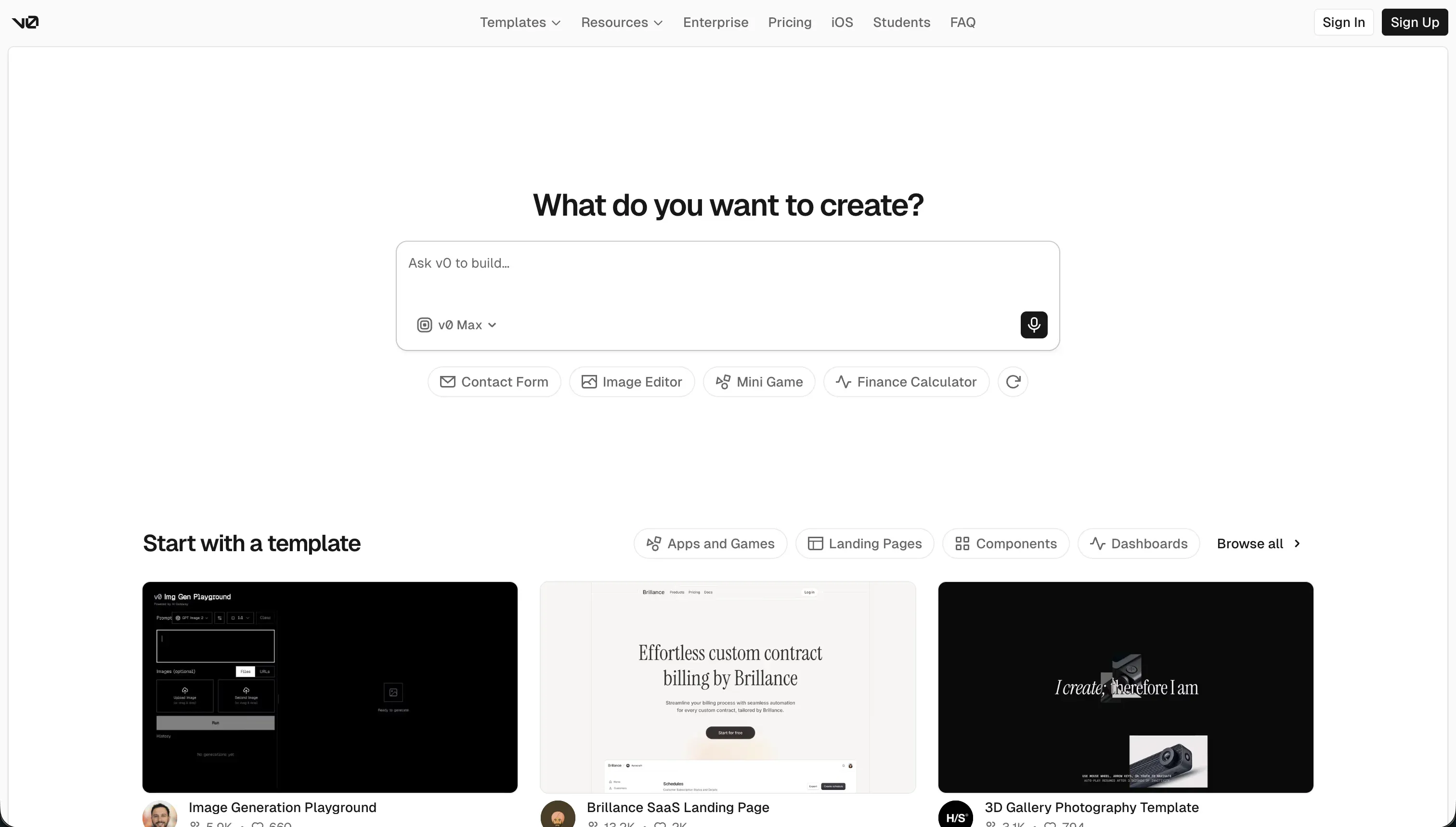
v0 by Vercel is an AI-powered frontend generation assistant designed for building and deploying responsive user interfaces from natural-language prompts. Launched under Vercel’s hosting ecosystem, it translates conversational layouts into modern design components without forcing users to write React syntax from scratch.
In practice, the platform scaffolds user interfaces matching shadcn/ui layouts and Tailwind CSS structures. Builders can utilize its Design Mode Input to upload sketches or screenshots, and execute one-click Vercel Deployments to instantly preview functional screens on a global CDN.
It is genuinely built for developers, technical founders, and product teams seeking a rapid prototyping sandbox to bypass boilerplate UI coding. However, non-technical builders quickly find themselves frustrated by v0 because it lacks built-in databases or native authentication, meaning any generated interface is just a superficial shell until a programmer manually hooks up a backend.
| Spec | Details |
|---|---|
| Primary Stack | React, Tailwind CSS, shadcn/ui, and Next.js |
| Interface | Chat-based code generation plus visual design mode |
| Primary Deployment Target | Vercel Global CDN |
| Key Advantage | Exports clean, inspectable React and TypeScript code without proprietary vendor lock-in |
What is Zite?

Zite, formerly known as Fillout, is an AI-first no-code application builder that allows teams to construct custom business software, portals, and databases. Unlike frontend scratchpads, it combines a prompt-driven creation canvas with a spreadsheet-like relational SQL database.
In practice, Zite utilizes a prompt-to-app interface where builders can generate interfaces, schemas, and multi-step workflows from a single text description. It also inherits Fillout’s powerful form builder features to support field translations, multi-language data inputs, and automated validation rules out of the box.
It is primarily built for small business operators, startup founders, and ops teams who want to build functional portals without managing databases or hosting rules. However, scaling developers are often frustrated by its complete lack of code export, rigid layout customizations, and visual styling constraints that limit changes outside of the AI’s default templates.
| Spec | Details |
|---|---|
| Primary Stack | Built-in SQL database with a visual application interface |
| Interface | Natural-language prompt builder or visual drag-and-drop studio |
| Primary Deployment Target | Zite hosted cloud |
| Key Advantage | Supports unlimited users across all tiers with zero per-seat licensing fees |
The Core Difference
The core difference between the two tools lies in the boundary of what they actually ship.
- v0 is strictly a frontend design generator that outputs raw React code, leaving the database, security, and hosting architecture entirely up to a developer.
- Zite is a full-stack, no-code application platform that includes its own SQL database and visual interface, but keeps you locked into its hosted ecosystem with no code export.

Head-to-Head Comparison
We evaluated both platforms across four core categories.
1. Developer Experience & Iteration Speed
v0 delivers a fast and fluid setup for generating initial landing pages and component structures. Developers can prompt a layout, tweak colors and formatting, and see a visual live preview of shadcn/ui components within seconds.
However, the experience degrades quickly past the fifth message in a chat session. Users find that the context window drifts, producing buggy component structures or attempting imports from non-existent npm modules, making iterative debugging tedious.
Zite matches v0’s speed on day one by setting up a complete relational schema, forms, and workflows from one paragraph of text. Its unique Plan Mode helps builders review a markdown draft of structural changes before spending credits, reducing layout errors.
The bottleneck with Zite is that visual refinements frequently force you back into prompt loops. If the visual editor’s default layout properties are too rigid for your design, you must prompt the AI and hope it correctly aligns the custom modules without breaking your forms.
Edge: Zite, because it constructs a working interface wired to a relational backend, whereas v0 outputs standalone static code.
2. Code Quality & Portability
v0 outputs clean, production-ready React, TypeScript, and Tailwind CSS code. Because it exports directly to GitHub or standard local directories, developers can grab the files and drop them into their Next.js project with zero vendor lock-in.
However, running v0 projects locally can present dependency conflicts. Upgrades to Tailwind CSS v4 or Next.js layout structures sometimes introduce deployment bugs that require manual configuration in your local IDE.
Zite is completely closed-source with zero code-export capabilities. What you build stays on Zite, which makes later migrations to a custom developer environment or a standard GitHub repository impossible.
This means you trade complete developer portability for no-code convenience. If your business scales beyond Zite’s layout capabilities, you will be forced to rebuild your frontend and backend from scratch.
Edge: v0, which is built on raw code portability with no proprietary player in the middle.
3. Database & Backend Capabilities
v0 has no native database, relational models, or middleware engine. It is simply a frontend utility, meaning developers must manually set up an external database platform to handle actual data storage.
Connecting a backend to v0 forces you to write API endpoints, configure authentication blocks, and map types. This engineering overhead is entirely on the developer, adding days or weeks to a project’s timeline.
Zite features a robust, built-in SQL database that behaves like an automated spreadsheet. It excels at linking records, performing bulk database operations, and maintaining full undo/redo version histories natively.
However, Zite’s database still lacks sophisticated backend operations. Developers will notice that there are no advanced database formula fields, complex data roll-ups, or custom SQL view capabilities inside the database studio.
Edge: Zite, as its built-in relational SQL engine saves weeks of database setup and middleware engineering.
4. Pricing Comparison & Credit Systems
v0 operates on a usage-based pricing path controlled by token consumption rates. While its Free plan includes a modest $5 of monthly credits, active builders can exhaust these credits quickly during iterative debugging cycles.
Upgrading to the Team tier costs $30 per user monthly, while Business runs $100 per user monthly. These plans include $30 of monthly credits, but failed AI code generation attempts still deduct tokens, which can frustrate technical teams.
Zite allows unlimited users across all tiers, including its Free plan which includes 50 building credits. Its Pro plan is $19 monthly, and Business starts at $69 monthly with 200 monthly credits.
The catch is that both plans feature steep scaling tiers for credit top-ups, going all the way to $3,799 monthly for 19,200 credits on the Business tier. Because chat inputs and layout mockups consume credits rapidly, active iterations can quickly raise your monthly overhead. The “unlimited users” headline comes with a quieter catch too: standard CRUD operations, including every database read when a page loads or reloads, count against the monthly workflow runs (5,000 on Pro), so a few active users can drain the quota in days, with no clear self-serve add-ons short of a custom Enterprise plan.
Edge: Zite, thanks to its generous policy of offering unlimited visual collaborator seats on all tiers, though the workflow-run meter narrows that advantage for genuinely active apps.
5. AI Quality & Reliability
v0 leverages Vercel’s high visual design standards to produce aesthetically polished React layouts. It excels at parsing uploaded design wireframes or sketches to output clean UI elements that require minimal initial CSS styling.
On the downside, the AI frequently attempts to rebuild standard libraries from scratch. Rather than pulling from pre-existing component menus, it occasionally outputs bloated code blocks that complicate code bases unnecessarily.
Zite uses its AI model to plan out entire business frameworks instantly, translating logical specifications into tables, forms, and page routing. This structural AI is more cohesive for logic generation than superficial design prompts.
However, the visual aesthetics of Zite’s AI-generated pages can look corporate and plain. If you require agency-grade styling or unique branding, Zite’s styling helper is often limited to basic color updates.
Edge: Zite for structural system logic, as it accurately maps tables and backend rules where v0 only designs static screens.

Pricing Comparison
v0:
- Free Plan: $0 monthly, with $5 of included monthly credits, deploy to Vercel, and a 7 messages per day limit.
- Team Plan: $30 per user monthly, with $30 of monthly credits, shared chats, and centralized billing.
- Business Plan: $100 per user monthly, with $30 of monthly credits per user, shared chats, and opt-out training defaults.
Zite:
- Free Plan: $0 monthly, with 50 credits, 5,000 DB records, and 1,000 workflows.
- Pro Plan: $19 monthly ($15 when billed annually), with 100 credits, 100,000 DB records, and 1 custom domain.
- Business Plan: $69 monthly ($55 when billed annually), with 200 credits, 250,000 DB records, and unlimited custom domains.
Use Case Fit: When to use which?
When to choose v0
- You need to quickly prototype custom React UI frontends styled with shadcn and Tailwind CSS.
- You are a developer who wants full frontend code ownership and native GitHub repository sync.
- You want to host clean, static interfaces directly on Vercel’s global CDN infrastructure.
When to choose Zite
- You want to build full-stack database software without managing backend configurations or integrations.
- You need an all-in-one spreadsheet-like relational database to run workflow actions with unlimited team users.
- You are building functional forms, directories, or basic portals that don’t require source code ownership.
When neither v0 nor Zite is the right fit
For internal tools and client portals
When your primary objective is to launch operational business software, portals, internal tools, or client dashboards, neither v0 nor Zite presents a scalable path. Generating fragile code on v0 forces your team to manage infinite visual bugs, while Zite traps you inside a rigid layout framework with limited backend scaling. This is where Softr serves as the primary and most robust alternative. Softr avoids technical debt entirely by combining battle-tested block foundations with its own high-performance, relocatable Softr Databases. Because it isolates AI generation to structured UI blocks, your app stays secure and easy to adjust.
Furthermore, Softr handles the core software architecture that businesses require from day one, including secure user authentication, advanced page rules, and granular group-based permissions. Unlike Zite’s basic filters, Softr allows you to customize exact visibility rules so that different teams or external clients see only their relevant records. Once the app is published, you can make visual adjustments, edit a field, or configure custom components with its Vibe Coding block manually in the studio. This hybrid advantage means you get the building speed of an AI platform without any of the unmaintainable code risks.
For native mobile apps
If your target audience expects to download your application from the Apple App Store or Google Play Store, both v0 and Zite fall short. Neither builder produces native binaries or supports the unique design patterns required for smooth mobile experiences, leaving you with simple responsive web views.
For native mobile environments, visual builders like FlutterFlow or Adalo are much stronger recommendations. FlutterFlow allows you to model custom animations, incorporate device sensors, and export clean Flutter code, providing a professional mobile workbench that web-centric tools cannot replicate.
Verdict
Choose v0 if you are a developer or technical designer who needs to generate beautifully formatted React elements without wasting time writing Tailwind classes and custom CSS. By selecting this path, you accept that you must invest your own engineering time to wire these visual screens into a working backend database and security schema.
Choose Zite if you are a business builder who needs to spin up a fully relational database application without writing code. Under this choice, you accept complete vendor lock-in with zero code export options, coupled with layout and database customization limits as your app scales.
However, if you are looking to build operational business software like portals, client trackers, or company intranets, the day-two reality of both platforms will present high maintenance costs. Using a structured no-code platform like Softr solves this friction by providing robust user permissions, native databases, and visual manual editing, allowing your team to scale without debugging fragile code structures.

Summary Comparison Table
| Criterion | v0 | Zite |
|---|---|---|
| Best for | Quick React UI prototyping | Internal business portals & databases |
| Build Paradigm | Conversational React scaffolding | Prompt-to-app full-stack no-code |
| Database | None (must connect external API) | Built-in spreadsheet-like SQL backend |
| Code Export | Full export to GitHub and Next.js | None (completely locked to hosting) |
| Pricing Metric | Usage-based credits per token | Monthly plans with scaling credits |
| Host Platform | Vercel deployments | Managed Zite cloud |