

Choosing between VibeCode and Retool means deciding between two completely opposite approaches to application development. VibeCode is a mobile-first, conversational generative tool designed to turn natural language prompts into native iOS and Android apps. Retool, by contrast, is an industry-standard visual IDE built for creating internal web dashboards and database utilities using raw SQL queries and custom JavaScript.
Technical founders, product managers, and developers often find themselves choosing between these paradigms when trying to spin up a new utility. Standardizing on VibeCode offers rapid native mobile prototyping but risks context loss and code rot, while choosing Retool ensures robust database connections at the cost of high coding overhead and expensive per-seat pricing. Understanding what is at stake - from long-term software maintainability to user license scalability - is critical before committing to either ecosystem.
Meet the Contenders
What is VibeCode?
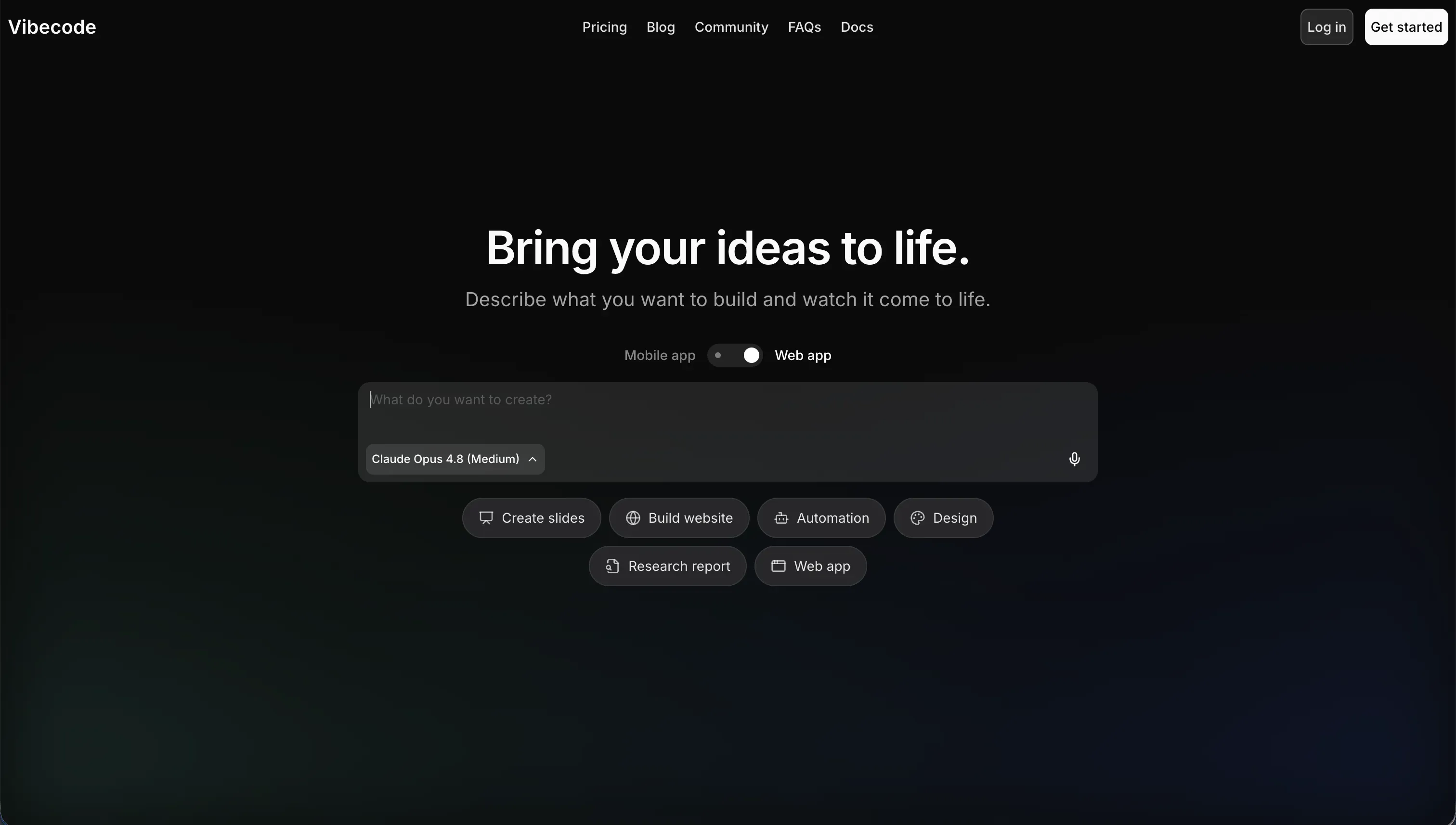
VibeCode is an AI-powered, mobile-first app builder designed to let users compile, test, and publish native mobile applications using natural language. Operating under the concept of vibe coding, the platform positions the user as a software director who describes features in plain English while the AI handles the complex compilation of underlying code.
In practice, VibeCode connects directly to its built-in database (VibeCode Cloud) and enables instant visual testing of smartphone layouts. It offers direct iOS App Store publishing on paid tiers and lets builders on the Pro plan or higher access their codebases via SSH to edit them in external environments like Cursor. All AI activities run on a clean, raw API cost model with no markup on large language model tokens, providing predictable consumption fees.
The platform is genuinely built for mobile app prototypers, non-technical creators making consumer utility apps, and founders validating native MVPs. However, users frequently hit a complexity wall where the AI hallucinates custom logic or drops major structural references as codebases swell. Developers trying to scale deep relational pipelines or complex native device API paths will quickly find themselves stuck in loops of broken logic offsets.
| Spec | Details |
|---|---|
| Primary Stack | AI-compiled React Native or native mobile layers over VibeCode Cloud |
| Interface | Conversational chat builder with responsive mobile layout previewer |
| Primary Deployment Target | Native iOS & Android App Stores (on paid tiers) and local mobile test clients |
| Key Advantage | Pure prompt-to-app-store pipeline for native mobile software with zero manual syntax |
What is Retool?

Retool is a visual development platform optimized for scaffolding enterprise internal tools, admin panels, and database utilities without rebuilding common UI components from scratch. Instead of relying on conversational prompts to produce invisible files, Retool presents a highly structured layout canvas alongside a developer console where builders write direct data calls.
The platform works by combining a pre-built drag-and-drop component library of over one hundred elements with native SQL and JavaScript query runners. Builders can spin up a PostgreSQL instance using Retool Database, link external REST or GraphQL APIs, and run custom background automations via cron triggers with Retool Workflows. It also includes modern security primitives like granular role access controls and SAML-based single sign-on mechanisms.
Retool is designed specifically for technical teams, database administrators, and developers who already know how to write database queries and manipulate arrays in JavaScript. Non-technical business operations teams or founders with no coding background will find themselves completely alienated by the platform’s high engineering barrier. Additionally, teams trying to build user-facing client portals or mobile apps are frustrated by the rigid, developer-centric grids and expensive licensing limits.
| Spec | Details |
|---|---|
| Primary Stack | SQL databases, REST/GraphQL APIs, and custom React-based component library |
| Interface | Visual drag-and-drop IDE with integrated SQL/JavaScript query consoles |
| Primary Deployment Target | Hosted web internal tools, custom portals, or self-hosted enterprise environments |
| Key Advantage | Direct integration to secure corporate databases without rebuilding tables or panels |
The Core Difference
The defining split between these two systems is the balance of raw code generation against visual visual querying structure. They serve completely different deployment targets and developer skill levels.
- VibeCode runs on conversational mobile compilation, generating raw native code files purely from English prompts to ship native smartphone utilities directly to app stores.
- Retool bypasses full-code generation in favor of a structured visual query environment, requiring developers to write manual SQL and JavaScript to construct secure web dashboards.
Head-to-Head Comparison
We evaluated both platforms across four core categories.
1. Developer Experience & Iteration Speed
Conversational generation is highly attractive for setting up a mobile layout on day one. You type your goal and get a working view with an active database slice without manually configuring a dev environment or installing dependencies. However, once the initial concept is compiled, iteration slows down because any change to logic or layout requires writing detailed prompts.
This workflow sometimes triggers code hallucinations or unoptimized layouts that disrupt your testing pace. Because you cannot simply click and drag an element to tweak its padding, you are forced to reword prompts, burning your monthly credit allowance just to fix minor layout misalignments.
Iteration is highly deterministic because you do not have to write natural language prompts or worry about an AI losing context of your codebase. You drag a table or chart component from the sidebar, write a quick SQL query in the integrated console beneath it, and instantly preview the result. There is no guesswork about how the system interpreted your design intent.
The weakness of this structure is that it preserves a high engineering barrier. If you do not know how to run relational joins in SQL or format object arrays in JavaScript, Retool will not build them for you. It requires manual configuration for every data-flow event and state variable.
Edge: Retool, because its query-based layout loop remains stable and completely predictable, whereas VibeCode can drift into regression loop cycles during successive prompting.
2. Code Quality & Portability
Offers a developer-friendly escape hatch on its higher tiers. Standardizing on the Pro plan at fifty dollars per month unlocks the ability to download your complete source code, preventing absolute vendor lock-in. Furthermore, you can secure SSH access, enabling you to link the codebase directly to external environments like Cursor.
This setup allows software engineers to jump in and refactor generated files once the prototype outgrows VibeCode’s prompting capabilities. However, users on the standard free and Plus tiers have no way to inspect or pull their React Native assets, keeping them entirely bound to the managed environment.
Keeps your application layouts entirely trapped within its proprietary visualization engine. While you can write separate custom query scripts, configure self-hosted enterprise runners, and use Git to version release steps, you cannot export your administrative dashboards as clean, standalone React packages.
If you ever decide to leave Retool, you will have to rewrite your visual interfaces from scratch. Your database logic is portable since it lives in independent SQL servers, but the months of building frontends and layout cards inside Retool’s workspace must be repeated.
Edge: VibeCode, because it allows direct code export and SSH terminal access on its Pro tier, providing a clear escape path that Retool completely locks away.
3. Database & Backend Capabilities
Provides VibeCode Cloud, a managed backend database and user session manager that coordinates automatically with the AI compilation engine. This setups is convenient for non-technical makers who want to provision working storage without dealing with migrations, connection strings, or custom API routing tables.
As your schema scales to handle intricate operational requirements, this hands-off model shows its limits. Structuring nested relations or enforcing complex security access parameters is hard to handle when every database change relies on prompt-based iterations rather than a dedicated relational editor.
Retool is a powerhouse when it comes to connecting to production databases and external developer environments. It features Retool Database, which provides a managed Postgres backend that you can visually manipulate in a spreadsheet format, but its main strength is its massive native integration library for external SQL/NoSQL resources.
Developers can securely hook up existing SQL servers, MongoDB clusters, or REST APIs and query them directly using standard syntax. This direct data connectivity ensures you maintain total, uncompromised control over backend constraints, API responses, and database transactions without hoping that an AI agent guesses your indexing logic correctly.
Edge: Retool, because its direct integration to secure Postgres databases and integrated query engine handles production-level database schemas with ease.
4. Hosting & Deployment Options
Focuses on mobilizing native applications for smartphone hardware. On paid tiers, the platform includes automated build pipelines to publish your apps directly to the Apple App Store and Google Play Store. It is an excellent fit for developers who need to quickly compile IPA or APK packages for mobile testing.
But deploying compiled binaries exposes you to store layout reviews and slow approval cycles. Furthermore, because VibeCode handles the entire compilation block on their cloud network, any server-side hosting updates or unexpected build failures can freeze your deployment queue without giving you deep terminal debugging logs to diagnose the issue.
Operates strictly as a responsive web platform, letting you host internal portals and workflow databases on Retool’s secure cloud or run them on-premise within your own Virtual Private Cloud (VPC). The self-hosted deployment option is a standard requirement for enterprise companies handling sensitive partner information.
This managed environment delivers robust uptime, release channel management, and audit trails. The cost of this security focus is that Retool has very poor out-of-the-box support for native mobile delivery; optimizing interfaces for smartphones requires constructing separate layouts from scratch rather than getting a natural native compile.
Edge: Retool, because its enterprise hosting security and self-hosted options are built for heavy administrative production environments.
5. AI Quality & Reliability
Relies entirely on conversational AI orchestration to translate prompts into functional application scripts. The platform utilizes premium large language models with transparent, no-markup pricing, converting your monthly plan fees directly into API tokens.
Despite this clean credit allocation system, the cognitive limits of LLMs create a day-two production risk. As your mobile application codebase expands, the AI frequently suffers from context window drift, losing track of global variables, introducing security gaps, and breaking legacy screens during minor functional patches.
Has integrated Retool AI to serve as a selective developer booster rather than expecting it to write the entire system code. Users can utilize integrated helper prompts to generate complex SQL statements, write vector search patterns, or summarize array returns in raw JavaScript consoles.
Because the underlying layouts and data connections are held in check by rigid visual modules and written code, the risk of AI hallucination ruining your application is close to zero. The system maintains total stability because the AI cannot modify your visual block structures without your explicit manual input.
Edge: Retool, because it uses AI to assist developer logic rather than letting AI compile the entire codebase, preventing broken syntax regressions.

Pricing Comparison
VibeCode:
- Free: $0/mo with $2.50 included AI credits and access to premium models.
- Plus: $20/mo with $20 included AI credits and 1 active deployment.
- Pro: $50/mo with $55 included AI credits, 3 active deployments, code export, and SSH access.
- Max: $200/mo with $220 included AI credits and 5 active deployments.
Retool:
- Free: $0 up to 5 team members with connections to standard databases and APIs.
- Team: $8/user/month billed annually ($10/user/month billed monthly) with unlimited users, release management, and commit history.
- Business: $40/user/month billed annually ($50/user/month billed monthly) with SSO, granular access controls, and custom JS libraries.
- Enterprise: Custom pricing with self-hosting options, audit logs, and source control.
Use Case Fit: When to use which?
When to choose VibeCode
- Choose VibeCode when your end product must be a native mobile app distributed directly to the Apple App Store or Google Play Store.
- Choose VibeCode when you want to prototype consumer-focused utilities, games, or simple applications using only natural language prompts.
- Choose VibeCode when you want clear code export capabilities alongside direct SSH terminal access to Cursor for editing mobile screens.
When to choose Retool
- Choose Retool when you are building internal admin panels, technical dashboards, or database managers connected to active SQL databases.
- Choose Retool when your builders are developers who already know how to write relational queries and manipulate arrays using JavaScript.
- Choose Retool when you need enterprise-grade security options like SAML SSO, on-premise self-hosting, and detailed visual audit trails.
When neither VibeCode nor Retool is the right fit
For internal tools and client portals without code rot
If you are an operations manager or a business operator hoping to build CRMs, client portals, or partner directories, neither of these platforms fits the bill. Retool enforces a high coding barrier with SQL and charges steep per-seat fees that make connecting external clients prohibitively expensive, while VibeCode’s prompt-generated files suffer from code rot and context drift as you expand pages manually.
Standardizing on Softr solves this workflow challenge by delivering a clean, no-code visual framework built on top of secure native databases and workflows. Instead of writing custom SQL or hoping that an AI chatbot does not hallucinate your password reset rules, you can configure roles, block parameters, and forms visually. It allows you to invite unlimited collaborators to build and scale your app without facing cost bottlenecks.
For visual native mobile development with clean logic
When your requirement is a polished mobile application for the app stores, but you cannot afford to let conversational generative tools hallucinate critical UI pathways, both options struggle. Retool requires heavy manual scripting to make elements mobile-responsive, and VibeCode hits a sharp complexity wall when managing custom payment models or multi-user roles through prompts.
In this scenario, FlutterFlow provides the industry-leading resolution. It acts as a dedicated visual IDE for mobile compilation, letting you construct gorgeous responsive interfaces using structured drag-and-drop units. It exposes complete source code control and direct App Store integrations without forcing you to rely on erratic natural language prompts to maintain build reliability.
Verdict
Select VibeCode if you are building a native consumer-facing mobile prototype or utility and want to launch it on App Stores using natural language prompts. The major tradeoff you accept is the day-two code maintenance burden: when the app hits a complexity wall or requires an update, you will have to wrestle with AI credit limits and potential context drift that can break existing code patterns.
Select Retool if you are a developer tasked with building database tooling, support portals, or admin dashboards for a technical team. The tradeoff here is a steep learning curve that excludes non-engineers, standard out-of-the-box user structures, and a strict per-user pricing model that makes inviting clients or external vendors incredibly expensive.
For operations managers and business leaders building portals or portals with spreadsheets, neither approach is ideal. Standardizing on Softr solves this day-two software crisis by offering professional business dashboards, client portals, and work tools that require no technical debt. Instead of managing expensive licenses or debugging buggy generated code, your teams can co-build on a secure no-code platform featuring drag-and-drop themes, custom visual permissions, and robust native databases.

Summary Comparison Table
| Criterion | VibeCode | Retool |
|---|---|---|
| Primary Focus | Native mobile applications | Internal web dashboards |
| Target Audience | Makers & mobile prototypers | Developers & database admins |
| Build Paradigm | Conversational prompt-to-code | Visual layout with SQL query editors |
| Pricing Metric | AI credit usage | Per-user seat licenses |
| Database Connection | VibeCode Cloud (managed PostgreSQL) | Direct native external SQL connection |
| Code Portability | Full React Native export (Pro/Max) | SQL queries portable, layouts locked |
| Maintenance Risk | High context drift from re-prompting | Low, handled deterministically via code |