

Mocha and Retool rarely come up in the same conversation. One is a conversational AI builder aimed at solo founders and early MVPs. The other is a developer-centric internal tools platform used by engineering teams at major companies. They’re targeting different skill levels, different budgets, and different definitions of “done.”
But if you’re evaluating no-code and AI-assisted builders for business apps, both names come up - and understanding why they’re fundamentally different can save you from picking the wrong tool entirely.
One critical piece of context before anything else: Mocha announced it’s shutting down on August 1, 2026. If you’re starting a new project, Mocha is not a viable choice. This comparison still matters because it clarifies what Mocha was trying to solve and why Retool doesn’t fully fill that gap either.
Meet the Contenders
What is Mocha?
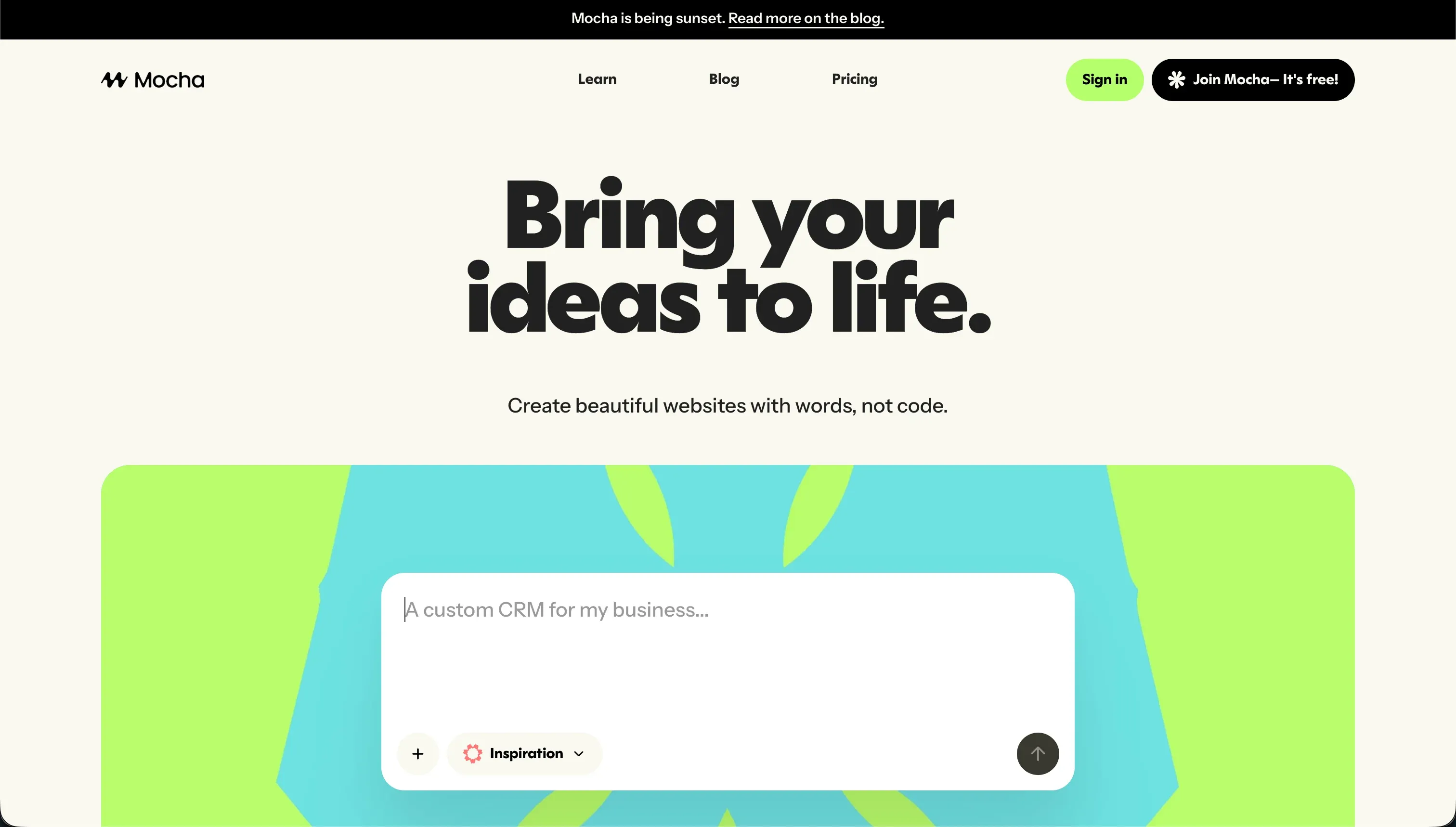
Mocha (formerly Srcbook) was an AI-powered web app builder that turned plain-text descriptions into working applications - including a SQLite database, Google Sign-in authentication, and one-click hosting. The entire environment was pre-configured, so you didn’t need to set up a backend, install npm packages, or touch a database migration script. You described your app, and Mocha built it.
The platform generated React frontend code with backend routes, offered full code export, and supported custom domains on paid plans. It was genuinely useful for founders testing product ideas quickly without a development team.
| Spec | Details |
|---|---|
| Primary Stack | React, SQLite, built-in auth |
| Interface | Natural language chat + visual preview |
| Primary Deployment Target | Mocha-managed hosting |
| Key Advantage | Zero configuration - database, auth, and hosting included |
Note: Mocha is shutting down on August 1, 2026. Existing users should export their code and data before that date.
What is Retool?

Retool is a visual builder for internal business tools. It gives developers a library of 100+ pre-built UI components (tables, charts, forms, JSON editors) that connect directly to SQL databases, REST APIs, and GraphQL endpoints. You wire up queries using real SQL and custom JavaScript, build layouts by dragging components, and deploy internal apps without building from scratch in code.
Retool is used by developer teams at Amazon, NBC, Brex, and DoorDash for admin panels, customer support dashboards, and data operations. It’s the industry default for developer-built internal tooling.
| Spec | Details |
|---|---|
| Primary Stack | JavaScript, SQL, REST/GraphQL |
| Interface | Drag-and-drop components + SQL/JS query editor |
| Primary Deployment Target | Retool Cloud or self-hosted |
| Key Advantage | Connects to virtually any database or API |
The Core Difference
Mocha and Retool solve the same broad problem from opposite ends of the technical spectrum.
Mocha removed all technical prerequisites. You got a working app from a single prompt, with no SQL, no terminal, no configuration. It was optimized for speed of first prototype, not depth of control.
Retool assumes you know how to write queries. It removes the tedious parts of frontend development - you’re not building a table UI from scratch - but it keeps the developer in the loop for all data logic, permissions, and state management. It’s optimized for power and integration depth, not accessibility.
The practical result: a solo founder without coding experience can ship something with Mocha in an afternoon. That same founder would spend a week in Retool and still need developer help for non-trivial queries.
A developer team building a customer support dashboard would find Mocha too shallow within a day - the SQLite backend and AI-only customization aren’t enough for real data operations. Retool gives them the SQL access and component depth they need.

Head-to-Head Comparison
1. Developer Experience & Iteration Speed
Mocha’s setup is nearly frictionless. You type a description, and within minutes you have a live app with data, auth, and a URL. The iteration loop is conversational - you prompt changes, and Mocha updates the app. The downside is that complex changes often trigger regression loops where the AI consumes hundreds of credits trying to fix compilation errors without resolving the root issue.
Retool has a learning curve, but once you’re comfortable with its query and component model, iteration is fast. Adding a new table view or filter is a few minutes of configuration. The SQL and JavaScript console gives you precise control over data transformations. The tradeoff is that every new data operation requires writing queries - there’s no “just tell it what to do” shortcut.
For a developer, Retool’s iteration speed is excellent. For a non-developer, it’s a roadblock.
2. Code Quality & Portability
Mocha exports complete React and backend source code. You own the output and can run it anywhere. The code quality is AI-generated, which means it works but may not follow consistent patterns across a large project. After export, maintaining the code requires React knowledge.
Retool does not export code. Your application is stored entirely within Retool’s proprietary platform. If you want to migrate, you’re rebuilding. This is the significant lock-in risk with Retool - your internal tools become dependent on the platform’s continued existence and pricing decisions.
3. Database & Backend Capabilities
Mocha’s built-in SQLite database is fine for prototypes. SQLite doesn’t handle concurrent writes well and isn’t designed for production multi-user workloads. The AI writes the schema and access rules from prompts - which is convenient but means you’re trusting the AI to configure security correctly without auditing the underlying code.
Retool’s managed PostgreSQL database (Retool Database) is production-grade and supports direct SQL editing. More importantly, Retool connects directly to your existing databases - Postgres, MySQL, MongoDB, Snowflake, and more. You write the queries yourself, which means you control exactly what data users see and how access is restricted. For security-sensitive internal tools, this is the right model.
4. Hosting & Deployment Options
Mocha handled hosting automatically on its managed infrastructure. Custom domains were available on paid plans. The catch is that once Mocha shuts down, those deployments are gone.
Retool offers cloud hosting or self-hosted deployment (Enterprise plan). Self-hosting is a significant differentiator for teams with data sovereignty requirements - financial services, healthcare, and government teams often need to run tools entirely within their own infrastructure. Retool’s cloud hosting has had occasional reliability complaints from users, with some Capterra reviews noting random saving failures.
Pricing Comparison
Mocha’s pricing was subscription-based with credit metering:
- Starter (Free): 120 credits/month, 1 app deployment
- Bronze: $20/month for 1,500 credits, up to 5 apps
- Silver: $50/month for 4,500 credits, up to 15 apps
- Gold: $200/month for 25,000 credits
The credit system was a known pain point. Debug loops could drain hundreds of credits in minutes. The free tier’s 120 credits disappeared fast. And the whole pricing structure is now academic - the platform is closing.
Retool charges per user seat:
- Free: Up to 5 users
- Team: $8/user/month (billed annually) or $10/user/month
- Business: $40/user/month (billed annually) or $50/user/month
- Enterprise: Custom pricing with self-hosting
For a 10-person team on the Team plan, that’s $80/month annually - reasonable for internal tooling. But scaling to 50 users hits $400/month, and Business tier at 50 users is $2,000/month. If you’re building for external users or large organizations, seat-based pricing gets expensive fast.
Use Case Fit: When to use which?
When to choose Mocha
Don’t. It’s shutting down on August 1, 2026. If you have existing projects on Mocha, export your code immediately.
When to choose Retool
- Your team includes at least one developer comfortable with SQL and JavaScript.
- You need to connect a live business tool to existing databases (Postgres, MySQL, Snowflake).
- You’re building internal-facing admin panels, data dashboards, or operations tools for a small, defined team.
- You have data sovereignty requirements and need a self-hosted option.
- Your user base is small and predictable - seat pricing won’t balloon.
When neither Mocha nor Retool is the right fit
For native mobile apps
Neither platform builds native mobile apps. Retool apps aren’t designed for mobile and require significant custom development to become usable on phones. If you need native iOS and Android apps with push notifications and App Store distribution, FlutterFlow compiles Flutter code directly to native mobile binaries.
For internal tools and client portals
Retool serves internal developer teams well, but it excludes non-technical operators from building or maintaining their own tools. Every layout change, permission rule, or new data field requires a developer to write queries.
For business operators who need portals they can actually manage themselves - client portals, CRMs, team intranets, vendor dashboards - Softr is built for that exact use case. Softr’s AI Co-Builder generates complete apps including database, pages, and user permissions from a plain-language description. Then you maintain everything through a visual editor - no SQL, no JavaScript. Permissions, user groups, and data filters are click-to-configure. And Softr pricing doesn’t charge per seat - you pay a flat monthly rate regardless of how many users access the app, which makes it significantly cheaper at scale than Retool.
For professional developer environments
If you’re an experienced developer who wants AI-assisted coding without leaving a real IDE, Retool’s drag-and-drop builder might feel limiting for complex projects. Cursor is a VS Code fork with deep code indexing and multi-file AI editing. For cloud-based collaborative development with a full virtual machine, Replit runs real server environments with Replit Agent for backend scaling.

Verdict
- Choose Retool if your team has developer resources, you need to connect to existing SQL databases, and you’re building internal tools for a small, defined team that won’t balloon in user count.
- Avoid Mocha for any new project - the platform is shutting down August 1, 2026.
If you’re a non-technical business operator looking for what Mocha was trying to be - a fast, no-code app builder with AI generation - look at Softr for operational business apps or Zite for lighter SaaS-style prototypes.
Summary Comparison Table
| Feature | Mocha | Retool |
|---|---|---|
| Build Paradigm | AI Code Generation (shutting down) | Visual + SQL/JS Query Builder |
| Output Type | React / SQLite | Proprietary (no code export) |
| Database | Built-in SQLite | PostgreSQL (Retool DB) or any external DB |
| Visual Permissions | AI-prompted rules | Manual SQL/JS logic |
| Pricing Metric | Subscription + Credits | Per-seat pricing |
| Maintenance Burden | Developer needed post-export | Developer required for all changes |
| Code Export | Yes (full export) | No |