

Softgen and Retool are both marketed as tools that help you build applications faster. Beyond that surface-level similarity, they target almost completely different users, solve almost completely different problems, and fail in almost completely different ways. Putting them head-to-head is useful not because most builders are genuinely choosing between them, but because understanding where they diverge clarifies what kind of tool each one actually is.
Softgen is designed for the solo founder or creator who wants to go from idea to deployed application through a chat conversation. Retool is designed for the developer or engineering manager who needs to build internal admin tooling quickly and has the SQL and JavaScript skills to drive the platform. If you are trying to decide between these two, you are probably in one of those two camps - and the answer is likely obvious once you know which camp you are in.
Meet the Contenders
What is Softgen?
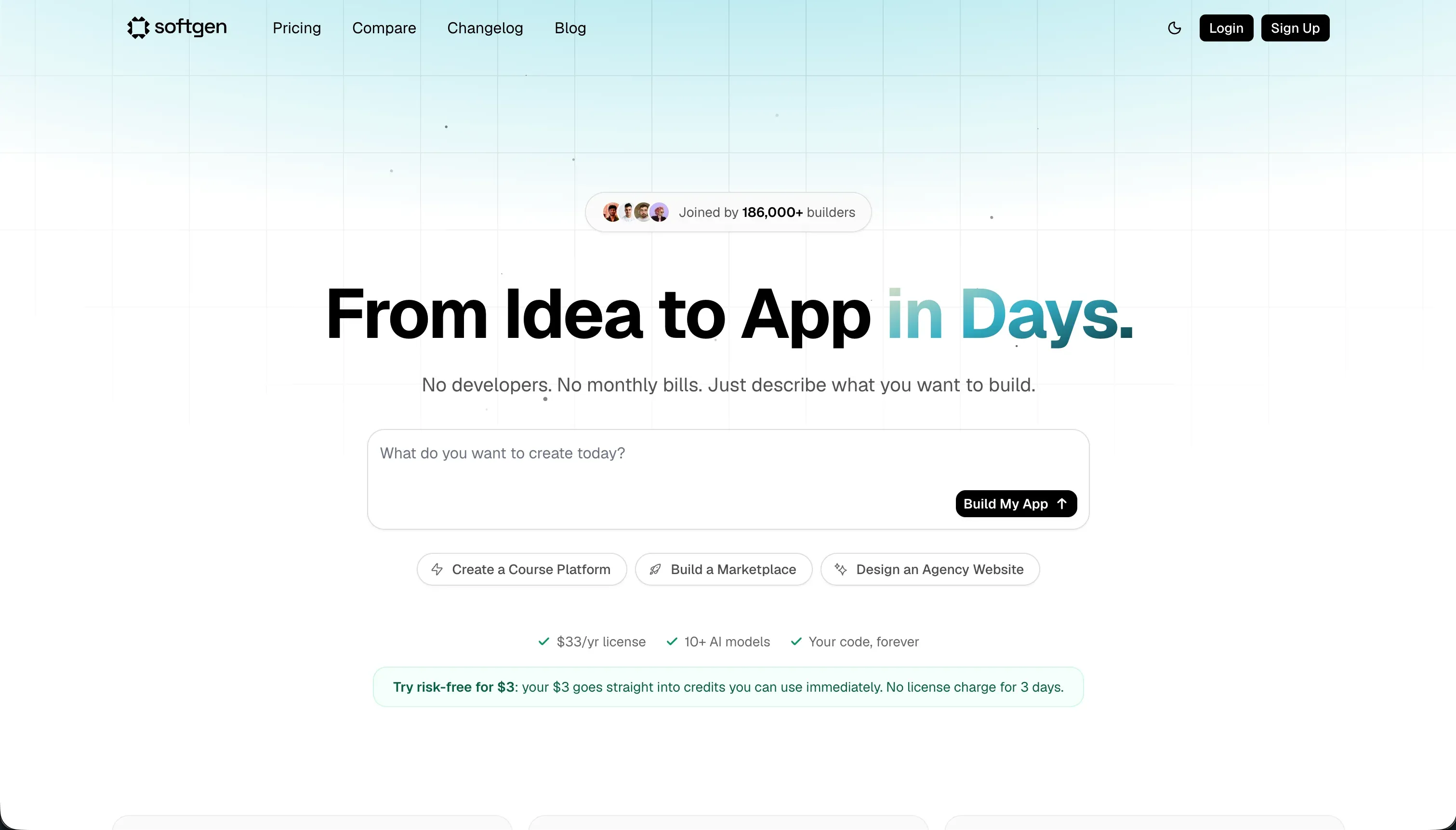
Softgen is a conversational app builder that uses its Cascade AI Agent to plan, generate, and deploy web applications from plain-language descriptions. You describe what you want to build, the agent asks clarifying questions about your feature set and data model, and then generates a working application with a user interface, database schema, user authentication, and hosting. The annual membership model ($33/year base plus pay-as-you-go credits) is explicitly positioned as an affordable alternative to monthly subscription tools. Softgen targets indie hackers, creators, and early-stage founders who want to test an idea without a development team.
| Spec | Details |
|---|---|
| Primary Stack | Full-stack web (React/Node + SQLite) |
| Interface | Conversational Cascade AI agent with planning phase |
| Primary Deployment Target | Softgen Cloud (custom domain support) |
| Key Advantage | Low annual base cost with code export and active hosting |
What is Retool?

Retool is a visual development environment for building internal business tools and dashboards. It provides a library of over 100 pre-built UI components - tables, charts, forms, kanban boards, JSON editors - that developers connect to databases and APIs by writing SQL queries and JavaScript scripts. Retool is not a no-code tool. It is a low-code platform that accelerates developer work on internal tooling by providing pre-built UI patterns while still requiring real technical skills to configure. It targets engineering teams, data analysts, and technical operations managers at companies who need custom admin interfaces built quickly.
| Spec | Details |
|---|---|
| Primary Stack | React, JavaScript, SQL, PostgreSQL |
| Interface | Visual component canvas + SQL/JavaScript query console |
| Primary Deployment Target | Retool Cloud or self-hosted (Docker/Kubernetes) |
| Key Advantage | Rich data connectivity and 100+ pre-built admin UI components |
The Core Difference
These two tools represent opposite ends of the no-code to low-code spectrum. Softgen optimizes for accessibility: anyone should be able to build something without touching code. Retool optimizes for developer productivity: developers should be able to build internal tools faster by using pre-built components instead of writing every UI element from scratch.
This difference in design philosophy produces very different experiences. Softgen’s Cascade Agent makes the first build fast for anyone - you do not need to know what a database schema is to generate one. But the agent also becomes a bottleneck for every change: there is no direct manipulation interface, no SQL console to run a quick query, no component panel to drag a new table onto the canvas. Everything goes through the chat. Retool, meanwhile, is intimidating on day one for non-developers but increasingly productive for developers over time, because the SQL and JavaScript skills they already have transfer directly to the platform.
The practical consequence is that switching between these tools mid-project is difficult. A non-developer who starts in Softgen and wants to move to Retool needs to acquire developer skills. A developer who starts in Retool cannot easily hand off the application to a non-technical operator for ongoing maintenance.

Head-to-Head Comparison
1. Developer Experience & Iteration Speed
Softgen’s Cascade Agent structures the building process around a planning conversation. Before it generates anything, it prompts you to confirm your feature list, data model, and user flows. This pre-generation phase reduces the likelihood of a completely wrong first output, which is a genuine improvement over tools that generate immediately without confirmation. Once you have an initial build, modifications happen through follow-up prompts.
The iteration experience in Softgen has a known pain point: visual refinement through chat is slow and credit-consuming. Adjusting spacing, changing layout structures, or tweaking color schemes requires multiple rounds of prompting and checking. Users in community reviews describe “prompting loops” where they spend multiple credits achieving minor visual adjustments that would take seconds in a visual editor. For non-developers who can’t directly edit CSS, this is the primary frustration.
Retool’s iteration experience is the inverse. The visual component canvas is fast and direct - you drag a table component onto the canvas, connect it to a SQL query, and immediately see live data. Adding a filter, changing a column, or adjusting a layout is done through direct manipulation, not through chat prompts. For developers, this is a significantly faster inner loop than any chat-based tool. The limitation is that every meaningful data operation requires a SQL query, and every meaningful logic operation requires JavaScript. The drag-and-drop experience is fast for component placement; the actual functionality behind those components requires code.
As Retool’s own reviewers note, applications also get harder to maintain as they grow. G2 reviewers have flagged that large Retool apps can become difficult to keep organized, with queries and scripts scattered across the application in ways that are hard to audit. One Capterra reviewer documented a production incident where a Retool update caused SQL content to disappear randomly from resource definitions - a serious reliability concern for any organization depending on these tools for daily operations.
2. Code Quality & Portability
Softgen generates a standard web application codebase that you can download and run outside the platform. The code export is a meaningful feature for the validation use case: build a quick MVP, test it with real users, and hand the exported code to a development team for the production version. The exported code is not proprietary and does not require Softgen infrastructure to run.
The limitation of Softgen’s code quality is the ceiling of AI-generated code in general. Complex business logic, edge case handling, and application-level security are areas where AI-generated codebases frequently show technical debt. For a prototype that will be rewritten, this is acceptable. For a long-term production application, the exported code should be reviewed by a developer before being put in front of real users.
Retool does not support code export in any meaningful sense. While developers can use Git sync to version-control their application configuration, that configuration is Retool’s proprietary schema. It cannot be deployed outside of Retool’s runtime environment. This means that every hour invested in building a Retool application is an hour invested in the Retool platform specifically - not in a transferable artifact. Teams that leave Retool do not take their applications with them; they rebuild.
3. Database & Backend Capabilities
Retool’s database connectivity is genuinely comprehensive. It connects natively to PostgreSQL, MySQL, MongoDB, Redis, Google BigQuery, Snowflake, Salesforce, and dozens of other data sources. Custom SQL queries give developers full read/write access to production databases. Retool Workflows allows scheduled cron jobs, webhook triggers, and background processing pipelines. Retool Database provides a managed PostgreSQL instance for teams that need a simple built-in database. On Business and Enterprise plans, query audit logging tracks every data operation for compliance purposes.
This is a fundamentally different capability level than what Softgen offers. Softgen’s AI generates a SQLite database structure based on the entities you describe in your planning conversation. The resulting database is functional for early-stage prototyping but is not architected for production scale, concurrent users, or complex relational queries. There is no query console to run ad hoc investigations, no migration tooling to update the schema safely, and no audit logging for data access.
The security gap between the two platforms is even more pronounced. Retool’s Business plan includes SAML SSO, environment branching, and granular permission controls. Softgen’s access model is basic authentication - you have user accounts, and those accounts can log in. Field-level permissions, user group management, and row-level data filtering are absent. Any application that needs to show different users different subsets of data needs developer customization on top of the generated Softgen output.
4. Hosting & Deployment Options
Softgen deploys applications to its managed cloud environment. You get a live URL, custom domain support, and basic uptime monitoring. The hosting is appropriate for validation-stage applications. For production workloads with high availability requirements or data residency constraints, you would need to export the code and deploy to your own infrastructure.
Retool offers cloud hosting (Retool Cloud) for most teams and self-hosting via Docker or Kubernetes for Enterprise customers with compliance requirements. Self-hosting is particularly relevant for organizations in regulated industries where data cannot leave the corporate network. This is a real differentiator for enterprise customers: Retool is one of the few internal tooling platforms that supports genuine on-premise deployment with full feature parity.
Pricing Comparison
Softgen’s pricing is two-layer: a $33/year annual membership for platform access and hosting, plus pay-as-you-go credit packages for AI generation and updates. This creates a very low entry cost but variable total cost depending on iteration volume. For a solo founder who generates an initial application and makes occasional changes, the total annual cost might be $50-100. For a builder actively iterating, refining, and debugging over several months, credit costs can climb significantly.
Retool offers a Free tier covering up to 5 users with basic connectivity - functional for small internal teams that want to evaluate the platform. Team costs $8/user/month (billed annually) or $10/user/month billed monthly. Business costs $40/user/month annually or $50/user/month monthly - required for SAML SSO and granular access controls. Enterprise pricing is negotiated per contract.
The seat-based model makes Retool’s cost arithmetic straightforward for internal tools: a team of 10 developers on the Team plan costs $80/month billed annually. The math breaks down when you try to extend the tool to external users. A client portal with 200 client users on the Team plan would cost $1,600/month - a price point that few businesses would accept for a portal-style tool. This is why Retool’s own positioning explicitly focuses on internal teams, not external-facing applications.
Use Case Fit: When to use which?
When Softgen makes sense
- You are a non-technical founder who wants to validate an idea by deploying a working application to real users.
- You need code export to hand off a generated prototype to a development team for production development.
- You want to avoid recurring monthly subscription costs - the $33/year base is unusually low for this category.
- Your application is relatively simple - a CRUD tool, a directory, a form-with-database - and your iteration needs after launch will be modest.
When Retool makes sense
- You are a developer or engineering team building internal admin tools, dashboards, and data utilities.
- You need to read and write directly to an existing production SQL database without building a separate application layer.
- You need SSO integration, query audit logging, or compliance-grade access controls.
- Your user base is a defined, stable internal team (not external clients or a growing customer base).
- Self-hosting on-premise is a requirement for your data governance policies.
When neither Softgen nor Retool is the right fit
For native mobile apps
Neither platform is designed for native mobile application development. Softgen builds web applications; Retool’s mobile offering (Retool Mobile) is locked behind an Enterprise plan with pricing that is out of reach for most teams. For native iOS and Android applications with App Store distribution, FlutterFlow is the purpose-built choice. It uses Flutter’s mobile-first widget engine, compiles directly to native binaries, and handles the App Store submission process within the platform.
For internal tools and client portals
Retool’s seat-based pricing and admin-console UI design make it a poor fit for client-facing portals where user counts grow and brand presentation matters. Softgen lacks the permission infrastructure for any multi-role business application. Softr covers this use case more directly: it provides flat-rate monthly pricing with no per-seat fees, a visual drag-and-drop builder that non-technical team members can maintain independently, native user group management with conditional data visibility, and templates specifically designed for client portals, partner dashboards, and internal team tools. Unlike Retool, Softr is designed from the ground up to support both internal users and external clients on the same platform.
For professional developer environments
If you are a developer who prefers code control over visual tooling, the constraint of working inside either platform’s editor will frustrate you quickly. Cursor is a VS Code fork with deep AI integration - it understands your entire repository and can make contextual multi-file edits. For cloud-based development with full backend control, Replit provides virtual machine environments with AI assistance, collaborative editing, and the ability to run custom backend services without the platform constraints of either Softgen or Retool.

Verdict
Softgen makes sense if you are a solo builder who wants to go from concept to hosted application via a chat conversation, at the lowest possible base cost, while retaining code export rights. It is a validation tool and a prototype generator - useful for testing ideas, not for running production applications that teams depend on.
Retool makes sense if you are a developer or technical team who needs to build internal admin dashboards and data tools fast, can write SQL and JavaScript, and have a stable internal user base where per-seat pricing is manageable. It is not the right tool for non-developers, for external-facing portals, or for organizations that need to maintain cost control at user scale.
The critical gap both tools share: neither handles the business application maintenance reality well for non-technical operators. Softgen requires the AI chat loop for every change. Retool requires SQL and JavaScript knowledge for every meaningful modification. If your actual need is a maintained, updatable business tool that your operations team can manage without developer involvement, look beyond both of these platforms.

Summary Comparison Table
| Feature | Softgen | Retool |
|---|---|---|
| Build Paradigm | Conversational AI generator | Visual IDE + SQL/JavaScript query console |
| Output Type | Full-stack web application | Proprietary internal dashboard |
| Database | AI-generated SQLite | Connects to any SQL/NoSQL + Retool Database (PostgreSQL) |
| Visual Permissions | Basic auth only | Advanced (SSO/SAML, audit logs on Business+) |
| Pricing Metric | $33/year base + pay-as-you-go credits | Per user seat ($8-$50/user/month) |
| Maintenance Burden | High (AI loop for every change) | Medium (SQL/JS developer required) |
| Code Export | Yes (full codebase) | No (proprietary schema, Git sync only) |