

Comparing VibeCode and Same.new highlights a fundamental division in the generative AI space: native mobile execution versus rapid frontend web cloning and visual scaffolding. VibeCode functions as a mobile-first app generator that compiles native binaries for the app stores, while Same.new serves as an AI-powered visual layout cloner that replicates existing web interfaces into exportable React code. Both platforms rely heavily on text prompt iterations, but their target deployment architectures lie on opposite ends of the application spectrum.
Developers, product designers, and non-technical founders choosing between these platforms must evaluate what they actually intend to deploy. At stake is not just the speed of the first conceptual layout, but the risk of severe code regression, token budget exhaustion, and the hard engineering realities of hosting database-backed software versus maintaining simple static layouts.
Meet the Contenders
What is VibeCode?
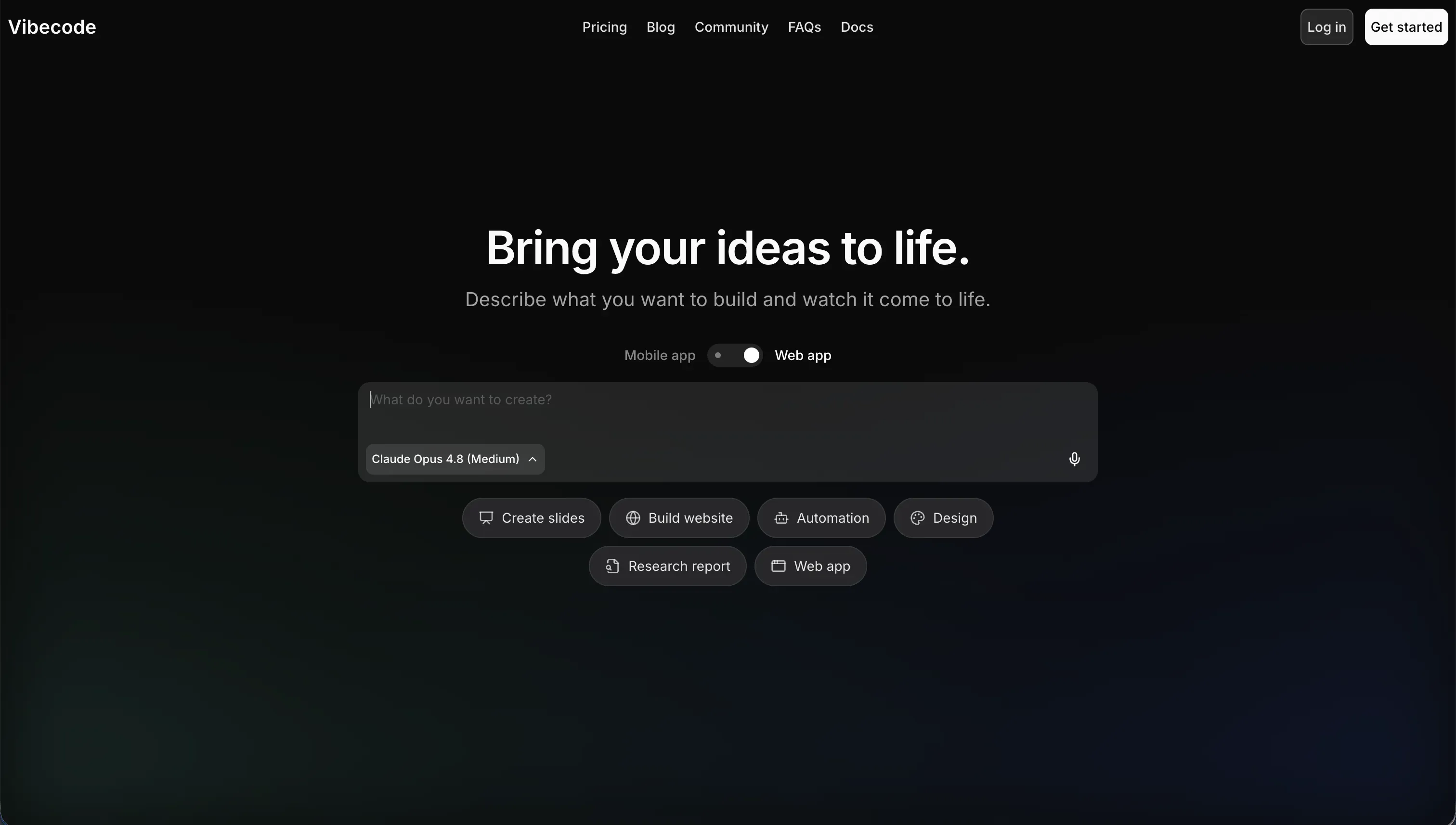
VibeCode is an AI-powered, mobile-first app builder designed to let users create, test, and publish native mobile applications using natural language. Acting as an abstraction layer for mobile development, it addresses the technical barriers of building for iOS and Android by allowing creators to run as high-level directors while the tool generates the underlying visual and system code behind the scenes.
In practice, users describe their app’s features in natural language inside an interactive chat sidebar, and the engine generates mobile-optimized layouts alongside a provisioned backend database. Pro and Max subscription tiers introduce advanced native capabilities like direct App Store publishing and SSH access, allowing developers to connect external visual editors like Cursor directly to their workspace.
The platform is built primarily for non-technical individuals looking to launch lightweight consumer mobile utilities, and mobile prototypers trying to deploy visual MVPs without manual native environment configurations. However, non-developers seeking complex logic often hit a steep complexity wall, where the AI struggles to handle custom data pipelines or deep device configurations, resulting in package compilation hallucinations and visual layout breaks.
| Spec | Details |
|---|---|
| Primary Stack | VibeCode Cloud Database, native iOS/Android code compiler |
| Interface | Conversational text prompter with interactive mobile emulator preview |
| Primary Deployment Target | Apple App Store and Google Play Store |
| Key Advantage | True native mobile app store publishing from plain English requests |
What is Same.new?
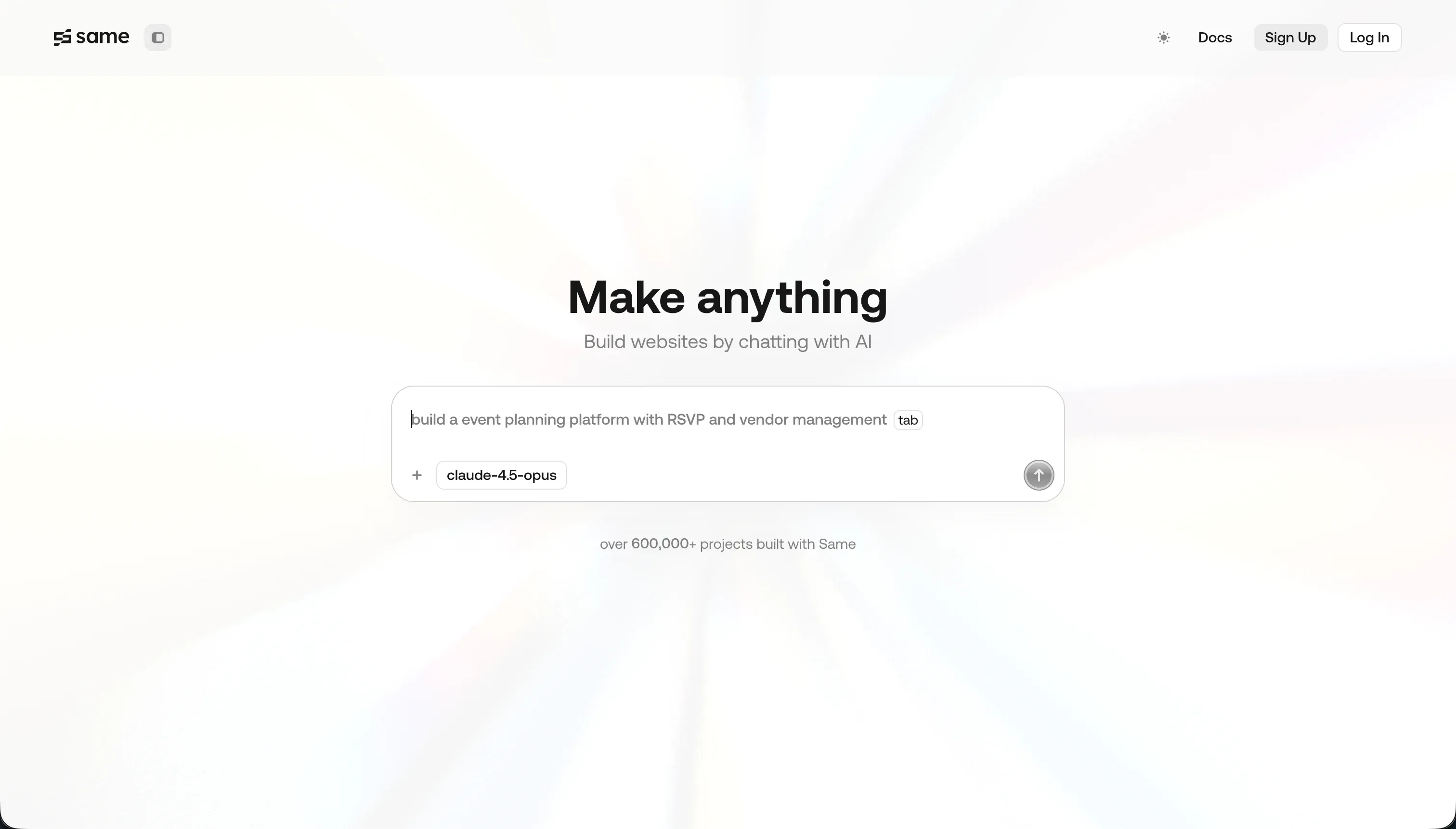
Same.new is a browser-based visual cloning and frontend UI prototyping tool that turns live website layouts into interactive code. By pasting any active web URL, users instruct the platform’s AI models to replicate visual boundaries, palettes, text hierarchies, and styling constraints directly into an editable React environment.
In practice, developers and visual designers input plain text requests to modify section spacing, adjust padding, or inject sections into the cloned layout block. Users employ visual inspect features to evaluate styling structures, utilize visual component forking to duplicate sections, and export the generated React and Tailwind CSS files to their local machines.
Same.new is natively built for designers trying to scaffold fast frontend baselines and developers looking to test user interfaces. However, visual builders looking for production solutions find the system fragile, citing destructive editing behaviors where a single prompted layout change deletes thousands of lines of working code, alongside the platform’s complete lack of native backend databases and secure workflows.
| Spec | Details |
|---|---|
| Primary Stack | React, Tailwind CSS, and visual rendering canvas |
| Interface | URL clone input field, conversational chat panel, and HTML structure inspector |
| Primary Deployment Target | Frontend code export (React & Tailwind) or static preview links |
| Key Advantage | Instant structural replication of live web page layouts |
The Core Difference
The foundational difference lies in compiling complex native mobile applications with built-in database management versus cloning visual frontend UI web components directly from live web links.
- VibeCode targets mobile device hardware, generating fully compiled native smartphone files connected to its custom database cloud environment.
- Same.new operates purely as a visual layout scraper, generating clean, downloadable React frontend templates without any database or backend routing systems.
Head-to-Head Comparison
We evaluated both platforms across four core categories.
1. Developer Experience & Iteration Speed
VibeCode centers its developer experience entirely around a smartphone preview emulator panel. Users write instructions in the side query window, which translates statements directly into functional screen refreshes on the mobile simulator, allowing creators to test gestures, routes, and layout structures immediately.
However, iterating beyond basic mobile views reveals friction. Because system structures are managed exclusively through prose prompts, deep configurations are hard to track, and iterating on custom workflows can rapidly burn through the plan’s credit allocation, with limits starting at $20 in credits on the Plus tier to $55 on Pro tiers during prolonged debugging cycles.
Same.new provides a remarkably fast start for direct design replication. Pasting a live destination link triggers a crawling cycle that maps visual assets into a live React component workspace in seconds, making it a powerful playground for developers trying to scrape visual templates of simple sites.
However, maintaining or evolving that visual clone is highly unstable. Users consistently flag on Trustpilot that prompting modifications is a destructive experience, where a simple instruction like section reordering completely breaks visual nesting grids or deletes over 1,500 lines of functional layout code in a single prompt block, forcing devs to spend hours manually repairing visual errors.
Edge: VibeCode, because its emulator interface is designed for real component interactions, whereas Same.new is highly prone to destructive layout code rewrites.
2. Code Quality & Portability
VibeCode offers code ownership options, but they are restricted to high plans. Builders must pay for the Pro ($50 per month) or Max ($200 per month) subscriptions to compile and export the absolute React Native source files, or to establish direct SSH configurations with external software like Cursor.
For creators on the starting Plus plan ($20 per month), visual lock-in is a genuine issue. In addition, because the compilation is fine-tuned to VibeCode Cloud’s backend connectors, running the exported layout fully independent of their platform demands manual translation of endpoints.
Same.new treats React and Tailwind portability as a core capability, enabling immediate layout inspections and code blocks copy options. Developers can view CSS structures, export pure component codes, and transfer the visual directory directly into their local React systems.
Nonetheless, the visual code generated is structurally unoptimized. Because crawling a live website often creates complex wrapper patterns and nested divs to match margins, the finished React components are highly cluttered, demanding significant manual refactoring before they can be merged into production systems.
Edge: Same.new, because frontend code export and layout inspect options are easily accessible without paying premium subscription fees.
3. Database & Backend Capabilities
VibeCode provisions an automated backend database and secure cloud storage called the VibeCode Cloud. It automatically links to user signup nodes, letting creators run native authentication flows and verify data collections immediately on the compiled mobile application.
But this system lacks visual debugging controls. There is no grid-based administrative layout to view table shapes or confirm record links manually, meaning creators depend entirely on conversational prompts to schema modifications, which is highly risky as systems handle complex data queries.
Same.new features no integrated database, record structures, or secure backend operations. It functions solely as a visual sandbox for HTML, CSS, and React cloning.
This architecture means any user login flows, API submissions, or data states must be connected manually to third-party providers. While the prompt interface can attempt to build basic API fetch modules, Same.new offers no native capabilities for storing, encrypting, or sorting records out of the box.
Edge: VibeCode, because it contains an automated backend database, whereas Same.new has zero database features.
4. Hosting & Deployment Options
VibeCode is designed explicitly for mobile deployment, enabling direct publishing steps to Apple’s App Store and Google’s Play Store on its paid tiers. This lets teams share active testing links and build functional prototypes directly in mobile formats.
However, for teams trying to host standard web interfaces alongside mobile models, VibeCode is heavily limited. Deployment performance is entirely hosted by its managed runtime, meaning you are locked into native rendering limits and cannot control custom domain networks.
Same.new provides preview links to view static visual cloned websites. Designers can instantly share clones with collaborators or export React blocks directly into self-hosted setups.
However, its deployment history is highly unstable. Users complain that visual systems and active projects became read-only or broke completely during the rebrand transition from Same.dev to Same.new, exposing production environments to unexplained site failures.
Edge: VibeCode, because native App Store compiling and managed environments represent a complete deployment solution.
5. AI Quality & Reliability
VibeCode runs on transparent, no-markup token pricing where your visual bills map directly to raw API rates. It allows developers to configure advanced reasoning models (like Anthropic Claude and OpenAI GPT) to translate plain requests into mobile applications.
Even with model transparency, logic limits are a recurring issue. When mobile apps grow beyond static pages into integrated data frameworks, VibeCode frequently loses context of the file structure, resulting in compilation failures and rendering errors.
Same.new excel at immediate structural crawling, parsing color styles, font weights, and layout positions from target domains with high visual fidelity. It serves as an impressive visual clone utility for simple static websites.
Despite this visual capability, the AI iteration engine is highly unstable. Minor requests often trigger severe code regressions, deleting functional JavaScript states or nesting grids, meaning developers must constantly inspect code blocks to ensure previous features are not erased.
Edge: VibeCode, because its transparent model configuration is far more reliable than Same.new’s destructive prompting updates.

Pricing Comparison
VibeCode:
- Free: $0/mo, $2.50 included credits, access to premium AI models, prompt-based building
- Plus: $20/mo, $20 included credits, 1 active deployment
- Pro: $50/mo, $55 included credits, 3 active deployments, code export, SSH access
- Max: $200/mo, $220 included credits, 5 active deployments
Same.new:
- Free: $0/mo, limited tokens for basic UI testing and cloning
- Pro: $10/mo, includes 2 million tokens (additional tokens charged at $10 per 2 million tokens / $5 per million tokens)
- Fixed Tiers: tiered plans with fixed token quotas for predictable billing
Use Case Fit: When to use which?
When to choose VibeCode
- Choose VibeCode when your primary objective is to compile and launch a native iOS or Android mobile application directly to official App Stores.
- Choose VibeCode when you need fully functional mobile authentication and an automated cloud database configured entirely from natural language requests.
- Choose VibeCode when you can budget for the Pro tier ($50 per month) to run direct SSH developer connections with external tools like Cursor.
When to choose Same.new
- Choose Same.new when you want to visually replicate the layout, margins, and typography of an existing webpage from its URL.
- Choose Same.new when you need a fast, low-cost method to scaffold frontend React code block structures with populated Tailwind CSS classes.
- Choose Same.new when your target is strictly visual web prototyping and you do not require backend infrastructure, permissions, or database tables.
When neither VibeCode nor Same.new is the right fit
For internal tools, client portals, and operational business databases
When configuring business portals like custom CRMs, client spaces, or team trackers, relying on visual clones or prompt-generated code layers introduces massive system fragility and tech debt. Softr offers a secure visual alternative that completely avoids technical code debt. Rather than generating complex files that break on the next prompt update, Softr provides a secure, visually manageable drag-and-drop block layout built on SOC 2 Type II compliance standards.
Everything in Softr is fully manageable, meaning you are never dependent on prompts to handle edits, filters, or security. It prioritizes Softr Databases natively, allowing business teams to build custom tables, relational record links, and database AI agents without writing a single line of SQL. Additionally, Softr connects seamlessly to 17 external databases and compiles your apps as responsive Progressive Web Apps (PWAs). This makes it incredibly easy for team members to install custom mobile databases with a single tap, bypassing App Store reviews and approval cycles entirely.
For professional developer systems with advanced native frameworks
If your application demands complex native smartphone hardware integrations - like barcode scanners, Bluetooth syncing, or background location metrics - prompt-based native scaffolding can quickly hit a logical wall. In this scenario, FlutterFlow stands out as the developer standard. It provides a visual layout utility that compiles clean, production-grade Flutter code, giving developers manual control over visual layouts and states.
Unlike prompt-driven tools or visual crawlers, it allows you to control the absolute code layer. You can integrate visual API loops, manage advanced databases, and publish directly to official portals. It represent the ideal playground for builders who need true app capabilities without the fragility of pure prompts.

Verdict
Choose VibeCode if your absolute priority is shipping functional native smartphone applications directly to official App Stores and you are willing to manage your query logic entirely through prompting boundaries. You accept the distinct tradeoffs of platform lock-in on starting plans, and the visual risk that the AI compiler will hit a complexity wall as system rules expand.
Choose Same.new if you need to rapidly clone an existing landing page structure from a URL to extract visual React components and Tailwind style guides. By doing so, you accept the tradeoff of extreme generation fragility, where basic text requests can wipe out unrelated lines of custom code, and you will have to manually build database integrations and data secure routes elsewhere.
For teams building functional operations software, both prompt-reliant styles expose you to severe maintenance issues. Prompting is a volatile abstraction layer that forces you to constantly inspect layout loops and debug uncompiled files. For modern databases, secure spaces, and portals with granular user groups, Softr manages the backend logic securely and visually without writing code. This ensures your software remains easy to scale and fully functional in production, allowing your team to focus on business ops rather than managing technical code regression.

Summary Comparison Table
| Criterion | VibeCode | Same.new |
|---|---|---|
| Best for | Native iOS/Android App Store MVPs | Frontend visual scaffolding and UI cloning |
| Primary Paradigm | Conversational code compiler | Website crawler and UI visual cloner |
| Native Database | Built-in database (VibeCode Cloud) | None |
| Deployment | App Store publishing included | Static web preview links |
| Portability | Locked to Pro and Max tiers | React and Tailwind download |
| Maintenance Burden | High context losses as code scales | Extreme risk of destructive updates |