

Choosing between VibeCode and v0 means deciding between two distinct ends of the modern conversational development spectrum. VibeCode is a mobile-first, full-stack native app builder that targets creators wanting an immediate app store presence, while v0 is Vercel’s precise, design-led React frontend generator loved by web developers looking to escape tedious code styling.
Technical founders and builders comparing these tools are usually trying to optimize their delivery timelines under credit-based constraints. What is truly at stake is the divide between native smartphone code generation that manages your backend database for you, and frontend component sketching that leaves all operational business logic, API wiring, and user authentication as a downstream task.
Meet the Contenders
What is VibeCode?
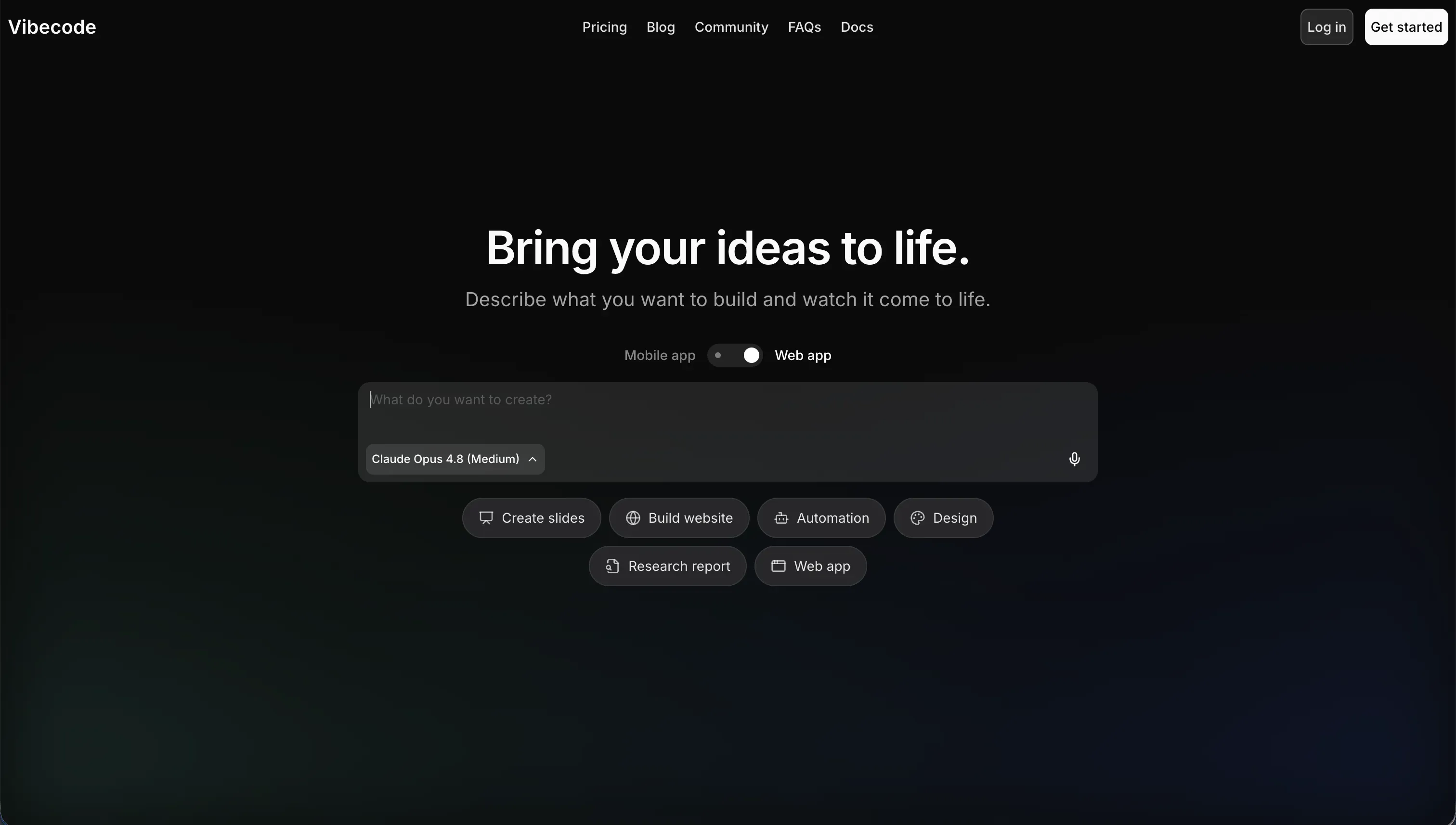
VibeCode is an AI-powered, mobile-first app creation platform built to translate natural language prompts directly into published smartphone software. Available at vibecodeapp.com, it attempts to bypass traditional IDE setup entirely by writing the underlying mobile code for you and preparing compilation assets for standard app marketplaces.
In practice, VibeCode auto-provisions a backend database, configures user authentication, and sets up cloud storage in VibeCode Cloud so that the generated mobile interface functions correctly. Professional builders on higher tiers can leverage direct SSH access to link their environment to Cursor or export the raw native source code for local refinement.
It is genuinely built for rapid native mobile prototyping and creators who want to deploy lightweight utilities without writing React Native or Swift code. However, teams building complex relational workflows often find themselves limited because the AI can easily hit a complexity wall, causing logic breaks and context drift in larger smartphone codebases.
| Spec | Details |
|---|---|
| Primary Stack | React Native frontend, managed VibeCode Cloud PostgreSQL backend, and raw LLM API connections |
| Interface | Conversational prompt interface on vibecodeapp.com with interactive mobile screen tester |
| Primary Deployment Target | Hosted on VibeCode Cloud, with native iOS and Android binaries built for direct app store delivery |
| Key Advantage | Mobile-first native focus with automated backend deployment and direct SSH/Cursor access |
What is v0?
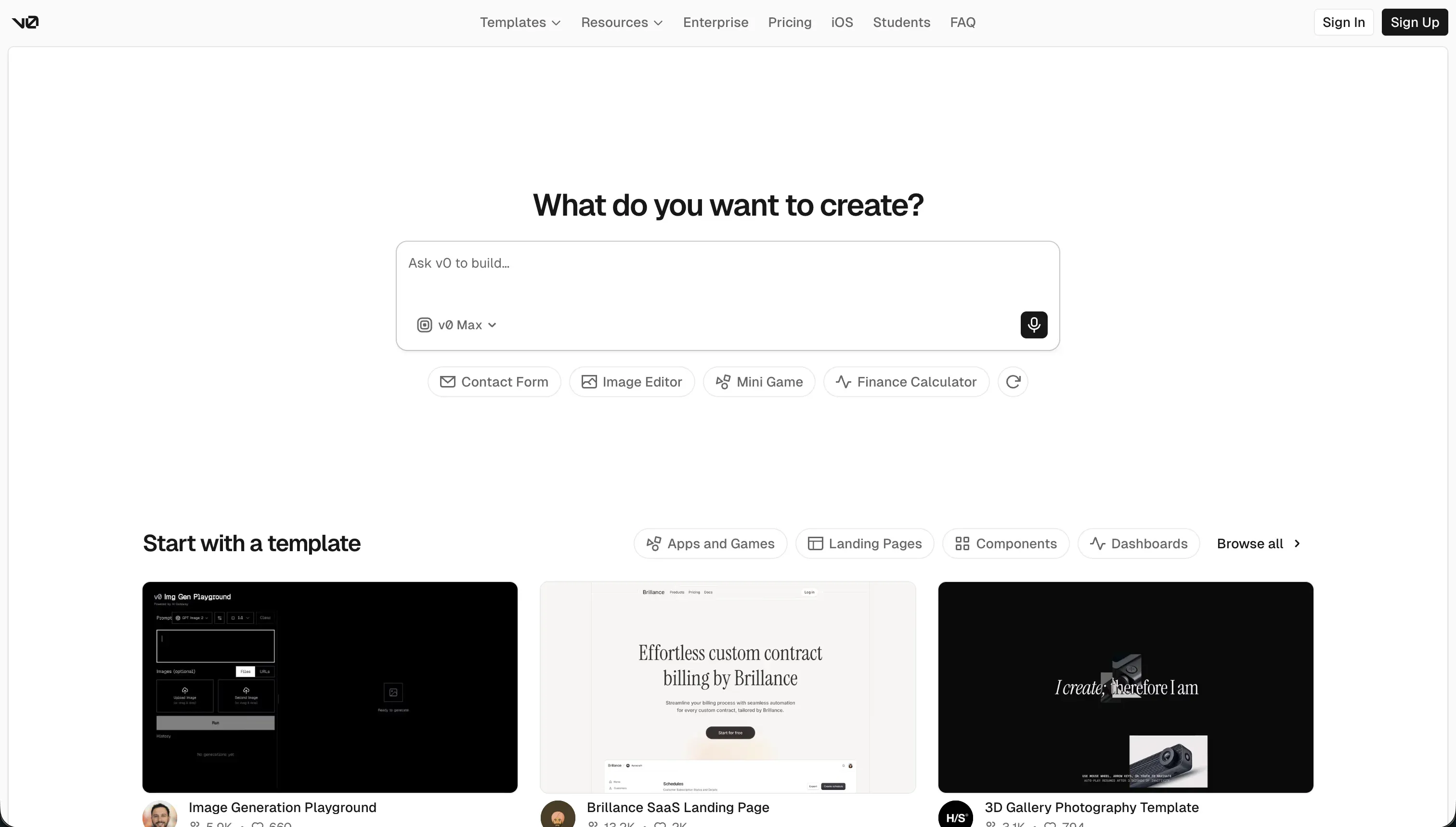
v0 by Vercel is an AI-powered conversational assistant engineered to output highly polished frontend interfaces. It does not try to build complete, multi-user software products, but rather excels at generating isolated, beautiful React and TypeScript sections that match professional user interface designs.
In practice, developers feed v0 text instructions, hand-drawn wireframes, or screenshots to instantly generate frontend code based on shadcn/ui layouts and Tailwind CSS structures. Once generated, components can be synced straight to active Git repositories using Vercel’s CLI integrations or published to global domains via direct Vercel deployment.
It is built as a developer visual scratchpad, allowing engineers and technical founders to bypass styling routines and quickly test new layouts. However, creators seeking a complete operational application will quickly become frustrated because v0 is strictly frontend-only - it does not provide databases, server paths, or user access management.
| Spec | Details |
|---|---|
| Primary Stack | React, TypeScript, Tailwind CSS, and shadcn/ui component integrations |
| Interface | Visual preview canvas with conversational chat panel and interactive design inputs |
| Primary Deployment Target | Vercel CDN previews, GitHub sync, and exportable frontend JSX/TSX components |
| Key Advantage | Exceptional web layout aesthetics with clean, un-locked React code that drops smoothly into Next.js |
The Core Difference
The real dividing line is scope: VibeCode is a mobile-first native app environment with a managed backend, while v0 is an isolated frontend styling assistant for React developers.
- VibeCode targets native iOS and Android store publication by packaging mobile interfaces with managed cloud databases under one conversational umbrella.
- v0 focuses on clean, raw web component styling, leaving database configuration, session systems, and API connections to your external developers.

Head-to-Head Comparison
We evaluated both platforms across four core categories.
1. Developer Experience & Iteration Speed
VibeCode provides a fast feedback loop for smartphone layouts, letting users see real-time previews of their responsive views on virtual devices. Because the database is provisioned automatically alongside authentication systems, you can move from a simple mobile idea to a clickable native mockup within twenty minutes of prompting.
But as the project grows, this prompt-driven iteration starts to break down. Users report context loss in larger mobile codebases, meaning the AI forgets existing app systems, leading to buggy code layers. If the LLM generates a logic loop containing dependency issues that fail store guidelines, finding and correcting that broken code inside the chat dashboard is highly frustrating.
v0 is an incredibly snappy prototyping asset for modern web development. Its dual-pane design mode allows builders to drag and drop assets, modify Tailwind CSS variables inside chat, and see rendering changes instantly on a Next.js live preview container. By supporting image-to-UI uploads, you can replicate high-fidelity sketches into React structures faster than writing grid styles manually.
However, developer forums on Reddit warn that v0 begins to crumble after you exceed five messages in a single thread. The AI starts producing redundant class selectors and bloated structures when trying to debug complex layouts. Since there is no actual state database, testing real user flows like interactive profiles or secure dashboards remains a static, mocked-up simulation.
Edge: v0, because its web previews are exceptionally polished, whereas VibeCode’s native code loops can easily fail execution if the AI loses context.
2. Code Quality, Export & Portability
VibeCode handles code portability through strict plans rather than open availability. If you are on the $50 per month Pro or $200 per month Max tiers, you gain SSH access to code editors like Cursor and can export your raw directories. This provides a genuine development handoff path for mobile teams wanting to clean up generated structures under local systems.
However, the managed PostgreSQL database remains locked inside VibeCode Cloud, meaning escape paths are only half-complete. If you decide to transition your application to a decoupled headless stack, manually rebuilding the schema pathways can introduce significant configuration burdens.
v0 is designed from the ground up for maximum portability with absolutely zero platform locking. It outputs pristine inline TypeScript, Tailwind CSS styles, and shadcn components that can be copied directly to a local clipboard or synced cleanly using Vercel CLI scripts. Because there are no custom runtime dependencies or proprietary layers inside the React code, the results drop smoothly into custom environments.
The main issue is that because the output code is completely raw, there is occasionally a dependency conflict when running v0 folders locally. For instance, developers regularly highlight dependency issues on TailwindCSS version upgrades, where Next.js installations throw system errors during standard compilation steps.
Edge: v0, because it offers seamless exports with zero runtime penalties, while VibeCode hides code delivery behind high paid tiers.
3. Database & Backend Capabilities
VibeCode includes a built-in backend database powered by PostgreSQL, along with pre-designed authentication schemes and cloud storage routes. This relational mapping happens automatically through the prompt container, so you do not need to configure complex network tables or set up manual token routes to share live data across multiple screens.
Despite this convenience, the database structure is opaque and relies on conversational prompts to edit tables. Technical teams will find that custom data pipelines or complex multi-tenant query layers are difficult to construct since you do not have a robust visual database panel or direct schema editors.
v0 possesses no native database, custom backend models, or user sign-in structures. It is strictly a frontend styling template system designed on React. If you want to connect a mock dashboard produced by v0 to a live database, you must configure a separate hosting architecture or write custom fetch commands by hand.
This means developers bear the entire backend integration responsibility. You cannot run production systems, record employee actions, or manage partner workflows straight off v0’s canvas without importing external API layers or hosting systems.
Edge: VibeCode, because it provides a functional cloud backend out of the box, whereas v0 has no native database.
4. Hosting & Deployment Options
VibeCode excels at managing native deployment, which is notoriously difficult for traditional web developers. On paid tiers, the platform offers direct submission routes to publish compiled iOS and Google Play applications onto official mobile marketplaces, handling production package signing and cloud server handoffs autonomously.
But for simple internal apps or operational business platforms, store approvals are a massive bottleneck. Every update must wait for administrative review cycles, making it extremely difficult to rollout rapid system fixes or immediate team adjustments on the fly.
v0 makes web publishing simple by connecting straight to Vercel’s global CDN, providing instant production-ready preview URLs. A single click pushes your generated React interface live on a stable, secure domain with full support for custom CSS overrides and instant styling tests.
However, because v0 does not host databases or build user session storage, your live URL is merely a visual design prototype. It is a stunning visual shell, but not a functional, secure business tool that clients or operations managers can use to manage secure data systems.
Edge: VibeCode for native store targets, because compiling App Store packages conversationally is a highly unique capability despite review delays.
5. Pricing and Credit Economics
VibeCode runs on a usage-based pricing model starting with a Free tier that features $2.50 of API credits. Its paid tiers, from the $20 per month Plus plan to the $200 per month Max tier, include credits matched directly to raw LLM API rates with no company markups. This transparent structure means you pay precisely for the system prompts you execute.
The catch is that since all app creation and backend configurations require prompting, building complex workflows burns through credits rapidly. If the AI gets stuck in code regression loops while compiling native binaries, you can exhaust your monthly plan credits within several hours of active debugging.
v0 offers a Free tier with $5 of monthly credits and a strict limit of seven messages per day. Its Team plan at $30 per user per month provides a shared workspace, while the Business plan at $100 per user per month provides training protection and priority generation speeds.
Vercel’s switch to usage-based token credits has received significant criticism. Because generating variations or resolving Tailwind issues consumes massive batches of tokens, active developers complain about draining their monthly credit pool within a single afternoon, turning the playground into an expensive utility.
Edge: VibeCode, because its no-markup API pass-through billing is more logical for active developers than v0’s premium token structures.
Pricing Comparison
VibeCode:
- Free: $0 with $2.50 included credits, access to premium AI models, and conversational building.
- Plus: $20/mo with $20 included credits, additional app tools, and 1 active mobile deployment.
- Pro: $50/mo with $55 included credits, 3 active deployments, code export, and SSH developer access.
- Max: $200/mo with $220 included credits, 5 active deployments, and full developer integrations.
v0:
- Free: $0 with $5 in monthly credits, Vercel preview deploys, visual edits, and a 7 message-per-day cap.
- Team: $30/user/mo with $30 monthly credits, $2 free daily login credits, shared team chats, and centralized billing.
- Business: $100/user/mo with $30 monthly credits, $2 daily active credits, shared workspaces, and LLM training opt-out.
- Enterprise: Custom pricing with SAML SSO, advanced RBAC security, priority asset queues, and dedicated developer SLAs.
Use Case Fit: When to use which?
When to choose VibeCode
- You need native mobile applications compiled specifically for direct deployment onto Apple and Google play stores.
- You want a fully managed mobile cloud backend with PostgreSQL and pre-built user authentication without writing code.
- You are comfortable with usage-based building and want SSH access to edit generated folders inside Cursor on paid plans.
When to choose v0
- You are an experienced React engineer wanting to accelerate your UI drafting speed using pristine Tailwind and shadcn styling.
- You need visual web templates or landing sections to sync directly into existing Next.js projects via CLI commands.
- You want clean design prototypes based on sketches or images and do not require native database integration inside your workspace.
When neither VibeCode nor v0 is the right fit
For internal tools and client portals
If you are attempting to build systems like teammate databases, customer dashboards, or inventory management trackers, neither VibeCode nor v0 are practical choices. VibeCode will trap your team inside slow app store approval loops for minor code edits, while v0 leaves you with beautifully styled text shells that completely lack secure backends or user login portals.
For enterprise-grade reliability and fast deployment, Softr behaves as the perfect operational bridge. It combines a native database displaying relational links and AI-driven column fields with visual user groups and row-level access control. Instead of leaving you with fragile code blocks, Softr isolates custom AI code safely to visual blocks, keeping the core infrastructure secure and easy to adjust by any team member of any technical skill level.
For native mobile apps without store friction
If you want a mobile-friendly business application that your remote contractors or field operators can install instantly on their phones, managing store submissions with VibeCode is an unnecessary barrier. Minor structural updates must go through App Store verification cycles, making agile platform adjustments impossible.
Using Softr, you can configure your business app as a Progressive Web App (PWA) with a custom favicon, splash screen, and offline landing system out of the box. Users install the app instantly with a single tap on their screens, allowing you to bypass app store approvals entirely while retaining responsive interfaces linked directly to your backend databases.

Verdict
Choose VibeCode if you are building mobile utilities, consumer MVPs, or native screen mockups where having a pre-built PostgreSQL database and iOS publication are mission-critical. You must accept that your iteration loop will run entirely on conversational prompts, and that your team will have to navigate app store submission bottlenecks for minor modifications unless you pay for Pro SSH terminal utilities.
Choose v0 if you are a frontend developer or technical founder building Next.js web systems and you want highly styled Tailwind CSS UI grids without visual lock-in. You accept the tradeoff of working with zero native backend capabilities, meaning you will need separate development resource paths to connect hosting, databases, security, and payment systems manually.
In terms of day-two reality, systems relying on generated code inevitably inherit massive technical debt as the business expands. For operational tools like client portal grids or internal task systems, teams avoid these fragile coding challenges completely by using Softr’s visual zero-code structure to safeguard performance and maintain complete, prompt-free visual control.

Summary Comparison Table
| Criterion | VibeCode | v0 |
|---|---|---|
| Best for | Native mobile utility apps and mockups | Polished React/Tailwind frontend code blocks |
| Output Type | Compiled iOS & Android application files | React and TypeScript code directories |
| Database model | Managed VibeCode Cloud PostgreSQL DB | None (Frontend rendering only) |
| Permissions | Pre-built prompt-driven authentication | None (Must write backend routing manually) |
| Code Export | Locked behind $50/mo Pro subscription | Free, instant clipboard copy or Git sync |