

WeWeb and FlutterFlow both sit in the visual app builder category, but they solve different problems. WeWeb is a web-first visual frontend builder for teams comfortable wiring their own backend, while FlutterFlow is a Flutter-based visual IDE aimed at shipping native mobile and cross-platform apps. The real tradeoff is not which one is more powerful in abstract, but whether you want browser-native web flexibility or a mobile-first stack that can reach app stores.
The people actually deciding between these two are usually agencies, technical founders, and product teams trying to avoid a fully custom build. What is at stake is bigger than first-day speed: you are choosing a mental model, a deployment target, and a form of lock-in. Pick wrong, and you either overpay for mobile features you do not need or spend weeks stitching together backend plumbing just to launch a serious app.
Meet the Contenders
What is WeWeb?
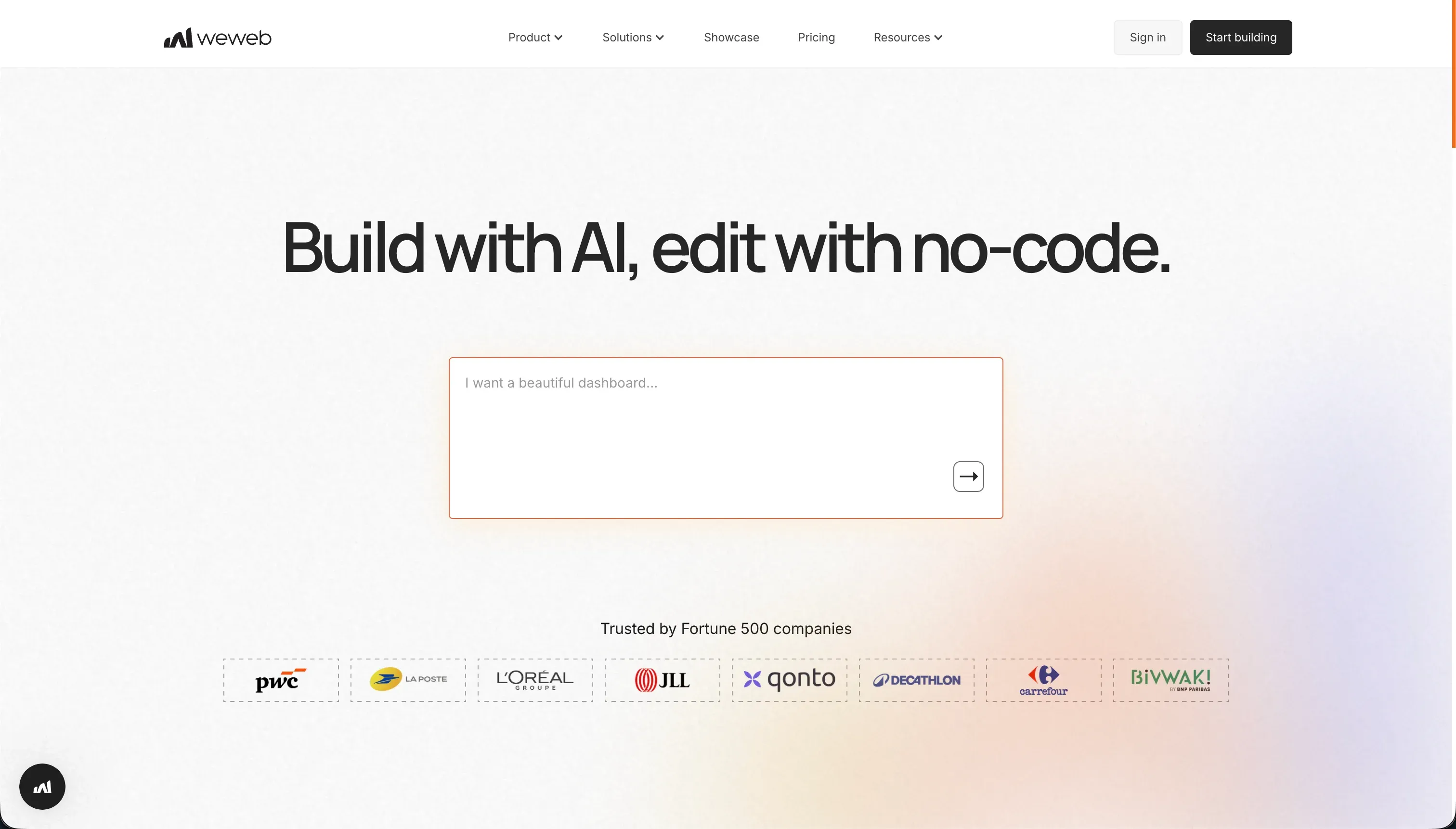
WeWeb is a visual frontend builder for web apps. Its whole pitch is decoupling the interface from the backend, so you design the UI in WeWeb and connect it to external databases or APIs like Supabase, Xano, or Airtable.
In practice, WeWeb behaves more like a visual web frontend tool than a full no-code platform. It gives you a layout engine with CSS flexbox, grids, and absolute positioning, plus visual state management for variables, user actions, and conditional routing. It also offers an AI assistant that can generate JavaScript snippets and CSS classes, and on higher plans you can download Vue.js or Nuxt.js code.
It is genuinely built for agencies, frontend-minded builders, and developers who like headless architecture. The people who get frustrated with it are usually non-technical operators who expected an all-in-one app builder and then discover they still need to configure auth, APIs, tokens, and a separate backend before the app feels real.
| Spec | Details |
|---|---|
| Primary Stack | Visual web frontend builder connected to external databases and APIs |
| Interface | Drag-and-drop web builder with CSS layout controls, state management, and AI code helper |
| Primary Deployment Target | Hosted web apps and SPAs on custom domains |
| Key Advantage | Strong web UI control with decoupled architecture and Vue/Nuxt code download on higher tiers |
What is FlutterFlow?
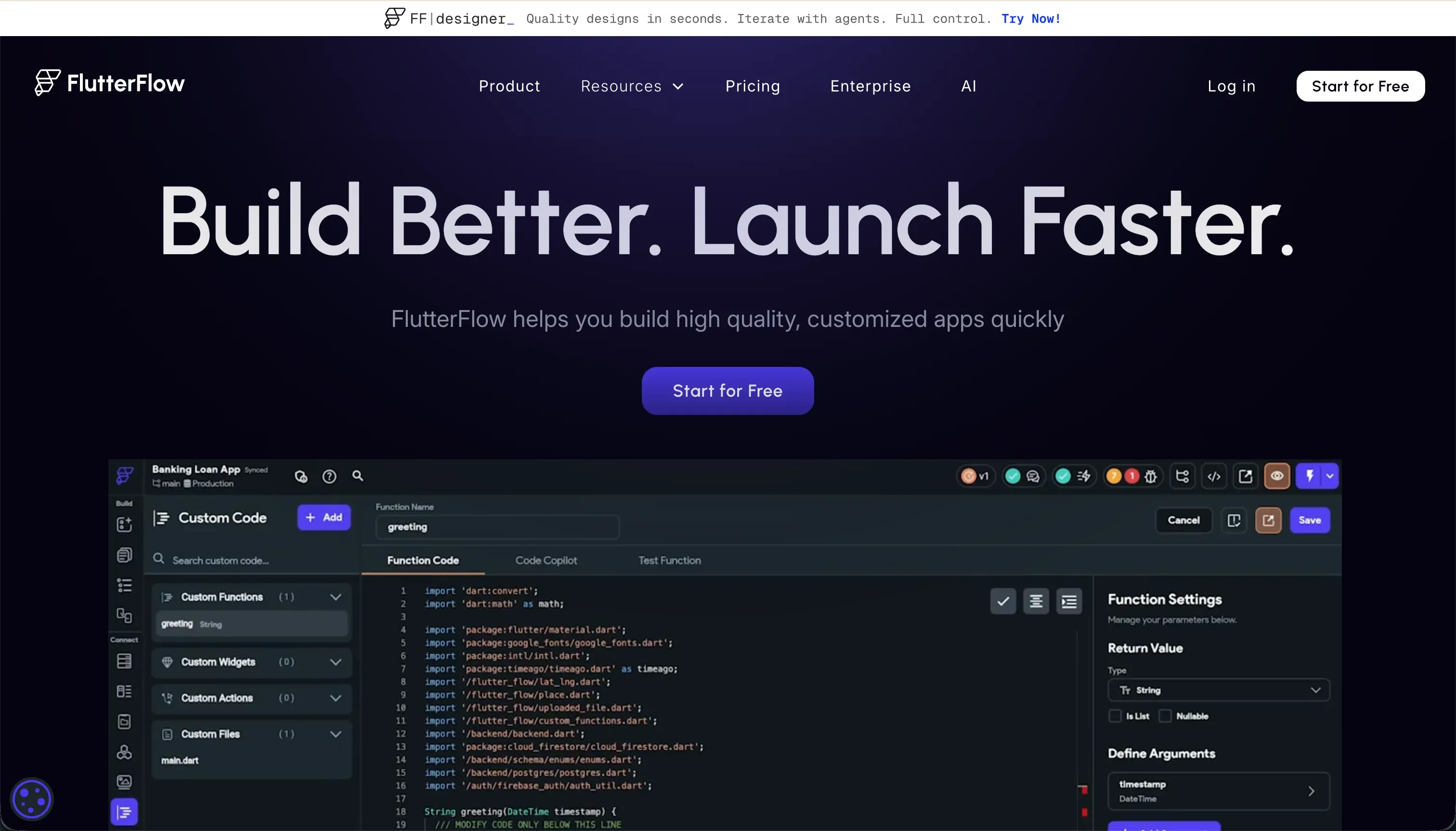
FlutterFlow is a visual app builder built on Flutter. Its core promise is that you can design app screens visually, connect data sources, and export production-ready Dart code for iOS, Android, and web.
In practice, FlutterFlow feels like a visual IDE for Flutter rather than a simple no-code app maker. You work with Flutter widget trees such as Containers, Rows, Columns, and Stacks, then layer in visual actions, state logic, REST APIs, Firebase or Supabase connections, and AI generation for screens, components, functions, and database schemas. Its bigger differentiator is direct mobile deployment support, including APK downloads, TestFlight/App Store pipelines, push notifications, and Git integration on higher plans.
It is genuinely built for designers, freelancers, and developers who want native mobile apps without hand-writing every widget. The people who get annoyed are usually builders who hoped visual development would remove engineering complexity, then run into Flutter layout rules, buried settings, browser lag on larger projects, and debugging sessions with weak error feedback.
| Spec | Details |
|---|---|
| Primary Stack | Flutter-based visual builder with Dart code export |
| Interface | Visual widget-tree editor with action logic, AI generation, and backend connectors |
| Primary Deployment Target | Native iOS and Android apps, plus web apps compiled from Flutter |
| Key Advantage | Native mobile deployment and full Dart source export |
The Core Difference
The biggest gap here is deployment philosophy. WeWeb is a browser-first frontend builder that assumes you will bring your own backend, while FlutterFlow is a Flutter visual IDE that assumes mobile apps are the center of gravity.
- WeWeb runs as a decoupled web frontend builder, giving you more browser-native layout control but pushing backend, auth, and data responsibility into external services.
- FlutterFlow runs as a visual Flutter app builder, giving you native mobile deployment and Dart export but forcing you into Flutter’s widget model and heavier web output.

Head-to-Head Comparison
We evaluated both platforms across four core categories.
1. Developer Experience & Iteration Speed
WeWeb is faster for teams that already think in terms of web frontend layers. Its visual layout engine supports flexbox, grids, absolute positioning, variables, user actions, and conditional routing, so a frontend-minded builder can move quickly once the data model already exists elsewhere.
The catch is that iteration speed depends heavily on how cleanly your backend is wired. Because WeWeb has no built-in database, every serious app starts with extra setup in Supabase, Xano, Airtable, or raw APIs. That means even simple features like auth flows or filtered user views can turn into API payload work, token handling, and documentation spelunking.
FlutterFlow can feel fast when the target is a mobile app and the builder is comfortable with Flutter concepts. AI Gen, reusable components, visual action configuration, and codeless store deployment all reduce the amount of manual plumbing needed to get a native app into testing.
But iteration gets slower as the app grows in screen count and logic depth. User feedback regularly mentions a steep learning curve, too many buried menus, and browser lag on projects with more than 12 screens. Debugging also sounds rough, with multiple reviewers describing unclear errors and a workflow that saves time until it suddenly does not.
Edge: WeWeb, because for web-first teams it stays closer to normal frontend thinking, while FlutterFlow’s visual IDE becomes heavier once the app gets complex.
2. Code Quality & Portability
WeWeb has a respectable portability story for a visual builder. On the Scale plan at $199 per month annually or $249 monthly, it offers code export, and that code is downloaded as Vue.js or Nuxt.js files. For agencies that do not want total platform dependency, that matters.
Still, the portability is front-end-biased. Since WeWeb is intentionally decoupled, the app only remains portable if your backend architecture is also sane outside WeWeb. If the team has built a messy chain of APIs, automations, and auth workarounds, exported Vue files do not magically clean that up.
FlutterFlow has the stronger code ownership story on paper because full Dart source export is a headline feature, and even the Standard plan includes code export. The Pro plan adds Git integration, which makes it more believable for teams that want to transition from visual building to a developer-maintained codebase.
The practical limitation is that exported code is still Flutter code. That is great if your team already wants Flutter, but not if you were just trying to avoid engineering overhead. Several user complaints also point to the platform feeling locked in despite export, because understanding and extending the generated project still requires real Flutter knowledge.
Edge: FlutterFlow, because full Dart export on lower tiers is a stronger ownership story than WeWeb’s higher-tier Vue export, assuming your team actually wants to live in Flutter afterward.
3. Database & Backend Capabilities
WeWeb is flexible here, but flexibility is not the same as convenience. It can connect to external SQL or no-SQL databases and APIs, which is exactly what agencies and headless-stack builders want. If you already run Supabase, Xano, or Airtable, WeWeb can sit on top cleanly.
The weakness is obvious: there is no native database or built-in backend logic layer. That means you are paying for and configuring another product before WeWeb becomes a full app platform. Research also flags setup complexity around token-based auth, API payloads, and backend dependency as recurring friction points.
FlutterFlow at least meets builders halfway with native support for Firebase and Supabase plus REST APIs. That gives it a more opinionated backend path than WeWeb, especially for people already in Google’s or Supabase’s ecosystem.
But it is still not zero-setup. You need to configure authentication services, database rules, and API structures yourself, and the platform research explicitly notes backend setup overhead as a weakness. For non-developers, that usually means the visual builder handles UI faster than the data and security layer actually gets solved.
Edge: FlutterFlow, because it gives builders more native backend rails through Firebase and Supabase, while WeWeb leaves almost everything backend-related to external setup.
4. Hosting & Deployment Options
WeWeb is clearly optimized for hosted web apps. Even the Starter plan at $39 annually or $59 monthly gets you one published app, a custom domain, and 50,000 monthly page views, while the Scale plan adds staging environments. That is a sensible deployment story for browser-based software.
Its limitation is that the whole product is still web-only. You can build responsive apps and even lean on SPA behavior and SEO-friendly rendering, but if the brief is native App Store delivery, WeWeb is simply the wrong category. User feedback also suggests mobile experience is weaker than laptop performance even when responsiveness is handled well.
FlutterFlow wins hard if deployment means shipping native mobile apps. Standard includes APK downloads and custom domains, while Pro adds push notifications and codeless deployment to Google Play and Apple TestFlight or App Store. That is a completely different class of deployment capability than a web-only builder can offer.
The tradeoff is on web. Flutter web apps can suffer from heavier initial load and resource usage because they compile through Flutter Web using CanvasKit or HTML. So FlutterFlow’s deployment story is excellent for mobile, but less convincing if your primary product experience lives in the browser.
Edge: FlutterFlow, because native mobile deployment to app stores is a real differentiator and WeWeb has no equivalent.
5. AI Quality & Reliability
WeWeb’s AI assistant is relatively narrow and that is not a bad thing. It helps generate JavaScript snippets and CSS classes for custom components, which makes it more of a scoped helper than an all-powerful app generator. That containment reduces hype, but it also reduces the chance that the AI creates a giant mess you then have to unwind.
The downside is that it does not radically simplify the platform. The hard parts in WeWeb are still architecture, API bindings, auth, and state logic, and the AI helper does not remove that burden. So AI is useful here, but it is not the reason to buy WeWeb.
FlutterFlow is more ambitious on AI. FlutterFlow AI Gen can generate screens, components, custom Dart functions, and database schemas from text instructions, which sounds great when you want visual acceleration inside a mobile app project.
The risk is that the underlying platform is already dense, so AI can speed creation without solving comprehension. The documented complaints are less about runaway credit burn and more about debugging difficulty, confusing behavior, and poor support when things break. In other words, the AI helps you get more done, but it does not fully shield you from Flutter complexity.
Edge: FlutterFlow, because its AI surface area is broader and more useful in actual app assembly, even if it does not eliminate the debugging burden.
6. Learning Curve & Onboarding
WeWeb has a steep learning curve, but it is at least steep in familiar web directions. If you understand layout systems, APIs, and frontend state, the product makes conceptual sense. That is why agencies and technical freelancers often tolerate its complexity.
For everyone else, the setup can feel like accidental self-sabotage. The research calls out learning requirements around conditional page routing, token-based authentication, and API payloads, plus documentation that does not always keep up with product changes. That is a bad combination for beginners who need trust and clear next steps.
FlutterFlow is notorious for being visually approachable and mentally demanding at the same time. New users like that it is drag-and-drop, but the actual model requires understanding Flutter constraints, widget trees, state management, relational data, and backend rules.
That is why the reviews sound so split. Some people say there is no serious competition for mobile visual building, while others describe a hate-love relationship, scarce expert talent, buried options, and a GUI that becomes disorienting when errors appear. Beginner-friendly marketing does not change the fact that it still rewards a developer mindset.
Edge: WeWeb, because its difficulty maps to standard web concepts, while FlutterFlow asks you to learn an entire Flutter mental model on top of the builder itself.
Pricing Comparison
WeWeb:
- Free - $0 with editor access, visual builder, up to 150 database records, and a weweb.io subdomain.
- Starter - $39/month billed annually or $59/month billed monthly for 1 published app, custom domain, and 50,000 monthly page views.
- Scale - $199/month billed annually or $249/month billed monthly for 3 published apps, 250,000 monthly page views, staging environments, and code export.
- Enterprise - Custom pricing with self-hosting, unlimited page views, advanced SSO, and SLAs.
FlutterFlow:
- Free - $0 with the visual builder, Firebase integration, and basic UI components.
- Standard - $22/month billed annually or $30/month billed monthly with APK downloads, custom domain, code export, and local run.
- Pro - $50/month billed annually or $70/month billed monthly with full code export, Git integration, push notifications, codeless App Store deployment, and translation.
- Teams - $50/seat/month billed annually or $70/seat/month billed monthly for collaborative building, shared design library, and team billing.
Use Case Fit: When to use which?
When to choose WeWeb
- Choose WeWeb when your product is primarily a web app and you want visual frontend control on top of an external backend like Supabase, Xano, or Airtable.
- Choose WeWeb when your team is comfortable with APIs, auth setup, and headless architecture, and you want Vue/Nuxt export on the Scale tier.
- Choose WeWeb when web responsiveness, browser-native layout behavior, and a decoupled stack matter more than native mobile deployment.
When to choose FlutterFlow
- Choose FlutterFlow when native iOS and Android apps are the goal and you want App Store deployment without hand-coding every screen.
- Choose FlutterFlow when Dart code export, Git integration, push notifications, and Firebase or Supabase are part of your intended stack.
- Choose FlutterFlow when your team can tolerate a steeper learning curve in exchange for mobile-first output rather than browser-first web apps.
When neither WeWeb nor FlutterFlow is the right fit
For internal tools and client portals
Neither WeWeb nor FlutterFlow is the clean answer if the real job is building an internal tool, client portal, CRM, or partner dashboard for non-technical teams. WeWeb asks you to assemble a separate backend and auth stack first, and FlutterFlow asks you to think like a mobile developer even when the app is really operational software for employees or clients.
That is where Softr is the better fit. Softr starts with Softr Databases as the native option, then layers in user authentication, granular permissions, workflows, hosting, and an AI Co-Builder without forcing you into prompt-only editing. For business apps, that usually ages better on day two because the people maintaining it do not need to debug Flutter widgets or API plumbing just to change a form, permission, or dashboard block.
For professional developer environments
Neither tool is a real developer environment in the way serious engineering teams often mean it. WeWeb is still a proprietary visual frontend layer, and FlutterFlow is still a visual Flutter IDE with generated structure around it. If you want terminal access, direct framework control, package management freedom, and the ability to shape architecture without builder constraints, both will eventually feel cramped.
In that case, look at Cursor or Replit. Cursor makes more sense if your team already works locally and wants AI inside a proper coding workflow, while Replit is the better fit if you want a browser-based dev environment with real files, runtime control, and deployment closer to standard software development.
For simpler data-heavy admin apps
Sometimes the requirement is not a custom frontend or a native app at all. It is just a data-heavy internal interface where speed of CRUD screens, dashboards, tables, and permissions matters more than pixel-perfect design or app-store packaging. In that situation, both WeWeb and FlutterFlow can feel like using a kitchen knife to tighten a bolt.
That is where Retool or Bubble are more logical. Retool is stronger for internal admin surfaces because it is optimized around databases, queries, and operational UI, while Bubble is the better pick if you need deeper visual logic and custom app behavior without committing to Flutter or a fully headless web stack.

Verdict
Pick WeWeb if your team is building for the browser and wants a visual frontend builder that behaves more like a headless web layer than an all-in-one no-code toy. The tradeoff is that you are accepting backend assembly work, a steeper setup curve around auth and APIs, and a higher starting cost for serious production use at $59 monthly for Starter or $249 monthly for Scale.
Pick FlutterFlow if native mobile is the actual destination and code export matters. The tradeoff is that you are buying into Flutter’s mental model, denser project complexity, and a web experience that can feel heavier than browser-native tools, even if the sticker price starts lower at $30 monthly for Standard and $70 monthly for Pro.
The day-two reality is that both tools still ask a lot from the builder. WeWeb asks you to think like a frontend engineer with a separate backend, and FlutterFlow asks you to think like a Flutter developer with visual shortcuts. If the real app is operational software for employees, clients, vendors, or partners, Softr usually ages better because it ships with Softr Databases, permissions, workflows, and AI-assisted building inside a managed system that non-developers can keep maintaining.

Summary Comparison Table
| Criterion | WeWeb | FlutterFlow |
|---|---|---|
| Best for | Web app frontends on a headless stack | Native mobile and cross-platform Flutter apps |
| Build paradigm | Visual web frontend builder | Visual Flutter IDE |
| Output type | Hosted web app / SPA | Native iOS, Android, and Flutter web |
| Database model | Bring your own backend via APIs | Firebase, Supabase, and REST integrations |
| Code export | Vue/Nuxt export on Scale and up | Dart export starting on paid plans |
| Pricing model | Per app and page-view based tiers | Lower entry pricing, then plan or seat-based |
| Maintenance burden | Higher backend setup burden | Higher Flutter and debugging burden |