

Choosing between v0 and Same.new is really choosing between two kinds of frontend AI scaffolding. v0 is an AI UI generator built around React, shadcn/ui, Tailwind, and Vercel deployment, while Same.new is a visual cloning tool built to replicate existing websites into editable React projects. Both can get you from blank page to something visible quickly, but neither is a full app platform.
The people actually deciding between these tools are usually designers, frontend developers, and founders who care about speed more than backend depth. What is at stake is not just first-hour output, but how much cleanup, token burn, and lock-in pain shows up after the initial demo. If you pick wrong, you either overpay to debug AI mistakes or end up with cloned code you do not fully trust.
Meet the Contenders
What is v0?
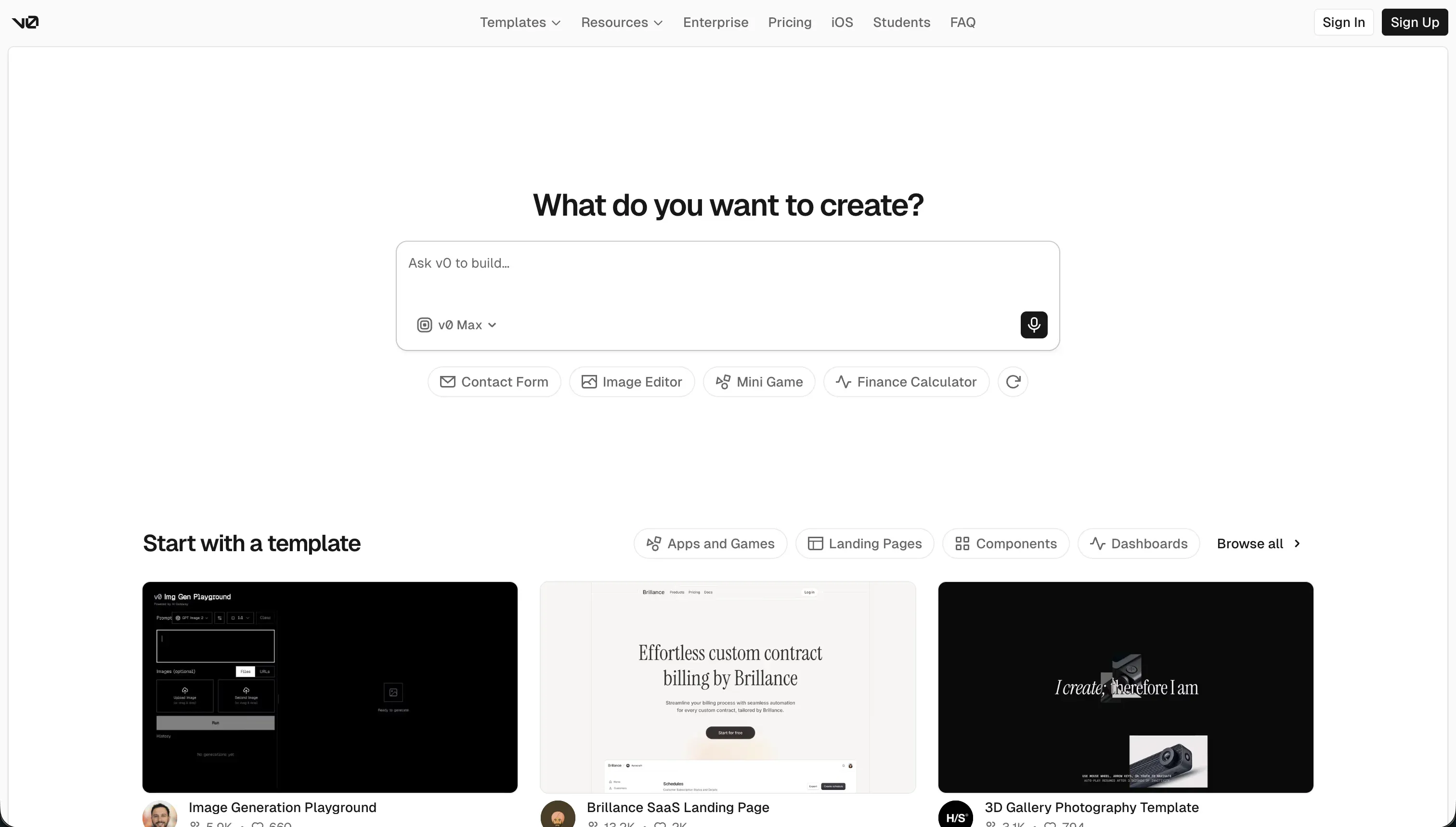
v0 is Vercel’s AI-powered frontend generation assistant for creating responsive user interfaces from natural-language prompts. It lives firmly in the AI UI scaffolding camp, not the all-in-one app builder camp.
In practice, v0 generates React and TypeScript components, usually in a shadcn/ui and Tailwind style, then lets you keep editing through chat and visual preview tools. Its concrete strengths are Design Mode for turning screenshots or sketches into UI, GitHub sync for moving generated code into a repo, editable source code, and one-click deployment flows on Vercel.
It is genuinely built for developers, technical founders, and product teams who want fast frontend drafts with a reasonably standard React output. The people most likely to get frustrated are non-technical builders who assume it includes database, auth, and backend logic, plus developers who hit context drift after 5 to 10 prompts and end up paying credits to clean up buggy code.
| Spec | Details |
|---|---|
| Primary Stack | AI-generated React and TypeScript components using shadcn/ui-style layouts and Tailwind CSS |
| Interface | Prompt-driven chat builder with visual edits and design-to-UI input |
| Primary Deployment Target | Vercel-hosted frontend previews and deployments |
| Key Advantage | Polished React UI generation with GitHub sync and cleaner developer handoff than most AI UI tools |
What is Same.new?
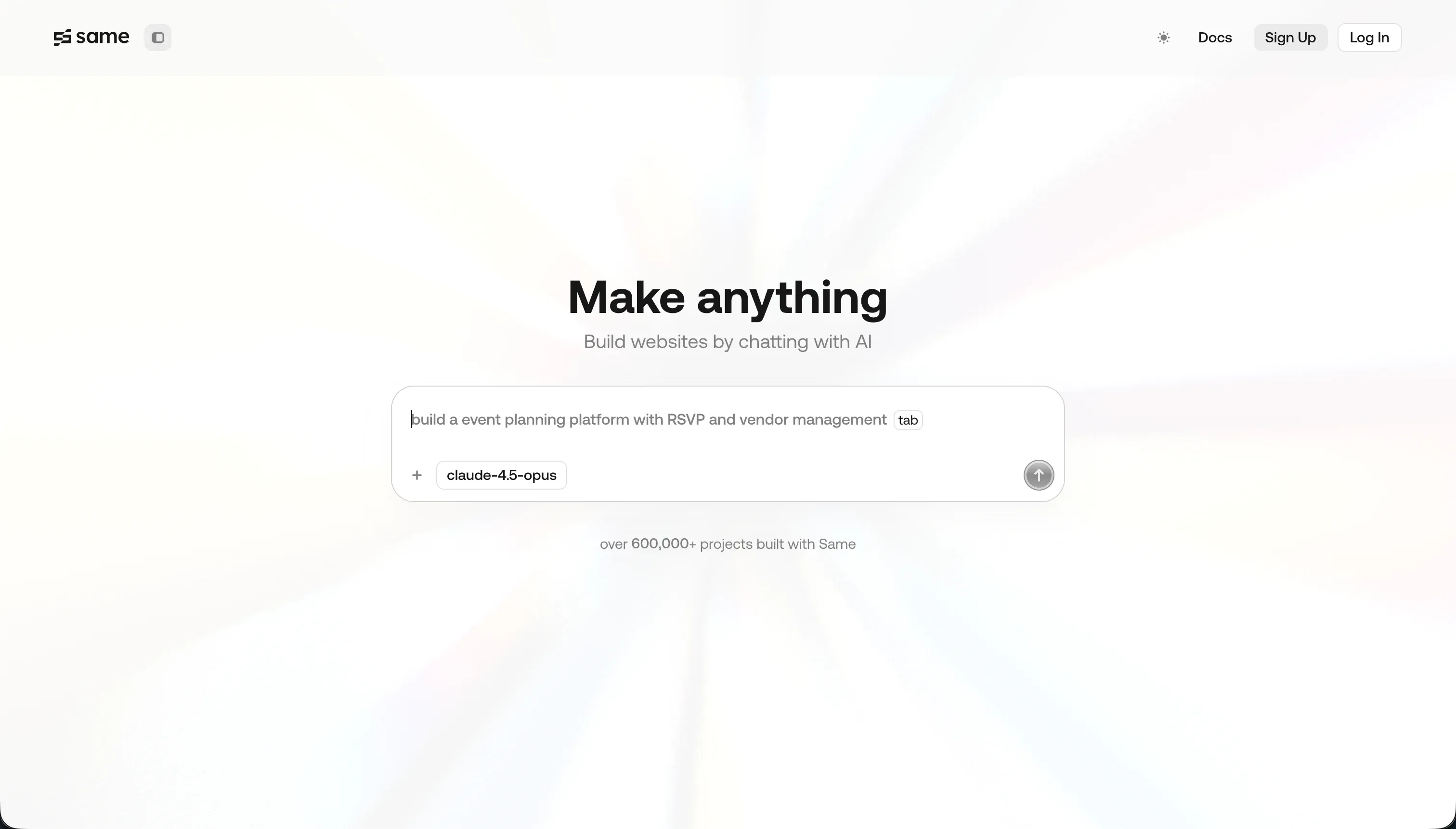
Same.new is a frontend prototyping and UI cloning tool that turns a live website URL into a React-based copy you can modify with prompts. It is less about inventing interfaces from scratch and more about reproducing something that already exists.
In practice, you paste in a URL, let the system clone the layout, colors, typography, and styling, then use conversational prompts to change sections or tweak the design. Its concrete capabilities include website URL cloning, conversational edits, project forking, and code export for React and Tailwind CSS.
It is genuinely built for designers and developers who want to reverse-engineer or mimic a visual layout quickly. The people most likely to hate it are anyone working on complex interactive layouts or larger projects, because Trustpilot complaints describe destructive updates, broken fork behavior, and even cases where simple edits reportedly wiped out 1,500 plus lines of working code.
| Spec | Details |
|---|---|
| Primary Stack | React projects with Tailwind CSS generated from cloned live websites |
| Interface | URL-based UI cloning plus conversational prompt editing |
| Primary Deployment Target | Frontend code export for local development rather than a full-stack hosted app workflow |
| Key Advantage | Fast visual replication of simple websites from an existing URL |
The Core Difference
The biggest difference is simple: v0 is trying to be a developer-friendly UI generator, while Same.new is trying to be a visual copier. One starts from prompts and component patterns, the other starts from an existing site and tries to reproduce it.
- v0 runs as a React-first AI scaffolding tool that is strongest when you want original UI drafts you can push toward a normal frontend workflow.
- Same.new runs as a website cloning assistant that is strongest when your starting point is already live on the web and you mostly want to imitate it fast.

Head-to-Head Comparison
We evaluated both platforms across four core categories.
1. Developer Experience & Iteration Speed
v0 is strong in the first session because the workflow is familiar to frontend teams: prompt a component, inspect the preview, adjust styles, and optionally push toward Vercel deployment. Features like Design Mode and GitHub sync make it feel closer to a real developer pipeline than most AI toy builders.
The problem is that iteration quality reportedly drops after extended chat threads. Community complaints repeatedly mention the tool getting buggy after 5 to 10 messages, plus credit burn when small fixes need repeated prompting, so the speed advantage can reverse once you move from generation into debugging.
Same.new is even faster when the job is literal imitation. If you already have a reference site, pasting a URL and getting a rough React clone is a very direct workflow, and for simple marketing pages that can be faster than describing the same layout from scratch.
Iteration is where it looks much shakier. Trustpilot complaints describe destructive edits, broken reordering, and flaky fork behavior on larger files, which means the tool can feel fast right up until a small prompt blows up the project and forces manual cleanup.
Edge: v0, because both are prompt-heavy, but v0 has the more credible day-to-day workflow for developers once the first clone is done.
2. Code Quality & Portability
v0’s best selling point is that it outputs inspectable React and TypeScript code rather than trapping you in a proprietary visual layer. GitHub sync is a meaningful advantage here, because it gives technical teams a cleaner path to move work into an existing repo and continue in a normal engineering workflow.
That does not mean the code is always elegant. User feedback calls out bloated Tailwind output, odd component structure, and occasional hallucinated imports from packages like lucide-react or shadcn/ui, so portability is good but cleanup is often still required.
Same.new also has a real code export story, which matters because without it the product would be hard to justify. You can export the generated React and Tailwind CSS and continue locally, which at least gives teams an exit path after cloning a site.
The issue is trust in the exported code. Same.new is optimized for visual replication rather than maintainable component architecture, and user reports about destructive edits and unstable forks make that exported code feel more like a salvageable draft than a reliable foundation.
Edge: v0, because both let you leave with code, but v0 is more intentionally built for developer handoff instead of just cloned output.
3. Database & Backend Capabilities
v0 is extremely limited here because it is fundamentally frontend-only. It does not ship with a native database, built-in authentication, relational models, or backend workflow engine, so developers still need to wire real infrastructure themselves.
That is fine if you already have a stack and just want the UI layer. It is bad if you assumed v0 was an end-to-end app builder, because reviewers consistently stress that it is basically a designer’s scratchpad that outputs React rather than a full-stack product platform.
Same.new is in basically the same camp, and arguably even narrower. It focuses on visual cloning and frontend scaffolding, with no native database layer, no serious backend logic system, and no built-in auth model in the research provided.
That makes it useful only as the beginning of a project, not the project itself. If the cloned interface needs real users, real permissions, or data workflows, the heavy lifting still lands back on the developer after export.
Edge: v0, but only slightly, because neither tool has a serious answer for backend or data and v0 is at least clearer about its frontend-first identity.
4. Hosting & Deployment Options
v0 has a real advantage on deployment because it plugs directly into Vercel’s ecosystem. The free plan includes deployment capability, and the whole product is built around the idea that generated frontend work should move smoothly into Vercel previews and shipping workflows.
There are still caveats. User reports mention deployment bugs tied to framework version mismatches, including Tailwind CSS and PostCSS issues after platform changes, so the Vercel alignment helps but does not magically eliminate breakage.
Same.new’s deployment story is much thinner in the research. The main exit path is code export, which means deployment is usually something you handle after the tool rather than inside it.
That is not automatically bad, but it makes Same.new feel more like a temporary cloning utility than a shipping environment. If your team wants a tighter prompt-to-preview-to-live loop, Same.new gives you less infrastructure help than v0 does.
Edge: v0, because Vercel-native deployment is simply a stronger and clearer answer than export-it-and-handle-the-rest-yourself.
5. AI Quality & Reliability
v0 can produce polished-looking interfaces quickly, and that is why it still gets used despite the complaints. For early-stage UI generation, it often produces attractive modern layouts that feel closer to current React design patterns than many generic app generators.
Reliability is the recurring complaint. Reddit threads mention buggy output after a handful of prompts, hallucinated dependencies, failure to use requested libraries, and a pay-for-mistakes dynamic where bad generations still consume credits, which makes the AI feel expensive when it is wrong.
Same.new’s AI quality is more specialized: it is good at reproducing the basic look of simple sites from a URL. If the task is visual mimicry rather than product architecture, that narrow focus can be genuinely useful.
But the downside is harsher. Trustpilot feedback describes destructive code loss, failures on complex layouts and nested grids, and instability around edits and forking, so the reliability risk sounds less like occasional rough edges and more like structural fragility.
Edge: v0, because both can misfire, but Same.new’s reported failure mode is more destructive and therefore harder to trust.
6. Learning Curve & Onboarding
v0 is easy to grasp in the first hour because the product story is clear: describe UI, get React components, keep refining. The free plan includes $5 of monthly credits and a 7 messages per day limit, which is enough for lightweight experimentation without immediate payment.
The harder part comes later, because the user still needs frontend judgment to spot bad code, missing dependencies, or architecture issues. So the onboarding is easy, but the actual successful use of the tool assumes you can think like a developer once the chat output stops being clean.
Same.new is arguably even simpler to explain because pasting a URL is a very low-friction starting point. For a designer or founder trying to recreate an existing landing page, that can feel more intuitive than prompting component structures from a blank canvas.
The catch is that the apparent simplicity hides more downstream risk. Once edits become destructive or clones fail on complex layouts, users have to debug the result anyway, and the low entry price of $10 per month for Pro does not help much if the project becomes unstable.
Edge: Same.new for pure first-hour simplicity, because URL cloning is easier to understand than prompt-based component generation.

Pricing Comparison
v0:
- Free - $0/month with $5 of included monthly credits, Vercel deployment, visual edits, and a 7 messages/day limit.
- Team - $30/user/month with $30 of included monthly credits per user, plus $2 of free daily credits on login.
- Business - $100/user/month with $30 of included monthly credits per user, plus $2 of free daily credits on login.
- Enterprise - Custom pricing with SAML SSO, RBAC, priority access, and support SLAs.
Same.new:
- Free - $0 with limited tokens for basic UI testing and cloning.
- Pro - $10/month including 2 million tokens, with additional tokens charged at $10 per 2 million tokens or $5 per million.
- Fixed Tiers - Tiered plans based on token quotas for more predictable billing.
Use Case Fit: When to use which?
When to choose v0
- Choose v0 when you want polished React UI generation and expect developers to clean up or extend the output afterward.
- Choose v0 when GitHub sync and Vercel deployment matter more than having a built-in backend.
- Choose v0 when you are designing original interfaces, not just copying an existing website.
When to choose Same.new
- Choose Same.new when your fastest path is cloning an existing website from a live URL.
- Choose Same.new when you care more about visual imitation than component architecture quality.
- Choose Same.new when you want the cheapest entry point for basic frontend cloning and can tolerate some instability.
When neither v0 nor Same.new is the right fit
For internal tools and client portals
Neither v0 nor Same.new is a serious answer for operational software. Both are frontend-first tools with no native database, no robust permissions model, and no built-in workflow layer, which means teams still have to stitch together auth, data, and business rules after the shiny UI appears.
If you are building an internal tool, CRM, partner dashboard, or customer portal, Softr is the more honest fit. It starts with Softr Databases as the native option, then adds built-in authentication, granular user groups, row-level permissions, workflows, hosting, and an AI Co-Builder that helps you build faster without forcing you to keep re-prompting forever.
For native mobile apps
Neither of these tools is built for true native mobile delivery. They can help with mobile-looking web interfaces, but they do not solve app-store packaging, native device behavior, or the mobile-first workflow teams usually mean when they say they are building an iOS or Android app.
If native mobile is the real requirement, start with FlutterFlow and look at Adalo or Glide depending on complexity. FlutterFlow is the strongest choice when you need app-store-ready ambition rather than a cloned or generated web UI pretending to be a mobile product.
For professional developer environments
Both tools are helpers, not full environments. v0 is better integrated with modern frontend workflows, and Same.new is useful for cloning, but neither gives you the kind of serious coding environment you want for debugging, architecture control, terminal access, testing, and long-term engineering work.
If that is the job, use Cursor or Replit instead. Cursor makes more sense for teams already working locally in a real IDE, while Replit is the better fit if you want a browser-based development environment that is actually meant to be lived in.

Verdict
Pick v0 if you want the more developer-friendly option of the two. It is better for generating original React UI, moving code into GitHub, and deploying quickly on Vercel, but the tradeoff is that you still accept frontend-only scope, credit-sensitive debugging, and reports of code quality drifting after a handful of prompts.
Pick Same.new if your real job is cloning a site rather than designing one. It gets points for direct URL-based replication and a cheap $10 per month Pro entry point, but the tradeoff is a shakier reliability story, weaker deployment flow, and more alarming user complaints about destructive edits and project instability.
The bigger reality is that both tools are first-day tools more than day-two systems. They are useful when UI speed is the priority, but once the project needs real users, permissions, data structure, or workflows, a production-oriented platform like Softr usually ages better for business apps because it starts with Softr Databases, auth, permissions, and maintainable visual controls instead of leaving you to repair generated frontend code.

Summary Comparison Table
| Criterion | v0 | Same.new |
|---|---|---|
| Best for | Original React UI generation and developer handoff | Fast cloning of existing website layouts |
| Build paradigm | Prompt-based React component generation | URL-based website cloning plus prompts |
| Output type | React and TypeScript UI code | React and Tailwind clone code |
| Database | None built in | None built in |
| Pricing metric | Credits and per-user plans | Token quotas and token overages |
| Maintenance burden | Moderate to high once prompt threads drift | High if cloned layouts break during edits |
| Code export | Yes, with GitHub-friendly workflow | Yes, but trust in code quality is weaker |