

v0 and Softgen look similar from a distance, but they solve different layers of the stack. v0 is primarily an AI frontend generator for React interfaces, while Softgen is a conversational full-stack app builder that tries to scaffold the UI, database, auth, and deployment together. The real tradeoff is not which one is more “AI,” but whether you want cleaner frontend output or a broader generated app scaffold. One is closer to a design-to-code assistant. The other is closer to an MVP generator.
The people actually comparing these two are usually founders, indie hackers, and small product teams trying to move fast without hiring a full engineering team on day one. What is at stake is not just speed, but how much cleanup, prompting, and hidden cost shows up once the first version exists. v0 can save time if you already know how to wire a backend. Softgen can save setup work if you want auth and data structures included. Both can get expensive or frustrating once iteration turns into debugging.
Meet the Contenders
What is v0?
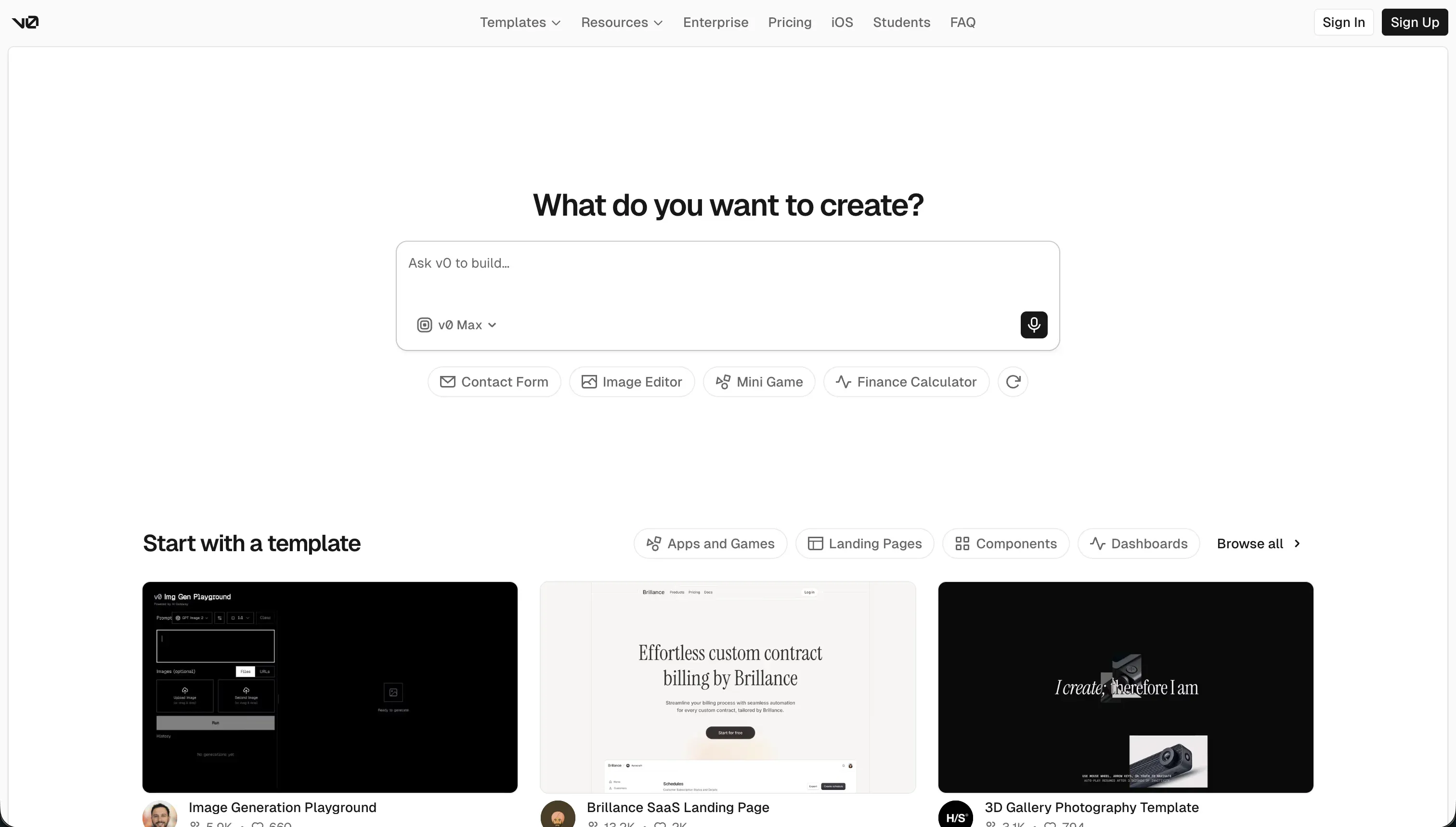
v0 is Vercel’s AI-powered frontend generation assistant for creating React interfaces from natural-language prompts. It is best understood as AI scaffolding for UI, not as a complete app platform.
In practice, v0 generates React and TypeScript components, usually around shadcn/ui and Tailwind patterns, then lets you refine them through chat, design mode inputs, and visual edits. It also supports GitHub sync, editable source code, and one-click deployment to Vercel. Those are real strengths if your bottleneck is getting polished interface code quickly. The catch is equally real: it has no native database, no built-in backend logic, and no first-party auth layer, so developers still have to wire the actual application.
It is genuinely built for developers, technical founders, and design-conscious teams who want fast UI generation with code they can inspect and move elsewhere. It becomes frustrating for non-technical users who assumed “app builder” meant full-stack delivery, and for teams who discover that after five to ten chat turns the output can drift, bloat, or break in ways that still consume credits.
| Spec | Details |
|---|---|
| Primary Stack | AI-generated React and TypeScript UI using shadcn/ui-style layouts and Tailwind CSS |
| Interface | Prompt-based UI generator with design-mode inputs, preview edits, and conversational styling changes |
| Primary Deployment Target | Frontend previews and deployments on Vercel |
| Key Advantage | High-polish frontend scaffolding with clean exportable code and GitHub-friendly workflows |
What is Softgen?
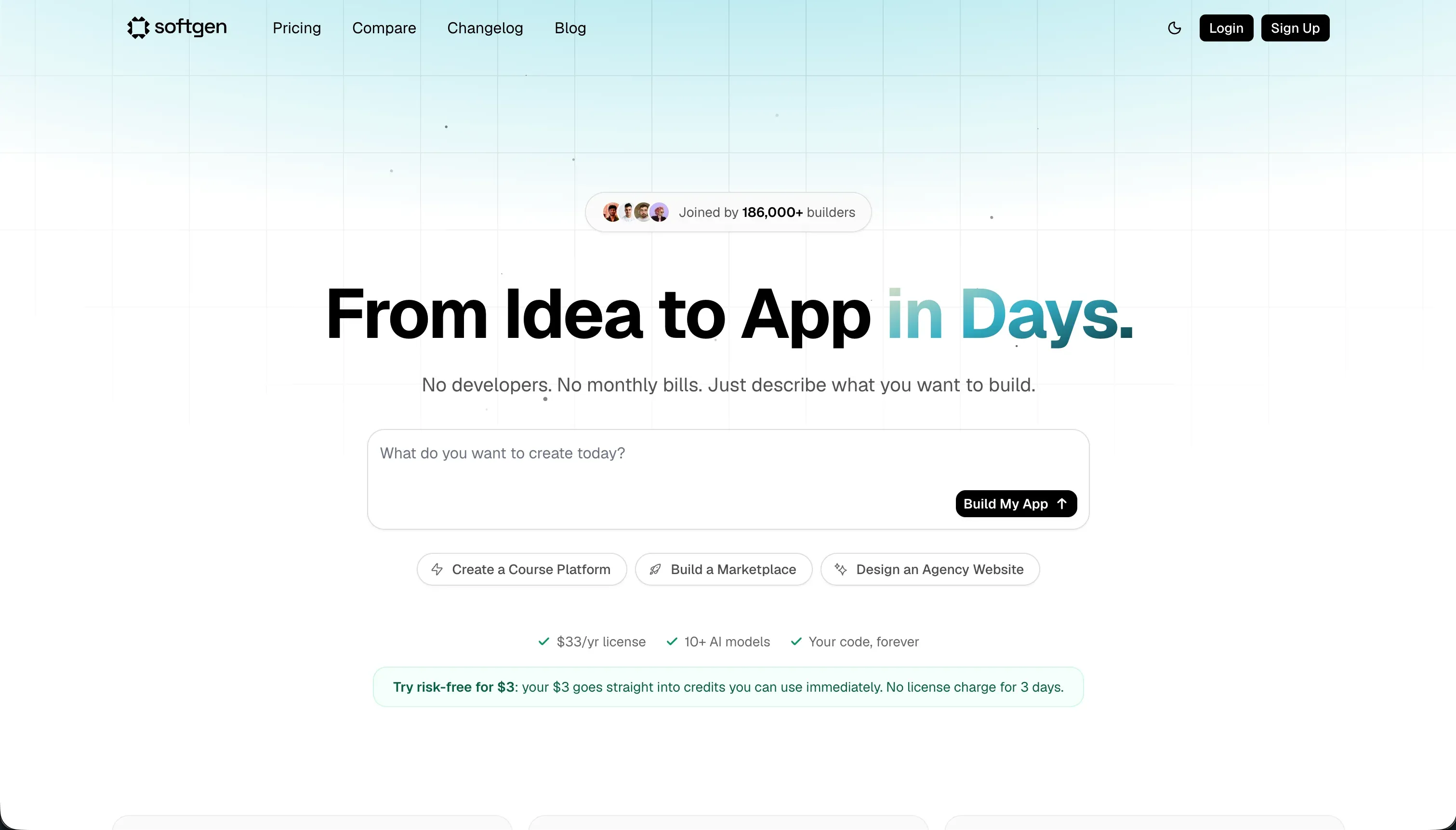
Softgen is a conversational AI application builder that aims to generate more than just the interface. It uses chat-driven scaffolding to produce web apps with layout structure, relational database schemas, authentication, integrations, and hosted deployment.
In practice, Softgen revolves around its Cascade AI agent, which helps outline the app, shape the schema, and modify features through prompts. It includes full-stack generation, one-click deployments, custom domain support, and code export if you eventually want to move on. That broader scope gives it an advantage over frontend-only tools, but the tradeoff is that editing still leans heavily on prompt loops rather than a robust drag-and-drop or visual admin layer.
It is genuinely built for creators, indie hackers, and makers who want to spin up MVPs, SaaS experiments, or lightweight web apps without manually wiring auth and databases. It becomes frustrating for people who need precise visual control, predictable credit spend, or long-term maintainability, because customization beyond the first generation can require manual coding and repeated chat-based rework.
| Spec | Details |
|---|---|
| Primary Stack | Conversational full-stack app generation with UI, relational database schema, auth, and integrations |
| Interface | Chat-based builder centered on the Cascade AI agent |
| Primary Deployment Target | Hosted web apps on Softgen with one-click deploys and custom domains |
| Key Advantage | Broader app scaffolding than frontend-only tools at a very low base platform cost |
The Core Difference
The biggest difference is scope versus control. v0 is narrower but cleaner because it focuses on frontend code generation, while Softgen reaches further into full-stack scaffolding but keeps you in a more AI-dependent editing loop.
- v0 runs as a frontend-first code generator that gives developers exportable React output but leaves databases, auth, and app logic to the user.
- Softgen runs as a conversational full-stack builder that includes auth and schema generation, but relies more heavily on ongoing prompt-driven modification.
Head-to-Head Comparison
We evaluated both platforms across four core categories.
1. Developer Experience & Iteration Speed
v0 is excellent in the first hour if your job is to get a polished interface on screen fast. Prompt a dashboard, upload a mockup in design mode, tweak styling in chat, and deploy a preview to Vercel. For teams already comfortable with React, that feels very efficient because the tool stays focused on interface generation instead of pretending to solve the whole stack.
The slowdown appears when iteration turns into repair work. Multiple user reports say quality drops after roughly 5 to 10 chat messages, with buggy code, messy Tailwind output, or hallucinated imports showing up as the conversation drifts. That means v0 is fast for exploration, but less reliable for long prompt chains where each corrective step also burns credits.
Softgen feels faster than v0 when the app needs more than a screen mockup, because it can scaffold the interface, auth, database schema, and hosting in one conversational flow. For a founder who wants a lightweight SaaS shell or testable MVP, that broader starting point can remove a lot of setup friction.
The problem is that Softgen keeps pulling you back into the chat for refinement. Reviews and analyst summaries repeatedly point to prompting loops for visual tweaks, a lack of drag-and-drop editing, and credit burn during updates or rebuilds. So the first generation can feel efficient, but ongoing iteration is less precise than using a more explicit visual editor or a real coding environment.
Edge: v0, because its narrower scope creates a cleaner day-one workflow for interface iteration, even if long prompt chains still get shaky.
2. Code Quality & Portability
This is where v0 is strongest. Its value proposition is clean, inspectable React and TypeScript code with GitHub sync, standard framework compatibility, and no proprietary runtime layer around the exported frontend. If you care about code ownership, that matters more than flashy generation demos.
That said, portability is mostly frontend portability. v0 gives you components, not a fully migrated application stack, and community feedback notes that local migrations can get annoying due to dependency conflicts, React version mismatches, and framework upgrade issues. So yes, the code is yours, but it may still need cleanup before it behaves like hand-written production code.
Softgen also advertises code ownership and export, which is a meaningful advantage over closed no-code products. If you outgrow the platform, there is at least an exit path that is more developer-friendly than being trapped in a proprietary editor forever.
The concern is code quality after export and how much of the product experience still depends on Softgen’s generated assumptions. Research points to a customization ceiling, manual coding requirements once you push past the defaults, and maintainability concerns as apps scale. So the export story exists, but it does not carry the same trust as v0’s more frontend-focused code generation model.
Edge: v0, because code export is more central to the product and the generated output is closer to standard frontend developer workflows.
3. Database & Backend Capabilities
v0 has almost no answer here on its own. It is strictly frontend-first, which means no built-in relational database, no native backend logic, and no first-party authentication system. If you want a real app, you still need to connect services and write or wire the backend yourself.
For developers, that limitation can be acceptable because it keeps v0 focused and avoids pretending generated code equals architecture. For non-developers or small teams hoping for a complete app builder, it is a major gap. The tool is best treated as a UI layer generator, not a full-stack environment.
Softgen clearly wins on breadth here. Its full-stack capability includes relational database schemas, user authentication, and integrations such as Stripe, which makes it far more plausible as a single-tool MVP builder. If your goal is to go from idea to functioning web app without separately assembling the backend, that is the appeal.
But breadth is not the same as mature backend governance. The available research highlights long-term maintainability concerns, prompt dependence for structural edits, and weaker flexibility once you need something outside the default layout and generation patterns. Softgen can get you a backend scaffold much faster than v0, but it does not yet look like the most robust foundation for complex multi-role operational software.
Edge: Softgen, because it at least provides native auth and database scaffolding while v0 is frontend-only.
4. Hosting & Deployment Options
v0 benefits from the Vercel ecosystem. One-click deployments, easy previews, and a straightforward route from generated component to public URL make it convenient for showcasing work or validating interface concepts. If you already live in the React plus Vercel world, that integration is a genuine productivity boost.
The limitation is that what you deploy is still mostly frontend output. You are not getting a complete hosted product stack from v0 alone, and community reports mention deployment issues around framework and Tailwind version changes. So deployment is smooth until the underlying stack assumptions shift and you have to debug them yourself.
Softgen offers one-click deployment and custom domain support for the generated app, which is a stronger out-of-the-box hosting story for non-technical users. Because it aims to cover the full app rather than just the UI, the hosted result is closer to a real MVP than a frontend preview.
The issue is confidence at scale. Research around Softgen is lighter, but the recurring concerns are maintainability and flexibility once the app evolves. Hosting convenience is useful, but if every meaningful change still routes through a prompt-heavy workflow, deployment simplicity can hide future rebuilding work rather than remove it.
Edge: Softgen, because it hosts a broader app experience out of the box instead of just the frontend layer.
5. AI Quality & Reliability
v0 often produces visually impressive output quickly, which is why it gets so much attention. It is especially strong at generating modern layouts and shadcn-like components that look current without much hand-holding. For visual prototyping, that polish matters.
Reliability is where users start complaining. Research points to context drift after several prompts, hallucinated dependency imports, poor library usage even when prompted otherwise, and a pay-for-mistakes dynamic where failed generations still consume credits. That makes v0 useful as an accelerator, but not something you should trust blindly deep into a build cycle.
Softgen’s AI is more ambitious because it is trying to shape both app structure and app logic, not just interface output. The Cascade AI agent helps with outlining features, modifying layouts, and scaffolding database and auth flows, which can feel more helpful than a pure UI model when starting from zero.
The downside is that its AI remains the main control surface. Reviews mention prompt iteration overhead, template rigidity, and the need for manual coding when the generated result no longer matches what the user wants. In other words, Softgen can do more in one shot, but it also exposes you to more downstream friction when the AI’s default path is not the one you need.
Edge: v0 for frontend polish, but only narrowly, because both tools show the usual prompt-loop reliability problems once you push them hard.
6. Learning Curve & Onboarding
v0 is easier to understand for anyone with frontend intuition. The mental model is simple: describe the UI, inspect the component, tweak the styles, and export or deploy it. Even the free plan has $5 in monthly credits and a 7 messages per day limit, which is enough to test whether the workflow clicks.
What v0 does not do is shield beginners from the rest of app building. Once a user realizes the database, auth, and backend still need to be assembled elsewhere, the learning curve stops being about v0 and starts being about full-stack web development. So it feels easy right up until you need the parts it does not cover.
Softgen is easier for non-developers who want a more complete result from one tool, because its conversational builder handles more of the app setup in one place. A $33 yearly membership is also psychologically easy to try, especially compared with monthly subscriptions that feel risky before you validate the idea.
But ease upfront can turn into ambiguity later. Without a strong visual editor, users may end up negotiating with the AI for every refinement, and several reviews note that customization beyond the first output can require manual coding anyway. So Softgen is easier to start as a full-stack builder, but not always easier to live with.
Edge: Softgen for non-technical starters, because it covers more of the stack without demanding immediate developer setup.

Pricing Comparison
v0:
- Free - $0/month with $5 of included monthly credits, Vercel deploys, visual edits, and a 7 messages/day limit.
- Team - $30/user/month with $30 of included monthly credits per user, plus $2 of free daily credits on login per user.
- Business - $100/user/month with $30 of included monthly credits per user, plus $2 of free daily credits on login per user.
- Enterprise - Custom pricing with SAML SSO, RBAC, priority access, and support SLAs.
- Model usage rates - v0 Mini: $1/1M input and $5/1M output tokens; v0 Pro: $3/1M input and $15/1M output; v0 Max: $5/1M input and $25/1M output; v0 Max Fast: $30/1M input and $150/1M output.
Softgen:
- Annual Membership - $33/year for platform access and hosting rights.
- AI Usage Credits - Pay-as-you-go credit packs fund AI generation and updates; no monthly subscription pricing was provided in the research.
Use Case Fit: When to use which?
When to choose v0
- Choose v0 when you mainly need polished React UI scaffolding and already have a plan for backend, auth, and data.
- Choose v0 when GitHub sync, editable source code, and standard frontend portability matter more than getting a full app from one tool.
- Choose v0 when your project is a prototype, marketing interface, or design-heavy dashboard where frontend speed matters more than full-stack completeness.
When to choose Softgen
- Choose Softgen when you want a broader app scaffold that includes authentication, relational database generation, and hosted deployment.
- Choose Softgen when you are an indie hacker or founder testing an MVP and want to avoid manually stitching together the first backend.
- Choose Softgen when the low $33/year platform fee is attractive and you are comfortable treating AI credits as a usage-based build cost.
When neither v0 nor Softgen is the right fit
For internal tools and client portals
Neither v0 nor Softgen is the pragmatic choice for real internal tools, CRMs, partner dashboards, or client portals that need granular permissions and stable day-two maintenance. v0 is too frontend-only, and Softgen is still too prompt-dependent for teams that want predictable edits after launch.
This is where Softr is the stronger fit. It starts with Softr Databases as the native option, then adds visual user groups, row-level permissions, workflows, and built-in auth so the app is ready for real employees, clients, or vendors from day one. The important difference is hybrid control: you can generate with AI first, then keep maintaining the app visually without reopening a credit-burning prompt loop every time you need to change a form, permission, or workflow.
For native mobile apps
Neither of these tools is the right answer if the requirement is true iOS or Android app-store distribution. v0 generates web frontend code, and Softgen produces hosted web apps, but neither is positioned as a native mobile builder that outputs app-store-ready binaries.
If native mobile is the brief, start with FlutterFlow or look at Adalo for a more approachable mobile-first route. FlutterFlow is the more serious option when you need deeper app logic and native publishing, while Adalo can be easier for simpler mobile products.
For professional developer environments
If what you actually want is a real development environment with files, terminal access, debugging, and architectural control, both tools will eventually feel limiting. v0 is useful but narrow, and Softgen is broader but still trapped inside a conversational builder instead of a full developer workflow.
That is where Cursor and Replit make more sense. Cursor is better if you already code locally and want AI woven into a serious IDE, while Replit is better if you want a browser-based dev environment that behaves more like an actual coding workspace than an app-generation chatbot.

Verdict
Pick v0 if you are basically buying a frontend accelerator. It is the better choice for developers and technical founders who want polished React output, GitHub-friendly workflows, and less proprietary lock-in on the UI layer. The tradeoff is obvious: you are still responsible for the actual application underneath, and the prompt experience gets shakier as debugging and iteration drag on.
Pick Softgen if you want the broader MVP shortcut. It is the better choice for founders and indie hackers who want auth, schema generation, and hosted deployment in one conversational flow, and who are comfortable accepting some template rigidity and ongoing credit usage as the price of that convenience. The tradeoff is that you get more full-stack coverage upfront, but also more dependence on the AI when the app needs precise changes later.
The day-two problem is where both tools start looking less complete than their demos suggest. v0 gives you code ownership but hands you the engineering burden, while Softgen gives you more initial scaffolding but risks turning maintenance into repeated prompt negotiation. If the project is a real business app with users, permissions, workflows, and constant operational edits, Softr usually ages better because it keeps the speed of AI without making AI the only way to build or maintain the product.

Summary Comparison Table
| Criterion | v0 | Softgen |
|---|---|---|
| Best for | Frontend prototyping and React UI generation | Lightweight full-stack MVP scaffolding |
| Build paradigm | Frontend-first AI code generation | Conversational full-stack app generation |
| Database | No native database layer | Relational schema generation included |
| Auth | Manual or third-party setup required | Built-in auth scaffolding |
| Pricing metric | Per-user plans plus token-based credit usage | Low annual fee plus pay-as-you-go AI credits |
| Code export | Strong frontend code portability and GitHub sync | Code export available, but less battle-tested |
| Maintenance burden | High once backend wiring and prompt drift begin | High once customization goes beyond AI defaults |