

Same.dev and Retool both get called “app builders,” but they sit on opposite ends of the stack and serve opposite users. Same.dev, now rebranded as Same.new, is a frontend cloning tool that turns a live website URL into editable React and Tailwind code. Retool is a developer-focused builder that wires pre-built UI components to SQL databases and APIs so engineering teams can ship internal tools fast.
The people choosing between them are usually technical: a founder or designer who wants to clone a layout and own the React output, versus an engineering lead who needs an admin console on top of an existing database. What is at stake is not just speed to a first screen, but who maintains the thing afterward, whether the output is portable code or a hosted tool, and how the bill grows once real usage arrives. Pick wrong and you either get a fragile prototype with no backend, or a data console no non-developer on your team can touch.
Meet the Contenders
What is Same.dev?
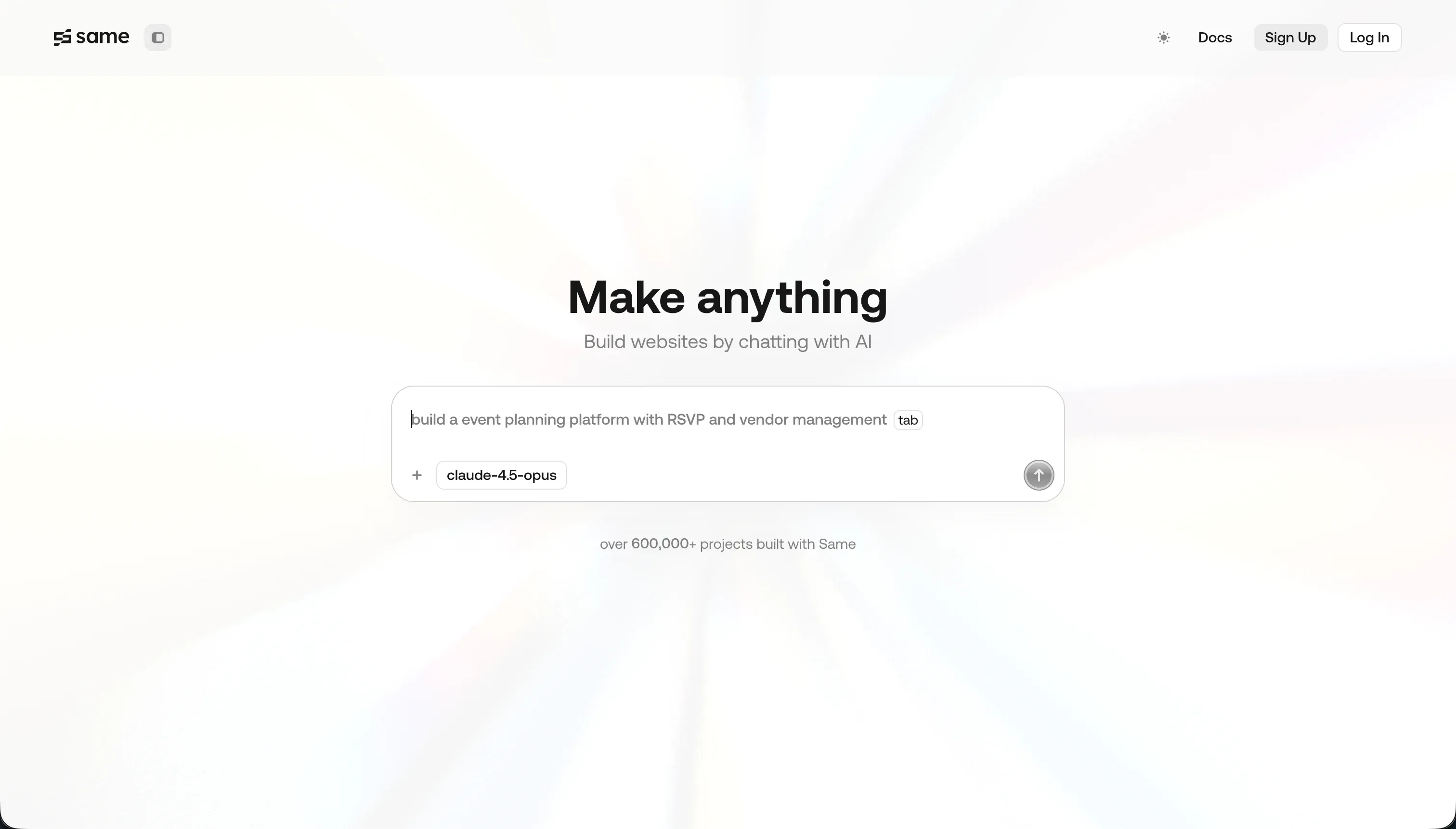
Same.dev, now operating as Same.new, is a generative AI frontend tool that clones and prototypes user interfaces. You paste a live website URL, and the AI parses the page’s HTML structure and CSS into a React and Tailwind CSS codebase you can then edit through a chat assistant.
In practice, Same.dev shines at one specific job: visual replication. It copies the layout, typography, and styling of a site in seconds, lets you tweak containers by typing prompts, and can fork or duplicate components to branch design versions. It also exports standard React and Tailwind code, so you can move the output into a local environment or deploy it elsewhere. The hard limits show up beyond the visual layer: there are no databases, no APIs, and no authentication, so anything that needs to store data or log users in has to be coded by you.
Same.dev is genuinely built for frontend developers, UI designers, and founders who want to scaffold or replicate a layout quickly and keep raw code. It becomes frustrating for anyone expecting a full application, because the AI edit agent can be destructive. Paid users report that asking it to reorder a section deleted over 1,500 lines of working code, and the rebrand from Same.dev to Same.new locked some active paid projects to read-only.
| Spec | Details |
|---|---|
| Primary Stack | AI frontend compiler that clones URLs into React and Tailwind CSS code |
| Interface | Chat-driven prompt editor with component forking and code export |
| Primary Deployment Target | Exportable React frontends to deploy on hosts like Vercel |
| Key Advantage | Fast URL-to-React visual cloning with downloadable source code |
What is Retool?

Retool is a developer-focused platform for building internal tools, admin consoles, and database managers. Instead of writing frontend components from scratch, developers drag pre-built UI elements onto a visual canvas and connect them to data using SQL queries and JavaScript.
In practice, Retool is a visual wrapper around your data. Its component library has 100+ elements like tables, charts, forms, and JSON editors optimized for data operations, and it connects natively to Postgres, MongoDB, Salesforce, Slack, and standard REST or GraphQL endpoints. It ships its own managed PostgreSQL Retool Database, a JavaScript and SQL console for state and queries, Retool Workflows for scheduled crons and pipelines, and Retool AI with vector databases and agent automation. It also includes professional software management like Git commit history, environment branching, and custom JS libraries.
Retool is built for technical team members and engineering leaders building admin consoles, support dashboards, and database utilities. It is less suited to non-developers, since building anything beyond a basic layout requires writing SQL and JavaScript, and to external-facing apps, because there are no native client login flows and seat-based pricing charges for every user.
| Spec | Details |
|---|---|
| Primary Stack | Visual components wired to SQL databases and REST/GraphQL APIs |
| Interface | Drag-and-drop canvas plus SQL and JavaScript console |
| Primary Deployment Target | Hosted internal tools, with self-hosting on Enterprise via Docker/Kubernetes |
| Key Advantage | Direct database connectivity with 100+ data-dense components and version control |
The Core Difference
The biggest difference is which layer of the application each tool actually builds, and who is expected to maintain it.
- Same.dev is a frontend-only AI cloner that turns a URL into editable React code, with no native database, auth, or backend logic.
- Retool is a backend-first internal tool builder that connects UI components to real databases and APIs, but expects you to write SQL and JavaScript.

Head-to-Head Comparison
We evaluated both platforms across the dimensions that actually separate them.
1. Developer Experience & Iteration Speed
Same.dev nails the first five minutes. Paste a URL and the AI returns a styled React clone almost immediately, which is why developers like it for quickly capturing a reference layout. Iterating by chat is fast for small visual tweaks, like recoloring a section or re-aligning a div.
The trouble is iteration past the demo. Because edits go through an AI agent, prompted changes can be destructive: one Trustpilot reviewer reported that a simple section reorder destroyed over 1,500 lines of working code. The fork and duplicate features also reportedly fail on larger files, so what feels fast at first becomes a cautious, backup-everything workflow once the project grows.
Retool’s iteration speed is strong but front-loaded with setup. Once you know SQL and JavaScript, dragging a table, writing a query, and wiring a button action is genuinely quick, and engineering leaders praise it for saving hundreds of hours versus building admin tools from scratch. Version control and environment branching make team iteration safer than chat-based editing.
The friction is the coding requirement. Retool is not a no-code tool, and non-developers cannot iterate at all because loading data or setting conditional visibility means writing scripts. Reviewers also note that large dashboards with many queries can run slowly, and updates have occasionally introduced UI bugs or corrupted SQL query boxes.
Edge: Retool, because its iteration is repeatable and team-safe for developers, while Same.dev’s AI edits risk destroying work you already shipped.
2. Code Quality & Portability
Same.dev is the more portable of the two on paper. It generates standard React and Tailwind CSS that you can export, run locally, or deploy to a host like Vercel, and code ownership is one of its stated draws. For a developer who wants to take a cloned layout and keep building, that matters.
The quality caveat is real, though. Cloning complex interactive state and nested grids reportedly needs extensive manual cleanup, and the AI agent’s destructive edits mean the exported code may be incomplete or broken after a bad prompt. GitHub sync also sits behind the Pro plan, so portability comes with a subscription string attached.
Retool does not really compete on portable code. Apps live in Retool’s hosted environment, and there is no clean way to export a standalone app and run it elsewhere. What it offers instead is operational control: Git commit history, staging and production branching, and self-hosting via Docker and Kubernetes on Enterprise.
That is control over deployment, not ownership of portable app code. One Capterra reviewer described SQL content disappearing randomly after an update and felt forced to keep local copies of all their query code, which undercuts the “trustworthy storage” expectation. So Retool gives engineering governance, but not the take-it-and-go portability Same.dev advertises.
Edge: Same.dev, narrowly, because it actually hands you exportable React code, even if that code often needs cleanup.
3. Database & Backend Capabilities
This is the most lopsided round. Same.dev compiles a frontend and stops. There are no managed database tables, no APIs, and no authentication, so if you need a form to save entries, you must write the API endpoints and connect a database like PostgreSQL yourself. It was never designed to be a system of record.
That is fine for its intended use, which is visual drafts and mockups, but it means Same.dev cannot stand on its own as a business application. Any data layer is a separate engineering project you bolt on afterward.
Retool is built around data. Its managed PostgreSQL Retool Database has a spreadsheet-like editor, and it connects directly to SQL databases, MongoDB, Salesforce, Stripe, and REST or GraphQL APIs. Retool Workflows handle scheduled crons and background pipelines, and Retool AI adds vector databases and agent automation on top.
The cost of that power is the coding requirement: pulling tables, filtering inputs, and triggering actions all run through SQL and JavaScript. So Retool gives you a serious backend, but only if your team can script against it. There is no visual, no-code path to the same result.
Edge: Retool, because it offers a managed database, broad data connectors, and workflow automation, while Same.dev offers no backend at all.
4. Hosting & Deployment Options
Same.dev’s deployment story is “export and host it yourself.” Because the output is plain React and Tailwind, you can push it to Vercel or any static or Node host you like. That is flexible for developers who want control over where the frontend runs.
The flip side is that nothing is hosted as a working app for you, and there is no backend to deploy in the first place. You are deploying a frontend shell, and you still have to stand up data and auth services separately, which is a meaningful amount of work for anything real.
Retool hosts your internal tools for you by default, which removes DevOps for the common case, and Enterprise customers can self-host via Docker and Kubernetes with VPC peering for stricter data control. For an engineering team that wants managed hosting now and the option to bring it in-house later, that range is useful.
The limits show at the edges. There is no native responsive mobile experience without extra development, and one Trustpilot reviewer noted that distributing apps to mobile app stores sits behind a roughly 18,000 pound annual paywall. So deployment is solid for internal desktop tools but constrained for mobile and external distribution.
Edge: Retool, because it manages hosting end to end and offers self-hosting, while Same.dev only outputs a frontend you must deploy and back yourself.
5. AI Quality & Reliability
Same.dev’s whole product is AI-driven, and at cloning it is fast and useful: the agent parses a page’s visual properties and returns clean React in seconds. For grabbing a reference design, that AI does its job well.
Reliability is where it stumbles. The same AI that builds your layout can break it, with reordering prompts wiping out thousands of lines of code, and forking larger projects failing. Because the AI is the only way to edit, a bad generation does not just slow you down, it can corrupt the project, which is a serious reliability problem for a tool you are paying for.
Retool’s AI is additive rather than foundational. Retool AI lets developers build features with vector databases and configure AI agents for data and automation, which is genuinely useful inside a data-heavy console. It augments what engineers build rather than generating whole apps from a prompt.
The reliability tradeoff is different here. Retool’s AI does not put your existing app at risk the way Same.dev’s edit agent can, because changes still go through queries and components you control. But it also will not scaffold an entire working tool for you, so the AI saves time on specific tasks rather than replacing the build itself.
Edge: Retool, because its AI assists without threatening to delete working code, while Same.dev’s AI is both the builder and the main reliability risk.
Pricing Comparison
Same.dev:
- Free - $0, limited tokens for basic UI testing and cloning
- Pro - $10/mo, 2 million tokens included, additional tokens at $5 per million ($10 per 2 million), GitHub integration and custom domain hosting
- Fixed Tiers - tiered token quotas introduced for more predictable billing after pay-as-you-go complaints
Retool:
- Free - $0, up to 5 users, connects to databases and APIs, basic UI library
- Team - $8/user/mo annually or $10/user/mo monthly, unlimited users, commit history, release management
- Business - $40/user/mo annually or $50/user/mo monthly, SSO (SAML), granular access controls, custom JS libraries
- Enterprise - Custom pricing, self-hosting, audit logs, source control, SLAs
Use Case Fit: When to use which?
When to choose Same.dev
- Choose Same.dev when you want to clone an existing website’s layout into editable React and Tailwind code quickly.
- Choose Same.dev when you need a visual prototype or component mockup and you have developers to build the backend separately.
- Choose Same.dev when owning exportable frontend code matters more than having a database, auth, or hosting handled for you.
When to choose Retool
- Choose Retool when you have engineers who write SQL and JavaScript and need internal admin tools on top of existing databases.
- Choose Retool when you are building data-dense dashboards, CRUD consoles, or support views that connect to Postgres, APIs, or Salesforce.
- Choose Retool when your team is small and internal, so seat-based pricing stays affordable and you do not need branded external portals.
When neither Same.dev nor Retool is the right fit
For business portals and internal tools without code
If you need a secure client portal, vendor portal, or internal tool but no one on the team wants to write SQL, JavaScript, or backend API code, neither tool fits. Same.dev gives you a frontend with no data or auth, and Retool demands scripting for any real logic while charging per seat for external users, which gets expensive fast at portal scale.
For that job, Softr is the stronger fit. It ships native Softr Databases plus connections to 17 external sources, built-in authentication, granular user groups, and row-level permissions, with flat plans starting at $19/mo annually rather than per-seat fees, so scaling to hundreds of users does not blow up the budget. If your team is more comfortable in spreadsheets and the app is lightweight, Glide is a simpler alternative that turns Google Sheets or Airtable into an internal app without code.
For complex custom web apps with deep logic
If your app needs heavily custom interactions, unusual UX flows, or logic that starts to resemble full application engineering, both tools fall short. Same.dev has no logic layer at all, and Retool’s logic lives in SQL and JavaScript inside a data-console UI that is hard to brand for a polished public product.
In that case, look at Bubble or WeWeb. Bubble is the heavyweight visual builder for complex web app logic with its own database and workflow engine, while WeWeb suits teams that want a developer-friendly front end connected to their own backend, giving more design and logic control than a Retool admin layout.
For professional code-first development
If your team wants to own the full stack with source control, terminal access, and package management, a managed tool like Retool or a frontend cloner like Same.dev is the wrong abstraction. You will hit the ceiling of both as soon as the architecture needs to be custom.
For that, Cursor or Replit make more sense. Cursor suits developers living in an IDE who want AI pair-programming on a real codebase, while Replit gives a browser-based coding environment with deployment and runtime tooling built in, both of which keep you in control of actual application code rather than a hosted tool.

Verdict
Pick Same.dev if your job is to clone a website’s frontend into React and Tailwind code and you have the engineering capacity to add a backend yourself. It is fast at visual replication and hands you exportable code, which is rare in this category. The tradeoff is steep: no database, no auth, and an AI edit agent that has destroyed thousands of lines of working code for paying users, so it is a prototyping utility, not a production platform.
Pick Retool if you have developers who write SQL and JavaScript and need internal tools wired to live databases and APIs. It connects to almost any data source, ships a managed PostgreSQL database and workflow automation, and gives engineering teams version control and self-hosting options. The tradeoff is that non-developers cannot use it, the admin UI is hard to brand, and per-seat pricing makes external portals costly.
The day-two reality is that most teams asking this question actually want a working business app, not just a frontend shell or a developer console. For internal tools and client portals that need auth, permissions, and predictable pricing without code, Softr ages better than either option, and Bubble is the next step up when the logic gets genuinely complex. Between the two compared here, Retool wins for engineering teams with real backend needs, while Same.dev stays a quick-hit frontend cloner for developers who want the code.

Summary Comparison Table
| Criterion | Same.dev | Retool |
|---|---|---|
| Best for | Cloning frontends into React code | Developer-built internal tools |
| Build paradigm | AI URL-to-React cloning | Visual components plus SQL/JS |
| Database | None native (build your own) | Managed Postgres plus broad connectors |
| Auth & permissions | None built in | Manual via code; no native external login |
| Pricing model | Token-based ($10/mo Pro) | Per-seat ($8-$50/user/mo) |
| Code export | Yes, React and Tailwind | No portable app export |
| Reliability risk | AI edits can delete working code | Update bugs, slow large dashboards |